

ℹ️ Affiliate Disclosure: This article may contain affiliate links. We may earn a commission at no extra cost to you. Thanks for your support! ❤️
Fonts For Business Documents: 12 Professional Picks
A lot of business documents don’t look unprofessional because the content is bad.
They look off because of the font.
That sounds small, but typography quietly does a lot of work in reports, proposals, presentations, company profiles, and client-facing PDFs. Before someone reads your executive summary or pricing section, they’ve already made a quick visual judgment. Does this feel organized? Does it feel credible? Does this company look like it knows what it’s doing?
A clean, professional font helps answer those questions in your favor.
If you’re looking for professional fonts on Creative Fabrica for business documents, the goal isn’t to find the flashiest typeface. It’s to find fonts that stay readable, look polished, and don’t fight with your content.
Below are 12 Creative Fabrica fonts that fit business communication well, from clean corporate sans serifs to a more refined serif option for premium documents.
1. Perfect Corporate
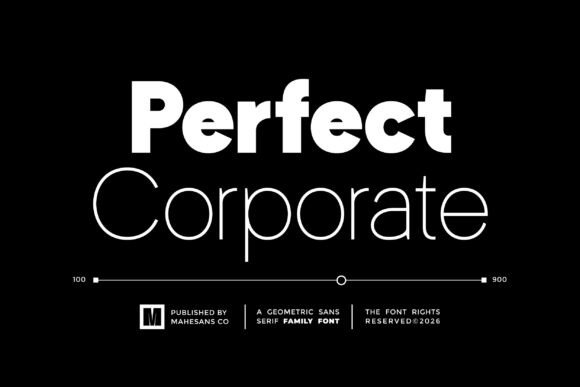
The name is almost too direct, but it fits.
Perfect Corporate has that clean, organized look you expect from a business document font. The letterforms are balanced, the spacing feels controlled, and it has enough visual weight to hold up well in proposals, reports, and company presentations.
What makes it useful is that it doesn’t feel overly stiff. Some corporate fonts look cold, like they belong in an outdated office template. Perfect Corporate feels more current while still staying safe enough for serious documents.
It’s the kind of font I’d consider for a company profile, an annual report, or a proposal where the design needs to look polished but not overly creative.
Best for:
- Annual reports
- Company profiles
- Business proposals
2. Sard
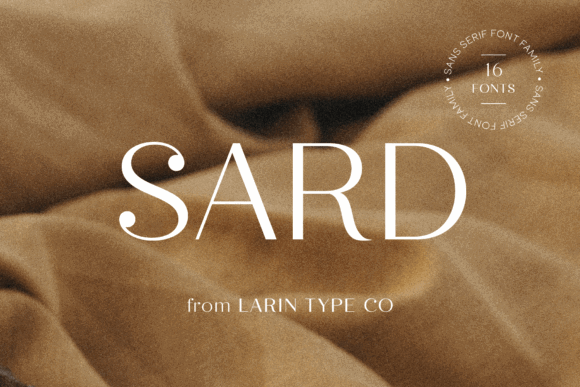
Sard is a quieter font, and that’s actually its strength.
It has a minimalist structure that lets the content stay in focus. Nothing about it feels loud or decorative, which makes it a good fit for long-form business documents where readability matters more than personality.
This is the sort of font that can work well in PDFs, white papers, onboarding documents, and internal reports. It gives the page a clean, professional rhythm without making the layout feel too designed.
If your document has a lot of paragraphs, tables, or supporting notes, Sard is worth looking at because it doesn’t visually exhaust the reader.
Best for:
- White papers
- Internal reports
- Business documentation
3. Saldo
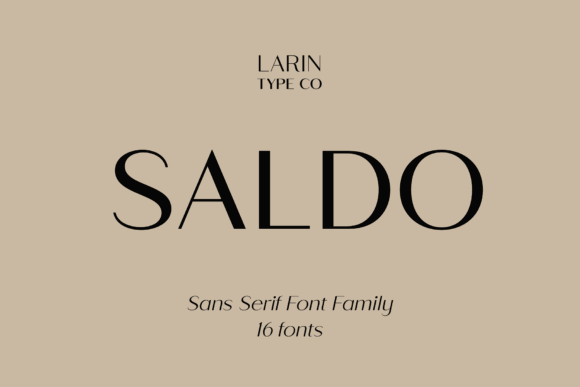
Saldo feels a little more contemporary than a traditional office font.
It has a clean structure, but there’s a fresh edge to it that makes it useful for startups, tech companies, agencies, and consulting brands. It doesn’t look trendy in a risky way, though. That’s important. Trendy fonts can make a business document feel dated faster than you’d expect.
Saldo works nicely when you want a document to feel modern without drifting into casual branding territory.
I’d use it for marketing reports, startup pitch materials, or client proposals where the presentation needs to feel sharp and current.
Best for:
- Marketing reports
- Startup presentations
- Client proposals
4. Quano
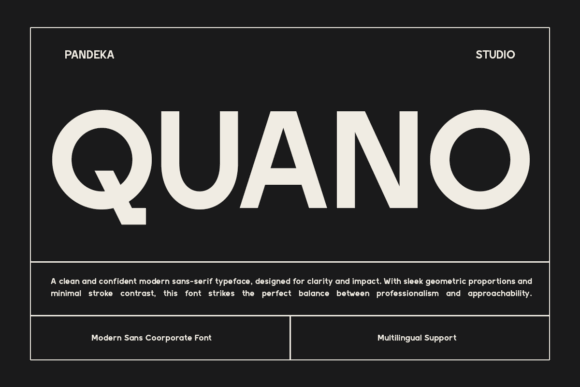
Quano has a structured, geometric feel, which naturally suits business content.
Geometric fonts can sometimes become too rigid, especially in longer text. Quano keeps enough clarity in the letterforms to stay practical. It feels organized, which is helpful for documents that need to communicate planning, strategy, or analysis.
This type of font can be especially useful in executive summaries or business plans because it gives the page a sense of order. The typography quietly supports the idea that the information has been thought through.
Best for:
- Business plans
- Executive summaries
- Strategy presentations
5. Vectura
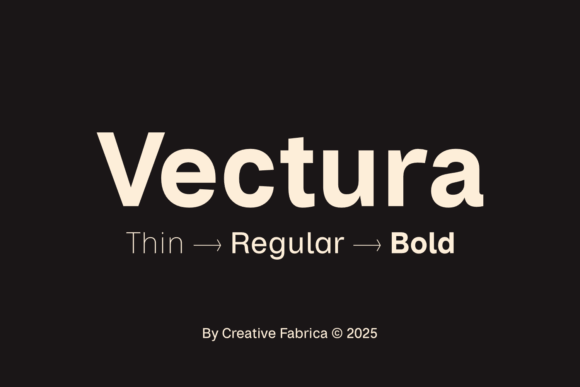
If you want a more classic corporate look, Vectura is one of the safer choices on this list.
It has that efficient, clean business feel that doesn’t try too hard. There’s no unnecessary decoration, no distracting personality, and no strange letter shapes that pull attention away from the content.
That makes Vectura useful for companies that want their documents to feel established and reliable rather than trendy or experimental.
It’s not the most expressive option here, but for office documents, professional reports, and formal communication, that can be exactly the point.
Best for:
- Corporate communication
- Office documents
- Professional reports
6. Kenzoria
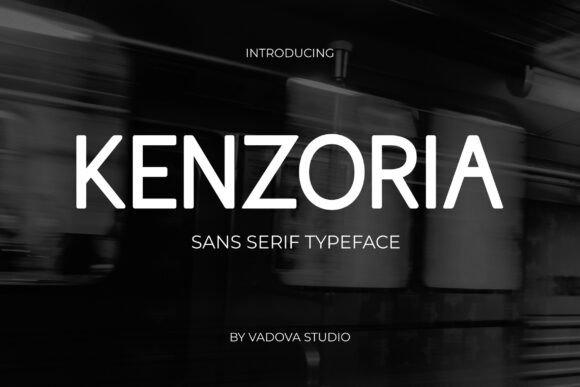
Kenzoria brings a slightly more refined tone to business typography.
It still reads as professional, but it has a smoother, more polished feel than a basic corporate sans serif. That makes it useful for brands that want their documents to look modern and a little more premium without becoming decorative.
I’d especially consider Kenzoria for client-facing PDFs, presentation decks, and brand documents where first impressions matter. It gives the layout a bit of visual confidence while still keeping the text readable.
Best for:
- Corporate branding
- Client-facing documents
- Professional presentations
7. Noria
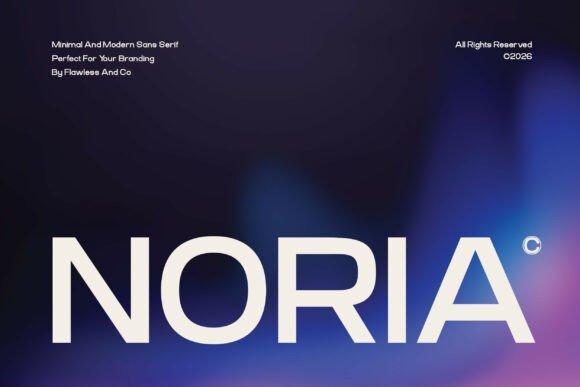
Noria is clean, modern, and flexible.
That flexibility is probably its biggest advantage. Some fonts look good in one specific use case but feel awkward once you move them into another format. Noria feels easier to adapt across reports, presentations, brochures, and digital documents.
For a business that wants one consistent font family across multiple document types, that matters.
It can help create a more unified visual system without needing to mix several different fonts. Use heavier weights for headings, regular weights for body text, and keep the layout simple.
Best for:
- Reports
- Presentations
- Brochures
- Digital publications
8. Agootack
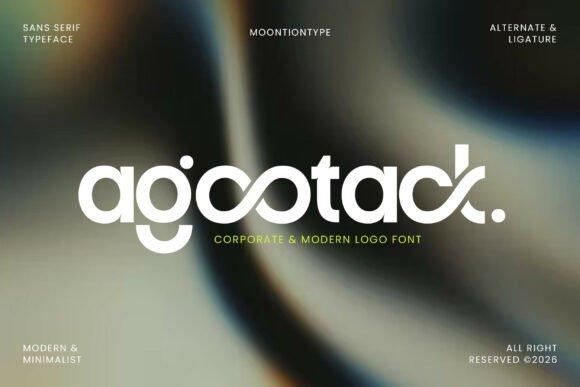
Agootack has more personality than some of the quieter business fonts here.
It feels modern and digital-first, which makes it a better match for startups, SaaS brands, creative businesses, and newer companies that don’t want the traditional corporate look.
The key is using it with restraint. In a pitch deck or digital report, Agootack can make headings and key sections feel more distinctive. For very long body text, I’d still check how comfortable it feels across multiple pages before committing.
It has a strong enough character to shape the tone of a document, so it’s best when that modern look is intentional.
Best for:
- Digital reports
- Pitch decks
- Startup presentations
9. Montery
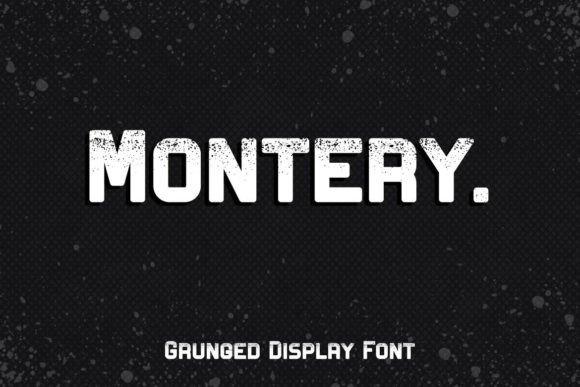
Montery sits in a nice middle space between clean professionalism and visual character.
A lot of business fonts are readable but forgettable. Montery has a bit more personality, which can help a document feel designed rather than simply formatted.
That said, it doesn’t go so far that it becomes distracting. This makes it useful for businesses that want a more distinctive identity in proposals, presentations, or branded PDFs.
I’d use Montery when the document needs to look professional but still have some warmth and style.
Best for:
- Branded proposals
- Company presentations
- Business PDFs with a more visual layout
10. Ace Sans Family
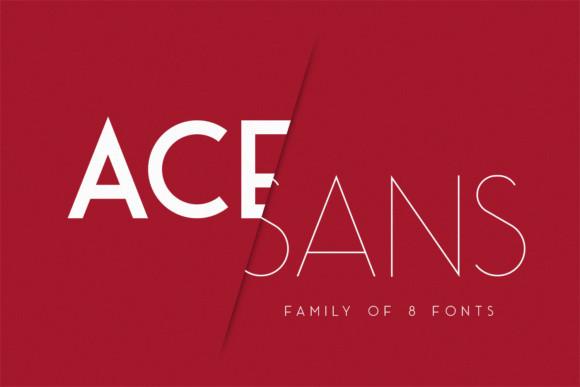
For business documents, font versatility matters a lot.
That’s where Ace Sans Family stands out.
A font family with multiple weights makes it much easier to build a clean hierarchy. You can use one weight for body text, another for subheadings, and a stronger weight for section titles without making the document feel visually messy.
This is especially useful for larger organizations or anyone creating repeatable templates. Reports, proposals, slide decks, and internal documents tend to look more consistent when they rely on one strong font family instead of several random typefaces.
Ace Sans Family is a practical choice if you want clean structure and long-term usability.
Best for:
- Business templates
- Large document systems
- Reports with clear hierarchy
- Presentations and proposals
11. Dellaris
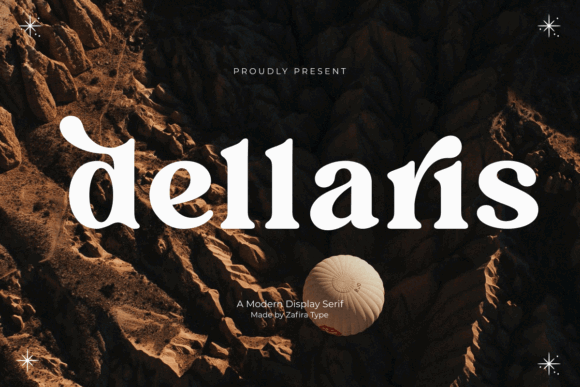
Not every professional document needs to use a sans serif font.
Dellaris is a serif typeface, and it brings a different kind of authority. It feels more editorial, polished, and premium. That can work beautifully for executive reports, luxury branding, leadership documents, and professional publications.
Serif fonts can add trust and seriousness when used well. The trick is not overusing them in cramped layouts. Dellaris is better when the page has enough breathing room, stronger margins, and a more refined document design.
It’s not the font I’d choose for every office document, but for the right brand, it can make the content feel more elevated.
Best for:
- Executive reports
- Luxury branding
- Professional publications
12. Éco Sans Pro Extended
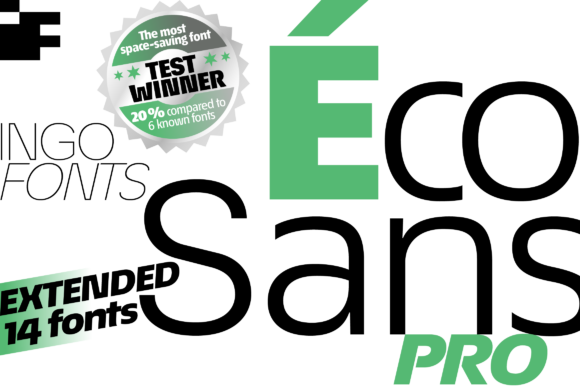
Éco Sans Pro Extended has a wider, more confident shape than many standard sans serif fonts.
The extended letterforms give it a strong corporate presence, especially in headings, presentation slides, section openers, and brand materials. It can make a document feel more modern and intentional without relying on decorative styling.
Because extended fonts naturally take up more horizontal space, I’d be careful with dense paragraphs or narrow columns. But for titles, decks, company profiles, and visual business documents, Éco Sans Pro Extended can look sharp.
Best for:
- Business presentations
- Company materials
- Modern corporate layouts
- Strong headings and section titles
Which Font Would I Choose?
If I had to shortlist the most practical fonts for general business documents, I’d start with these:
- Perfect Corporate
- Ace Sans Family
- Vectura
- Sard
- Quano
Those choices cover the main things that matter in professional communication:
- Readability
- Consistency
- Clean hierarchy
- Long-term usability
A font for business documents shouldn’t feel like a design trend you’ll regret in a year. It should still look clean and credible five years from now.
For more modern presentations or startup-style documents, I’d also look closely at Saldo, Agootack, and Éco Sans Pro Extended. For premium or editorial-style business materials, Dellaris is the one that brings a more elegant tone.
What Makes A Font Professional?
Before choosing a font for business documents, it helps to separate “professional” from just “nice-looking.”
A good business font should feel clear before it feels stylish.
For reports, proposals, decks, and office documents, I usually look for a few things:
- Easy readability in longer text
- Clean letterforms that don’t blur together
- Good spacing between characters
- Multiple weights for headings and subheadings
- A modern look that won’t feel dated too quickly
- Strong legibility at smaller sizes
That last point matters more than people think. A font can look beautiful in a big preview image and then fall apart in a 10-point paragraph inside a PDF.
For business documents, typography should support the message. It shouldn’t make the reader stop and think about the font.
Read more: Beyond just documents and presentations, selecting the perfect typeface is also critical when establishing a strong brand identity, such as choosing the 12 Font for Logo Luxury Jewelry Businesses That Look Premium.
Final Thoughts
The best business font isn’t always the most beautiful font in the preview image.
It’s the one that makes your document easier to read, easier to trust, and easier to take seriously.
For reports, proposals, presentations, company profiles, and business communication, the fonts above offer a strong starting point. Creative Fabrica has plenty of decorative and highly stylized fonts, but for professional documents, restraint usually wins.
Choose a typeface with clean spacing, readable letterforms, useful weights, and a tone that matches your brand.
That’s what makes a document feel professional before anyone even gets to the first paragraph.
Follow Us