

ℹ️ Affiliate Disclosure: This article may contain affiliate links. We may earn a commission at no extra cost to you. Thanks for your support! ❤️
Find the Right Canva Wedding Invitation Template for Your Wedding
Choosing a wedding invitation can become surprisingly complicated once you start comparing fonts, floral arrangements, card sizes, inserts, and printing options. That is why I focused this roundup on Canva wedding invitation templates that give you a polished starting point without locking you into someone else’s wording or color palette.
I prioritized templates with verified Creative Fabrica product pages and clear Canva compatibility. I also looked for designs that offer enough editable structure to accommodate practical details such as the ceremony location, reception information, RSVP instructions, dress code, and wedding website.
Best Editable Canva Wedding Invitations
1. Eucalyptus Wedding Invitation Bundle
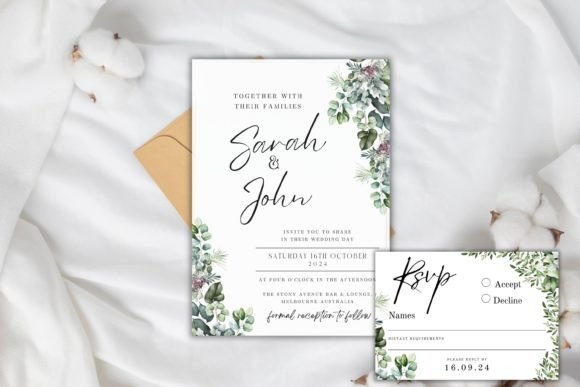
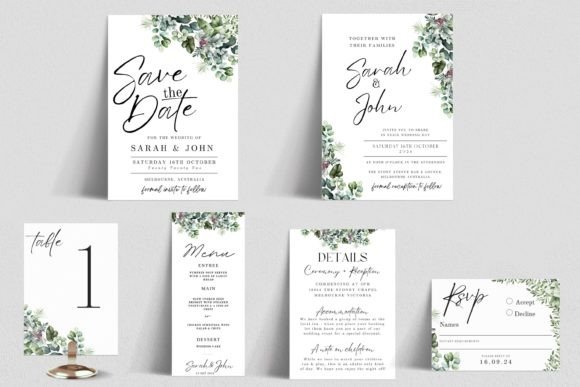
This coordinated eucalyptus set is my pick for couples who want their invitation, RSVP card, menu, and reception stationery to share one recognizable visual identity. The greenery feels soft and romantic without relying on dense flower arrangements, making the layout suitable for garden, vineyard, rustic, and understated modern weddings.
I especially like this option for couples planning to print several types of cards. Starting with one coordinated bundle reduces the chance of mismatched greens, inconsistent fonts, or changing margins between pieces. The limitation is that eucalyptus has become a familiar wedding motif, so I would personalize the palette or typography to make the suite feel more individual.
Best for: Garden weddings, rustic receptions, coordinated stationery
Key features:
- Editable Canva templates
- Invitation and supporting wedding cards
- Botanical eucalyptus theme
- Suitable for print or digital sharing
Download Eucalyptus Invitation Bundle
2. Minimalist Wedding Invitation Template
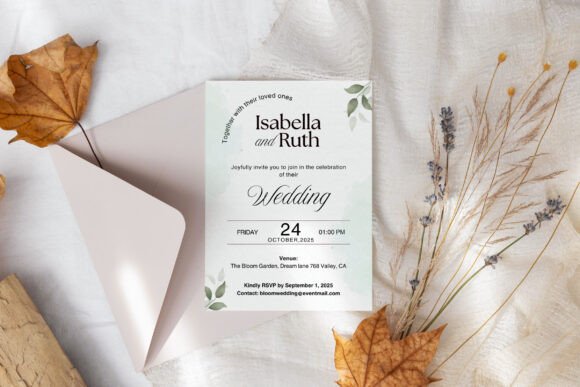
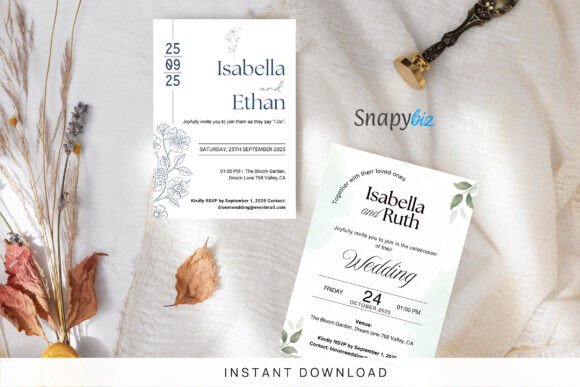
This invitation suite uses a cleaner structure than heavily illustrated wedding stationery, giving names, dates, and venue information room to breathe. I would choose it for a contemporary event where typography and spacing need to carry the design rather than watercolor graphics or ornate borders.
Minimal layouts can also be easier to adapt when you have long names or multiple locations to include. The tradeoff is that spacing mistakes become more visible, so avoid filling every open area with extra wording. Keep one clear type hierarchy and use no more than two or three font styles throughout the suite.
Best for: Modern weddings, courthouse ceremonies, typography-led stationery
Key features:
- Customizable Canva layout
- Minimal visual structure
- Editable fonts and colors
- Coordinated invitation-suite format
Download Minimalist Invitation Template
3. Boho Wedding Invitation Canva Templates
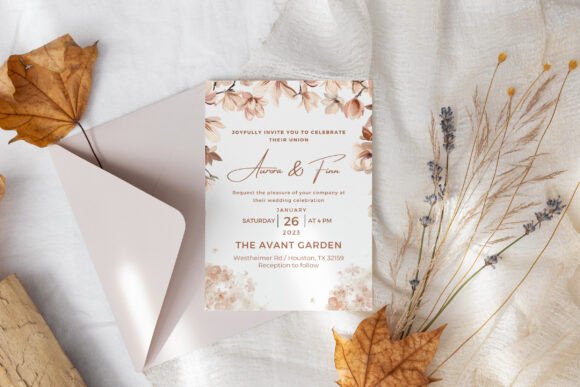
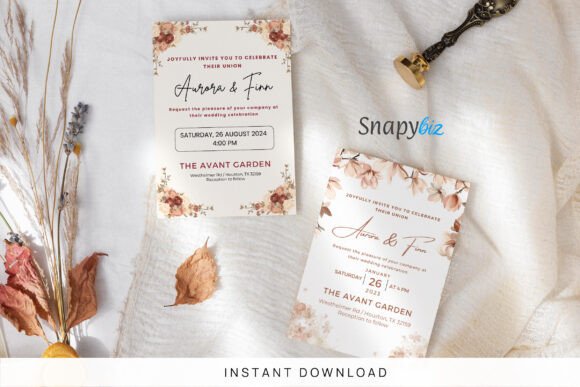
This bohemian invitation set provides more decorative personality than a strict minimalist design while still leaving the central wording readable. It suits relaxed ceremonies with earthy colors, dried flowers, outdoor venues, or handmade reception details.
I would use this template as the visual anchor for an entire boho stationery collection, repeating one or two design elements on place cards and signage. Couples planning a very formal black-tie event may find the casual styling less appropriate. It will look most cohesive when paired with warm neutral colors rather than sharp corporate blues or highly saturated tones.
Best for: Boho weddings, outdoor venues, earthy color palettes
Key features:
- Editable Canva templates
- Customizable fonts and colors
- Decorative bohemian styling
- Printable invitation-kit format
Download Boho Invitation Templates
4. Wedding Invitation Template with CANVA
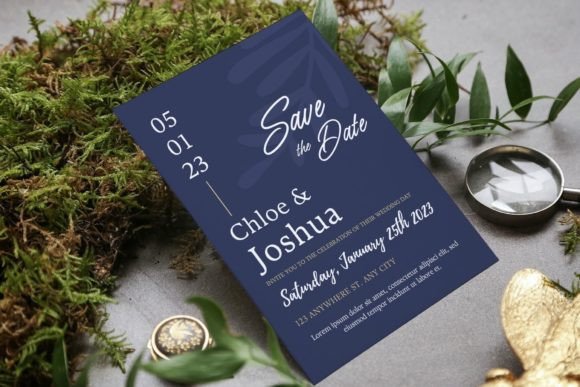
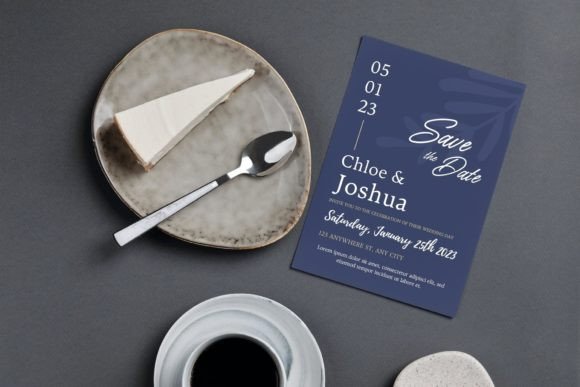
This 5-by-7-inch template is a practical choice when you want a conventional invitation size and straightforward editing controls. Images, text, colors, fonts, and layout elements can be adjusted, so it offers more flexibility than a flattened printable file.
My take is that this design works best for someone who expects to make several visual changes rather than simply replacing names and dates. The drag-and-drop photo option is also useful for couples who want a personal image included. Before printing, check that any replacement photo has enough resolution and does not compete with the invitation wording.
Best for: Photo invitations, beginner Canva users, standard 5-by-7 cards
Key features:
- 5-by-7-inch layout
- Editable with free Canva
- Replaceable images and text
- Print-ready structure
Download Wedding Invitation Canva Template
5. Canva Minimal Wedding Invitation
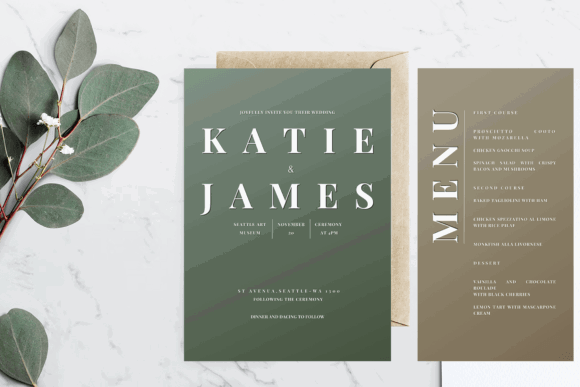
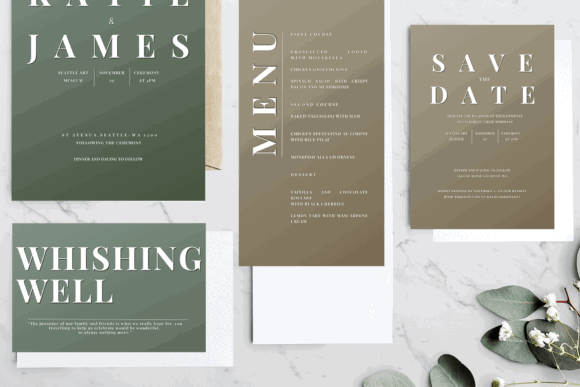
This minimal invitation is useful for couples who prefer a restrained design but still want access to multiple editing formats. Along with the Canva link, the project includes files intended for Adobe editing, which gives more experienced designers an additional route for customization.
I would pick this when simple typography and a neutral visual treatment matter more than decorative artwork. It is also a sensible starting point for matching a venue with modern architecture or a monochrome reception. Because the design is intentionally sparse, proofread alignment and line breaks carefully; a single uneven line can disrupt an otherwise refined composition.
Best for: Contemporary weddings, neutral palettes, multi-software editing
Key features:
- Editable Canva link
- Minimal wedding aesthetic
- High-resolution files
- Additional Adobe-compatible formats
Download Minimal Wedding Invitation
6. Canva Gatefold Golden Wedding Invitation
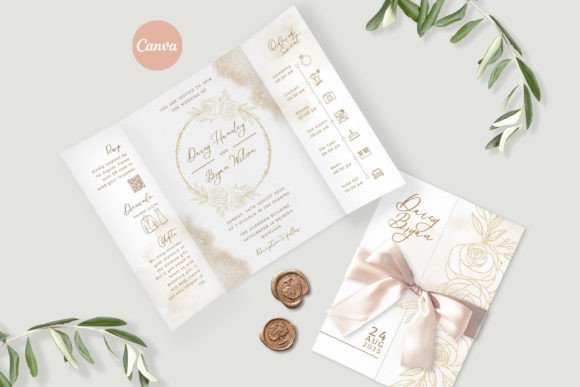
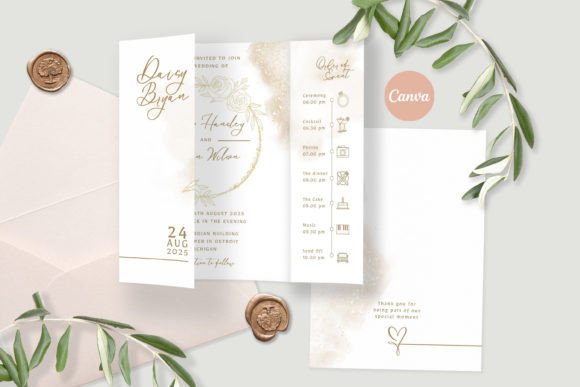
A gatefold invitation creates a more ceremonial reveal than a standard flat card. This golden design is my pick for formal celebrations, evening receptions, and events built around dramatic table settings or metallic accents.
The format can feel more substantial in hand, but it also requires extra planning. Confirm the final folded dimensions, envelope fit, paper flexibility, and printer requirements before ordering a large quantity. I would keep embellishments restrained because the gatefold construction and gold styling already provide strong visual interest.
Best for: Formal weddings, luxury themes, dramatic invitation presentations
Key features:
- Editable in Canva
- Gatefold presentation
- Gold decorative styling
- Suitable for formal stationery
Download Golden Gatefold Invitation
7. Wedding Invitation Canva Template
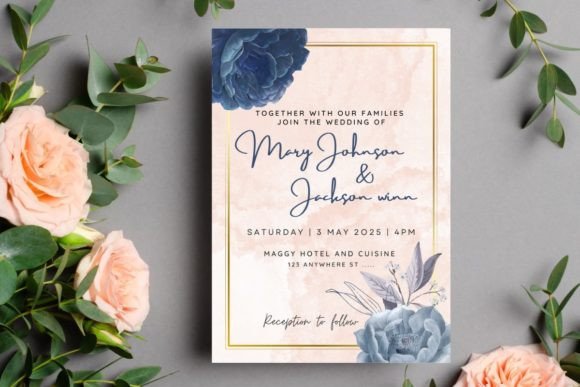
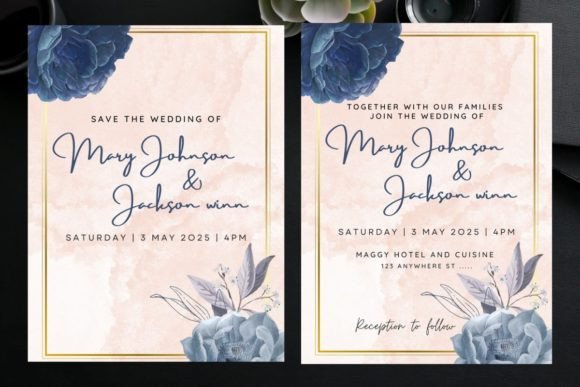
This download includes two 5-by-7-inch invitation templates that can be edited with a free Canva account. Having two layouts gives you room to compare compositions before committing to one, which is useful when you are still deciding how formal or decorative the invitation should feel.
I like this option for couples who want a manageable amount of choice without opening a huge bundle. Two versions are enough to test different wording lengths or color palettes while keeping the process focused. It may be less useful when you need RSVP and details cards in the same purchase.
Best for: Simple invitation projects, free Canva users, quick comparisons
Key features:
- Two invitation templates
- 5-by-7-inch card size
- Free Canva compatibility
- Editable elements and fonts
Download Wedding Invitation Templates
8. Wedding Invitation Canva Template 3
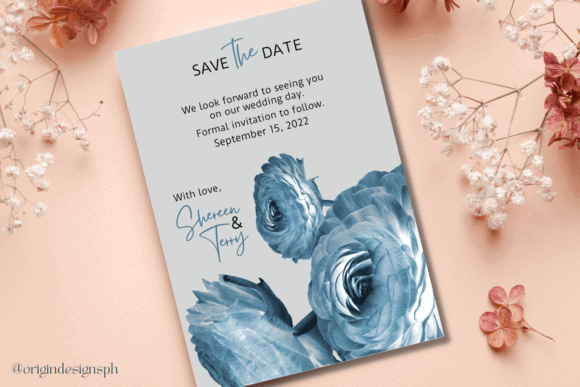
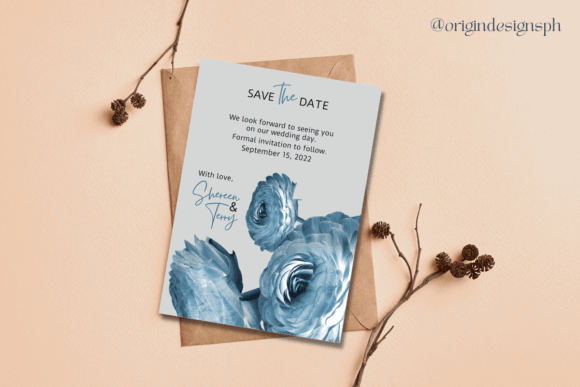
This editable Save the Date design allows you to replace photos, change fonts, recolor elements, and download the completed project as a PNG, JPG, or PDF. I would choose it for couples who want to introduce their visual theme before sending the formal invitation suite.
The photo area makes the template personal, but image selection will determine whether the result feels polished. Use a photograph with open space around the subjects so the text does not cover faces or important details. A simple image also gives you more freedom to adjust the typography without creating visual clutter.
Best for: Photo save-the-dates, digital announcements, early wedding stationery
Key features:
- Editable in free Canva
- Replaceable photo area
- Custom fonts and colors
- PNG, JPG, and PDF export
Download Wedding Invitation Template 3
9. Wedding Invitation Template Canva Tulip
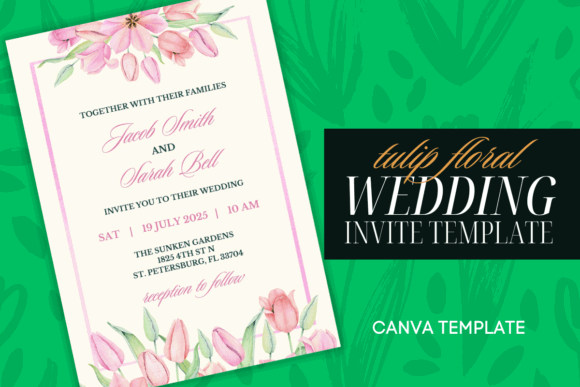
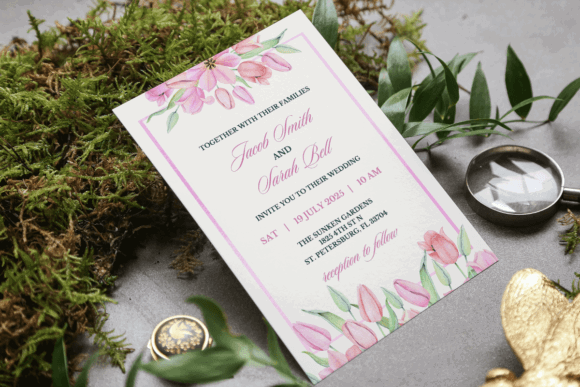
Pastel tulips give this invitation a softer seasonal identity than general greenery or mixed floral borders. I would consider it for a spring wedding, daytime garden ceremony, bridal brunch, or reception with blush and cream decor.
The floral styling already establishes a romantic mood, so the best edits will probably be subtle: names, event details, one complementary font, and a carefully chosen accent color. Couples using deep jewel tones or a dramatic black-tie theme may find the pale tulip artwork difficult to integrate with the rest of their stationery.
Best for: Spring weddings, pastel palettes, romantic garden ceremonies
Key features:
- Editable Canva template
- Pink pastel tulip artwork
- Soft romantic styling
- Suitable for print invitations
Download Tulip Invitation Template
10. Floral Wedding Invite Template
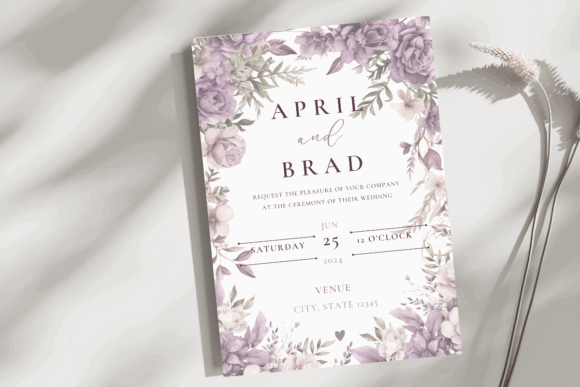
This purple floral invitation offers a more colorful alternative to muted green and beige wedding stationery. The flowers create a defined frame, helping the central wording remain the visual priority while still giving the card a decorative finish.
I would choose it for a lavender-themed wedding, a summer garden event, or a couple using purple as a consistent accent color. Since the artwork already has a clear color direction, replacing it with unrelated shades could weaken the design. Adjust the text and secondary accents first before making major changes to the flowers.
Best for: Purple weddings, summer ceremonies, floral stationery
Key features:
- Editable in Canva
- Purple floral artwork
- Printable invitation layout
- Central text composition
Download Floral Wedding Invite
11. Floral Wedding Invitation Card Canva
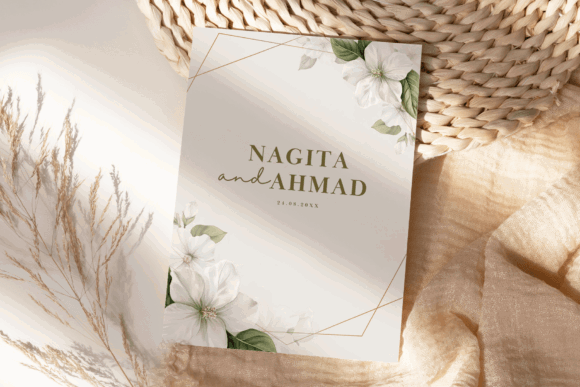
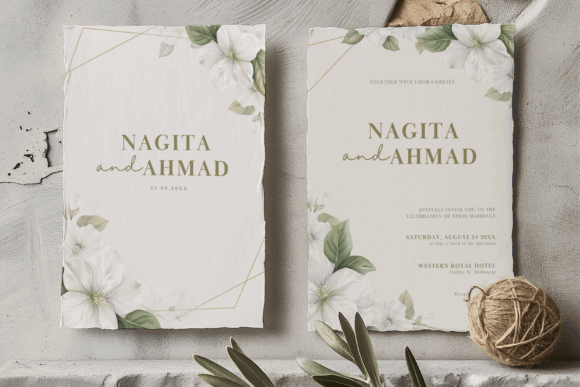
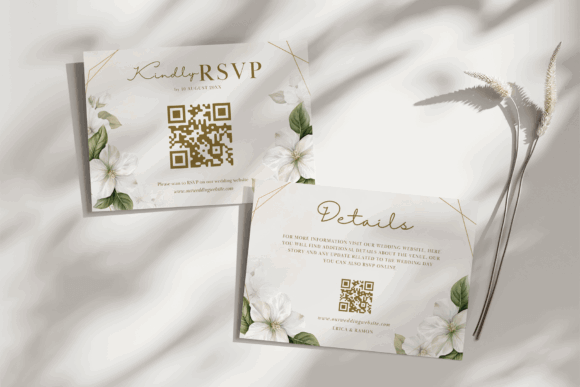
This floral Canva card is suited to couples who want decorative wedding stationery without building a composition from separate clipart pieces. The artwork and text areas are already arranged, allowing you to focus on wording, colors, and typography.
My main recommendation is to preserve enough contrast between the floral elements and the event details. Decorative invitation templates can lose readability when pale script fonts are placed over detailed artwork. I would keep venue, date, and RSVP information in a simpler typeface, reserving script lettering for the couple’s names.
Best for: Romantic weddings, floral themes, beginner editing
Key features:
- Canva-editable card
- Floral composition
- Multiple preview layouts
- Printable wedding format
Download Floral Invitation Card
12. Minimal Wedding Invitation Suite
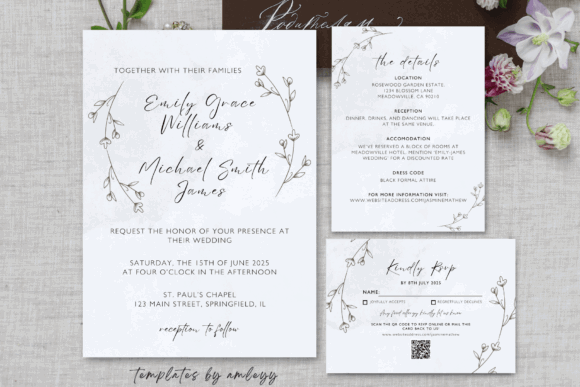
This set combines a wedding invitation with RSVP and details cards, giving couples the essential pieces of a traditional mailed suite without unnecessary extras. Its minimal design also makes it easier to fit practical travel, accommodation, or reception information onto the supporting cards.
I would choose this for a medium-formality wedding where consistency matters but elaborate decorative artwork does not. The suite may also be easier to print economically because the designs rely on layout and typography rather than full-coverage imagery. Check that the three cards use matching margins after you finish editing.
Best for: Traditional mailed suites, modern weddings, information-heavy events
Key features:
- Invitation template
- RSVP card
- Details card
- Editable Canva files
Download Minimal Invitation Suite
13. Minimal and Chic Wedding Invitation
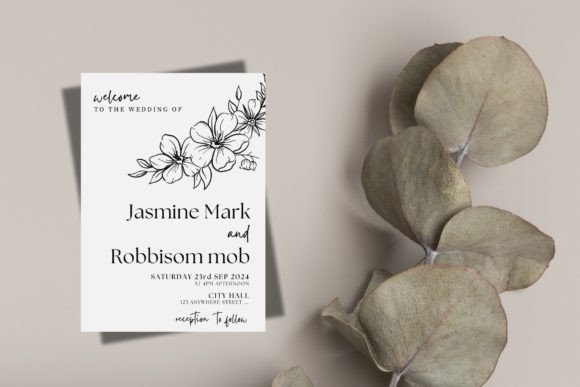
This template takes a fashion-conscious approach to minimalism, making it suitable for weddings with clean tablescapes, modern venues, and a limited color palette. I like it for couples who want something more refined than a basic text-only card but less ornate than a botanical suite.
The layout will be most effective when the wording remains concise. Long family introductions, multiple venue lines, and extensive reception details could overwhelm the intentionally controlled spacing. Move secondary information to a details card or wedding website instead of shrinking the type.
Best for: Chic city weddings, gallery venues, modern neutral decor
Key features:
- Editable Canva format
- Minimalist composition
- Typography-focused layout
- Contemporary wedding styling
Download Chic Wedding Invitation
14. Simple Wedding Invitation Suite Canva
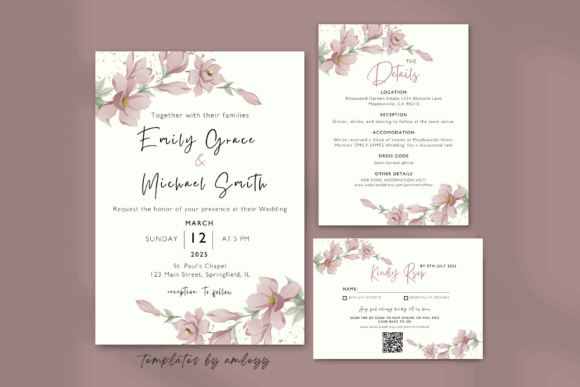
This simple suite is a practical middle ground between a single invitation and an oversized wedding bundle. It is designed for couples who need coordinated stationery but prefer a restrained look that can be recolored for different seasons or venues.
I would select this template when speed and consistency are the main priorities. A simple base also leaves room for personalized touches such as a custom monogram, venue illustration, or small decorative motif. Avoid adding several unrelated elements; the layout’s strength comes from its controlled hierarchy.
Best for: Fast customization, coordinated stationery, understated weddings
Key features:
- Canva invitation suite
- Simple editable layout
- Minimalist wedding styling
- Coordinated card design
Download Simple Invitation Suite
15. Royal Wedding Invitation Template
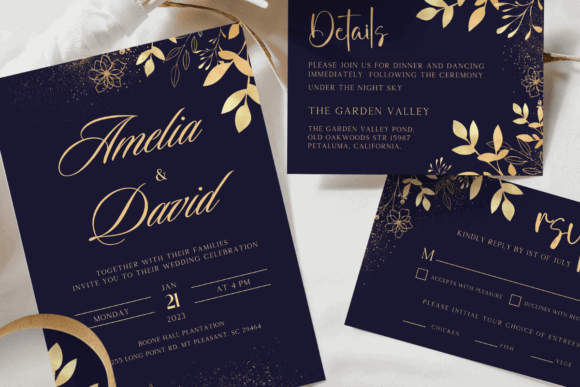
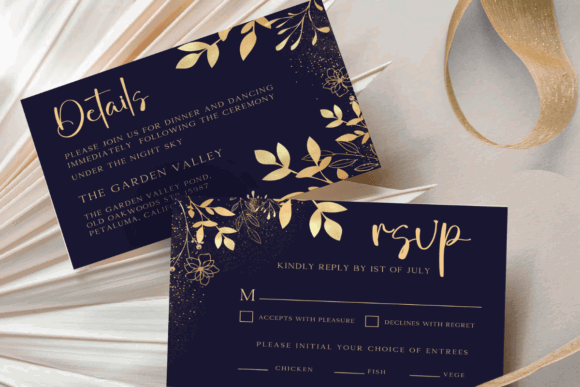
This formal suite includes a 5-by-7-inch invitation plus coordinating details and reply cards. The more traditional presentation suits ballroom receptions, large ceremonies, formal religious weddings, and events using gold or ornamental decor.
I would choose this design when the invitation needs to feel ceremonial rather than casual. Because the decorative treatment is already strong, I would not combine it with several script fonts or excessive metallic embellishments. One display typeface for names and one readable font for information should be enough.
Best for: Formal weddings, ballroom receptions, traditional invitation suites
Key features:
- 5-by-7-inch invitation
- Details card
- RSVP reply card
- Editable Canva access
Download Royal Invitation Template
16. Winter Wedding Invitation – Golden Touch
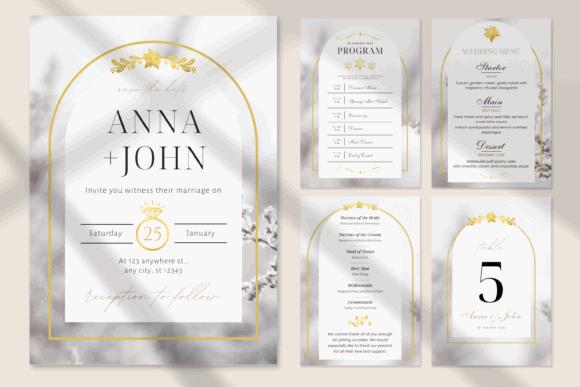
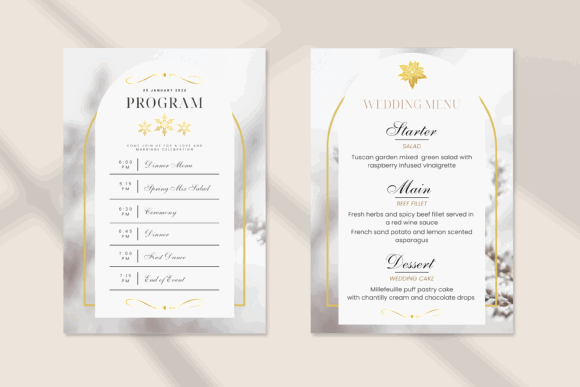
This winter-themed set pairs seasonal styling with golden elements, making it suitable for December ceremonies, mountain venues, holiday-period receptions, and evening events. It offers a more specific atmosphere than a general floral invitation without relying on overt holiday graphics.
I like this for couples who want seasonal character while keeping the stationery formal. Before printing, compare the gold areas on screen with a physical proof; ordinary home printers will reproduce metallic-looking colors as flat ink rather than reflective foil. Actual foil requires a specialized printing process.
Best for: Winter weddings, evening receptions, seasonal formal stationery
Key features:
- Canva-editable design
- Winter wedding theme
- Golden decorative elements
- Coordinated wedding-card format
Download Winter Wedding Invitation
17. Wedding Invitation | Canva Wedding Card
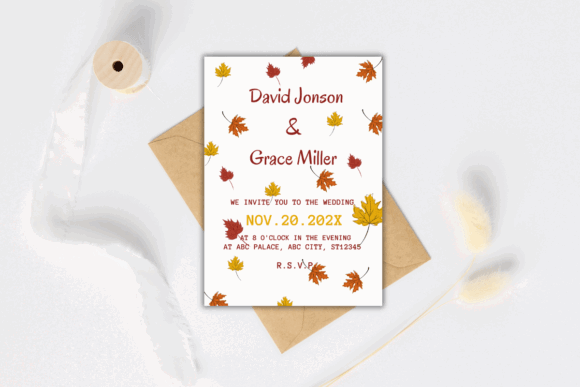
This one-page fall wedding invitation provides a focused option for couples who do not need a large coordinated stationery bundle. Its seasonal direction is useful for barn venues, forest ceremonies, October receptions, and palettes built around rust, burgundy, brown, or muted green.
I would use it as either a printable invitation or a digital card, depending on how much supporting information needs to be included. Since it is a single page, move accommodation notes, registry details, and extensive RSVP instructions to a wedding website rather than crowding the main layout.
Best for: Fall weddings, one-card invitations, rustic celebrations
Key features:
- One-page Canva template
- Fall wedding styling
- Digital-download format
- Suitable for print or sharing
18. Boho Wedding Invitation W8121
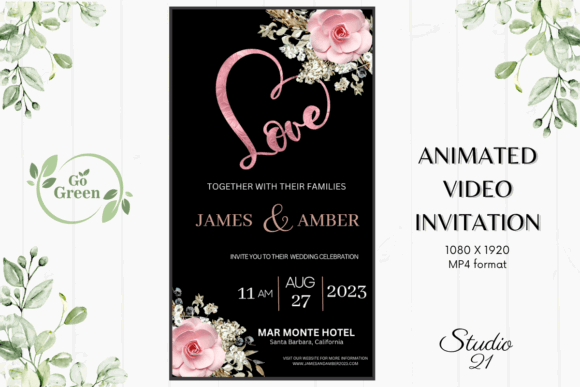
This animated boho invitation is designed for digital delivery rather than traditional cardstock. After editing in Canva, it can be exported as an MP4 and shared through messaging platforms, making it useful for destination weddings, informal celebrations, and geographically dispersed guest lists.
My pick would be to use this alongside a simple wedding website, especially when travel plans may change. Animation creates visual interest, but it should not delay access to essential details. Keep the names, date, city, and RSVP direction visible long enough to read comfortably on a phone.
Best for: Digital invitations, destination weddings, mobile sharing
Key features:
- Editable in Canva
- Animated boho design
- MP4 export
- Designed for digital delivery
Download Boho Video Invitation
19. Video Template Wedding Invitation Canva
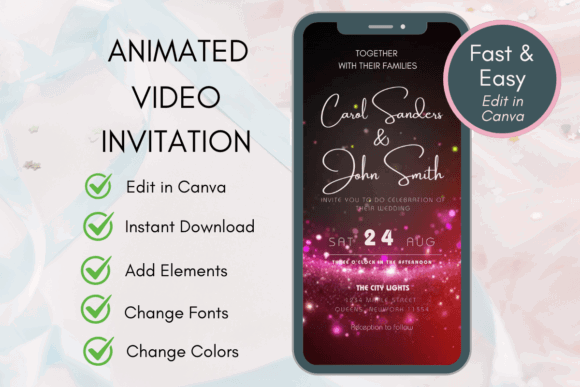
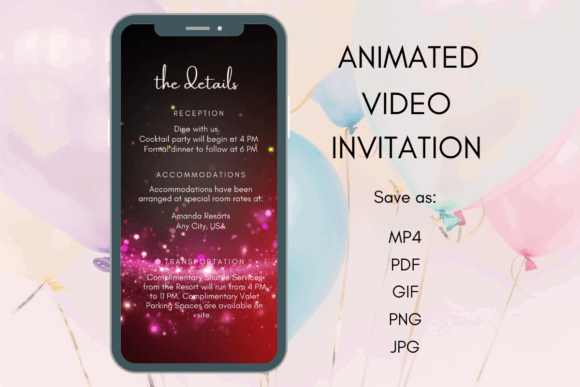
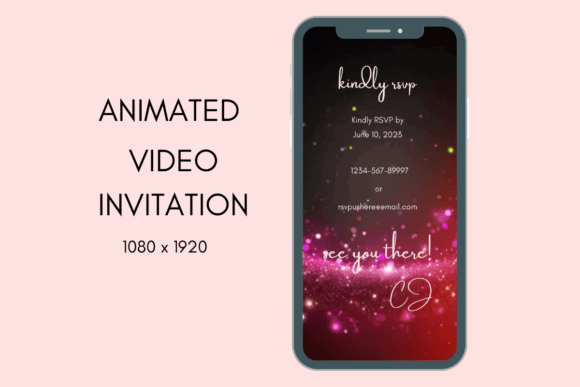
This Canva video template offers another alternative to printed stationery, with multiple scenes available for names, photographs, dates, and event information. It can create a more narrative announcement than a static invitation, especially when shared through text messages or social platforms.
I would choose this for an informal or hybrid wedding where digital communication is already central to guest planning. Keep the total message focused and resist placing full paragraphs on animated slides. Guests should be able to understand the core invitation without pausing the video repeatedly.
Best for: Animated announcements, photo-based invites, hybrid weddings
Key features:
- Canva video template
- Editable text and imagery
- Multi-scene presentation
- Digital wedding-invitation format
Download Wedding Video Template
20. Wedding Invitations – Watercolor Boho Wildflowers Bundle

This bundle combines watercolor wildflowers with a boho presentation, giving the invitation more color and movement than minimal foliage designs. It is a natural fit for meadow ceremonies, outdoor summer weddings, tented receptions, and decor built around mixed seasonal flowers.
I would choose this when the floral artwork is meant to establish the event palette from the first guest communication. Since watercolor designs can contain many shades, limit your text to one dark neutral and one accent color. That keeps the information readable and prevents the finished invitation from feeling overly busy.
Best for: Wildflower weddings, outdoor ceremonies, colorful boho themes
Key features:
- Editable Canva design
- Watercolor wildflower artwork
- Bohemian wedding styling
- Digital animated format
Download Wildflower Invitation Bundle
Common Canva Wedding Invitation Mistakes
- Using too many fonts in one small layout
- Placing essential text over detailed floral artwork
- Forgetting to check whether the envelope fits the finished card
- Exporting a low-resolution image for professional printing
- Assuming a gold-colored graphic will print as reflective foil
- Making the RSVP deadline or website address too small
- Sending invitations before proofreading the venue information
Final Thoughts
The best editable invitation is not necessarily the most decorative one. It is the template that fits your wording, wedding format, guest needs, and production plan without forcing you to rebuild the entire design.
My pick for a coordinated printed suite is the Eucalyptus Wedding Invitation Bundle, while the Minimal Wedding Invitation Suite is better for couples who want a cleaner presentation. For digital delivery, the Boho Wedding Invitation W8121 and Video Template Wedding Invitation Canva offer a more engaging alternative to a static card.
Whichever template you select, keep readability ahead of decoration, verify every event detail, and review a full-size proof before sending the invitation to your guests.
Frequently Asked Questions
Can I edit a wedding invitation template with a free Canva account?
Many Canva wedding invitation templates can be edited with a free account, but access depends on the specific fonts, photographs, and graphic elements used by the designer. Check the product information and replace any paid element with a free alternative when necessary.
What size should a Canva wedding invitation be?
A 5-by-7-inch flat card is a common and practical choice. However, gatefold invitations, square cards, digital invitations, and coordinated inserts may use different dimensions. Choose your envelope and printer only after confirming the final template size.
Should I download my Canva wedding invitation as a PDF or JPG?
PDF is generally the more practical option for professional or home printing because it preserves the page layout. JPG and PNG files are useful for digital sharing and some online printing platforms. Follow your printer’s requested file type and export settings.
Can I use an animated Canva template as my only wedding invitation?
Yes, especially for casual, destination, or digitally coordinated weddings. Make sure the invitation clearly communicates the couple’s names, date, location, and RSVP method. Provide a static backup or wedding website link for guests who may have trouble viewing the video.
Save to Your Inspiration Board
Follow Us