

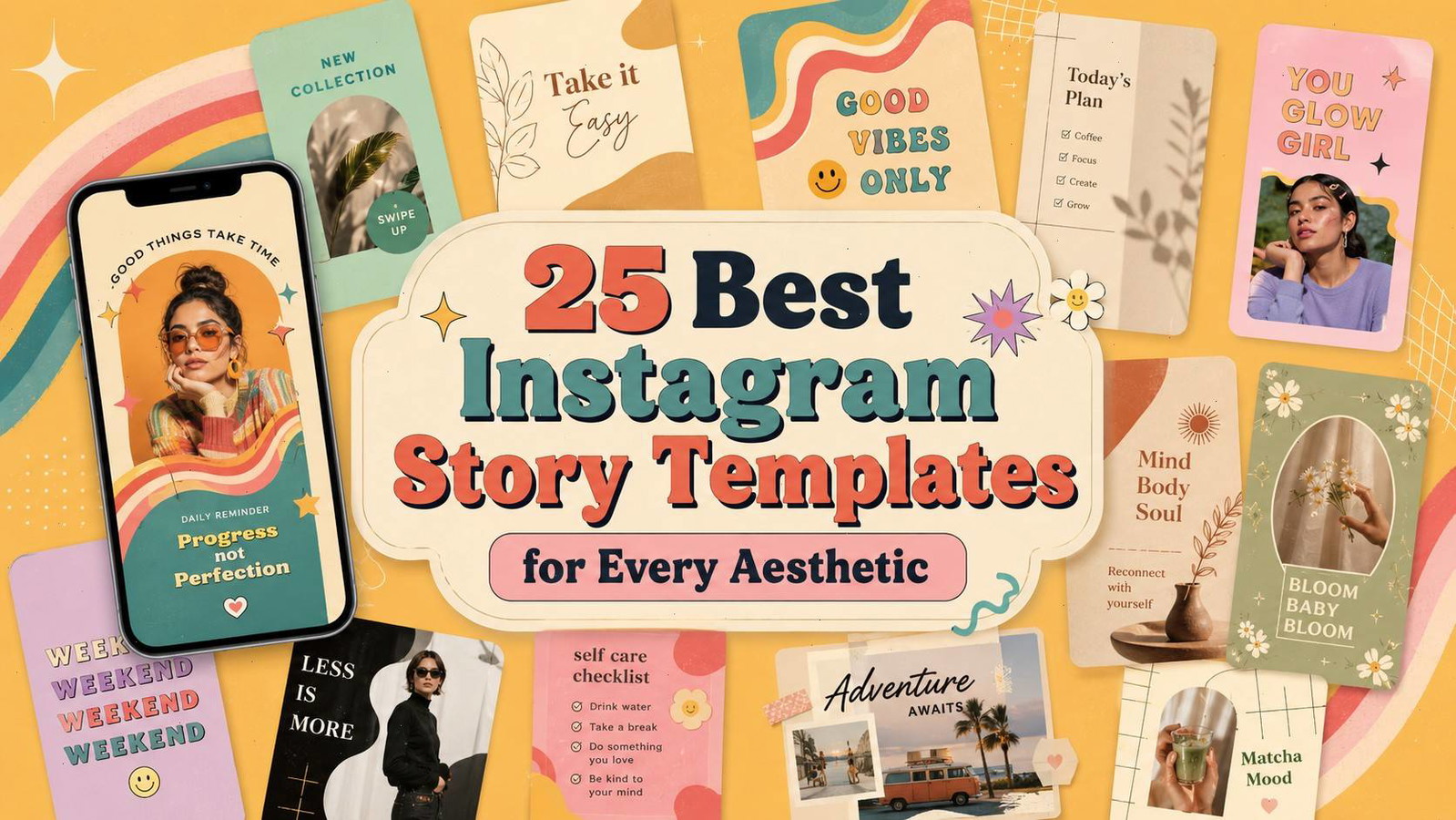
Introduction
The best Instagram Story templates do more than place text over an attractive background. A useful template creates clear visual hierarchy, gives photography enough space, keeps branding recognizable, and makes everyday content creation noticeably faster.
That last point matters. A template can look beautiful in a marketplace preview and still become frustrating once you try to fit a real headline, product photo, testimonial, or call to action into it.
The right choice also depends heavily on your visual identity. A soft beige layout may feel completely natural for a wellness creator but look disconnected from a bold fashion brand. In the same way, a colorful retro design can bring energy to a launch while making a quieter personal update feel unnecessarily busy.
I reviewed template collections across minimalist, boho, luxury, retro, colorful, travel, fitness, food, and business aesthetics. Most of the options below are editable in Canva, while a few use Photoshop or Illustrator for creators who want more detailed control.
Quick Picks
- Best multipurpose Canva pack: 50 Attractive Instagram Story Template
- Best luxury option: Luxury Black Instagram Story Templates
- Best calm lifestyle option: Sage Green Instagram Story Template
- Best creative option: Riso Texture Instagram Story Templates
- Best travel option: 100 Travel Instagram Story Templates
How I Picked These
I looked first for templates created in a genuine vertical Instagram Story format rather than designs loosely adapted from square posts.
Each collection also needed editable elements, readable typography, and enough layout variety to support more than one type of content. A template pack becomes much more practical when it can handle announcements, educational slides, product features, testimonials, and everyday updates without every Story looking identical.
Visual direction mattered too. There is little value in recommending 25 collections that all use the same beige background, serif headline, and dried-flower photography. Some of these designs are intentionally restrained, while others rely on texture, unusual typography, collage layouts, or saturated color.
Before downloading any template, check whether the photographs shown in the preview are included. Many designers use styled images to demonstrate the layout, but the actual download may contain only the editable frames, text, colors, and graphic elements.
1. 50 Attractive Instagram Story Template
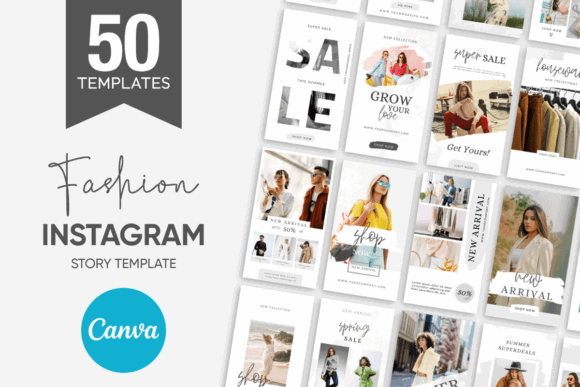
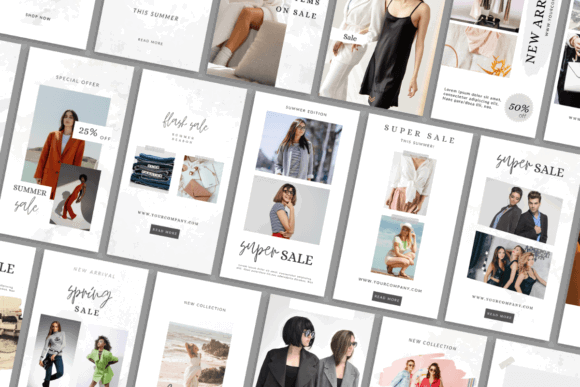
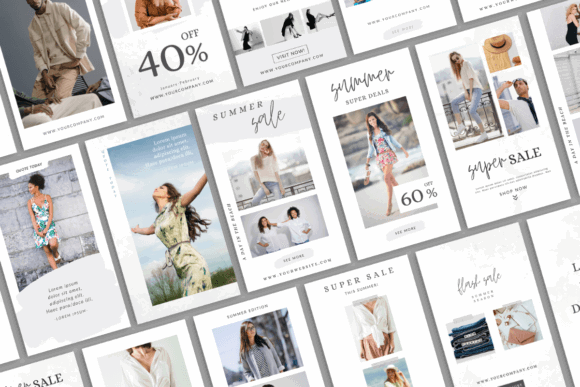
50 Attractive Instagram Story Template is a flexible starting point for creators who do not want to commit to one very specific visual style. The pack contains 50 editable Canva Story designs, so there is enough variety for promotions, announcements, quotes, educational content, and photo-led updates.
This type of larger bundle can be useful for an active content calendar because you are less likely to repeat the same composition every few days.
One thing I notice with multipurpose template packs, though, is that the layouts can feel visually disconnected when used exactly as supplied. Before publishing, I would standardize the fonts, colors, button styles, and image treatments across the collection.
That small setup step turns a general template library into something that feels much more like a consistent content system.
Best for: Content calendars, creators, small-business promotions
Key features: 50 Canva layouts, editable text, flexible branding
2. Luxury Black Instagram Story Templates
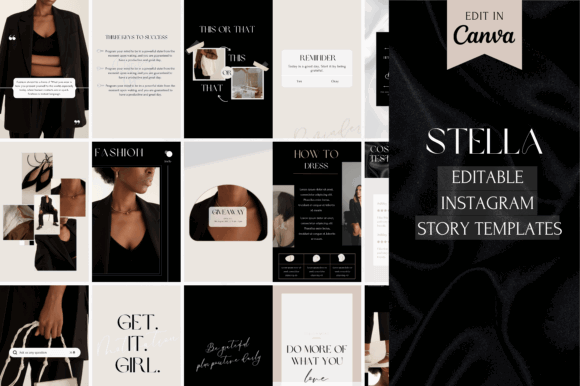
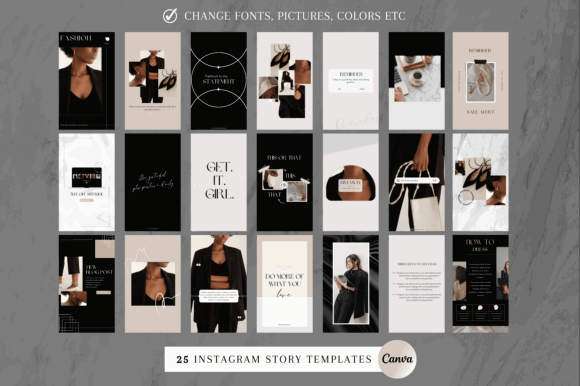
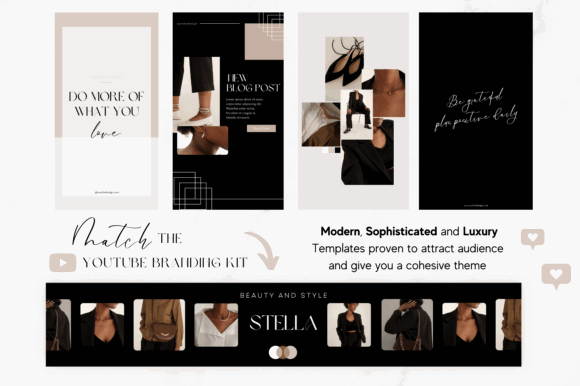
Luxury Black Instagram Story Templates uses dark backgrounds, refined typography, and a formal editorial mood. The collection includes 25 templates that can be edited in Canva.
Black-heavy layouts naturally have more visual weight than pale minimalist designs. They suit beauty launches, premium services, evening events, jewelry, fashion, and other content that needs to feel deliberate rather than casual.
The main design consideration here is typography. Thin serif fonts can look elegant in a large marketplace preview but become difficult to read on a phone, particularly when the text is small or placed over photography.
I would keep headlines relatively large, increase contrast where needed, and avoid using delicate type for prices, dates, or essential calls to action.
Best for: Luxury brands, beauty launches, fashion promotions
Key features: 25 Canva templates, dark palette, editorial styling
3. Sage Green Instagram Story Template
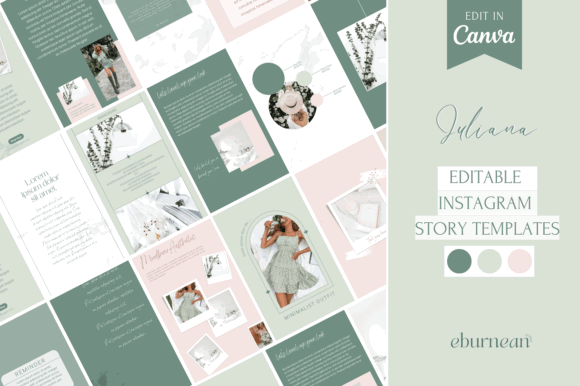
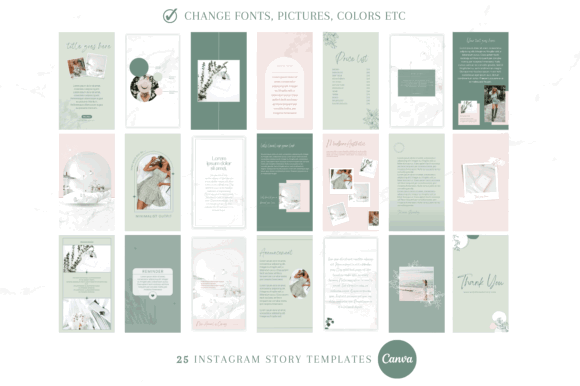
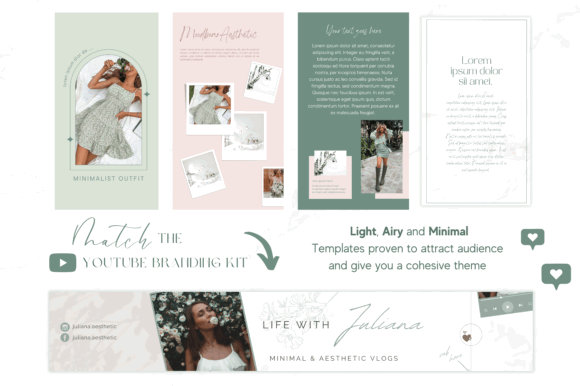
Sage Green Instagram Story Template combines light layouts with muted green tones. Its calm palette fits skincare, slow living, wellness, coaching, interiors, and lifestyle content particularly well.
Sage green is now common in social media branding, so the color alone will not make an account feel distinctive. The more useful parts of this collection are its spacing, restrained composition, and soft visual rhythm.
I would treat the existing palette as a starting point rather than a fixed identity. Adding your own photography, logo, type pairing, and slightly adjusted brand colors will make the templates feel less generic.
The listing describes 25 Canva templates with editable colors, images, and typography.
Best for: Wellness, skincare, lifestyle, coaching content
Key features: 25 Canva layouts, sage palette, minimal composition
4. Boho Instagram Story Templates Canva
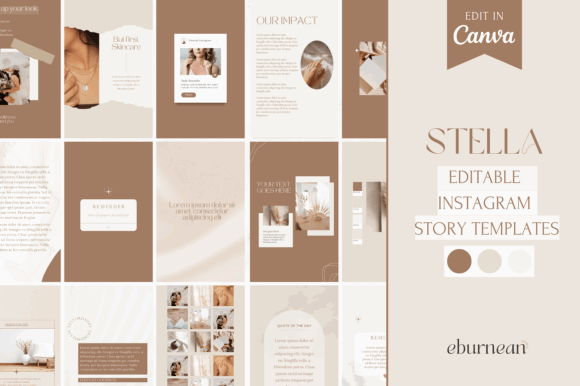
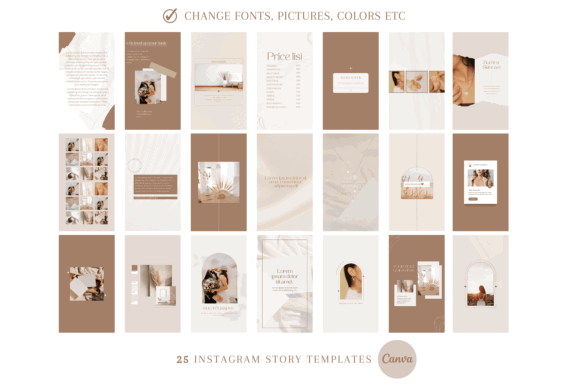
Boho Instagram Story Templates Canva leans into warm neutrals and relaxed, organic styling. It suits handmade businesses, photographers, coaches, wedding vendors, and lifestyle creators who already use beige, terracotta, cream, or muted brown in their visual identity.
The pack contains 25 Canva Story templates. The layouts feel more decorative than strict minimalism but still leave reasonable space for photography and short-form copy.
Boho collections often look cohesive at first because the palette is so controlled. The limitation is that a full sequence can quickly become visually flat when every frame uses a similar tan background and low-contrast text.
I would mix the lighter layouts with darker photography, close-up product images, and a few stronger accent colors. That variation helps maintain visual interest without losing the relaxed aesthetic.
Best for: Handmade brands, photographers, coaches, boutiques
Key features: 25 Canva templates, warm neutrals, bohemian styling
5. Instagram Story Template — Boho Style
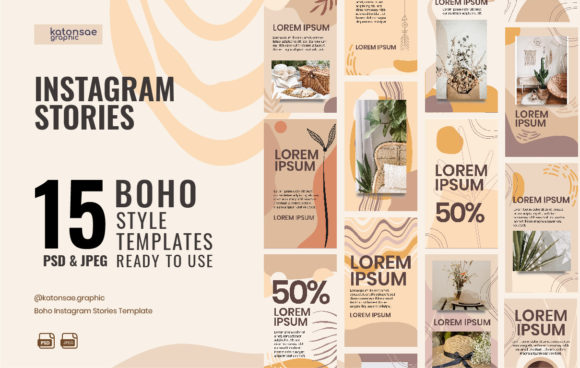
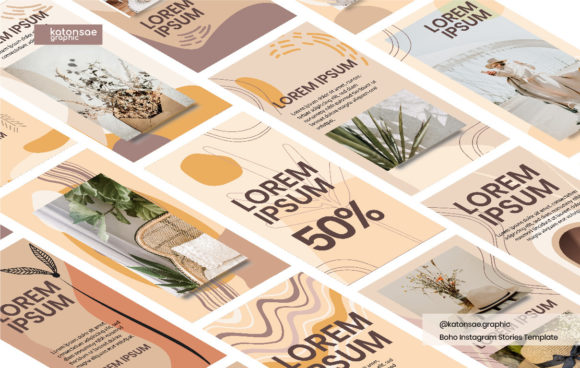
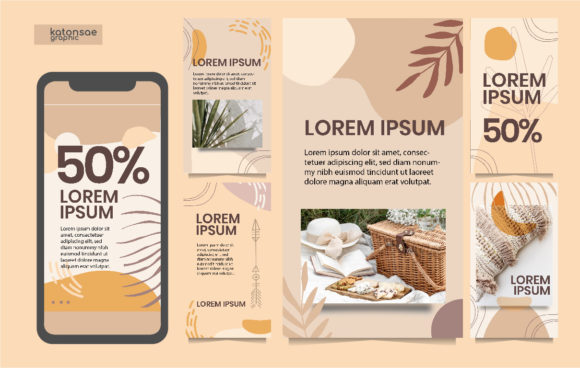
Instagram Story Template — Boho Style provides 15 Story designs with a soft, lifestyle-oriented feel. It has enough decorative personality for mindfulness, personal branding, and creative-business content without making every slide feel crowded.
Compared with very large boho collections, this pack may actually be easier to use consistently. Fifteen layouts are enough for recurring formats such as quotes, personal updates, product introductions, service features, and short educational sequences.
The narrower selection may feel limiting for accounts publishing multiple Stories every day. For a smaller weekly schedule, however, fewer layouts can make the creator workflow more focused.
You spend less time scrolling through dozens of nearly identical pages and more time adapting a small group of useful compositions.
Best for: Mindfulness blogs, lifestyle coaches, personal brands
Key features: 15 Story options, boho styling, reusable layouts
6. Instagram Story Templates Canva Pastel
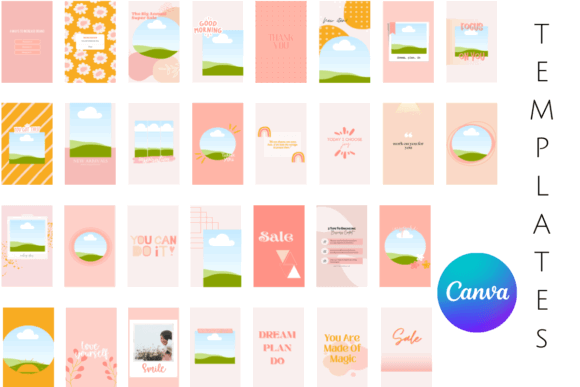
Instagram Story Templates Canva Pastel contains 30 colorful templates with a soft pastel direction. The designs can be customized in both the free and paid versions of Canva.
Pastels are useful when you want color without the intensity of saturated red, deep blue, or neon green. They can suit stationery businesses, playful educators, beauty accounts, digital-product shops, and upbeat personal brands.
The main risk is visual inconsistency. When pink, blue, yellow, lavender, and green all appear across the same collection, the slides can begin to look like separate brands.
I would choose two or three primary shades, use one consistent text color, and repeat the same heading style throughout the pack. Those decisions create a clearer visual identity while keeping the cheerful character of the templates.
Best for: Beauty brands, educators, stationery, digital products
Key features: 30 Canva templates, pastel colors, editable branding
7. Groovy Dreams Instagram Templates
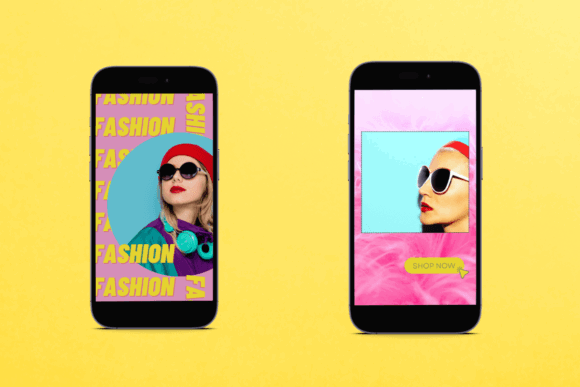
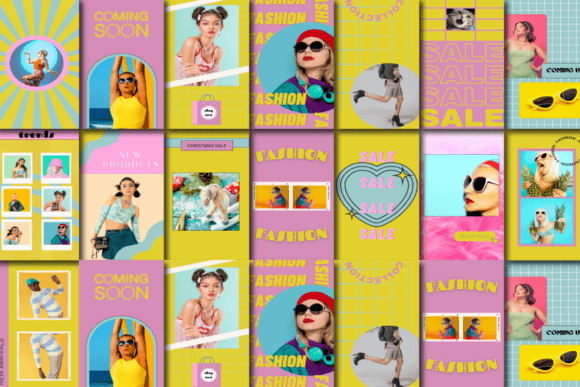
Groovy Dreams Instagram Templates uses bright pastel combinations influenced by groovy graphics and 1980s-inspired design. The set includes 15 editable Instagram Story layouts at 1080 × 1920 pixels.
This is a stronger fit for accounts with playful products, creative events, youth-oriented content, or a deliberately nostalgic visual identity. Curved shapes, expressive typography, and colorful forms give the slides immediate personality.
That personality is also the main limitation.
Decorative backgrounds can compete with detailed product photography or long educational copy. I would use these layouts with simple images, short headlines, and clear focal points rather than trying to fit several paragraphs into one frame.
Strong hierarchy matters more than adding another shape or sticker.
Best for: Creative shops, events, playful lifestyle brands
Key features: 15 Canva Stories, groovy graphics, 1080 × 1920
8. Riso Texture Instagram Story Templates
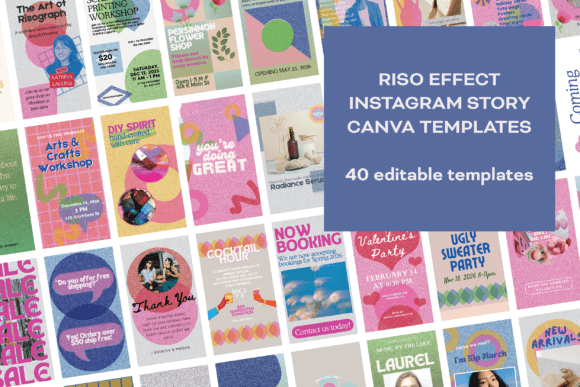
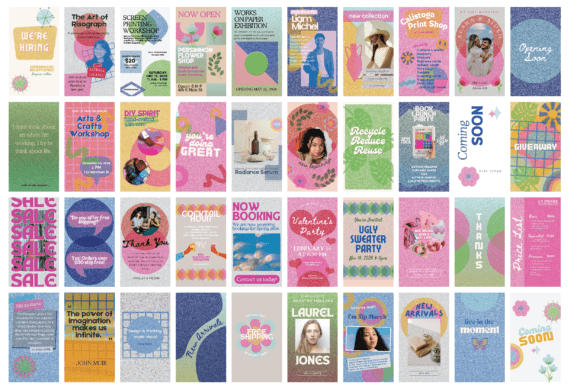
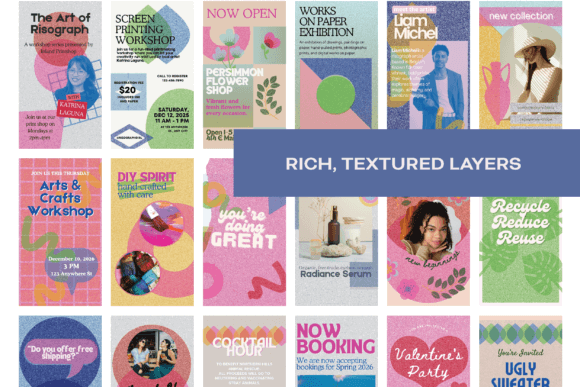
Riso Texture Instagram Story Templates stands apart from polished corporate template packs. Its graphics imitate the imperfect appearance of risograph printing, with visible grain, irregular texture, and a handmade finish.
The collection includes 40 Canva templates. It feels particularly relevant for illustrators, independent magazines, art studios, zine creators, musicians, and businesses that find conventional social graphics too clean.
Texture gives the designs character, but it can also reduce readability. Fine type, pale lettering, and dense paragraphs may disappear against a grainy background when viewed on a small screen.
I would keep headlines large, limit the number of type styles, and leave some areas intentionally quiet. A riso-inspired layout does not need texture in every corner to communicate the aesthetic.
Best for: Artists, zines, studios, creative event promotion
Key features: 40 Canva templates, riso texture, artistic finish
9. Curva Retro Instagram Template
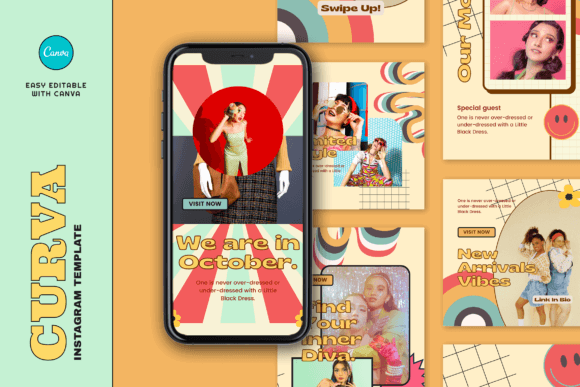
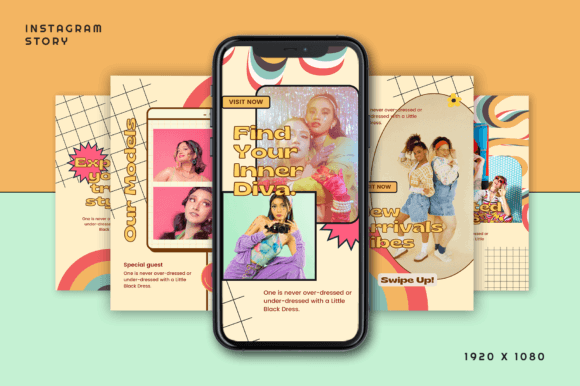
Curva Retro Instagram Template includes six Instagram posts and six vertical Story templates. The layouts use retro styling while remaining editable in Canva.
This smaller collection is useful when you need a matching feed-and-Story system rather than a large general-purpose library. Coordinated dimensions help a launch or campaign feel connected across temporary Stories and permanent feed content.
With only six Story layouts, repetition will become noticeable on an account that posts daily. I see this pack as a campaign kit rather than a long-term content system.
It would be most useful for a product launch, collection reveal, event announcement, or short promotional sequence where visual consistency matters more than layout quantity.
Best for: Product launches, fashion campaigns, event promotion
Key features: Six Story layouts, six posts, retro styling
10. Anima Retro Fashion Instagram Template
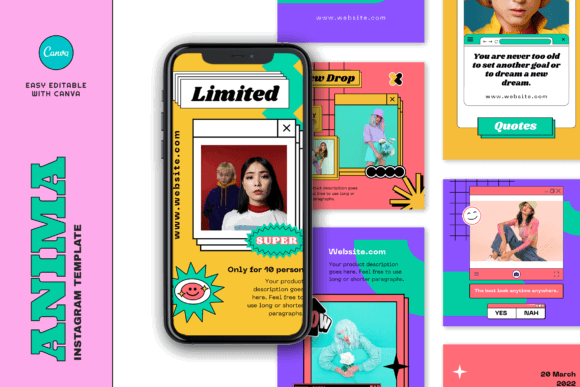
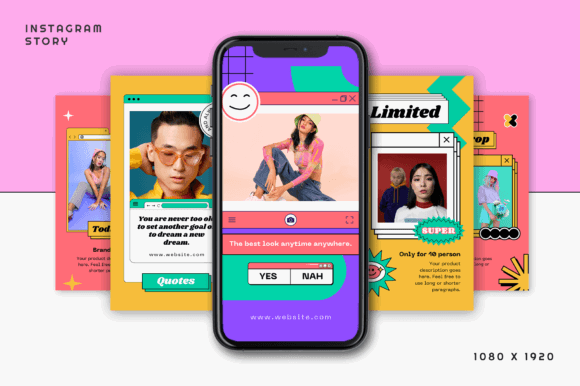
Anima Retro Fashion Instagram Template combines retro references with fashion-oriented image placement. It includes six Story layouts and six square post templates sized for their respective Instagram formats.
This collection has a stronger point of view than a general business pack. Large photography, expressive typography, and nostalgic styling make sense for clothing drops, vintage stores, creative portfolios, and editorial announcements.
The layouts depend heavily on good images. They are less suitable for text-heavy tutorials, long lists, or detailed explanations because the visual rhythm comes from photography and concise copy.
I would also pay attention to cropping. Fashion templates often use narrow or asymmetrical image frames, which can look striking but may cut off important details in product or model photography.
Best for: Fashion brands, vintage stores, editorial campaigns
Key features: Six Stories, six posts, photo-led layouts
11. Ivera Retro Fashion Instagram Template
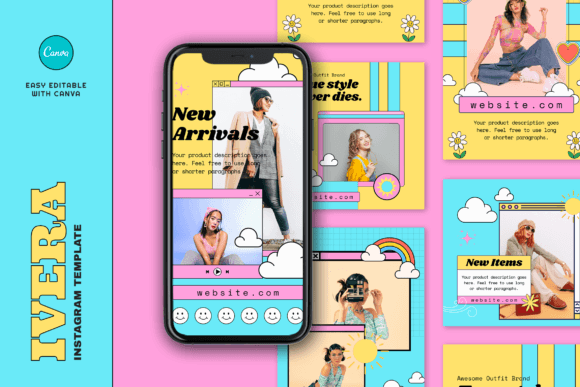
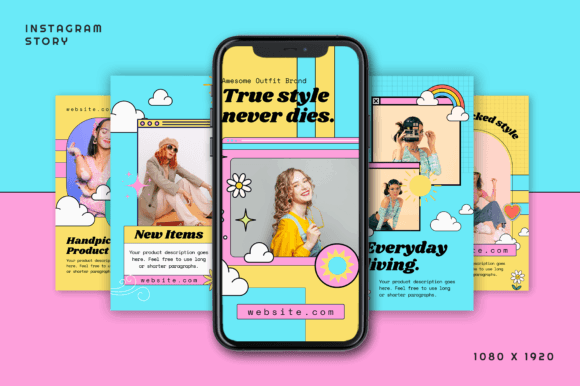
Ivera Retro Fashion Instagram Template offers another 12-piece collection with six posts and six Stories. Fonts, colors, graphics, and layout elements can be changed in Canva.
The pack has enough energy to give a campaign a recognizable look without becoming as visually loud as some pop-art or maximalist template collections.
It works best when the photography already has a strong direction and you need graphic framing rather than heavy decoration. In that situation, the template supports the image instead of competing with it.
Because the number of layouts is modest, I would treat this as a focused mini-campaign kit. Reusing it indefinitely may make the account feel repetitive, especially if the same typography and image placement appear in every Story.
Best for: Lookbooks, vintage fashion, creative announcements
Key features: 12 Canva templates, editable graphics, retro direction
12. Retro Computer Instagram Template Vol. 3
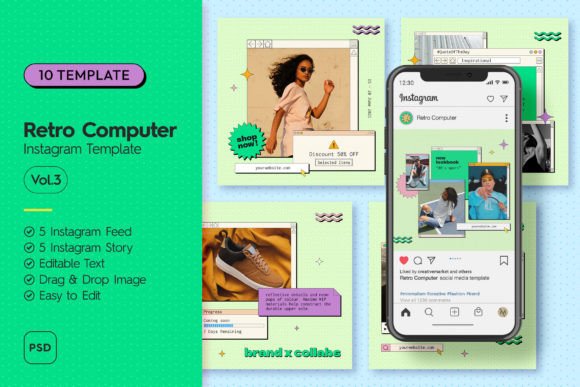
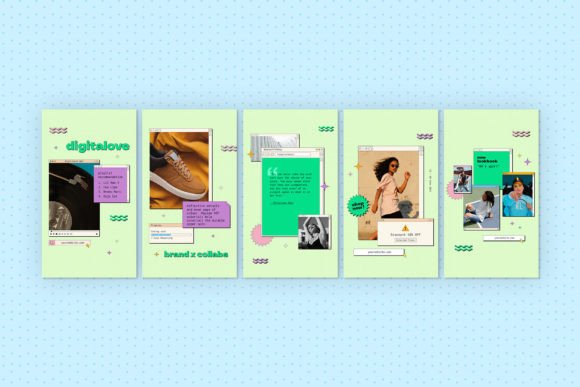
Retro Computer Instagram Template Vol. 3 uses interface graphics associated with 1990s computers, pop-up windows, dialog boxes, and early digital design.
This is one of the most specific aesthetics in the list. It can give music, streetwear, gaming, design, technology, or youth-culture content an immediately recognizable visual language.
It is also much less flexible than a neutral template pack.
The interface elements create visual noise by design, which is part of the appeal. I would avoid using this style for content that needs to feel calm, timeless, or highly formal.
The layouts are strongest when the wording is short and the brand is comfortable leaning fully into the retro digital theme.
Best for: Streetwear, music, gaming, youth-focused brands
Key features: 1990s interface style, vibrant graphics, Story layouts
13. Minimalism Instagram Stories Bundle
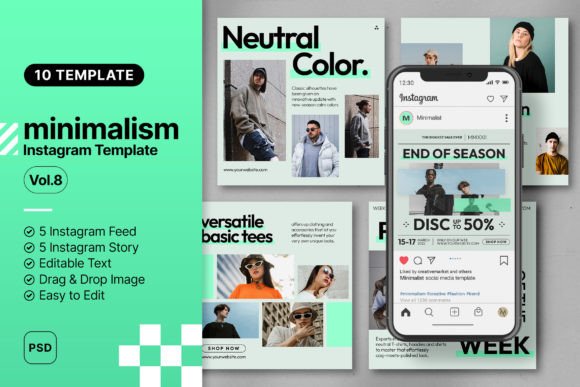
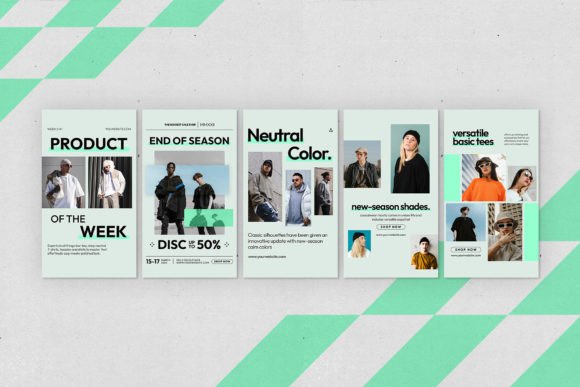
Minimalism Instagram Stories Bundle is built around spacious layouts, restrained typography, and a fashion-led minimal aesthetic.
Minimal templates are often more difficult to customize than they first appear. When there are fewer decorative elements, weak photography, uneven spacing, and inconsistent alignment become much more noticeable.
I would use a limited type system, align text carefully, and resist filling empty areas with extra stickers or shapes. Negative space is part of the composition, not an unfinished section that needs to be decorated.
This style is particularly effective for fashion, apparel, architecture, portfolios, interiors, and modern product presentations where the imagery deserves most of the attention.
Best for: Fashion, portfolios, architecture, modern products
Key features: Minimal layouts, spacious composition, fashion styling
14. Seven Instagram Story Templates
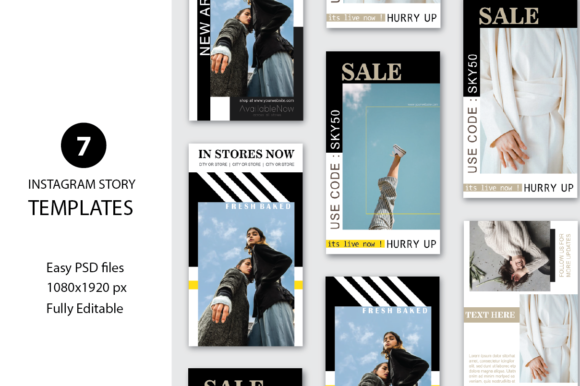
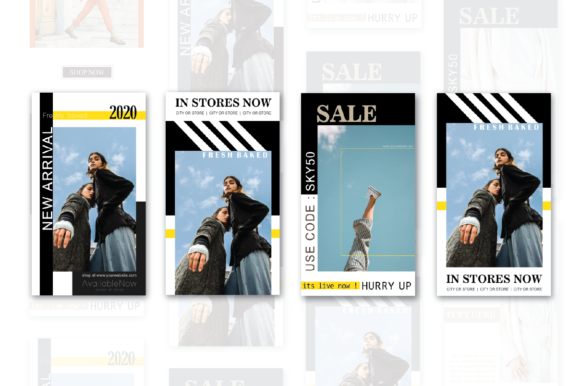
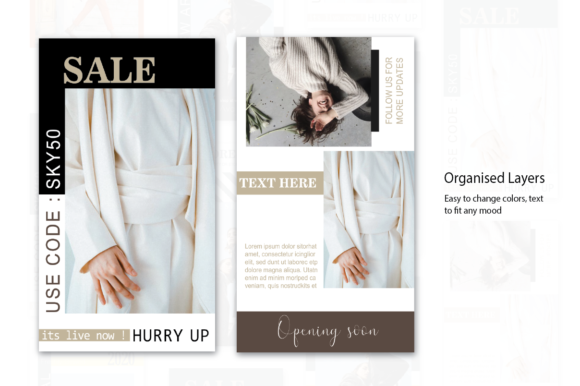
Seven Instagram Story Templates is a Photoshop-based collection rather than a Canva pack. It includes seven 1080 × 1920-pixel designs with organized layers, editable elements, and included font files.
Photoshop requires a little more setup than Canva, but layered PSD files provide finer control over masks, image treatment, blending, effects, and composition.
That makes this collection more appealing to designers or content creators who are comfortable editing on desktop and want more control than a typical drag-and-drop workflow provides.
The layouts are clean and adaptable, although seven designs may not be enough for a long-term publishing system. They make more sense for a polished launch or short campaign.
Best for: Photoshop users, designers, polished campaigns
Key features: Seven PSD templates, organized layers, 300 DPI
15. Simple Fashion Instagram Story Template
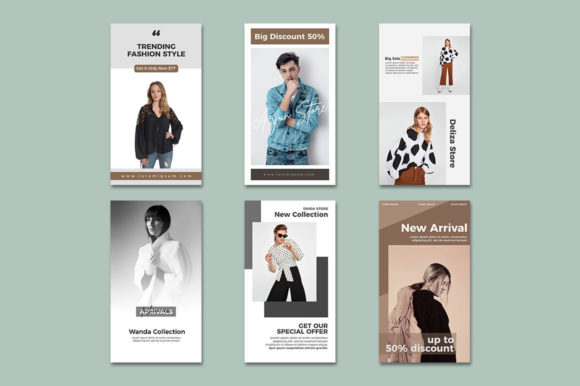
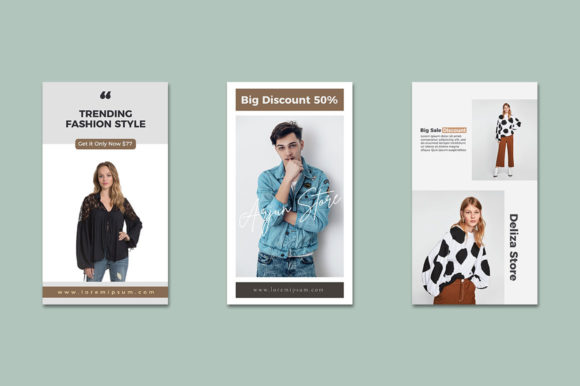
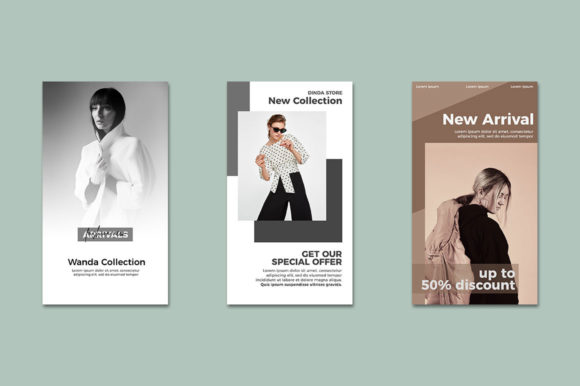
Simple Fashion Instagram Story Template takes a straightforward promotional approach. Its tags emphasize fashion, business, marketing, and professional social media content.
The design is useful when photography needs to remain the main focus. Instead of covering an image with several shapes and decorative elements, a simple template creates a controlled area for a product name, date, price, sale message, or call to action.
This type of layout often performs better in a practical content workflow because it is easier to reuse with different images.
It may feel too restrained for playful personal content, but that simplicity is helpful for boutiques and product-led accounts where clarity matters more than decoration.
Best for: Fashion boutiques, sales, product announcements
Key features: Simple construction, business styling, photo emphasis
16. Beauty Pink Instagram Stories Templates
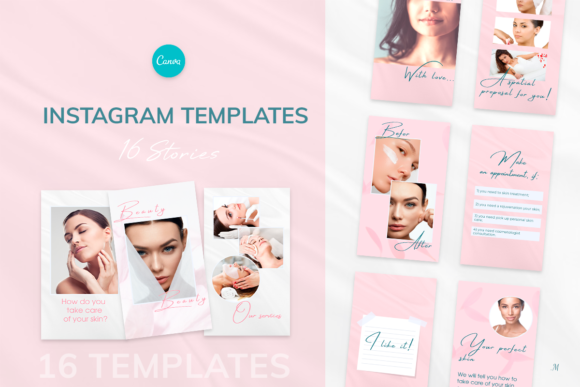
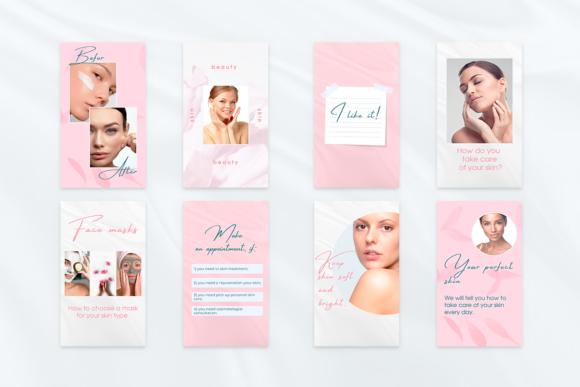
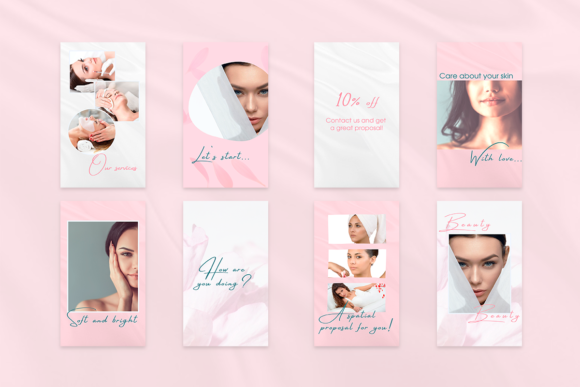
Beauty Pink Instagram Stories Templates includes 16 Canva Story designs created for beauty, health, fashion, and premium lifestyle brands. The templates are delivered through a Canva link, with instructions included in the download.
The pink palette feels soft rather than overly playful, which makes it suitable for salons, cosmetic services, skincare, bridal businesses, and personal-care brands.
The preview photographs are not included, so the final appearance will depend heavily on the images you add. This is important because the polished mood comes from more than the pink background.
Choose photography with similar lighting, cropping, and color temperature. Mixing warm, editorial images with cool phone snapshots may make the Story sequence feel inconsistent even when every slide uses the same template.
Best for: Salons, skincare, bridal, beauty services
Key features: 16 Canva Stories, soft pink palette, instructions
17. Pink Instagram Post and Story Templates
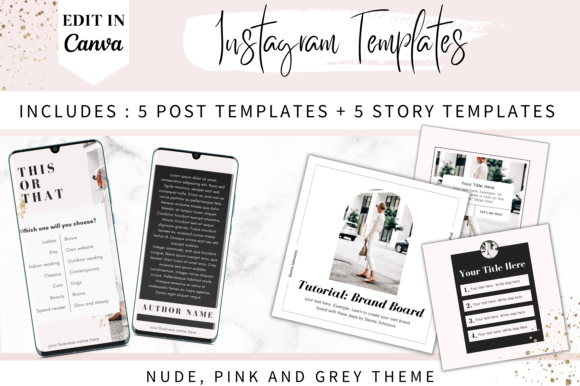
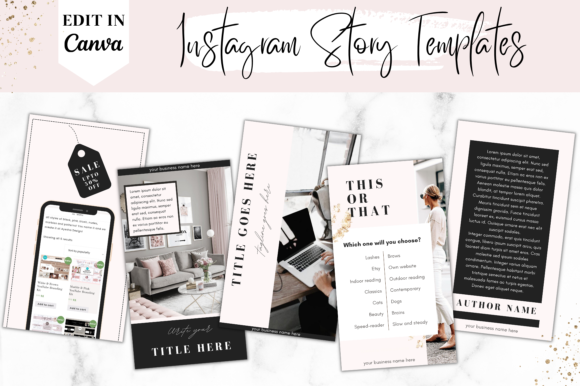
Pink Instagram Post and Story Templates combines five Story templates with five square post layouts. Its nude pink and gray palette feels softer and more neutral than a brighter feminine design.
The pack is small, but the matching formats make it practical for a coordinated announcement or short promotional sequence. Colors, photos, fonts, and placements can be adjusted in Canva.
I would use this collection for a coach, boutique, beauty provider, or lifestyle account that posts selectively rather than publishing multiple graphics every day.
Because there are only five Story compositions, it helps to vary the imagery and text hierarchy. Otherwise, the repeated structure may become obvious very quickly.
Best for: Coaches, boutiques, beauty, lifestyle promotions
Key features: Five Stories, five posts, nude pink palette
18. Pink Purple Instagram Story Templates
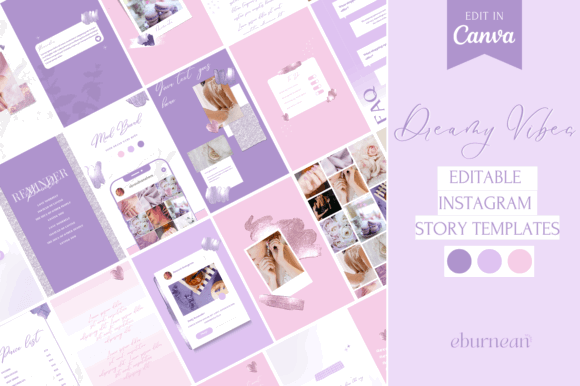
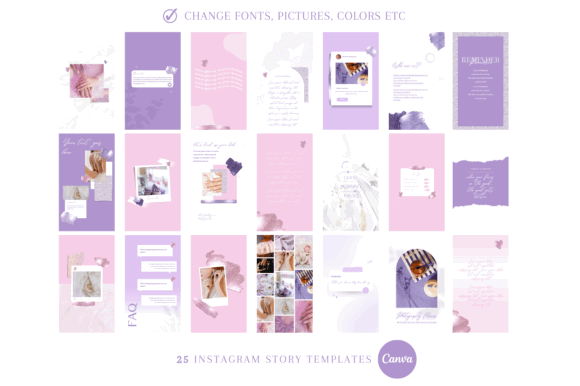
Pink Purple Instagram Story Templates uses a more saturated palette than the muted pink options above. It has a brighter, more energetic appearance suited to beauty, digital products, creators, events, and youth-oriented brands.
The pink and purple combination can create strong contrast, especially when paired with white or very dark typography.
It can also become visually overwhelming when combined with colorful photography, gradients, stickers, and several font styles at once.
For a cleaner result, I would use neutral product images and let the template provide most of the color. The listing also includes a commercial license.
Best for: Digital creators, beauty, events, playful brands
Key features: Pink-purple palette, Canva editing, commercial license
19. Sky Blue Instagram Story Canva Template
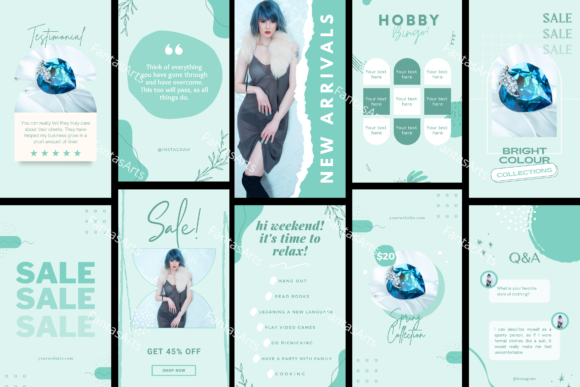
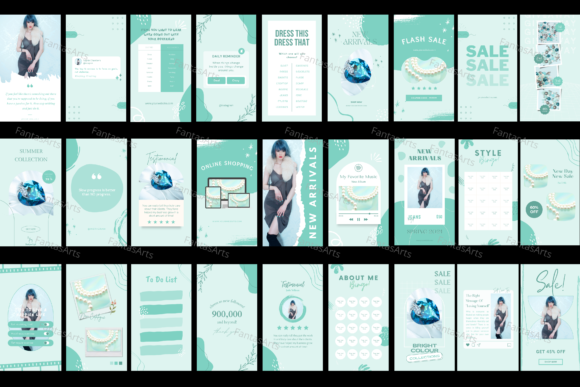
Sky Blue Instagram Story Canva Template is built around a clean blue palette and provides roughly two months of social media content.
Blue often communicates more structure than pink or boho neutrals, making this pack useful for consultants, service businesses, educators, wellness professionals, and personal brands that want to appear approachable but organized.
A long content pack can simplify planning, although I would not use the entire collection unchanged. Replace the generic blue with your exact brand color, select a consistent font pair, and remove layouts that do not match your usual content.
Creating a smaller approved library makes daily editing faster and keeps the visual identity more controlled.
Best for: Consultants, educators, services, personal brands
Key features: Extended content pack, blue palette, Canva editing
20. Blue Canva Instagram Template Kit
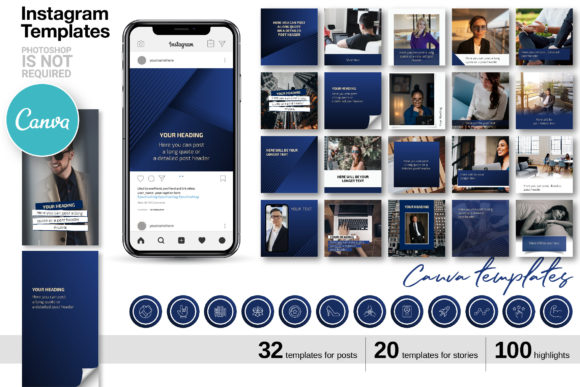
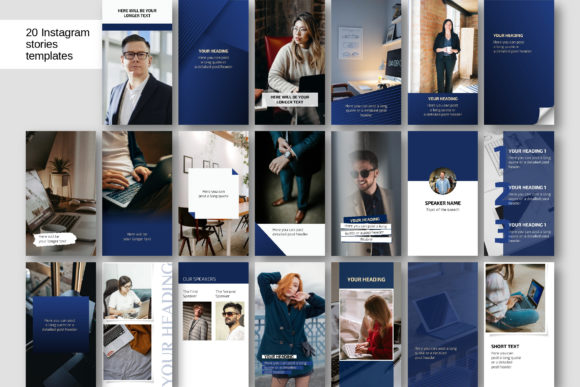
Blue Canva Instagram Template Kit includes designs for posts, Stories, and profile highlights. Its dark blue palette carries more authority and visual weight than the lighter sky-blue collection.
The matching highlight system is particularly useful because branding often becomes inconsistent outside individual Story slides. Coordinated highlight covers, feed graphics, and Story layouts make the entire Instagram profile feel more intentional.
The templates support changes to photos, text, colors, logos, and other elements in Canva.
I would still simplify the kit before using it. Choose a small group of recurring layouts and assign each one a purpose, such as testimonials, tips, service features, announcements, or calls to action.
Best for: Professional services, consultants, corporate creators
Key features: Posts, Stories, highlights, dark blue palette
21. 100 Travel Instagram Story Templates

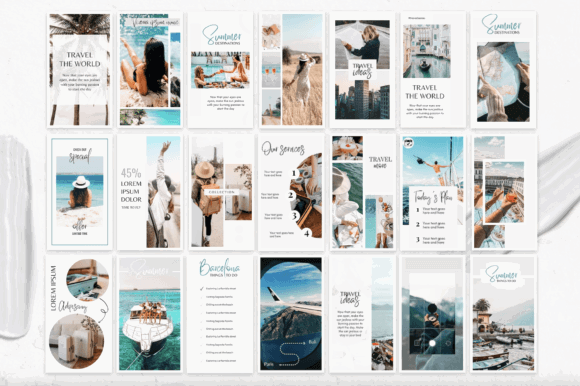
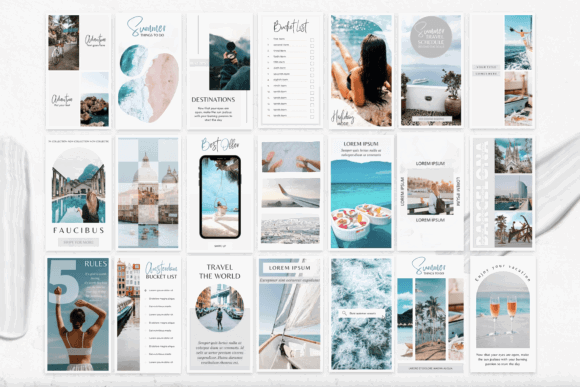
100 Travel Instagram Story Templates is one of the largest collections in this roundup. It contains 100 Canva Story templates at 1080 × 1920 pixels, with photos included in the designs.
The variety can be useful for travel bloggers, agencies, hotels, tour businesses, and creators documenting longer trips. You are likely to find layouts for destination introductions, itineraries, recommendations, quotes, and photo diaries.
The downside of a 100-page pack is decision fatigue. In a real content creation workflow, scrolling through every option can take longer than building the Story itself.
I would select 10–15 favorite layouts and move them into a smaller working file. Consistent photo editing is also essential here. In travel content, color grading often affects visual cohesion more than the frame design.
Best for: Travel bloggers, agencies, hotels, destination guides
Key features: 100 Canva Stories, included photos, vertical format
22. Interior Design IG Canva Story Templates
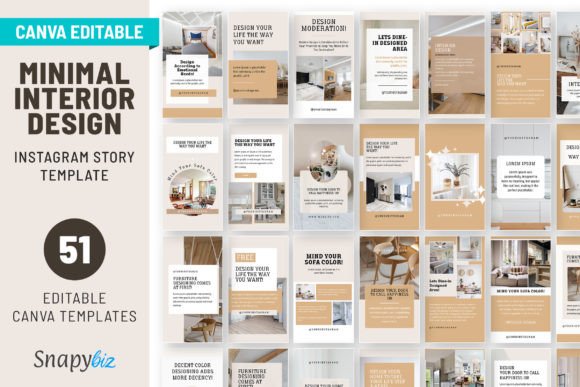
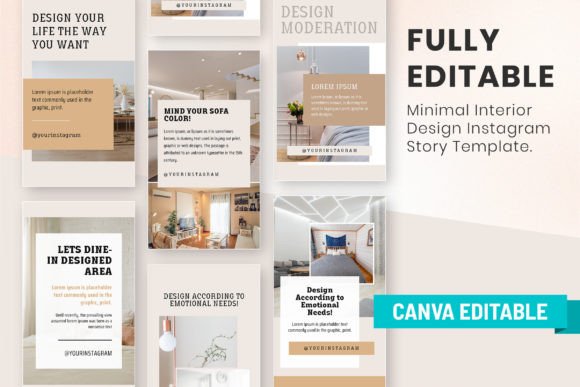
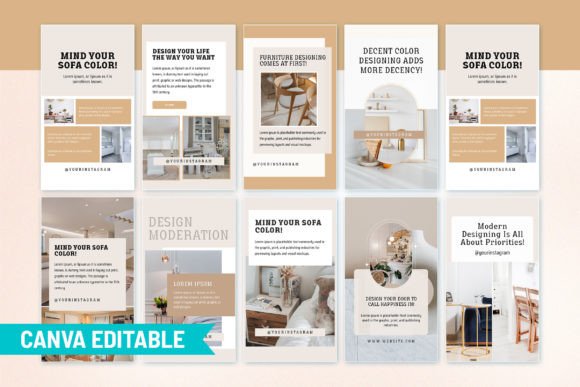
Interior Design IG Canva Story Templates includes 51 minimal Story templates created for interior and design-focused accounts.
Interior photography already contains strong lines, textures, proportions, and color relationships. A restrained template helps frame those images without covering the details people actually want to see.
The collection could be useful for room reveals, project progress, material selections, before-and-after sequences, design tips, mood boards, and client testimonials.
I would choose layouts with generous photo areas for full-room images and reserve smaller crops for furniture, fixtures, and material details. Trying to fit a wide interior photograph into a narrow decorative frame often removes the most important part of the composition.
Best for: Interior designers, architects, home decor brands
Key features: 51 Story layouts, minimal styling, design focus
23. Bake the Pace Instagram Story Template
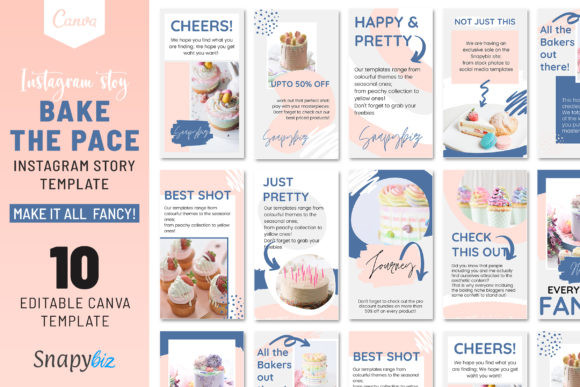
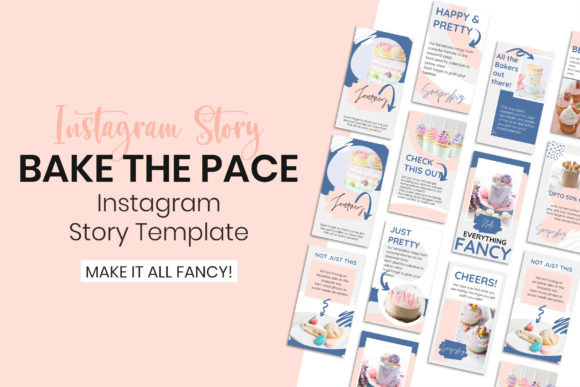
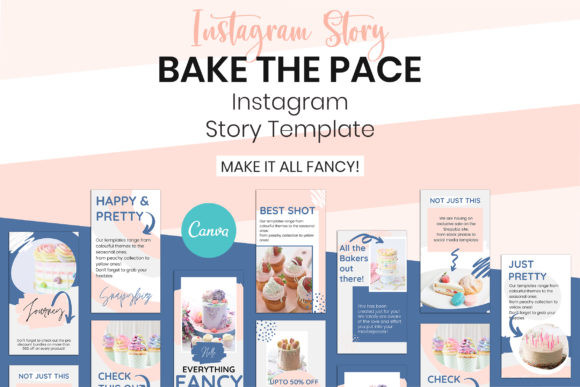
Bake the Pace Instagram Story Template includes 10 Canva Story designs at 1080 × 1920 pixels. The collection was created with food, recipes, restaurants, and related lifestyle content in mind.
Food Stories need room for imagery. Dense graphic overlays can quickly make a dish look less appealing, especially when text covers the most detailed part of the photograph.
Simple photo frames, clear labels, and short headlines are usually more effective than long paragraphs. I would use these layouts for menu features, recipe introductions, product launches, bakery specials, and behind-the-scenes content.
The templates can also be adapted for announcements and sales, although the strongest results will come from good food photography.
Best for: Food bloggers, bakers, cafés, recipe creators
Key features: 10 Canva Stories, food styling, 1080 × 1920
24. Fitness and Wellness Instagram Story
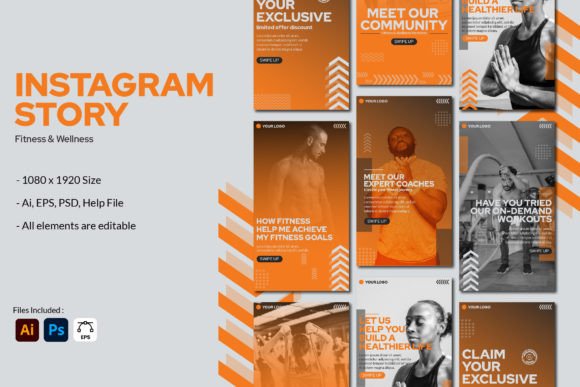
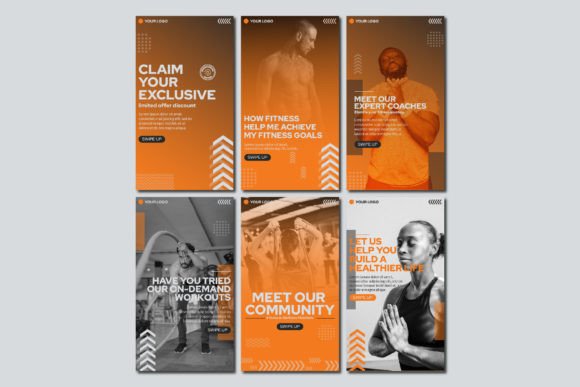
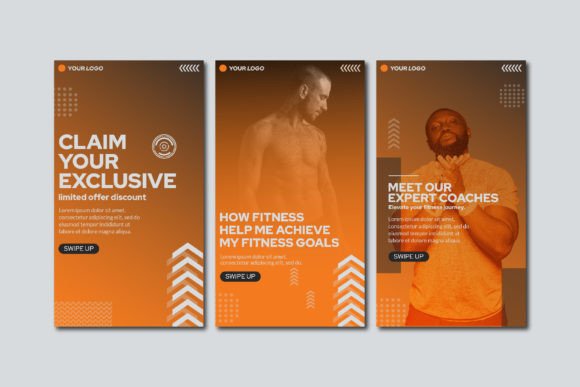
Fitness and Wellness Instagram Story provides six pages in PSD, AI, and EPS formats. The templates use the standard 1080 × 1920-pixel Story size and include editable elements.
This is a stronger option for designers working in Photoshop or Illustrator rather than Canva. It provides detailed control over shapes, typography, image placement, and brand colors.
The preview photographs are not included, so you will need your own workout, coaching, gym, or wellness imagery.
With only six pages, this is best treated as a small campaign set. I would adapt the layouts for a specific challenge, program launch, class promotion, or educational Story sequence rather than using them as a complete long-term content library.
Best for: Gyms, coaches, trainers, wellness campaigns
Key features: Six layouts, PSD and AI, editable elements
25. 100 Canva Instagram Story Templates
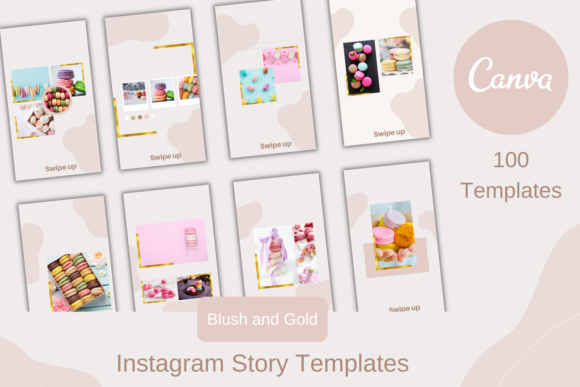
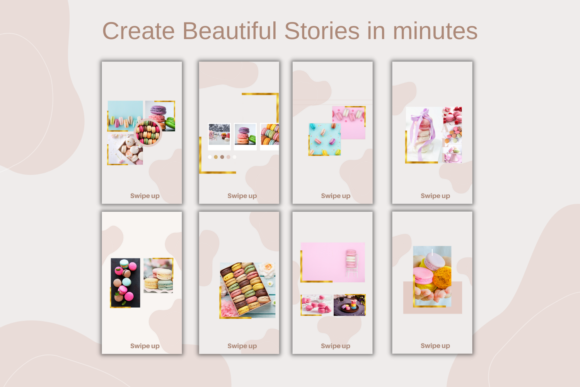
100 Canva Instagram Story Templates is a broad multipurpose collection for small businesses and creators who need a deeper content library. Text, logos, colors, and other brand elements can be changed in Canva.
The main advantage is range. The main limitation is that generic multipurpose collections rarely feel distinctive without substantial customization.
I would treat these designs as structural starting points rather than finished branding. Create a duplicate master file, apply your brand fonts and colors, replace the placeholder imagery, and remove any layouts that do not fit your content style.
This editing stage may take some time at the beginning, but it creates a much smoother creator workflow later. You are left with a focused library instead of 100 unrelated options.
Best for: Small businesses, content managers, frequent posting
Key features: 100 Canva templates, editable branding, multipurpose layouts
Read More: Beyond general aesthetics, if you're a business coach looking to build trust and connection with your audience, explore our curated list of 10 Instagram Stories Templates for Business Coaches That Build Trust.
How to Choose the Right Instagram Story Template
Start With Your Existing Visual Identity
Choose a collection that supports your existing brand rather than forcing you to redesign everything around a temporary trend.
Look at your current photography, website, logo, feed, packaging, and other social graphics. The template should share at least a few characteristics with those elements, such as similar visual weight, color temperature, typography, image treatment, or spacing.
It does not need to match exactly. It simply should not look as though it belongs to a completely different business.
Many creators underestimate how much consistency affects the overall look of an account. Repeating the same type styles, colors, margins, and image treatments makes even simple Stories feel more considered.
Check the Editing Software
Most templates in this roundup use Canva, which is practical for quick edits, shared brand files, content planning, and mobile-friendly workflows.
Photoshop and Illustrator templates provide more detailed control, but they generally require more design experience and are less convenient for fast daily publishing.
Confirm the software before purchasing. A layered PSD will not be especially useful when you only plan to edit in Canva. In the same way, a Canva link will not provide the same control over masks, effects, and detailed image treatment as a Photoshop file.
The best format is the one that fits the way you actually create content.
Look Beyond the Preview Photos
Styled photography can make an ordinary layout appear more sophisticated than it really is. When reviewing a template, try to imagine the design after every preview image has been removed.
Focus on the structure:
- Is there enough room for your typical headline?
- Can the typography remain readable on a phone?
- Are the photo frames suitable for your content?
- Can you change the colors and typefaces?
- Is there enough contrast between text and background?
- Do the layouts support both promotional and everyday Stories?
- Can you adapt the design without rebuilding the whole composition?
A useful template should still have strong visual hierarchy when your own photography and wording replace the polished preview content.
Choose Layout Variety Over Sheer Quantity
A pack of 100 templates is not automatically more useful than a focused collection of 15. What matters is whether the layouts support different communication needs.
A practical template pack might include:
- Photo-led introductions
- Product or service promotions
- Testimonials
- Lists and educational tips
- Quotes
- Announcements
- Calls to action
- Poll or question backgrounds
- Before-and-after layouts
- Simple text-only updates
One thing I notice with many large template packs is that the page count comes from minor variations rather than genuinely different compositions. A background color changes or an image frame moves slightly, but the content flow remains almost identical.
Twenty clearly different layouts are often more useful than 100 repetitive slides.
Keep Instagram’s Interface in Mind
Instagram places interface elements near the top and bottom of a Story. Essential text, logos, prices, links, and calls to action should not sit too close to those edges.
Templates are commonly built at 1080 × 1920 pixels, which matches the 9:16 vertical format used throughout many of the collections in this roundup.
Correct dimensions do not automatically guarantee a safe layout. A design can still feel cramped once Instagram adds the profile information, progress bar, reply field, and other interface elements.
Export one slide and test it on your phone before customizing the entire collection. The Canva editor does not always give an accurate sense of how much usable space remains inside Instagram.
Think About the Content You Publish Most Often
A visually impressive template is not always the easiest one to use every day.
Before choosing a pack, look at the content you publish repeatedly. A service provider may need testimonials, educational tips, availability updates, and calls to action. A product brand may rely more on launches, product details, reviews, and behind-the-scenes content.
The template collection should support those recurring needs.
If most of your Stories contain practical information, avoid packs with tiny text areas and oversized decoration. Some Story designs look attractive in a preview but leave very little room for real content.
How to Make Premade Templates Feel Like Your Brand
Begin by replacing the template fonts with one or two typefaces already used elsewhere in your business.
Avoid introducing a different decorative font on every slide. Repetition builds recognition more effectively than constant novelty, and a controlled type system makes the account feel more professional.
Next, simplify the color palette. Many Canva templates showcase several shades to demonstrate flexibility, but you may only need two brand colors, one neutral background, and a single accent.
Use your own photography whenever possible. Consistent lighting, cropping, and color treatment will connect layouts that might otherwise feel unrelated. A Story sequence built from five different templates can still feel cohesive when the images share the same visual tone.
Pay attention to spacing too.
Replacing the words is not always enough. A short headline left inside a text box designed for a full sentence may look awkwardly positioned. Resize the box, adjust the line breaks, and restore balanced space around the text.
You can also assign specific layouts to recurring content categories. For example:
- One layout for testimonials
- One for educational tips
- One for product features
- One for announcements
- One for calls to action
This makes content planning faster and creates a recognizable rhythm for the audience.
Finally, remove anything that does not serve the message. Decorative lines, stickers, shadows, and illustrations may look appealing in the original preview but become unnecessary once your own photography and branding are added.
Strong hierarchy often matters more than decorative elements.
Which Instagram Story Template Should You Choose?
The best Instagram Story template is not necessarily the most decorative design or the collection with the highest number of slides. It is the one you can adapt quickly without losing your own visual identity.
For a quiet, polished account, the sage green, minimal, interior, and boho collections offer restrained layouts with plenty of room for imagery. Retro computer, riso, and groovy templates make more sense when personality, texture, and nostalgia are central to the brand.
Luxury black, dark blue, and fashion-focused layouts suit promotional content that needs more visual weight. Large multipurpose packs are useful for frequent posting, but they usually require more preparation before they feel consistent.
Whichever direction you choose, customize more than the wording. Adjust the typography, palette, photography, hierarchy, and spacing until the template becomes a repeatable part of your content system rather than a design downloaded five minutes before posting.
Some links in this article may be affiliate links. If you purchase through them, we may earn a small commission at no extra cost to you. Thanks for supporting our work.
FAQ
1. What size should an Instagram Story template be?
Instagram Story templates are commonly designed at 1080 × 1920 pixels, which creates a vertical 9:16 canvas. Keep important text and logos away from the extreme top and bottom edges, where Instagram displays interface controls.
2. Can I edit Instagram Story templates in Canva for free?
Many Canva-based packs can be edited with a free Canva account. However, individual templates may contain Pro fonts, photos, or graphic elements. Check the product requirements and replace premium elements when necessary.
3. Are preview photos included with Instagram templates?
Not always. Several template listings explicitly exclude the photographs shown in their previews, while some larger travel packs include them. Review the included-file details before purchasing.
How do I choose an Instagram Story aesthetic for my business?
Start with the colors, typography, and photography already used by your brand. Minimal and neutral templates suit restrained visual identities, while retro, colorful, or textured packs are better for brands built around expressive graphics.
Follow Us