

ℹ️ Affiliate Disclosure: This article may contain affiliate links. We may earn a commission at no extra cost to you. Thanks for your support! ❤️
The best daily digital planner pages don’t try to organize your entire life on one overloaded screen. Their real job is much simpler: help you see what matters today, decide when you’ll deal with it, and keep everything else from competing for attention.
That difference is easy to miss when browsing digital planners. A template may include dozens of trackers, calendars, widgets, and decorative sections, yet still feel awkward once you actually start using it. There’s often plenty to look at but surprisingly little room to think.
For everyday planning, a calmer layout usually does more. A clear priority area, a realistic schedule, and enough space for tasks or notes are often all you need.
Below are 11 daily planner page types that add useful structure without turning planning into another task you have to manage.
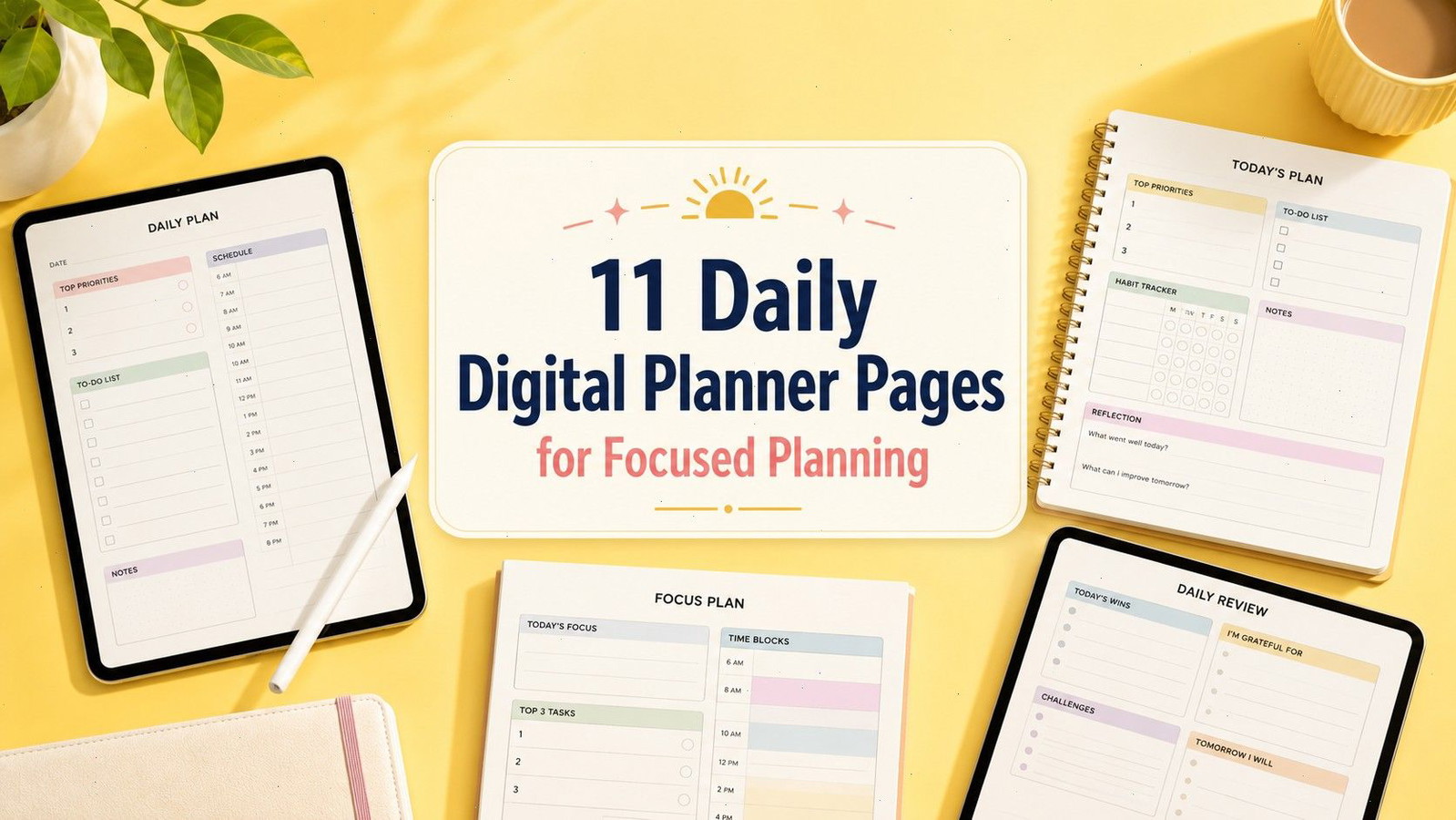
11 Daily Digital Planner Pages Worth Adding
1. Daily Focus and Top Priorities Page
A daily focus page answers one helpful question before the day becomes noisy:
What actually deserves your attention?
The strongest layouts provide space for one main focus and no more than three supporting priorities. That limit may feel restrictive at first, but it’s what makes the page useful. It forces you to separate meaningful outcomes from routine activity.
“Finish the client presentation” belongs in the priority area.
“Check email” usually doesn’t.
This type of page loses its value when every task is treated as essential. Five or ten top priorities simply become another task list, only with larger lettering. Once everything receives equal emphasis, the hierarchy disappears.
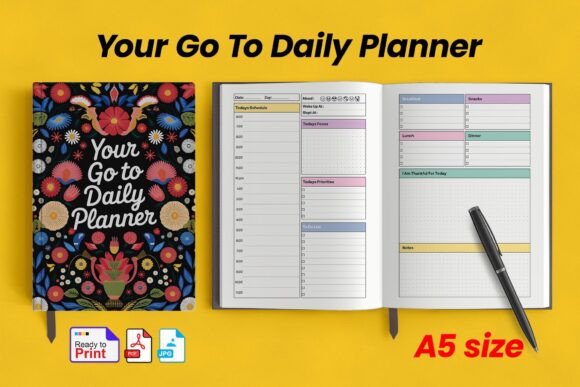
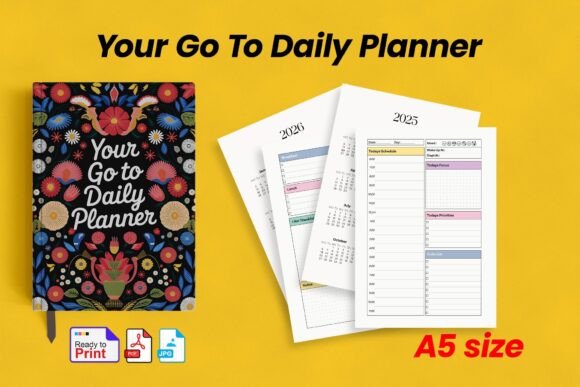
A layout such as the Daily Planner: Your Go-to Daily Planner combines a daily focus area with priorities, tasks, and notes. It’s a fairly balanced setup for anyone who wants direction without an overly rigid schedule.
Best for: Important projects, deadline days, reducing scattered attention
Key features: Main focus, limited priorities, supporting task area
2. Hourly Time-Blocking Page
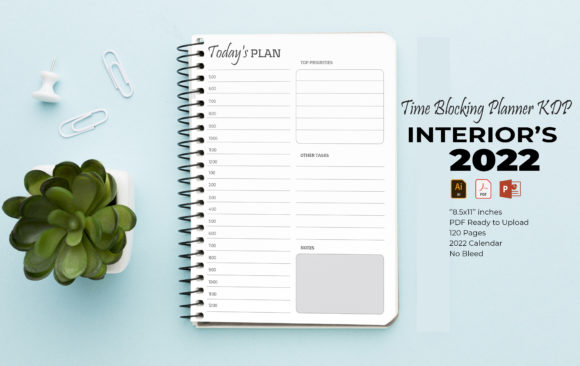
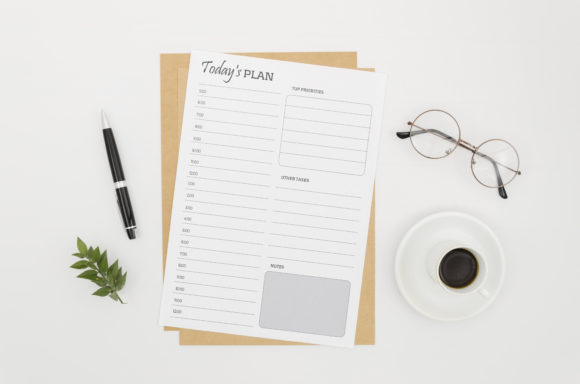
An hourly planner takes your task list and places it inside the actual limits of the day.
That sounds obvious, but it changes how you plan. Instead of writing down everything you hope to finish, you assign each activity a realistic place on the schedule. You can quickly see whether the day has room for four hours of focused work—or only one.
Time-blocking pages are especially useful when your schedule includes meetings, classes, appointments, errands, school pickups, or specific work sessions. They’re also good at exposing optimistic planning. A task list can hide how overloaded you are. A timeline usually can’t.
Leave some breathing room between blocks.
A day scheduled from early morning to late evening may look impressively organized, but it rarely survives contact with real life. Transitions take time. Calls run over. Small requests appear. Even moving from one type of work to another can require a few minutes to reset.
The Time Blocking Daily Planner is a straightforward example built around scheduled work periods rather than a long open list.
Best for: Busy workdays, appointments, structured study sessions
Key features: Hourly timeline, scheduled blocks, visible time capacity
3. Simple Daily To-Do List
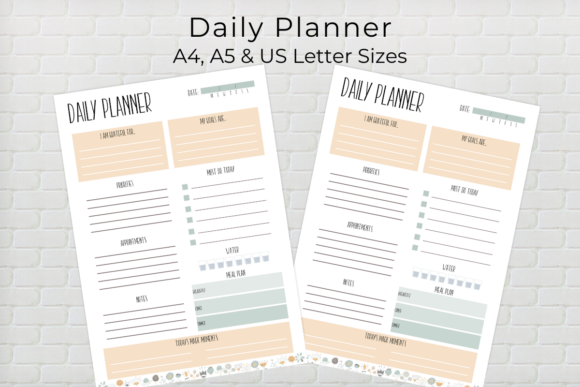
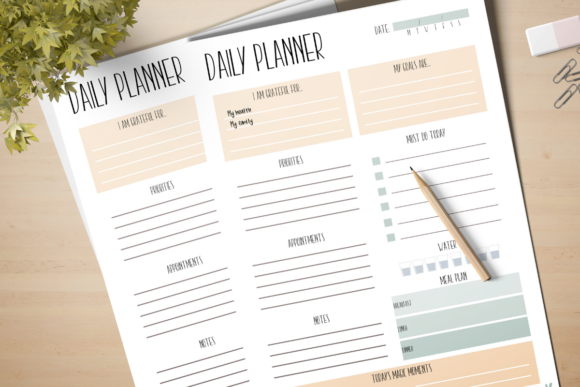
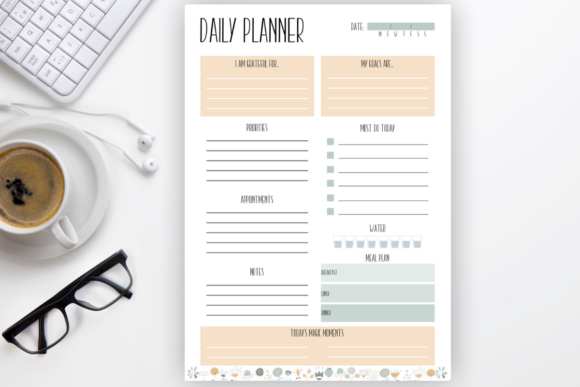
A plain daily to-do page can be more useful than an elaborate productivity dashboard.
There’s less setup, less categorizing, and less visual noise. You simply capture what needs to be done and move through the list.
The main thing is to keep each item actionable. A vague task like “website” gives you almost no direction when you return to it later. “Rewrite the homepage introduction” is easier to start because the action is already defined.
Small checkboxes, priority symbols, or simple task categories can improve the layout, but they shouldn’t dominate it. If using the page requires assigning every task a color, label, urgency level, and category, the system may be creating more work than it removes.
This page style suits flexible days when the order of tasks can change. It’s less helpful when your calendar is crowded, because a list tells you what needs doing but not when you’ll realistically do it.
The Daily Planner Template includes separate areas for priorities, appointments, notes, and daily tasks without making the page feel overly technical.
Best for: Flexible schedules, errands, administrative work
Key features: Clear checkboxes, open task space, simple hierarchy
4. Daily Schedule and Appointment Page
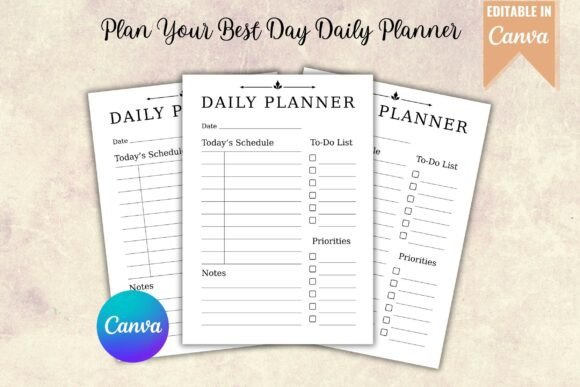
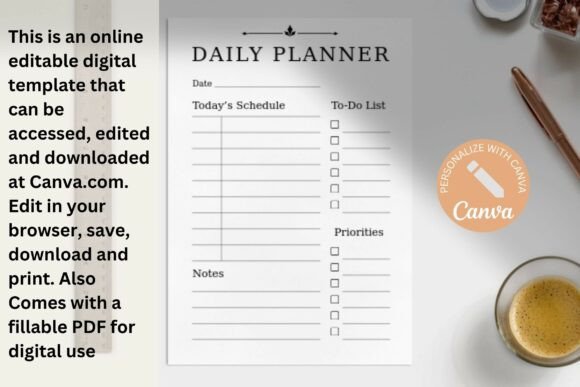
A schedule-focused page makes sense when fixed commitments shape most of your day.
Meetings, phone calls, classes, medical appointments, deadlines, and school activities need more visual weight than they would receive on a standard to-do list. This layout lets you see the framework of the day before adding flexible tasks around it.
Pay attention to the width of the writing area beside each time slot. Extremely narrow lines may look tidy in a thumbnail, but they’re frustrating once you try to add a meeting title, location, contact name, or preparation note.
A useful schedule page should also include a small priority section. Otherwise, the calendar can consume the whole page and leave no clear place for the independent work you still want to protect.
The Plan Your Best Day Daily Planner combines an hourly schedule with priorities, tasks, and notes. That combination is usually more practical than a schedule that contains time slots and nothing else.
Best for: Meeting-heavy days, classes, personal appointments
Key features: Hourly schedule, priorities, tasks, notes section
5. Eisenhower Matrix Planning Page
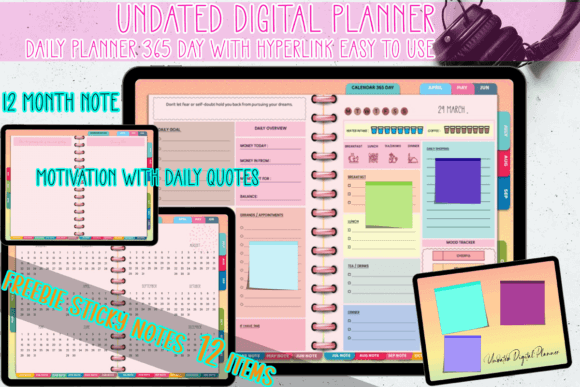
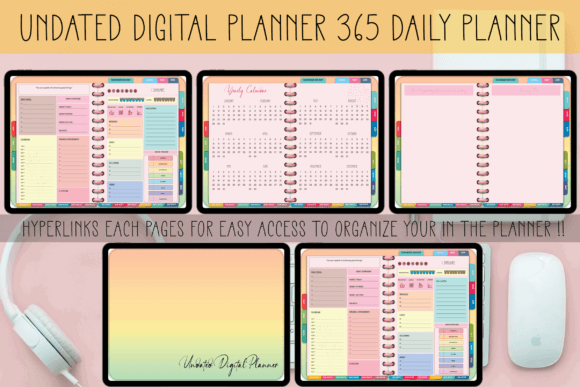
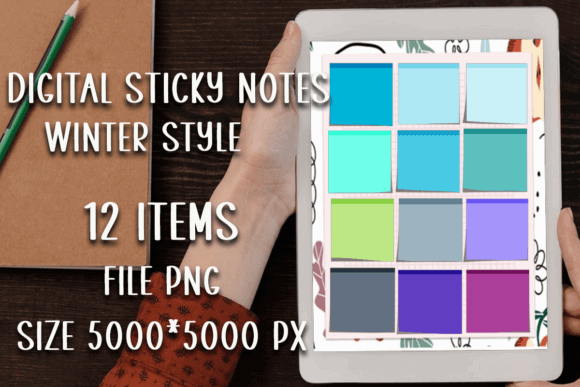
An Eisenhower Matrix sorts tasks by urgency and importance.
The four sections usually include:
- Important and urgent
- Important but not urgent
- Urgent but less important
- Neither urgent nor important
This page is most useful when your task list feels overwhelming and everything appears to demand attention at once. The visual separation makes it easier to see what should be completed now, scheduled for later, delegated, or removed.
It can also reveal a pattern that ordinary lists tend to hide. If important-but-not-urgent work is constantly postponed, you may be spending most of the day reacting instead of making progress.
The limitation is space. Four quadrants can become cramped, especially on a smaller tablet. This isn’t the best place for detailed project notes or long task descriptions. Short, specific task names are easier to scan.
In practice, the matrix often works better as a decision-making page than as a complete daily planner. Once tasks are sorted, the important ones can be moved into a time-blocking or focus layout.
Best for: Overloaded task lists, prioritization, delegation decisions
Key features: Four priority quadrants, visual sorting, reduced clutter
6. Deep Work and Focus Session Page
A deep-work page is built around uninterrupted concentration rather than general scheduling.
It may include a project name, intended outcome, session length, start and finish times, distraction notes, and a small progress area. The goal is to define one focused session clearly enough that you know what success looks like before you begin.
This format is especially useful for writing, studying, designing, coding, editing, research, and other work that becomes harder every time attention is interrupted.
The layout should feel visually quiet.
Too many stickers, trackers, decorative borders, or brightly colored sections can compete with the focused mood the page is meant to support. Strong headings, restrained contrast, and generous writing space tend to be more effective.
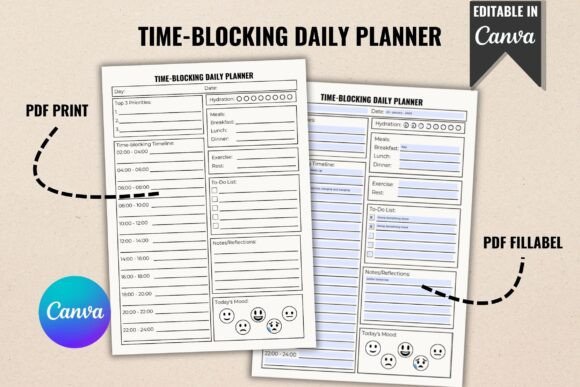
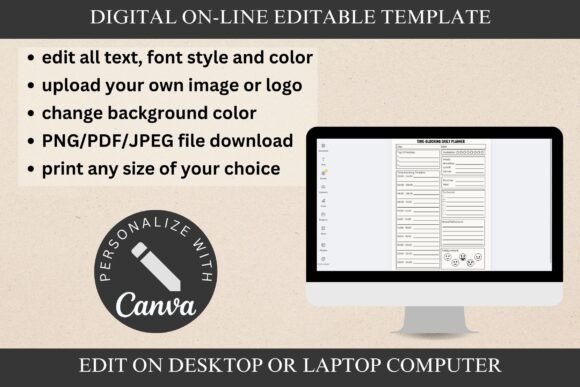
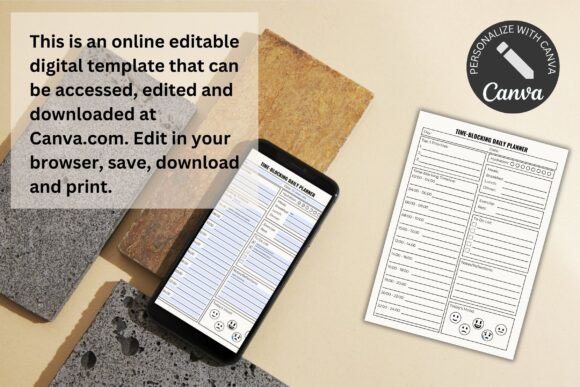
A time-blocking template such as the Time-Blocking Daily Planner can be adapted by labeling selected periods as deep-work sessions. You don’t necessarily need a separate planner if your existing timeline has enough room.
Best for: Writing, studying, design work, complex projects
Key features: Focus outcome, timed sessions, distraction capture
7. Daily Goals and Progress Page
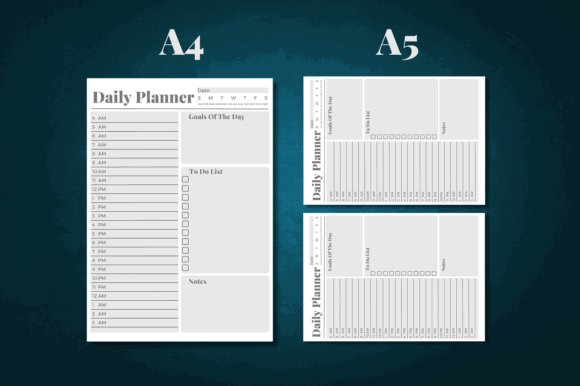
A daily goal page connects today’s actions to a larger result.
Instead of filling the page with unrelated tasks, you define what meaningful progress should look like by the end of the day.
“Work on portfolio” is hard to measure.
“Edit three case-study descriptions” gives you a visible finish line.
A practical goal page may include one main goal, a few supporting steps, a progress bar, possible obstacles, and the next action. That’s usually enough. Once the page starts resembling a condensed annual planning workbook, it becomes too heavy for everyday use.
Daily goals should be small enough to complete or advance in a noticeable way. Large goals such as “launch my business” belong at a higher planning level. The daily version might be “write the first draft of the services page.”
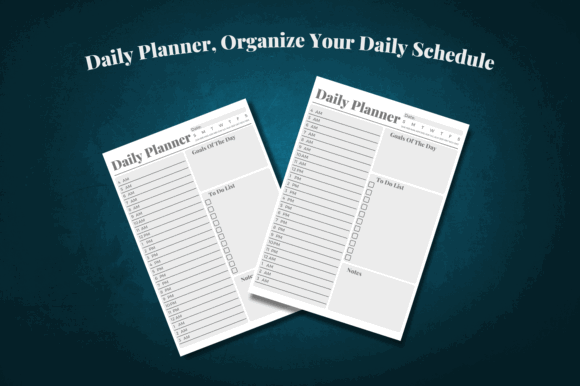
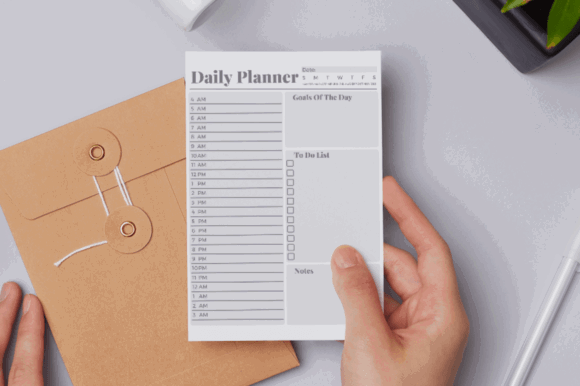
The Daily Planer Organize Your Schedule includes areas for goal setting, tasks, and notes, which makes it easier to connect an outcome with the actions behind it.
Best for: Personal projects, business goals, measurable progress
Key features: Daily goal, action steps, progress indicator
8. Habit and Wellness Tracker
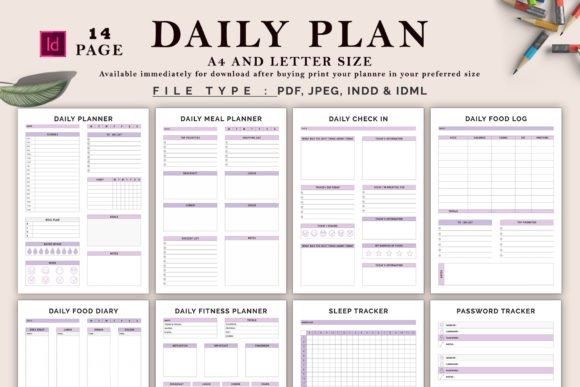
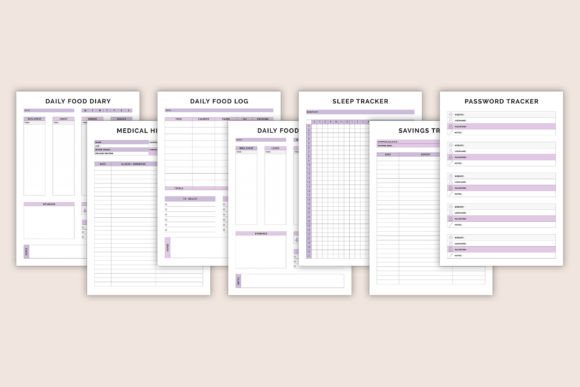
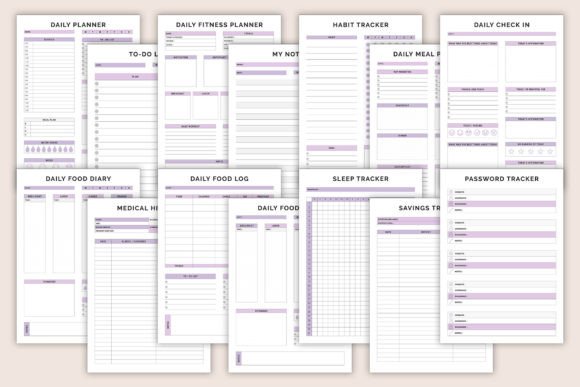
A daily habit tracker gives recurring actions a compact place on the page.
Common entries include medication, reading, stretching, hydration, exercise, journaling, sleep, and screen-time limits. The exact habits matter less than choosing a small number that genuinely affect your routine.
A tracker with twenty habits may look satisfying when it’s empty and perfectly aligned. Maintaining it is another matter. After a few days, the page can start feeling like a list of minor failures rather than a useful planning tool.
For focused planning, habit tracking usually belongs below the main schedule or on a secondary page. It should support the day, not take over the layout.
The Digital Daily Planner Bundle includes daily planning, fitness, and habit-tracking pages, which can be useful when you prefer to keep wellness information separate from work tasks.
Best for: Routine building, self-care, consistent daily actions
Key features: Habit checkboxes, wellness fields, compact tracking
9. Brain Dump and Notes Page
A brain dump page gives loose thoughts somewhere to go.
It can hold reminders, ideas, worries, follow-up items, shopping needs, project fragments, or tasks that belong later in the week. Capturing them keeps those thoughts from repeatedly interrupting whatever you’re trying to do.
An open dot-grid, blank page, or lightly ruled layout is often more flexible than a collection of tiny labeled boxes. You can write a quick list, sketch a connection between ideas, or add a longer note without having to fit the content into a predetermined category.
The page is only useful if you review it.
Actionable items should move to your task list. Time-sensitive reminders need a place on the schedule. Useful ideas can go into project notes, while anything irrelevant can be deleted. Otherwise, the brain dump simply becomes another storage page you never revisit.
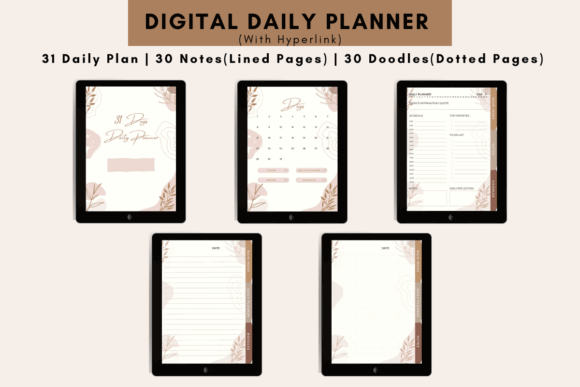
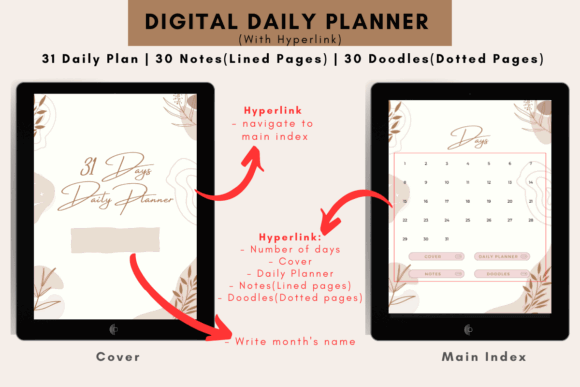
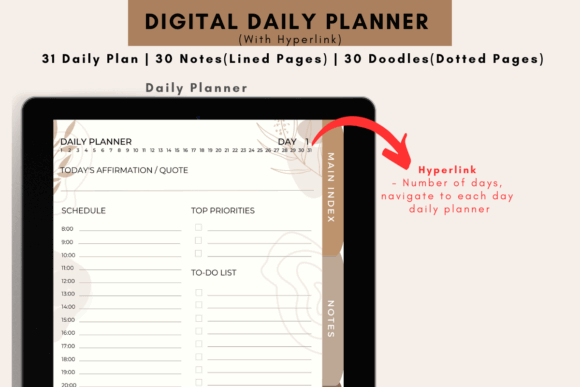
The Daily Digital Planner, 31 Days V1 includes separate daily, note, and doodle pages that can handle this kind of overflow without crowding the main planning layout.
Best for: Capturing ideas, mental clutter, unstructured notes
Key features: Open writing space, flexible formatting, quick capture
10. Meal, Water, and Movement Planner
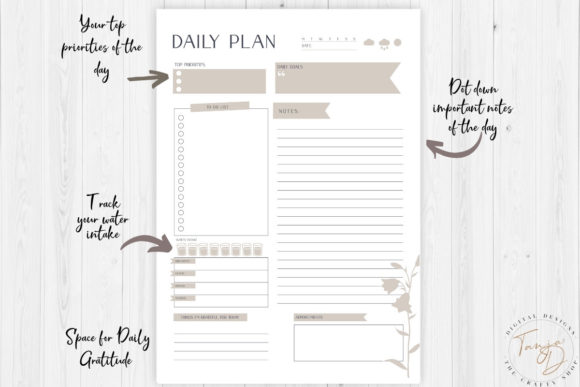
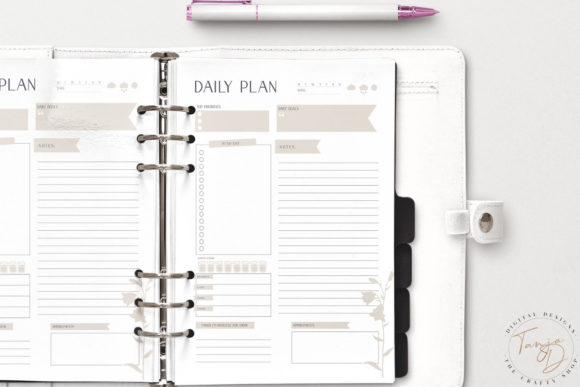
Planning meals, hydration, and movement on the same page can be useful when your energy level has a direct effect on productivity.
This doesn’t need to become a detailed fitness or nutrition journal. A small area for meals, water, exercise, and one self-care action is often enough. The point is simply to keep basic needs visible on days when work tends to push them aside.
This type of page is particularly helpful for busy schedules, meal preparation, shift work, or routines where breaks are easy to forget.
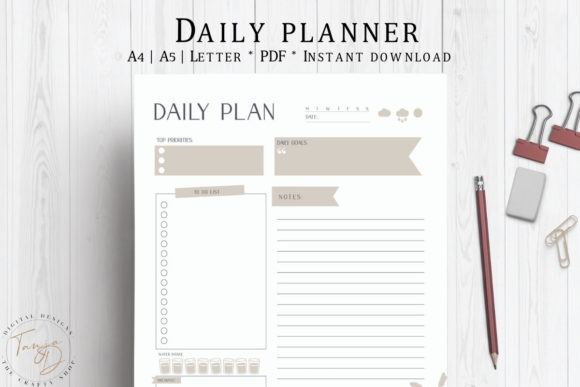
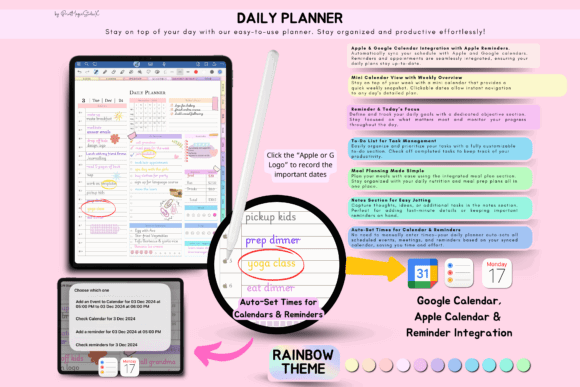
The Daily Planner, Daily Schedule, Planner combines priorities and scheduling with meal planning, water intake, and daily goals. It places wellness alongside the rest of the day rather than treating it as a completely separate system.
Still, this page won’t suit everyone. If tracking food, water, or exercise creates pressure or makes the planner feel overly demanding, leave it out. A useful planner should reduce mental load, not add another layer of guilt.
Best for: Balanced routines, meal preparation, wellness awareness
Key features: Meal fields, hydration tracking, movement reminder
11. End-of-Day Reflection Page
An end-of-day reflection page closes the planning loop.
It helps you notice what was completed, what changed, and what should move forward instead of automatically copying every unfinished task into tomorrow.
Useful prompts might include:
- What did I finish?
- What helped me focus?
- What interrupted the plan?
- What still matters tomorrow?
- What did I learn from today?
Keep the section short enough to complete in two or three minutes. Long journaling prompts may be meaningful in a dedicated journal, but they can feel like an extra obligation at the end of a busy day.
The most useful reflection pages are simple. A few lines for wins, unfinished work, and one adjustment for tomorrow are often enough to improve the next day’s plan.
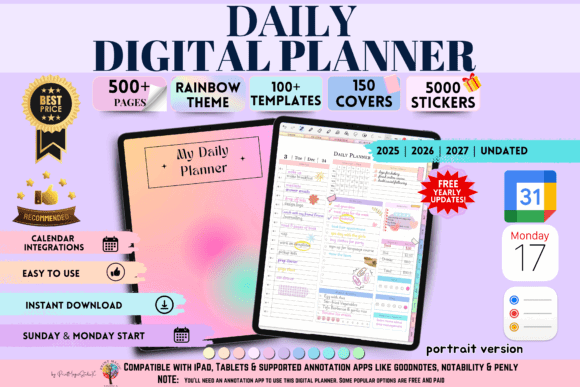
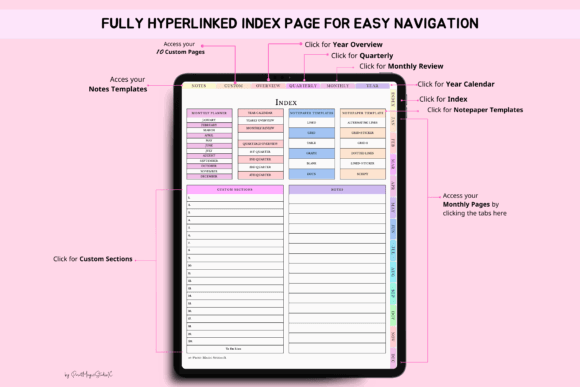
Larger planners such as the Daily Digital Planner Portrait combine daily layouts with custom sections and multiple note templates, making it easier to keep reflection separate from scheduling when you need more space.
Best for: Reviewing progress, adjusting routines, planning tomorrow
Key features: Completion review, lessons learned, task migration
How to Choose the Right Daily Planner Layout
Start with the problem you want the planner to solve.
Choose an hourly page if you regularly underestimate how long tasks take or struggle to fit work around appointments.
Pick a priority page if you have plenty to do but find it difficult to decide what matters most.
Use a brain dump page when thoughts, reminders, and unfinished ideas keep interrupting your work.
A simple task list may be enough when your schedule is flexible. For project-heavy days, a deep-work page can provide more direction than a general daily dashboard.
The page also needs to suit your device.
A compact layout may feel comfortable on a large iPad but cramped on a smaller tablet, phone, or e-ink notebook. Decorative elements, thin lines, and small labels can lose clarity when the page is viewed at normal writing size.
Test the fields at your usual zoom level. If you constantly have to zoom in to write and zoom out to navigate, the layout may be too dense.
Check these practical details before downloading:
- Compatible annotation apps
- Portrait or landscape orientation
- Dated or undated pages
- Monday or Sunday calendar start
- Hyperlinked navigation
- PDF, PNG, or editable Canva files
- Light and dark page versions
- Enough handwriting space at normal zoom
Some digital planners include calendar links or integrations designed for Apple and Google devices. Simpler templates function as ordinary annotation-ready PDFs. Neither approach is automatically better. Extra features only help when they match the way you already plan.
It’s also worth checking the navigation. A planner with hundreds of pages can become tedious if reaching today’s page requires repeated tapping. Hyperlinked tabs should feel intuitive, not like a maze.
Don’t assume a larger template bundle creates a better system. More page types can be useful, but only when the layouts share a consistent visual style and you can find the pages you need quickly.
Final Thoughts
The most effective daily digital planner pages aren’t necessarily the ones with the most sections, trackers, or decorative details.
They provide enough structure to guide your attention while leaving room for the day to change.
For many people, a priority section, time-blocking schedule, task list, and open notes area create a solid foundation. Habit, wellness, goal, and reflection pages can be added when they solve a specific problem rather than simply filling space.
Start with fewer sections than you think you need.
A calm planner page that you use consistently will usually support focused planning better than an elaborate system you avoid opening.
FAQ
1. What should a daily digital planner page include?
A useful daily page should include the date, one main focus, up to three priorities, a schedule or time-blocking area, a task list, and space for notes. Optional habit or wellness sections should remain secondary.
2. Are daily digital planner pages compatible with Goodnotes?
Most PDF-based daily planner pages can be imported into Goodnotes. Many also support Notability, Noteshelf, Penly, and Xodo, but buyers should confirm the listed file format and app compatibility before downloading.
3. Is an undated digital planner better than a dated planner?
An undated planner is more flexible because you can skip days without leaving unused pages. A dated planner provides faster navigation and clearer calendar structure for people who plan every day.
4. How many priorities should I put on a daily planner page?
One main focus and two or three supporting priorities are usually enough. A longer priority list weakens the visual hierarchy and makes it harder to decide what should be handled first.
Save Pin for Pinterest



Follow Us