

Why Google Sheets Social Media Calendars Still Work for Modern Brands
Managing social media without a clear calendar can feel like running a busy restaurant without tickets, recipes, or assigned tables. Everyone may be working, but captions still get rushed, campaigns overlap, approvals disappear in chat threads, and important dates arrive without warning.
A well-designed Google Sheets social media calendar solves this problem by creating a shared workspace where brands can organize content ideas, deadlines, publishing platforms, creative assets, campaigns, responsibilities, and results.
Unlike complicated social media management software, Google Sheets is familiar, flexible, and easy to customize. A solo creator can use a simple weekly planner, while a growing ecommerce brand can build a detailed system with campaign phases, approval stages, asset links, analytics, and product-launch deadlines.

The best calendar is not necessarily the template with the most tabs, formulas, or colors. It is the one your team understands and updates consistently.
In this guide, we will explore ten practical types of Google Sheets social media calendars for brands, including annual planners, multi-platform calendars, campaign trackers, content-pillar systems, approval workflows, analytics dashboards, influencer trackers, local-business calendars, product-launch planners, and minimalist weekly schedules.
You will also find several adaptable templates from Creative Fabrica that can help you set up these systems without building every spreadsheet from scratch.
1. Annual Social Media Content Calendar

An annual social media content calendar gives a brand a high-level view of the entire year. Instead of immediately planning individual captions, it maps important launches, promotions, holidays, seasonal themes, company milestones, events, conferences, sales periods, and recurring campaigns.
This type of calendar is especially valuable during annual and quarterly planning. It helps teams identify busy promotional periods, prepare assets in advance, and avoid scheduling several major campaigns at the same time.
A practical annual calendar may include:
- month and week number;
- campaign name;
- business objective;
- seasonal theme;
- target audience;
- key message;
- primary platform;
- campaign owner;
- creative deadline;
- publishing period;
- current status.
Color coding can separate product launches, educational campaigns, brand-awareness activity, community content, recruitment posts, and seasonal promotions.
For example, a skincare company could map winter hydration content, spring travel essentials, summer sun protection, fall skincare routines, and holiday gifting campaigns across a single year. This makes the brand narrative feel connected rather than random.
Recommended template: Social Media Post Planner 52 Weeks
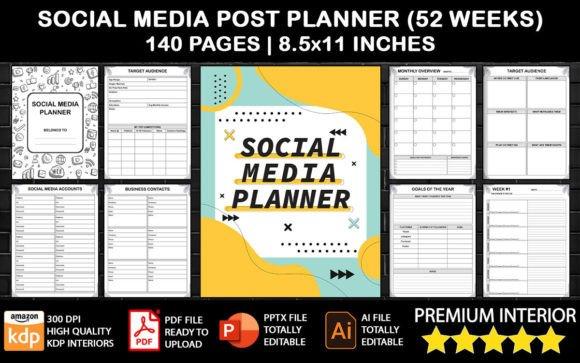
Brands that want a ready-made annual structure can start with the Social Media Post Planner 52 Weeks.
The planner is designed for daily, weekly, and monthly content planning and can be used to organize social media posts, Stories, Reels, TikToks, Shorts, and other formats across 52 weeks.
Although it is not a native Google Sheets spreadsheet, its structure can serve as a useful annual planning framework. Teams can use the included pages as a visual reference or recreate the most relevant fields in Google Sheets.
The annual calendar should remain strategic. Avoid filling it with complete captions and detailed production notes. Think of it as the map on the wall, while monthly and weekly calendars provide the turn-by-turn directions.
Review the annual plan at least once per month. Product dates, budgets, seasonal demand, and business priorities can change, so the calendar should guide the team without becoming rigid.
2. Monthly Multi-Platform Content Calendar

A monthly multi-platform content calendar is ideal for brands publishing across Instagram, Facebook, LinkedIn, TikTok, Pinterest, YouTube, X, and other channels.
Its purpose is not simply to copy the same content across every network. Instead, it coordinates one central campaign idea while allowing each post to match the format and audience expectations of its platform.
For example, one product-education topic could become:
- a short TikTok demonstration;
- an Instagram carousel;
- a professional LinkedIn insight;
- a Pinterest infographic;
- a Facebook discussion post;
- a longer YouTube tutorial.
A useful monthly spreadsheet should include:
- publication date;
- publishing time;
- platform;
- content format;
- content pillar;
- campaign;
- working title or hook;
- caption;
- call to action;
- asset link;
- destination URL;
- owner;
- approval status;
- publishing status.
Dropdown menus help maintain consistent labels, while platform-specific formatting makes the calendar easier to scan. Filter views can allow each social media manager to see only the channels they manage.
Recommended template: Content Calendar, Google Sheets
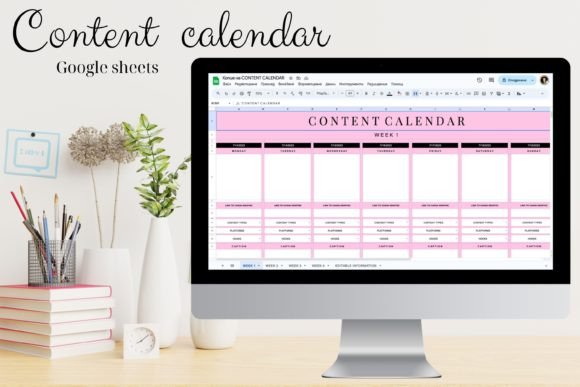
The Content Calendar, Google Sheets is one of the closest matches for brands that want an editable spreadsheet rather than a printable planner.
It is designed for use in Google Sheets, can be accessed online, and allows users to customize colors and other elements to fit their brand identity.
This makes it a strong starting point for a monthly multi-platform calendar. After opening the template, add dedicated fields for platform, format, campaign, caption, asset link, call to action, and status.
A separate reference tab can store platform requirements, such as:
- recommended image dimensions;
- video orientation;
- thumbnail specifications;
- preferred content formats;
- link-placement rules;
- internal publishing notes.
A multi-platform calendar prevents two common problems.
The first is unnecessary duplication, where followers see the exact same caption and image on every channel. The second is unnecessary reinvention, where a team creates completely separate ideas for every platform and quickly exhausts its production capacity.
A strong calendar supports a middle path: the central message remains recognizable, but the execution changes according to the platform.
Do not fill every empty date simply because the spreadsheet makes gaps visible. A smaller number of purposeful posts usually creates a more sustainable workflow than an overcrowded calendar filled with rushed content.
3. Social Media Campaign Planning Calendar

A social media campaign planning calendar is designed for coordinated initiatives with a defined objective, beginning, middle, and end.
Common examples include:
- seasonal promotions;
- product launches;
- webinar registrations;
- lead-generation campaigns;
- fundraising drives;
- brand-awareness campaigns;
- holiday sales;
- recruitment campaigns;
- limited-time offers.
Unlike a basic posting calendar, a campaign planner connects every piece of content to an objective, audience, campaign phase, offer, call to action, and measurable result.
Begin the spreadsheet with a campaign summary containing:
- campaign name;
- primary objective;
- target audience;
- core message;
- main offer;
- call to action;
- start and end dates;
- campaign owner;
- budget;
- primary success metric.
Then divide the publishing schedule into phases such as:
- Teaser
- Announcement
- Education
- Objection handling
- Social proof
- Conversion
- Reminder
- Final push
- Follow-up
Each content row can include the campaign phase, platform, format, content concept, copy owner, designer, review date, final asset link, publication date, tracking URL, and paid or organic status.
Recommended template: Social Media Content Planner Excel
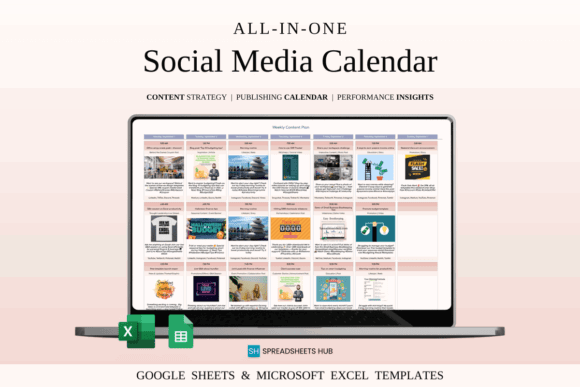
The Social Media Content Planner Excel can be adapted into a campaign planning calendar.
Despite “Excel” appearing in the product name, the template is described as compatible with both Google Sheets and Excel. It is designed to help users plan posts, organize content ideas, and keep track of content that has already been published.
To turn it into a campaign-focused system, add the following columns:
- campaign phase;
- audience segment;
- campaign objective;
- offer;
- objection addressed;
- dependency;
- tracking URL;
- conversion result.
A campaign calendar transforms a collection of posts into a persuasive sequence.
Consider an online-course launch. Repeating “enroll now” every few days will quickly become monotonous. A campaign calendar encourages the brand to build curiosity, explain the problem, demonstrate expertise, answer objections, share testimonials, present the offer, and create appropriate urgency before enrollment closes.
The calendar also remains useful after publication. Add performance fields for reach, clicks, leads, conversions, engagement, cost, and observations. Over time, these records show which campaign phases and messages moved the audience forward.
4. Content Pillar and Posting Calendar

A content pillar calendar organizes social media around a small number of recurring strategic themes.
Content pillars represent what the brand wants to be known for and what its audience repeatedly wants to learn, experience, or accomplish.
A financial education company might use:
- budgeting;
- debt management;
- investing basics;
- customer success stories;
- product guidance.
A fitness brand might use:
- workouts;
- nutrition;
- recovery;
- motivation;
- community stories.
Without content pillars, teams often default to the topics that are easiest to produce. Over time, one theme may dominate while important educational, community, or trust-building content disappears.
A Google Sheets content-pillar calendar should include:
- content pillar;
- audience stage;
- content purpose;
- platform;
- format;
- working title;
- hook;
- call to action;
- publication date;
- owner;
- status;
- asset link.
A summary tab can count how many posts belong to each pillar during a selected month. Conditional formatting can highlight imbalances, such as ten promotional posts but only one educational post.
Recommended template: Social Media Content Planner Excel
The Social Media Content Planner Excel is also suitable for a content-pillar workflow because it supports content planning and idea organization in Google Sheets or Excel.
Create a dropdown containing your approved pillars, then assign one pillar to every post. You can also add a second dropdown for the content purpose:
- educate;
- inspire;
- entertain;
- build trust;
- generate engagement;
- promote;
- convert.
Pivot tables can then compare content volume or performance by pillar.
For example, a coffee brand might rotate between brewing education, sourcing stories, customer rituals, product highlights, and café culture. The pillars reduce creative anxiety because the team no longer begins with a completely empty page.
Content pillars also strengthen positioning. Audiences may not remember every individual post, but they gradually associate the brand with the ideas it repeats consistently.
The goal is not to distribute posts equally among every pillar. Some themes may deserve more attention. The value comes from making the content mix visible, intentional, and connected to the brand’s strategy.
5. Social Media Approval Workflow Calendar
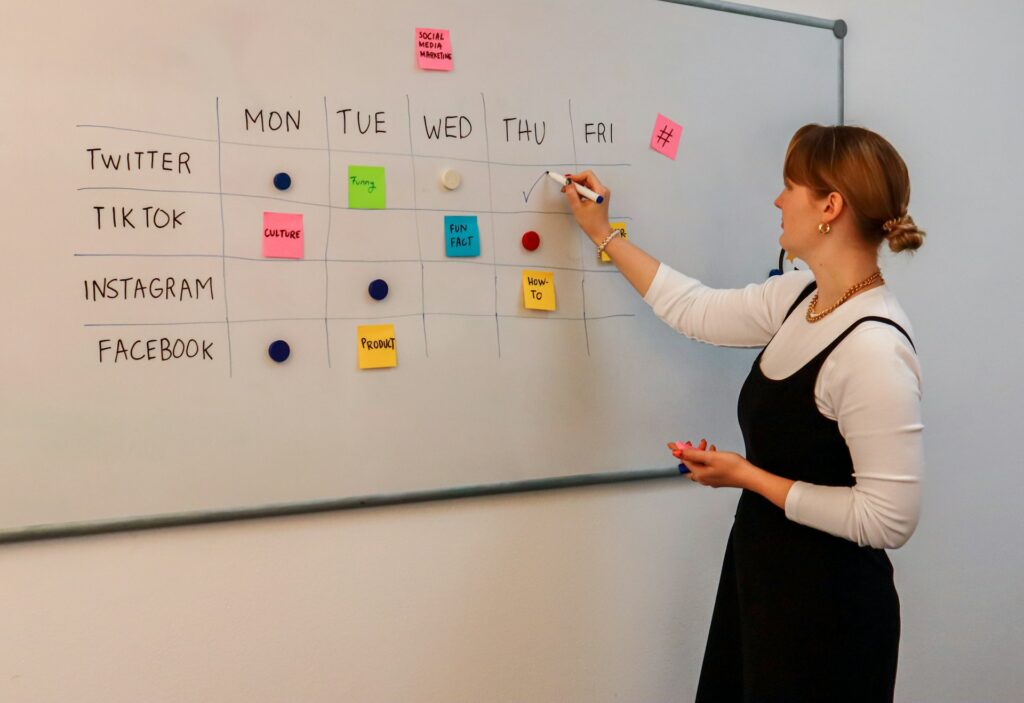
A social media approval workflow calendar is designed for teams where content must pass through several reviewers before publication.
This is especially useful for:
- marketing agencies;
- franchises;
- healthcare organizations;
- financial companies;
- universities;
- regulated businesses;
- large marketing departments;
- brands working with external clients.
A post may need copy review, creative review, product verification, legal approval, client approval, and final scheduling. Without a central workflow, feedback becomes scattered across email, messaging apps, design tools, and video calls.
A strong approval calendar should include separate fields for:
- concept status;
- copy status;
- design status;
- compliance status;
- client status;
- final approval;
- scheduling status;
- publication confirmation.
Every stage should have an owner and a deadline.
Useful dropdown labels include:
- not started;
- in progress;
- ready for review;
- changes requested;
- approved;
- blocked;
- scheduled;
- published.
Recommended template: Project Management Spreadsheet Template
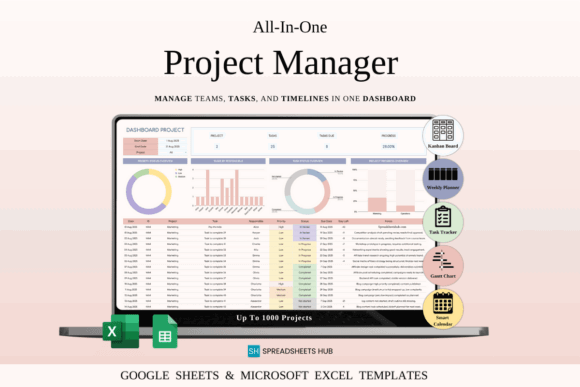
For a structured approval process, consider adapting the Project Management Spreadsheet Template.
It is designed for Google Sheets and Excel and focuses on projects, tasks, team collaboration, and workflow organization.
Although it is not exclusively a social media calendar, its project-management structure makes it suitable for content production and approval. Each post can be treated as a task with an owner, deadline, status, dependency, and review stage.
Create a workflow such as:
Idea → Copy Draft → Design → Review → Changes → Approved → Scheduled → Published
The spreadsheet should display the latest status while linking to one central location for feedback. Instead of pasting long discussions into cells, link to the relevant Google Doc, Canva design, creative brief, or comment thread.
A “last updated” field can prevent someone from approving an outdated version. Regulated companies may also benefit from an archive tab containing the final caption, approved visual, reviewer name, approval date, and live publication URL.
Avoid adding unnecessary reviewers. Every approval stage should reduce risk or improve quality. Too many stages can delay publication without creating meaningful value.
6. Social Media Calendar with Analytics Tracking
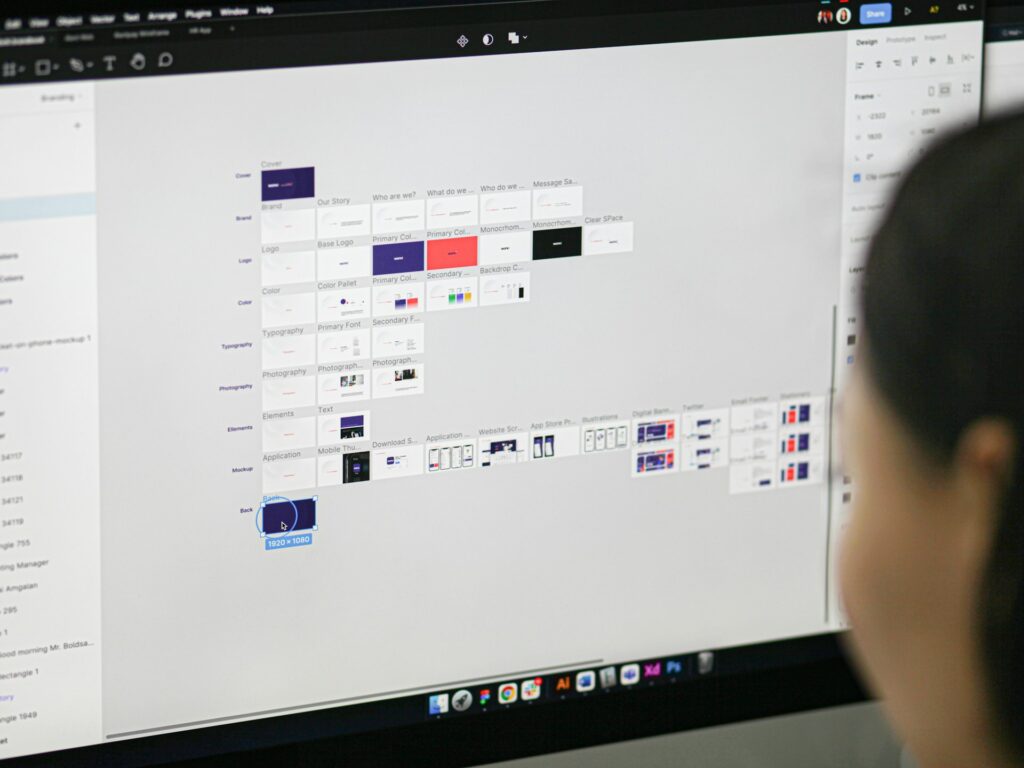
A social media calendar with analytics tracking connects planning decisions with actual results.
Many teams keep future posts in one document and performance reports in another. This separation makes it difficult to understand why a post was created, what objective it supported, and which strategic patterns produced results.
Combining planning details with selected metrics creates a feedback loop.
The planning section may include:
- date;
- platform;
- campaign;
- content pillar;
- format;
- topic;
- hook;
- call to action;
- audience stage;
- owner;
- published URL.
After publication, add fields for relevant metrics such as:
- reach;
- impressions;
- video views;
- watch time;
- likes;
- comments;
- saves;
- shares;
- link clicks;
- leads;
- conversions;
- revenue.
Not every brand needs every metric. The selected measurements should match the purpose of the content.
An awareness post may prioritize reach, impressions, and video completion. A conversion-focused post should be evaluated using clicks, leads, sales, or conversion rate.
Recommended template: Social Media Content Planner Excel
The Social Media Content Planner Excel provides a flexible foundation for combining content planning with performance fields in Google Sheets.
After importing or opening the template, add formulas for:
- engagement rate;
- click-through rate;
- conversion rate;
- average reach by platform;
- average saves by content pillar;
- campaign totals;
- monthly publishing consistency.
A dashboard tab can display monthly totals, top-performing posts, strongest formats, and content pillars that consistently attract engagement.
Include a qualitative notes column as well. Numbers rarely explain the full story. A post may perform unusually well because of a timely event, an influential share, a compelling opening line, or a particularly useful topic.
Analytics should guide judgment rather than replace it. Some posts build trust, clarify policies, support existing customers, or strengthen brand positioning without producing exceptional public metrics.
The most effective tracking calendar combines numbers with strategic observations.
7. Influencer and User-Generated Content Calendar

An influencer and user-generated content calendar helps brands coordinate creators, affiliates, ambassadors, customers, and community submissions.
These partnerships involve more than publication dates. Teams may need to monitor:
- creator outreach;
- campaign briefs;
- agreements;
- product shipments;
- deliverables;
- draft deadlines;
- approval status;
- publication windows;
- usage rights;
- discount codes;
- affiliate links;
- payments;
- results.
A standard editorial calendar usually does not contain enough detail for these moving parts.
Create columns for:
- creator name;
- social handle;
- niche;
- primary platform;
- campaign;
- deliverables;
- fee;
- product shipment status;
- draft deadline;
- review status;
- publication date;
- live URL;
- discount code;
- affiliate link;
- usage rights;
- payment status;
- results;
- partnership notes.
For user-generated content, add:
- original source;
- permission requested;
- permission received;
- asset link;
- repost date;
- required credit;
- usage limitations.
A public mention does not automatically mean a brand can use someone’s photo or video in advertising, product pages, or email campaigns. A clear rights-tracking field protects both the creator and the company.
Recommended setup
For this system, use the Project Management Spreadsheet Template as the operational foundation.
Its task and collaboration structure can be adapted to track each creator partnership from initial outreach through publication and payment.
Create separate tabs for:
- creator database;
- active collaborations;
- user-generated content permissions;
- approved assets;
- completed partnerships;
- payment tracking.
The calendar should capture more than follower count. Record qualitative observations about reliability, audience fit, communication, creative quality, and potential for future partnerships.
A smaller creator with a trusted niche audience may generate stronger results than a large account with limited brand alignment.
8. Local Business Social Media Calendar

A local business social media calendar is built around geographic relevance, local events, community relationships, and location-specific priorities.
Restaurants, salons, clinics, gyms, real estate offices, schools, home-service providers, and independent retailers rarely need the same system as a global ecommerce brand.
Their strongest content often comes from the local community:
- seasonal conditions;
- neighborhood events;
- staff stories;
- customer questions;
- opening-hour updates;
- same-day availability;
- community partnerships;
- location-specific offers;
- behind-the-scenes moments.
Recommended columns include:
- publication date;
- business location;
- platform;
- local event;
- content type;
- featured service;
- featured employee;
- offer;
- photo requirement;
- call to action;
- contact method;
- approval status;
- published URL.
Businesses with several branches can create a location dropdown and filtered views. Each manager sees only the posts relevant to their branch, while the central brand team maintains approved messaging and visual standards.
Recommended template: Content Calendar, Google Sheets
The Content Calendar, Google Sheets is a practical base for local businesses because it can be edited online and customized to match a brand’s visual identity.
Add fields for location, local offer, booking method, employee featured, and store-specific approval.
A local-business calendar should also leave room for planned spontaneity. A landscaping company may prepare seasonal educational content while still responding to a sudden storm. A café may schedule product posts but reserve space for a community event or an unexpected delivery.
Calls to action should be practical and specific:
- book an appointment;
- call the store;
- visit before a certain time;
- reserve a table;
- request a quote;
- attend a local event;
- claim a location-specific offer.
The calendar can also track where leads originate by recording booking URLs, promotional codes, direct-message inquiries, and customer-reported sources.
9. Product Launch Social Media Calendar

A product launch social media calendar coordinates the period before, during, and after a new product or service enters the market.
Product launches often involve:
- landing pages;
- photography;
- video production;
- creator collaborations;
- product education;
- advertising;
- inventory confirmation;
- email campaigns;
- customer support;
- internal announcements.
A missed dependency can weaken the entire launch. Publishing a teaser before the landing page is ready or announcing availability before inventory is confirmed can create confusion and reduce trust.
Divide the launch into phases such as:
- Research
- Pre-launch preparation
- Teaser content
- Product reveal
- Education
- Demonstration
- Social proof
- Launch day
- Objection handling
- Conversion support
- Final urgency
- Post-launch onboarding
The calendar should include:
- launch phase;
- publication date;
- platform;
- audience segment;
- message;
- format;
- product feature;
- customer problem;
- objection addressed;
- copy owner;
- creative owner;
- landing-page status;
- inventory confirmation;
- approval status;
- tracking URL;
- result.
Recommended template: Project Management Spreadsheet Template
The Project Management Spreadsheet Template is particularly useful for launch coordination because product launches depend on multiple tasks, owners, dates, and dependencies.
Use one tab for the launch timeline and another for the social media publishing calendar. Connect each post to a required task, such as:
- product photography completed;
- landing page published;
- checkout tested;
- inventory confirmed;
- creator content approved;
- support documentation ready.
Strong launch calendars balance excitement with explanation. Brands sometimes spend weeks teasing a product and then reveal it without clearly explaining why it matters.
The content sequence should demonstrate the problem, explain the product’s difference, show how it works, answer common objections, present credible evidence, and guide the audience toward purchase.
Continue the calendar after launch day. Early customers may need onboarding, setup instructions, care advice, troubleshooting, or inspiration for using the product. Their questions can also generate additional content ideas.
A launch is not a single announcement. It is a guided customer journey.
10. Minimalist Weekly Social Media Calendar

A minimalist weekly social media calendar is often the best option for founders, freelancers, solo marketers, and small teams that become overwhelmed by complex planning systems.
Instead of dozens of fields, a simple weekly calendar may contain only:
- publication date;
- platform;
- topic;
- format;
- caption;
- asset link;
- owner;
- status.
The simplicity makes it easier to maintain. This matters more than advanced features that nobody uses.
A practical layout can place the days of the week in rows and essential publishing details in columns. Another option is to use one monthly tab and filter it to show the current week.
Basic dropdowns may include:
- idea;
- drafting;
- designing;
- ready for review;
- approved;
- scheduled;
- published.
Recommended template: Social Media Content Planner Excel
The Social Media Content Planner Excel can be simplified into a lightweight weekly planner for Google Sheets.
Remove any fields your team does not need and keep only the columns required to move a post from idea to publication.
A small notes section can contain:
- the week’s main objective;
- active promotion;
- priority product;
- common customer question;
- content that must be carried forward;
- important business update.
Complex templates often fail because users spend more time maintaining the system than producing content. Every additional field creates another decision and another opportunity for incomplete information.
A lean calendar should still have clear ownership, realistic deadlines, and a defined purpose for each post. Simplicity does not mean publishing without strategy.
At the end of each week, review unfinished posts, record brief lessons, and prepare the next seven days.
How to Choose the Best Google Sheets Social Media Calendar
Choosing the right calendar begins with identifying the problem you are actually trying to solve.
A team struggling with long-term visibility needs an annual calendar. A company publishing across six platforms may need a multi-platform planner. A regulated organization with delayed reviews should prioritize an approval workflow. A performance-focused marketing team may benefit most from an analytics calendar.
Selecting a template based only on appearance is like choosing a vehicle by its paint color without considering where you need to drive.
Start by assessing:
- content volume;
- team size;
- number of active platforms;
- approval complexity;
- campaign frequency;
- reporting requirements;
- production capacity;
- number of locations or clients;
- creator partnerships;
- launch frequency.
A solo consultant publishing three times per week does not need fifteen approval columns. An agency coordinating multiple clients probably does.
The best template should also separate essential information from optional information.
Essential fields may include:
- publication date;
- platform;
- owner;
- content topic;
- status;
- caption;
- asset link.
Optional fields may include:
- audience stage;
- content pillar;
- campaign code;
- tracking URL;
- approval history;
- performance metrics;
- usage rights;
- budget.
Begin with the smallest structure that solves the current problem. Add fields only when a recurring operational need appears.
Best template for general content planning
Choose the Content Calendar, Google Sheets when you want a customizable native Google Sheets calendar with a straightforward visual structure.
Best template for content ideas and publishing
Choose the Social Media Content Planner Excel when you want to plan ideas, organize posts, and track published content using Google Sheets or Excel.
Best template for approval workflows and launches
Choose the Project Management Spreadsheet Template when your main challenge involves owners, deadlines, dependencies, collaboration, and multiple production stages.
Best option for annual visual planning
Choose the Social Media Post Planner 52 Weeks when you prefer a visual weekly and monthly framework for mapping an entire year of posts and content formats.
Test your selected calendar for two to four weeks before expanding it. Observe which fields remain empty, where collaborators become confused, and which information is repeatedly requested.
Remove unnecessary columns, improve dropdown labels, and automate only the repetitive steps that already work manually.
The objective is not to build the most sophisticated spreadsheet on the internet. The objective is to create a system that clearly shows what is being published, why it matters, who owns it, and what must happen next.
Conclusion
The best Google Sheets social media calendar for brands is the one that supports real work instead of creating more administrative work.
Annual calendars provide strategic visibility. Monthly multi-platform calendars coordinate channel activity. Campaign planners create persuasive sequences, while content-pillar calendars protect thematic balance.
Approval workflows bring accountability to complex teams. Analytics calendars turn published content into useful lessons. Influencer, local-business, product-launch, and minimalist weekly calendars solve more specialized problems.
Brands do not need to choose only one format forever.
A growing company might use:
- an annual calendar for strategic planning;
- a campaign sheet for major promotions;
- a project tracker for approvals;
- a weekly calendar for daily execution;
- an analytics tab for performance review.
These systems can be connected through consistent campaign names, content IDs, asset folders, and status labels.
Google Sheets remains valuable because it can change alongside the business. New dropdowns, formulas, charts, automations, and tabs can be added as the workflow matures. Unnecessary complexity can also be removed without migrating the entire team to another platform.
A calendar will not generate creativity by itself, and it cannot replace a clear content strategy. It can, however, create the conditions in which good ideas are captured, developed, reviewed, published, and measured consistently.
Begin with the format that addresses your biggest bottleneck. Keep it easy to maintain and improve it based on how your team actually works.
Frequently Asked Questions
What Should a Google Sheets Social Media Calendar Include?
A Google Sheets social media calendar should include the publication date, platform, content topic, format, caption, asset link, owner, status, campaign, call to action, and performance metrics.
Can Multiple Team Members Use the Same Social Media Calendar?
Yes, multiple team members can collaborate in the same Google Sheets social media calendar using shared access, comments, assigned owners, protected ranges, filters, and version history.
How Far in Advance Should Brands Plan Social Media Content?
Most brands should plan their core social media content two to four weeks in advance while leaving space for timely updates, trends, and unexpected opportunities.
Is Google Sheets Better Than Paid Social Media Planning Software?
Google Sheets is better for flexible and affordable content planning, while paid social media tools are more suitable for automated publishing, inbox management, social listening, and advanced analytics.
How Can a Brand Turn a Basic Spreadsheet into an Automated Calendar?
A brand can automate a basic Google Sheets calendar with dropdown menus, conditional formatting, formulas, pivot tables, Google Forms, Apps Script, and third-party automation tools.


Follow Us