

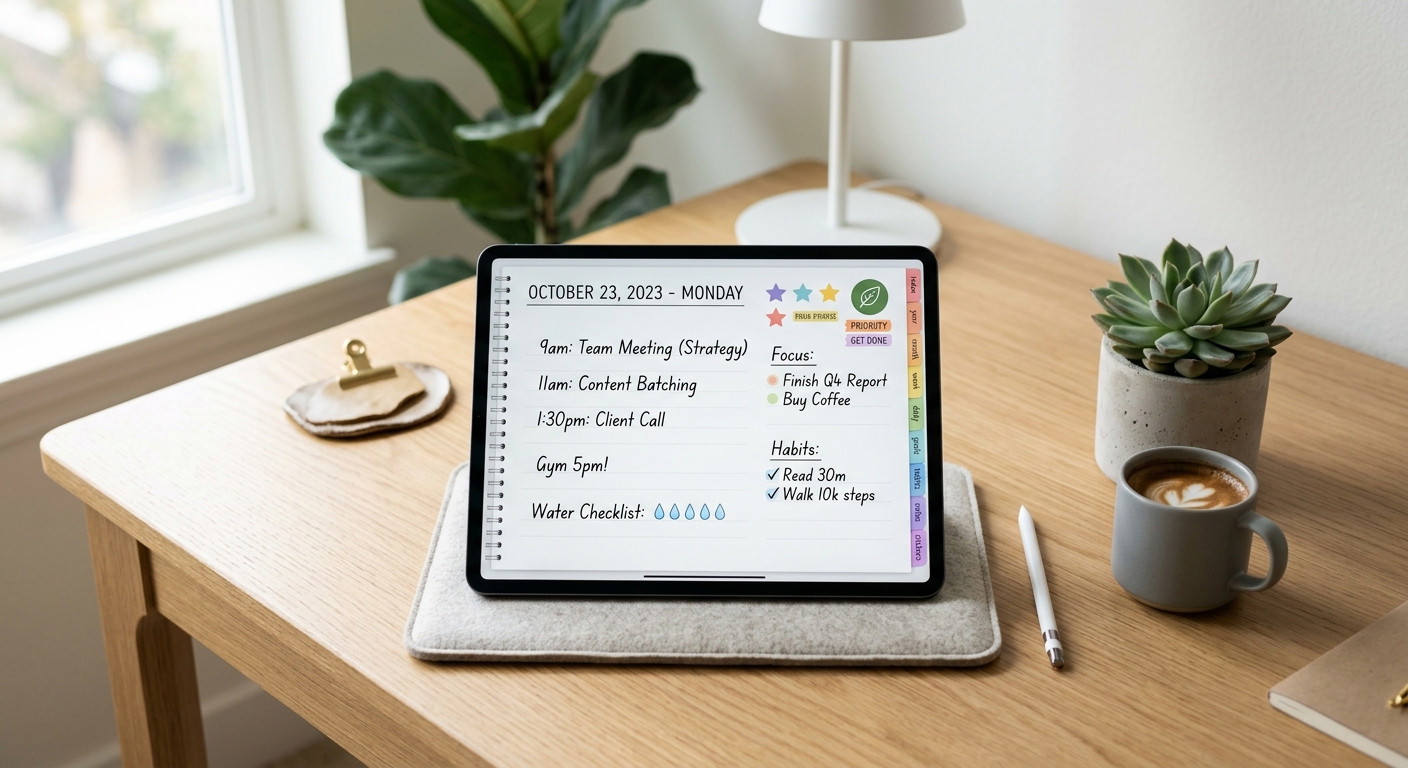
Digital Planners for 2026: 14 Best Powerful Planners to Stay Organized
Digital planning has quietly turned into its own little ecosystem over the last few years. What started as simple PDF notebooks for iPads now feels much closer to a customizable productivity workspace. And honestly, once you get used to hyperlinked tabs, reusable pages, and handwritten notes that sync across devices, going back to paper planners can feel surprisingly limiting.
Some links in this article may be affiliate links. If you purchase through them, we may earn a small commission at no extra cost to you. Thanks for supporting our work.
A lot of people still assume digital planners are only for aesthetic TikTok creators or hardcore productivity fans. In reality, they’re useful for almost anyone trying to keep work, routines, finances, wellness, and everyday life from turning into total chaos.
Some people use them for business planning. Others use them for ADHD management, habit tracking, journaling, meal prep, or simply remembering appointments without carrying three different notebooks around.

The interesting thing in 2026 is how different these planners have become from each other. Some are extremely minimalist. Others feel almost like full operating systems with dashboards, calendars, widgets, trackers, and thousands of stickers built in.
This guide breaks down some of the best digital planners and Canva planner templates currently available.
Best All-in-One Digital Planners for 2026
1. All-in-One Digital Planner, Goodnotes
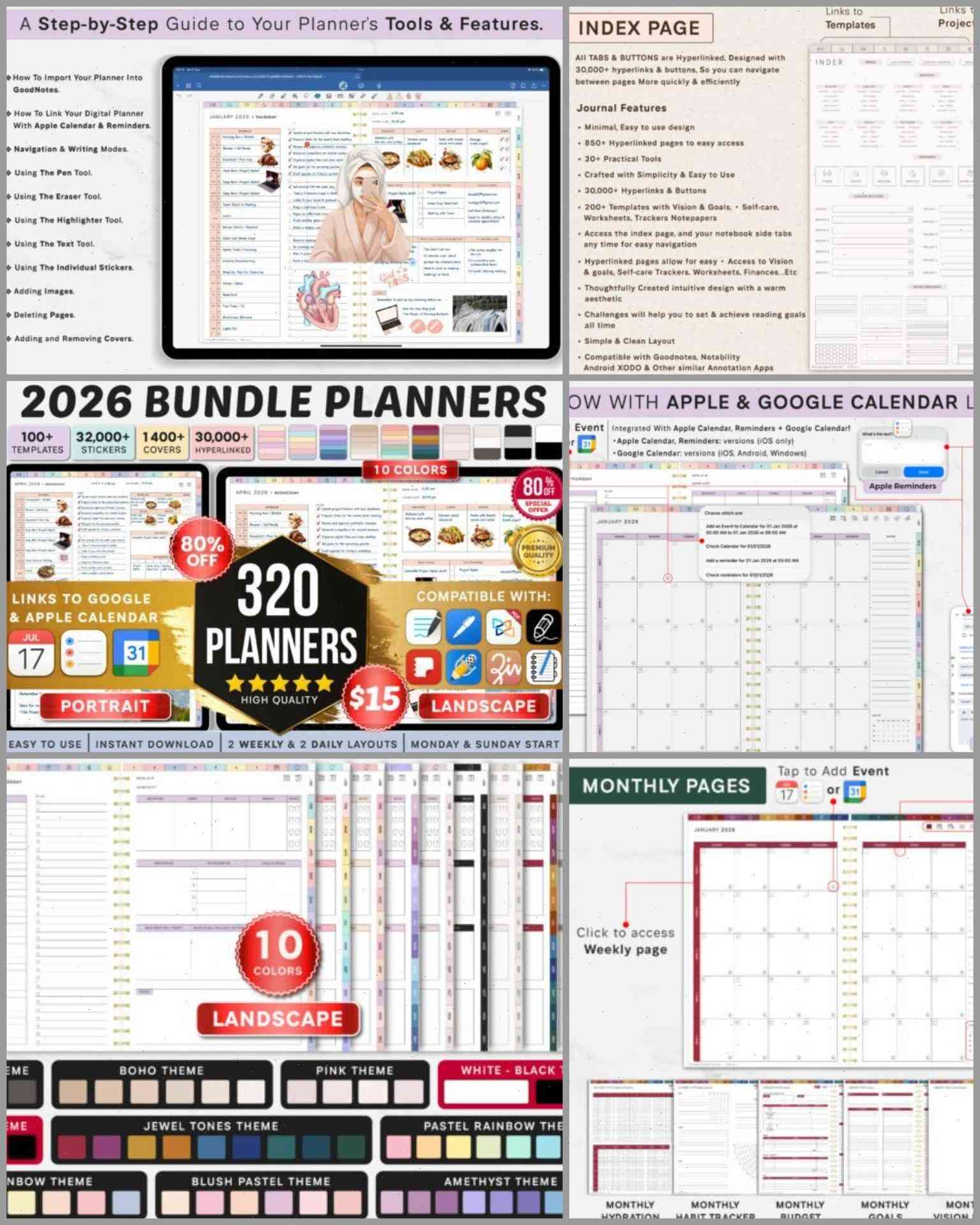
This planner feels less like a planner and more like an entire productivity bundle.
It includes:
- 320 planners
- 32,000+ stickers
- 1400+ covers
- Multiple visual themes
- Apple Calendar integration
- Google Calendar syncing
- Landscape and portrait layouts
That amount of customization is honestly a little overwhelming at first. But for people who enjoy building a fully personalized planning system, it’s impressive.
One thing that stands out is the theme variety. A lot of planners lean too hard into either ultra-minimalism or chaotic rainbow aesthetics. This one balances both fairly well. You can keep things clean or make the planner feel visually fun depending on your mood.
The educational onboarding is also surprisingly useful for beginners transitioning from paper planning. Some digital planners assume users already understand hyperlinks, dashboards, and workflow systems. This one actually explains how to use the structure effectively.
Best for:
- Heavy planner users
- Productivity enthusiasts
- Students
- Entrepreneurs
- People replacing paper systems entirely
2. All-in-One Digital Planner 2026–2028
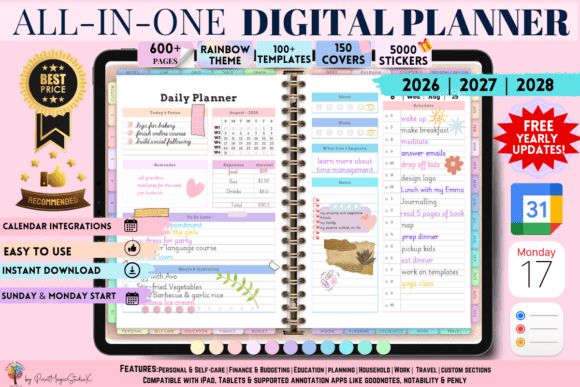
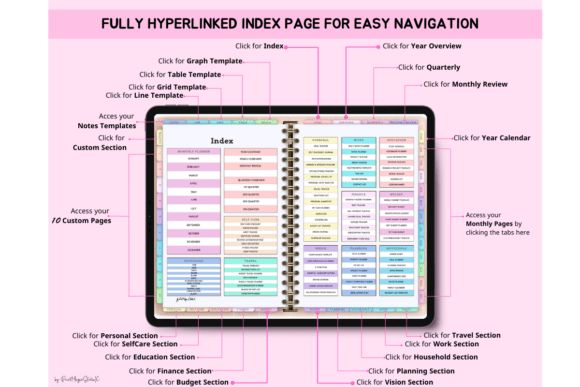
This planner leans more into long-term life organization rather than pure scheduling.
It includes sections for:
- Budgeting
- Wellness
- Productivity
- Goal tracking
- Education
- Travel
- Self-development
- Self-care
The rainbow aesthetic could easily have become visually noisy, but it stays surprisingly organized. Some colorful planners end up exhausting to look at after a while. This one keeps enough spacing and structure to remain usable.
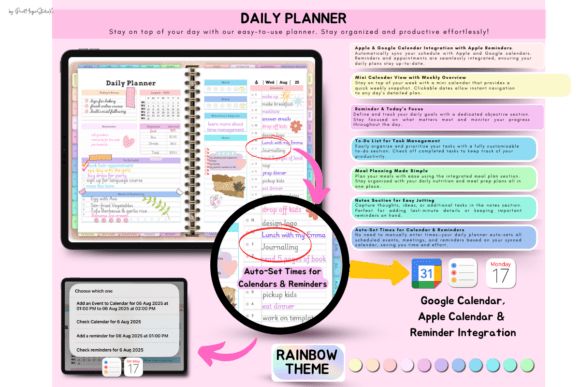
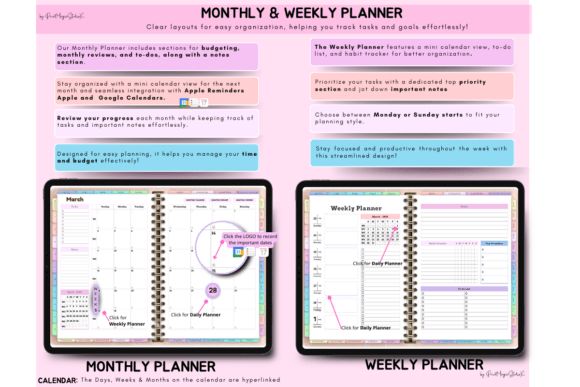
The self-reflection sections are also more thoughtful than expected. SWOT pages, milestone tracking, motivational boards, and self-discovery prompts make it feel closer to a life management system than a traditional planner.
It’s especially good for people who want both productivity and personal growth tools in one place instead of juggling separate apps.
3. All in One Digital Planner (Portrait)
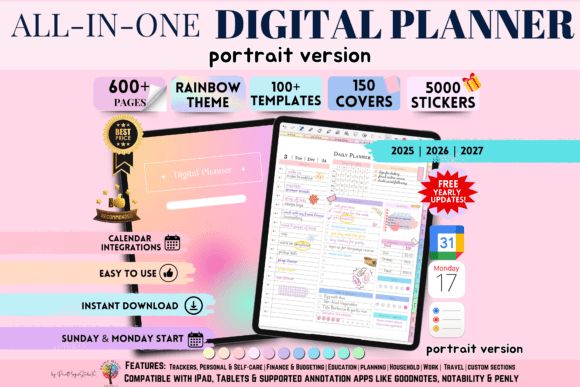
A lot of digital planners default to landscape layouts because they look cleaner on iPads. But portrait planners still feel more natural for many people transitioning from physical notebooks.
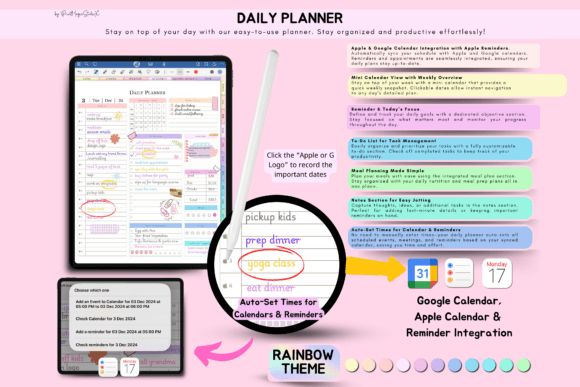
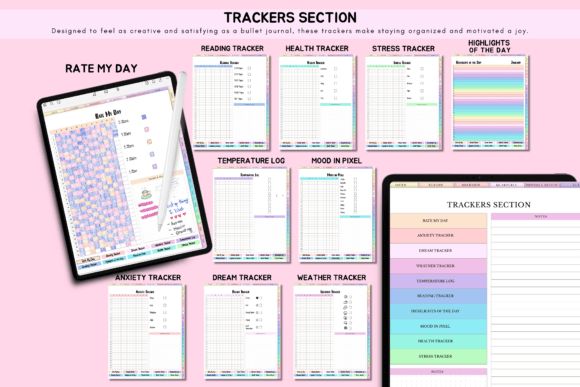
This one handles that balance nicely.
The structure is straightforward without feeling empty, which is harder to pull off than it sounds. Some planners overload every page with trackers and widgets. Others feel too bare. This one lands somewhere in the middle.
It supports:
- GoodNotes
- Notability
- Penly
- Noteshelf
- Xodo
The planner also includes:
- 5000+ stickers
- 150 covers
- Goal tracking
- Budgeting pages
- Self-care sections
The rainbow theme gives it personality without making the layouts difficult to read. That matters more than people think. Overdesigned planners often become distracting during actual daily use.
Best for:
- Students
- Remote workers
- Freelancers
- Digital journaling fans
- Former paper planner users
4. 2026–2027 All-in-One Life Planner
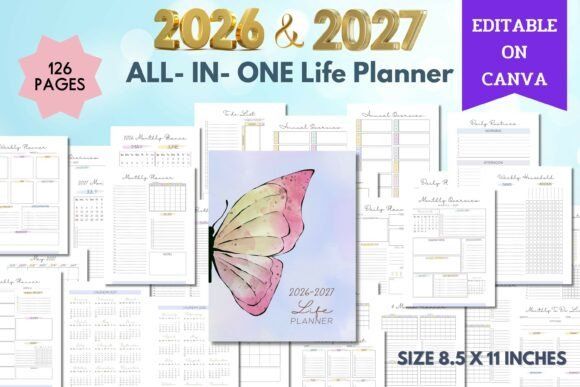
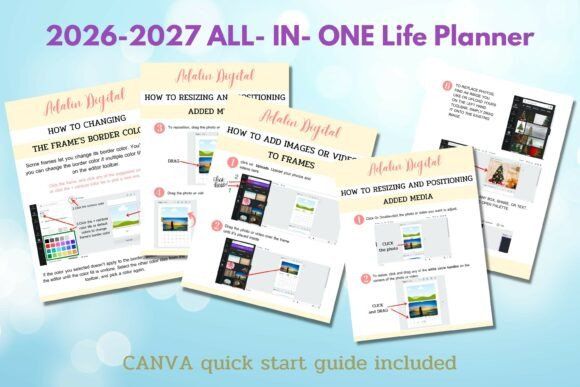
This planner focuses heavily on Canva customization and printable functionality.
That combination is becoming more popular because some users like hybrid systems — digital planning during the week, printable pages for specific routines or desk use.
The planner includes:
- 126 editable pages
- Weekly planners
- Yearly calendars
- Quote sections
- Reading lists
- Important date trackers
- To-do systems
One thing that makes this planner approachable is simplicity. It doesn’t try to optimize every second of your life with complicated productivity frameworks. It’s more routine-oriented and realistic.
For creators selling printables or Etsy planner products, the Canva editing flexibility is a major advantage too.
5. 2026 Digital Planner Canva Template
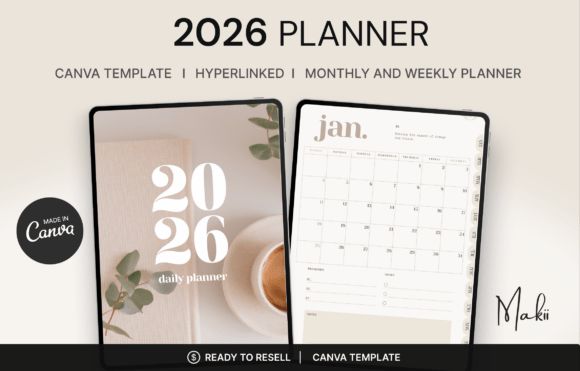
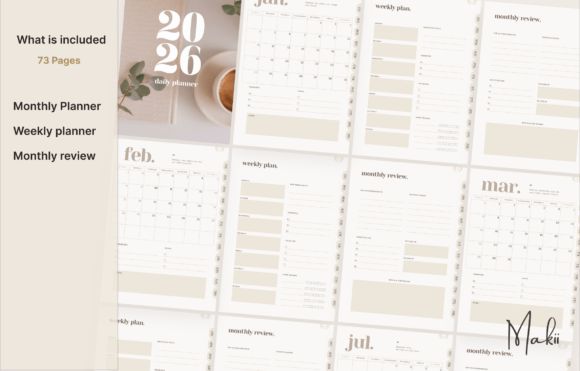
This planner has a very clean, modern aesthetic that works especially well for minimalism-focused users.
It includes:
- 73 hyperlinked pages
- Monthly layouts
- Weekly spreads
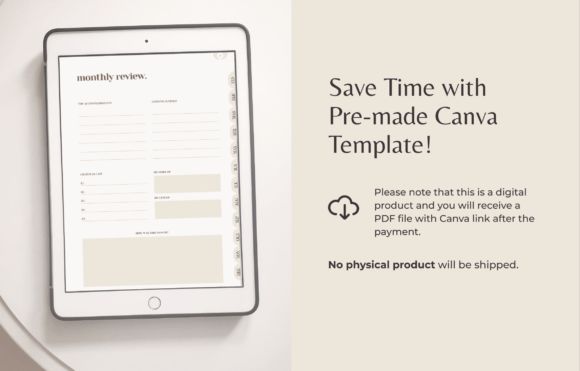
- Review pages
- Organizational tabs
The beige-neutral design feels calm without becoming bland. That softer neutral aesthetic is everywhere right now for a reason — it reduces visual fatigue during daily use.
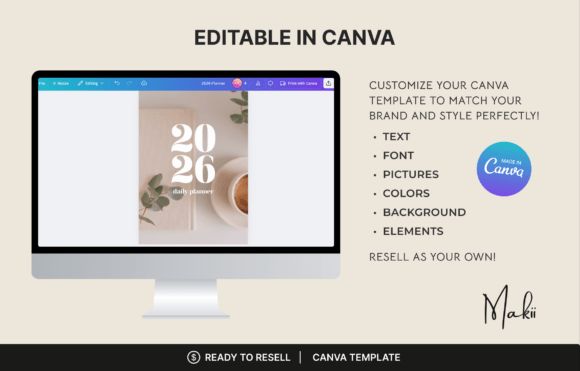
Since it’s fully editable in Canva, it also works well for:
- Etsy sellers
- Coaches
- Digital product creators
- Branded planner businesses
Some planners become too decorative and hurt usability. This one stays fairly readable and spacious.
6. Canva Digital Planner Template
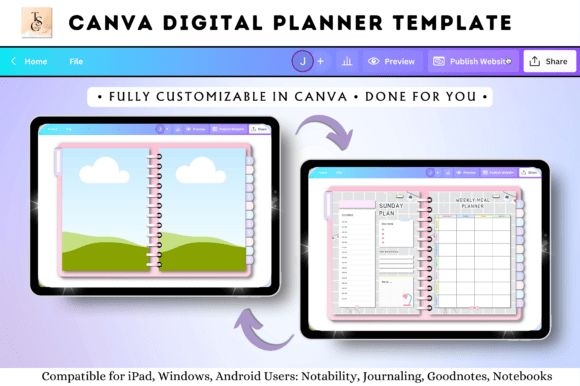
This planner is built almost entirely around customization freedom.
You can:
- Swap layouts
- Redesign tabs
- Edit colors
- Add branding
- Build sticker systems
- Rearrange pages
It’s less about “using a finished planner” and more about creating your own system from a framework.
That makes it especially useful for digital product businesses.
A lot of Etsy planner shops are basically selling customized Canva planner ecosystems now, and templates like this are part of why that market keeps growing.
The included sticker pack also helps beginners who don’t want to design everything manually from scratch.
7. 50 Editable Canva Templates 6×9 for KDP
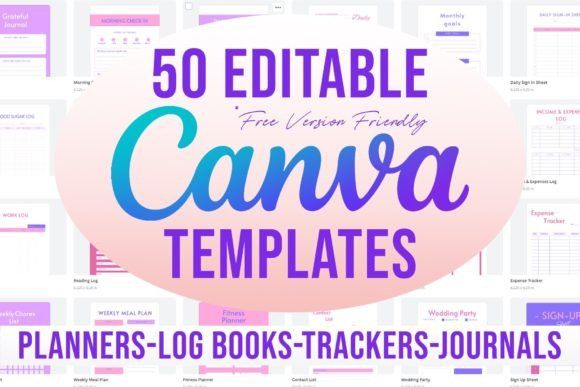
This bundle is more of a productivity template library than a single planner.
Included templates cover:
- Habit tracking
- Work schedules
- Password logs
- Meeting notes
- Wedding planning
- Savings trackers
- Plant trackers
- Daily planning
There’s a practical side to this kind of bundle that people underestimate. Instead of buying individual niche templates repeatedly, you get a flexible toolkit you can remix endlessly.
Very useful for:
- KDP creators
- Printable sellers
- Etsy shops
- Productivity template businesses
8. Mega ADHD Planner Bundle for Canva
ADHD-focused planners have become a huge category lately, and honestly, it makes sense. Traditional planners often assume people naturally think in linear systems. A lot of ADHD users don’t.
Many standard planners accidentally create more overwhelm instead of reducing it.
This bundle was designed specifically around that problem.
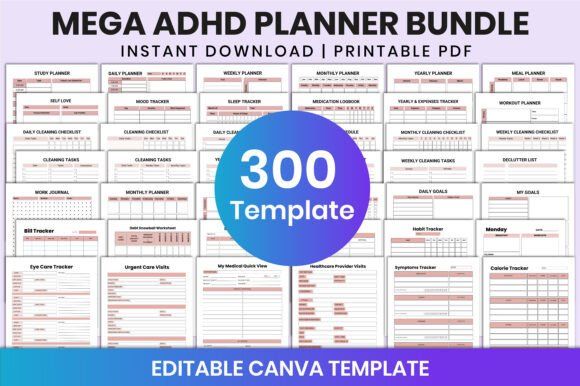
It includes more than 300 editable templates covering:
- Daily planning
- Weekly scheduling
- Meal prep
- Mood tracking
- Medication logs
- Workout systems
- Sleep tracking
- Income tracking
- Self-care journaling
What makes ADHD planners different is structure design. Good ADHD-friendly layouts reduce friction. They break tasks into smaller chunks, avoid visual overload, and create more immediate clarity.
This bundle does a fairly good job with spacing and organization. Some ADHD planners ironically become too busy visually, which defeats the whole purpose. This one stays cleaner and more flexible.
The Canva editing is also important because neurodivergent users often need personalized systems rather than rigid templates.
Best for:
- ADHD users
- Neurodivergent planners
- People struggling with overwhelm
- Routine building
- Flexible productivity systems
9. ADHD Cleaning Planner – Canva Editable
Cleaning planners sound boring until you realize how mentally exhausting home organization can become when tasks pile up everywhere at once.
This planner breaks cleaning into smaller systems instead of giant impossible projects.
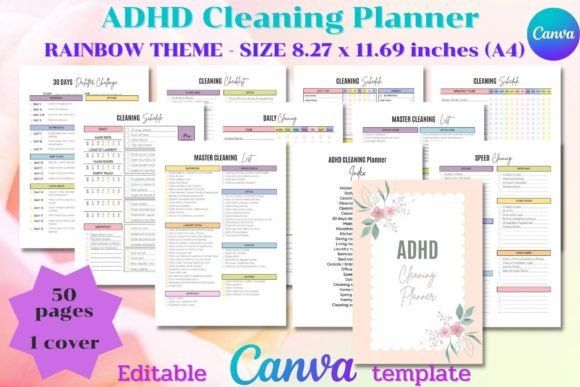
Included sections cover:
- Daily cleaning schedules
- Decluttering systems
- Weekly cleaning routines
- Seasonal cleaning templates
- Deep-cleaning checklists
- Room-by-room organization
One thing this planner gets right is psychological pacing. It doesn’t push perfectionism. It focuses on repeatable structure instead.
That matters because overly aggressive organization systems usually collapse after a week or two in real life.
The colorful layouts also help without becoming distracting. Some cleaning planners lean too sterile visually, which weirdly makes them feel even more exhausting to use.
This one feels more approachable.
Especially useful for:
- ADHD households
- Busy parents
- Remote workers
- People trying to rebuild routines after burnout
- Anyone overwhelmed by home clutter
10. Digital Planner Cute Pastel (Undated)
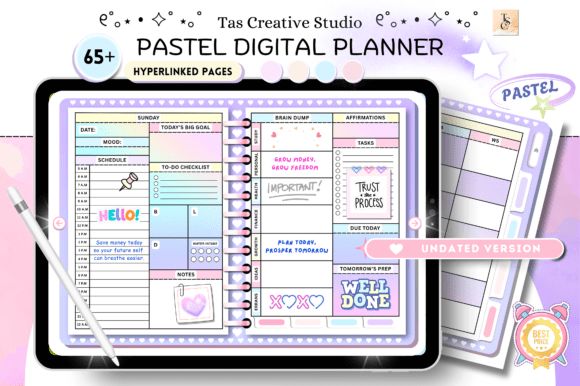
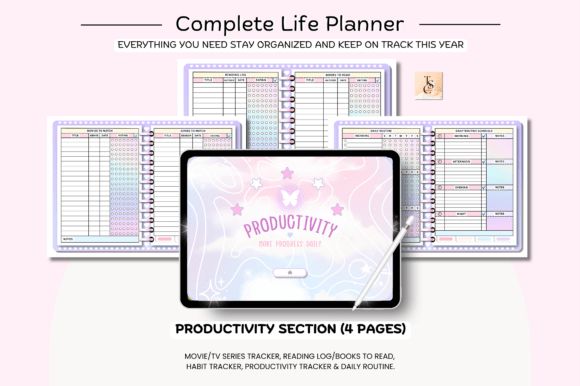
This planner leans heavily into soft aesthetics, wellness planning, and self-care organization.
Normally pastel planners can drift into style-over-function territory, but this one still keeps enough structure to stay practical.
Included pages feature:
- Daily planners
- Weekly layouts
- Meal trackers
- Reading logs
- Workout plans
- Mood tracking
- Habit systems
- Supplement tracking
- Self-care sections
The biggest advantage is that it’s undated.
That sounds small, but undated planners are genuinely less stressful for a lot of people. Missing a week doesn’t suddenly create empty wasted pages everywhere. You can pause and restart whenever life gets messy.
The pastel design also feels calming rather than hyper-productive. That softer emotional tone actually helps some users stay more consistent long term.
Best for:
- Wellness-focused planning
- Casual journaling
- Students
- Self-care routines
- Aesthetic productivity lovers
11. Vision Board Planner KDP
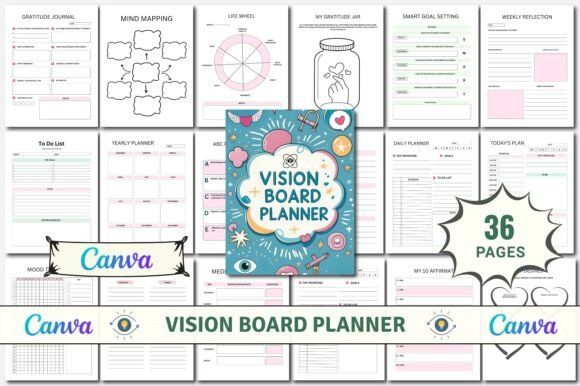
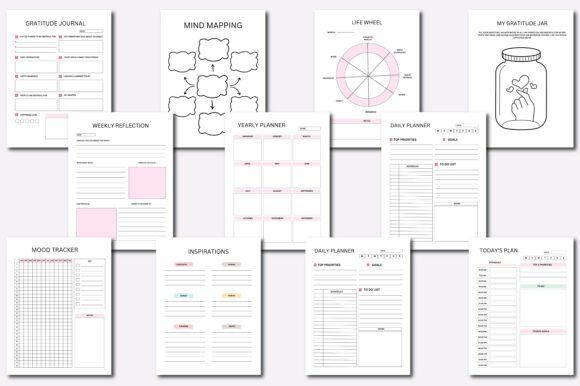
This planner sits somewhere between a journal, workbook, and manifestation planner.
Instead of focusing heavily on task management, it emphasizes:
- Reflection
- Goal visualization
- Gratitude
- Mind mapping
- Journaling
- Vision board exercises
Some productivity systems become so task-focused that they completely disconnect from motivation and identity. Vision board planners try to solve that by keeping emotional alignment part of the planning process.
That style of planning definitely isn’t for everyone. Highly structured productivity users may find it too open-ended.
But for creative personalities, personal growth communities, or mindfulness-oriented users, this kind of planner often feels much more sustainable than rigid productivity dashboards.
The Canva editing also makes it useful for creators building printable self-development journals for Etsy or KDP.
12. Small Business Planner Canva Template
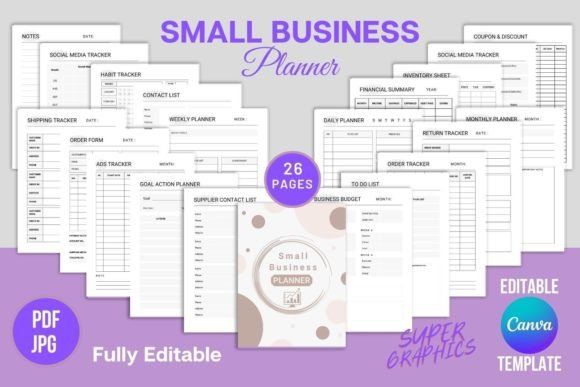
Running a small business usually means juggling way more operational chaos than people expect.
Inventory. Orders. Marketing. Expenses. Shipping. Social media. Client communication. Budgeting. Content planning.
This planner focuses on the actual mechanics of running a business rather than generic motivational productivity advice.
Included systems cover:
- Order tracking
- Expense tracking
- Ads tracking
- Inventory management
- Financial summaries
- Supplier contacts
- Social media organization
- Monthly budgets
That operational focus makes it far more practical than many entrepreneur planners that mostly repeat motivational quotes and vague goal-setting exercises.
The Canva customization is also valuable for business branding. Sellers can adapt fonts, layouts, and colors to match their stores or client products.
Especially useful for:
- Etsy sellers
- Freelancers
- Print-on-demand businesses
- Small ecommerce brands
- Content creators
13. Canva Reading Journal Editable Template
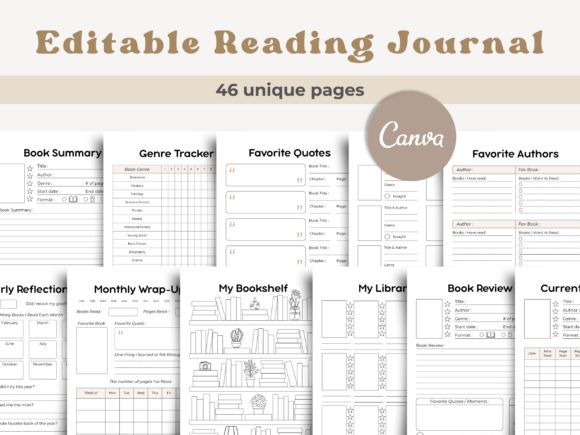
Not every planner needs to revolve around productivity optimization.
Reading journals became popular partly because people wanted a slower, more reflective type of organization again.
This template includes:
- Book reviews
- Genre trackers
- Reading reflections
- Favorite quotes
- Monthly wrap-ups
- Series tracking
- Bookshelf organization
The overall design feels intentionally calm and uncluttered.
Some reading journals get overly decorative and end up harder to actually write in. This one leaves enough breathing room on the page, which makes longer reflections feel more natural.
For BookTok creators, bloggers, students, or heavy readers, it’s a nice way to create a personal archive instead of forgetting every book a month later.
14. Canva Editable Planner Sticker Pack
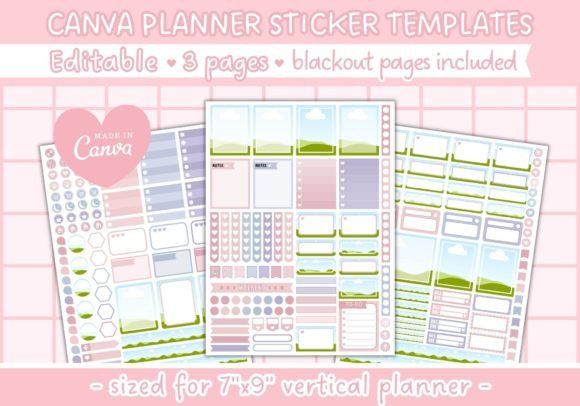
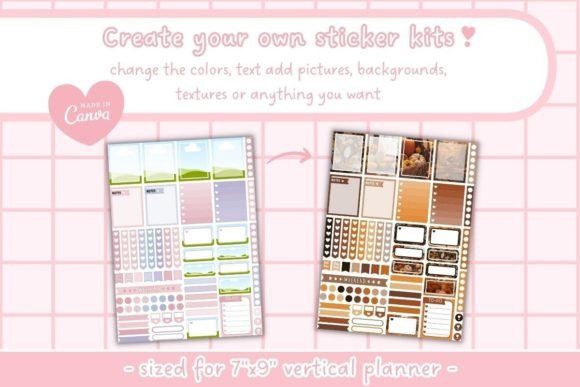
Planner stickers sound minor until you actually start using digital planners regularly.
Visual organization changes the experience a lot.
This editable sticker pack includes:
- Planner boxes
- Editable sticker sheets
- Vertical layouts
- Canva elements
- Blackout cutting pages
Stickers help with:
- Color coding
- Habit tracking
- Quick visual reminders
- Layout personalization
- Emotional engagement with planning systems
And honestly, that last part matters.
People are far more likely to stick with organization systems that feel visually enjoyable rather than purely functional.
Especially in digital planning, aesthetics and usability are much more connected than productivity experts sometimes admit.
While these planners are fantastic for personal use, if you've ever thought about the business side of digital products, you might be interested in exploring the PLR Undated Digital Planner for Resell, Canva Branding & Monetization, which is designed for entrepreneurs looking to create and sell their own digital planners.
What Actually Makes a Good Digital Planner?
Not every digital planner feels good to use long-term. Some look beautiful in screenshots but become frustrating after a week of real use.
A few things tend to matter more than flashy marketing.
Hyperlinked Navigation
This is a big one.
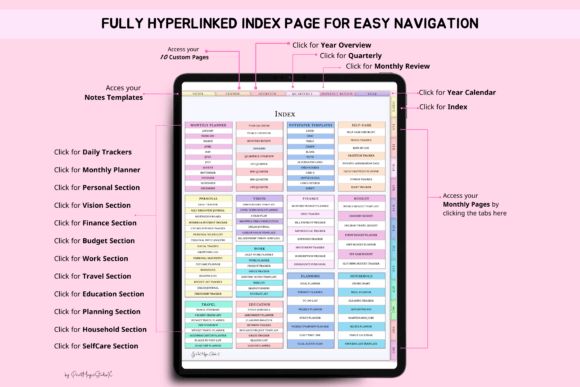
A planner with poor navigation gets annoying fast, especially if it has hundreds of pages. Good hyperlinks make the whole system feel instant and fluid instead of clunky.
The better planners usually include:
- Clickable monthly tabs
- Quick-access dashboards
- Linked indexes
- Jump buttons
- Section shortcuts
Once you use a properly hyperlinked planner, manually scrolling through pages feels ancient.
Compatibility With Your Apps
Some planners are optimized heavily for GoodNotes. Others work better with Notability, Penly, Noteshelf, or Xodo.
This sounds obvious, but a surprising number of people buy planners before checking app compatibility.
Large planners with thousands of elements can also slow down older tablets a bit. Especially sticker-heavy planners. Something to keep in mind if you're using an older iPad.
Canva Customization
Canva-based planners are becoming huge because they’re editable without needing actual design skills.
You can usually:
- Change fonts
- Edit layouts
- Swap pages
- Adjust branding
- Replace colors
- Add stickers
- Create printable versions
For Etsy sellers and digital product creators, this flexibility is incredibly useful.
Even for personal use, it’s nice being able to remove pages you never touch instead of keeping clutter inside the planner.
Final Thoughts
Planners in 2026 are much more than digital calendars now.
They’ve become hybrid systems combining:
- Productivity
- Journaling
- Wellness
- Business management
- Goal tracking
- Creativity
- Personal organization
And the customization side keeps growing fast.
Some people build minimalist planning systems with clean neutral layouts. Others create colorful sticker-heavy dashboards that feel almost like interactive journals. Both approaches work if the system feels natural enough to actually keep using.
That’s really the important part.
A planner won’t magically make someone productive overnight. But the right planner can remove friction, reduce overwhelm, and create a structure that feels easier to return to consistently.
And honestly, consistency matters a lot more than having the “perfect” productivity setup.
FAQ
u003cstrongu003eWhat is the best app for using digital planners?u003c/strongu003e
GoodNotes and Notability are currently the most popular apps for digital planners, especially on iPads. Xodo is also a great free alternative for Android and iOS users.
u003cstrongu003eAre Canva planners editable?u003c/strongu003e
Yes. Canva planners allow users to edit fonts, colors, layouts, graphics, tabs, and branding elements directly inside Canva, often using only a free account.
u003cstrongu003eDo digital planners work on Android tablets?u003c/strongu003e
Yes. Many planners support Android-compatible apps like Xodo, Penly, and Noteshelf in addition to Apple-based apps like GoodNotes.
u003cstrongu003eAre hyperlinked planners worth it?u003c/strongu003e
Absolutely. Hyperlinks make navigation much faster and smoother, especially in planners with hundreds of pages and multiple sections.
Follow Us