

Why a Laser Cutter Is One of the Smartest Tools for an Etsy Business
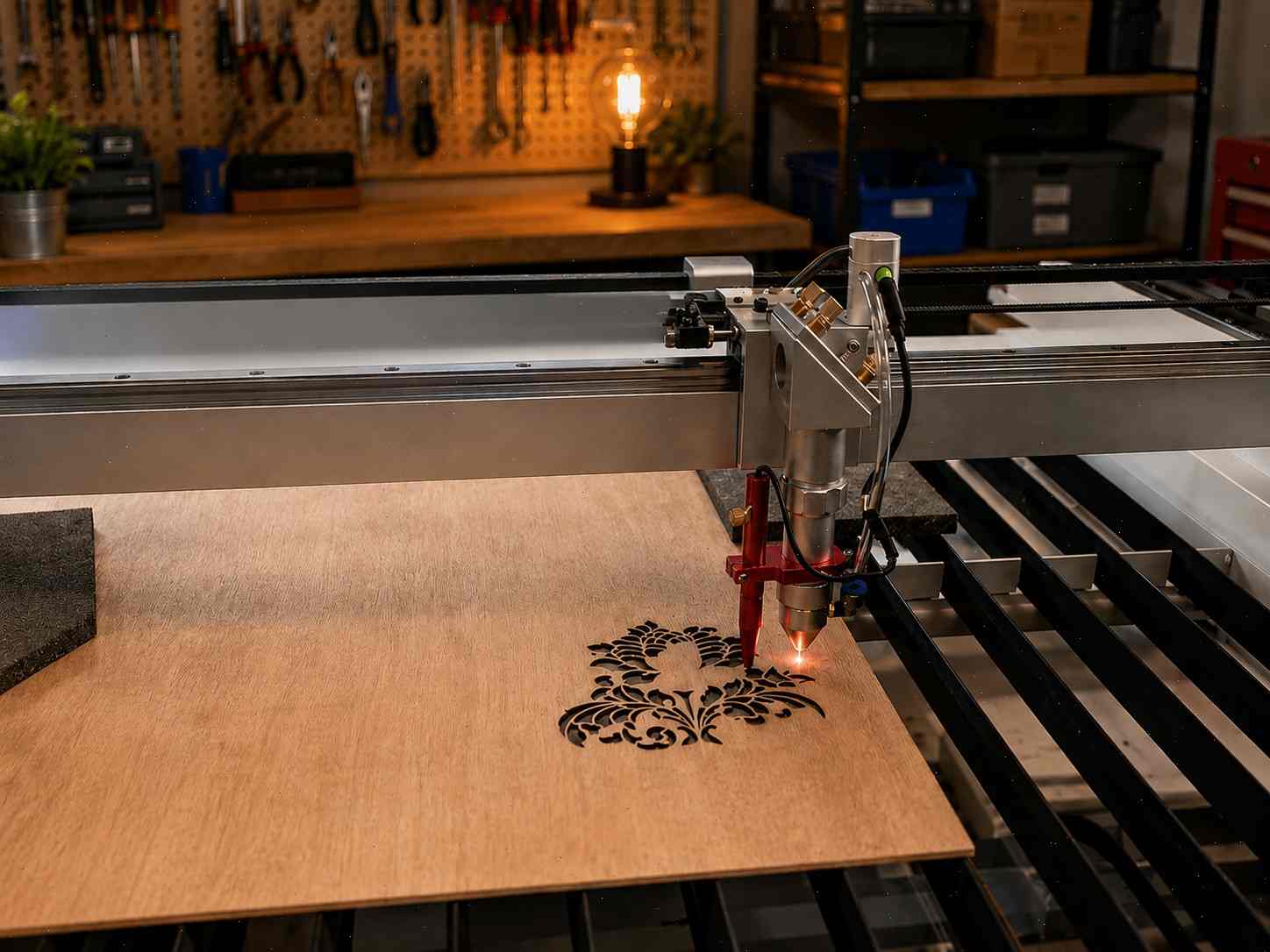
A laser cutter can turn a simple Etsy idea into a real product-based business because it gives you something every handmade seller secretly wants: repeatability. You can design one ornament, one acrylic sign, one engraved cutting board, or one personalized keychain, then produce it again and again with different names, dates, colors, and materials. That is why so many sellers search for the best laser cutting machine for Etsy business before they even launch their shop. They are not just looking for a machine. They are looking for a way to create custom products faster, cleaner, and more consistently than they could by hand.
This article may contain affiliate links. If you buy through these links, we may earn a commission at no extra cost to you.
Etsy buyers usually want something that feels personal. They are not always hunting for the cheapest product online. They want a wedding welcome sign with their names on it, a nursery sign that matches a baby’s room, a custom ornament for a family milestone, or an engraved gift that feels thoughtful instead of generic. A good laser cutter for handmade business fits perfectly into this buying behavior. It lets you sell emotion, memory, identity, and style — not just wood, acrylic, leather, or metal.

The real business advantage is that laser-made products can be systemized. Once you have your design file, material settings, photography, packaging, Etsy SEO, and personalization process ready, every new order becomes easier to fulfill. That does not mean the business is effortless, because you still need testing, customer service, and good design taste. But compared with fully handmade one-off products, a laser workflow can scale more smoothly. A laser cutting machine for home business can help you start from a spare room, garage, basement, or small studio without renting a separate workshop.
The challenge is choosing the right machine. Not every laser engraver is good for selling products. Some machines are fun for hobby use but too slow for real order volume. Some engrave beautifully but are weak for cutting. Some are great for wood but limited with clear acrylic. The best laser cutter for Etsy sellers is the one that matches your actual product plan. If you want to sell acrylic wedding signs, your needs are very different from someone making leather patches or small wooden ornaments. That is why this guide focuses on practical Etsy use cases, not just flashy specs.
How to Choose the Best Laser Cutting Machine for Etsy Business
Choosing the best laser cutting machine for small business starts with one honest question: what do you actually want to sell? Not what looks impressive on YouTube. Not what another seller claims made them rich. What products do you want to make repeatedly, photograph beautifully, package safely, and ship without losing your mind? That question matters because a machine that is perfect for acrylic signs may be too much for tiny engraved tags, while a budget diode laser may be too limited for a serious wedding decor business. Your product plan should lead the machine decision, not the other way around.
The next thing to consider is production volume. If you only want to make a few items per week, a slower machine may be fine. But if your Etsy shop grows, speed and repeatability become profit factors. Every minute your laser spends cutting one low-priced item is a minute you cannot use for another order. A good laser cutter for small business should help you batch products, reduce failed cuts, and keep quality consistent. This becomes especially important during holiday season, wedding season, or craft fair preparation, when small delays can quickly turn into late orders and stressed evenings.
Material choice is another major factor. If you mostly want to engrave wood, leather, slate, coated metal, or small gift blanks, a diode laser can be enough to start. If you want to cut clear acrylic, thicker wood, layered signs, larger decor, or professional event products, a CO2 laser is usually the better choice. This is where many beginners make an expensive mistake. They buy a cheaper diode machine, then realize their dream Etsy shop depends on clear acrylic signs, which diode lasers are not ideal for. The right machine protects you from building your business around the wrong technical foundation.
You should also look at software, support, ventilation, and safety. A laser machine is not just a box that cuts things. It is a workflow. You will design files, import artwork, adjust settings, align materials, test cuts, clean lenses, manage fumes, pack products, and handle customer requests. If the software is frustrating or the machine is hard to maintain, the business becomes harder than it needs to be. The best laser cutter for Etsy business is not always the most powerful one. It is the one that helps you make sellable products consistently, safely, and profitably.
CO2 vs Diode vs Fiber: Which One Is Better for Etsy Sellers?
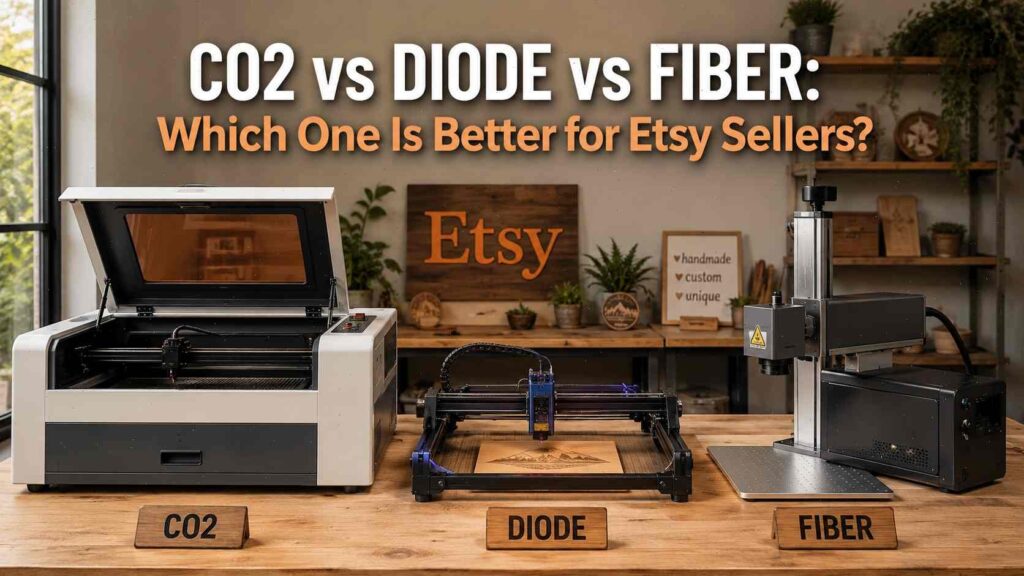
A CO2 laser is usually the strongest choice for sellers who want to build a broad Etsy product catalog around wood, acrylic, leather, cardboard, paper, signs, and home decor. It is especially useful for wedding signs, acrylic products, layered wall art, custom gifts, and larger decor pieces. If you are searching for the best CO2 laser cutter for Etsy business, you are probably thinking about products that need clean cutting performance and professional-looking edges. That is exactly where CO2 machines shine. For most Etsy sellers making wood and acrylic products, CO2 is the most practical business choice.
A diode laser is usually more affordable and beginner-friendly, especially for engraving. It can be excellent for wood engraving, leather patches, coated tumblers, slate coasters, ornaments, keychains, and small personalized gifts. A strong diode machine can also cut thin wood and some dark acrylic, but it is not the best choice for clear acrylic or high-volume cutting. For a laser engraver for Etsy sellers, a diode laser can be a smart starting point if your product line is mostly engraving-based. It gives you a lower-cost way to test Etsy demand before investing in a larger CO2 setup.
A fiber laser is different. It is not a replacement for a CO2 laser if you want to cut wood and acrylic. Fiber lasers are mainly for metal engraving and marking, including stainless steel, aluminum, brass, copper, titanium, jewelry, tools, industrial tags, metal business cards, and some coated items. The uploaded data makes this distinction clear: Monport’s GT, GA, and GM Fiber/MOPA machines are better suited for metal products, while the Reno, 40W Pro, 60W, 70W, 90W, and Effi CO2 machines are the more relevant choices for wood and acrylic Etsy products.
The simple rule is this: choose CO2 for wood and acrylic, diode for budget engraving and small gifts, and fiber for metal products. If your Etsy shop is built around acrylic wedding signs, choose CO2. If your shop is built around engraved wood ornaments and leather patches, a diode laser can work. If your shop is built around engraved jewelry, metal tags, tumblers, tools, or stainless steel products, fiber becomes the better path. The best laser machine for selling crafts is the one that matches the material your customers actually want to buy.
Power, Bed Size, Software, Ventilation, and Safety
Power matters, but it is not the only thing that matters. A higher-watt laser can cut faster and handle thicker materials, but that does not automatically make it the best machine for your Etsy shop. A 40W or 45W CO2 laser can be useful for small signs, ornaments, tags, and gifts. A 60W or 70W CO2 machine gives you more room to grow into acrylic signs, thicker wood, and larger batches. A 90W or industrial CO2 machine may be useful for serious production, but it can be too large and expensive for a beginner. Always match wattage to the material and product size you plan to sell.
Bed size can quietly limit your business. A small working area is fine for keychains, tags, ornaments, jewelry, and bookmarks. But if you want to sell nursery signs, wedding signs, business signage, wall decor, or larger home products, a tiny bed will frustrate you quickly. Batch production is also easier with more space. Cutting 30 ornaments in one run is much better than cutting six at a time and repeating the setup over and over. That extra working area can directly affect profit because it saves time.
Ventilation is not optional. Laser cutting creates smoke, fumes, odor, and residue. Even when you use laser-safe materials, you still need proper exhaust or filtration. If you work from home, this is even more important because your workspace may be near living areas, pets, or family members. Never cut unsafe materials like PVC or vinyl, because they can release dangerous fumes and damage the machine. A serious laser cutting machine for home business needs a serious safety plan.
Software can also make or break your workflow. Some machines are more plug-and-play, while others give you more control through software like LightBurn. Beginner-friendly software can help you start quickly, but flexible software can be better as your skills grow. Camera alignment, autofocus, material presets, flame detection, emergency stop buttons, and enclosed design are all worth considering. A laser cutter is not just about cutting. It is about how smoothly the machine fits into your daily production routine.
Quick Comparison Table: Best Laser Cutters for Etsy Sellers
This comparison table gives you a practical view of the best laser machines for Etsy sellers, including the five main picks and the most relevant Monport alternatives. It also separates Fiber/MOPA machines into a different path for metal engraving, which is important because many beginners mistakenly assume every laser can do every material.
| Laser Machine | Laser Type | Best For | Main Strength | Best Etsy Products | Best Fit |
|---|---|---|---|---|---|
| xTool P2 | CO2 | Overall Etsy business | Strong cutting, acrylic ability, smart features | Acrylic signs, wood decor, gifts, wedding products | Serious Etsy sellers wanting versatility |
| Glowforge Pro | CO2 | Beginners who want simplicity | Easy workflow and polished ecosystem | Gifts, signs, ornaments, decor | Etsy beginners who value ease |
| OMTech Polar 350 | CO2 | Value-focused business owners | Good CO2 capability for the price | Acrylic, plywood, signs, personalized goods | Sellers wanting CO2 power on a budget |
| Thunder Laser Bolt | CO2 | Premium small shops | Build quality and production feel | High-quality crafts, signage, decor | Sellers ready for a pro setup |
| xTool S1 | Diode | Engraving and budget-friendly start | Enclosed diode design and engraving flexibility | Wood gifts, leather, ornaments, coated items | Home-based sellers and side hustlers |
| Monport 40W Pro | CO2 | Low-cost CO2 entry | LightBurn-supported beginner CO2 | Small ornaments, tags, keychains, gifts | Budget beginners testing CO2 |
| Monport Reno45 | CO2 | Beginner-friendly desktop CO2 | 45W, 16″ × 12″ workspace | Small acrylic signs, wood crafts, gifts | New Etsy sellers wanting CO2 |
| Monport Reno65 | CO2 | Growing Etsy shops | 65W rated, 24″ × 16″ workspace | Wedding decor, acrylic signs, wood signs | Etsy sellers ready to grow |
| Monport 60W/70W CO2 | CO2 | Regular small business production | More balanced power and size | Acrylic signs, wood signs, personalized gifts | Sellers with steady orders |
| Monport GM/GT Fiber | Fiber | Metal engraving | Better for stainless steel, jewelry, tags | Metal products, jewelry, tumblers | Etsy sellers focused on metal |
1. xTool P2 — Best Overall Laser Cutting Machine for Etsy Business
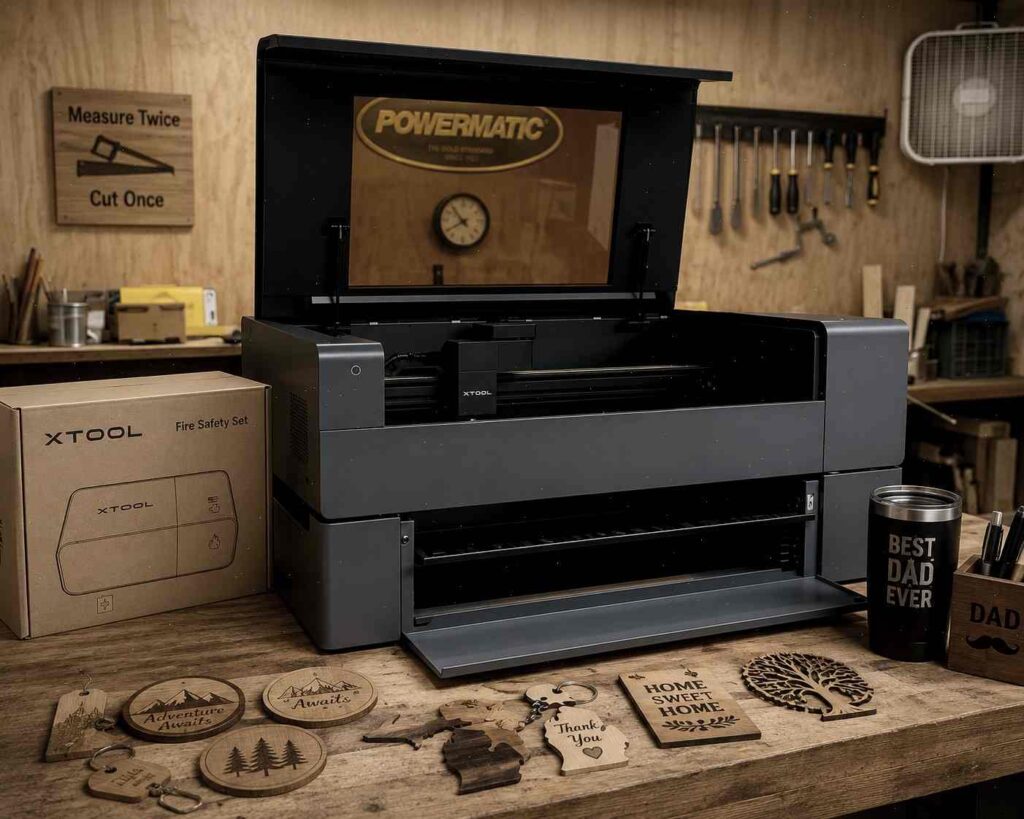
The xTool P2 is one of the strongest overall choices for Etsy sellers because it combines CO2 cutting power with modern usability. It is especially good for sellers who want to create acrylic signs, layered wood decor, wedding products, engraved gifts, custom business signs, cake toppers, and home decor. If you are searching for the best laser cutting machine for Etsy business, the P2 belongs near the top of your list because it gives you a wide material range and enough capability to build a serious product catalog.
The biggest reason the P2 stands out is flexibility. Many Etsy sellers do not know exactly which product will become their best seller at the beginning. You might start with ornaments, then discover that acrylic wedding signs sell better. You might test engraved cutting boards, then realize layered nursery signs have stronger margins. A CO2 laser like the P2 gives you room to explore without being trapped by the limitations of a basic diode machine. That flexibility is valuable because Etsy businesses often evolve after real customer data starts coming in.
The P2 is also a strong choice for personalized products. Custom names, dates, logos, messages, and monograms are at the heart of many successful Etsy listings. A machine that helps with alignment and repeatable production can save time and reduce mistakes. If you are engraving 50 ornaments, cutting 20 acrylic table numbers, or making a set of wedding signs, consistency matters. One ruined piece may not seem like a big deal, but repeated mistakes eat into profit fast.
The downside is that the P2 is not the cheapest option. You need enough budget not only for the machine, but also for ventilation, materials, maintenance, and packaging. However, for sellers who want to treat Etsy as a business rather than a casual craft experiment, the investment can make sense. The P2 is best for someone who wants one versatile CO2 laser that can handle many profitable Etsy product categories without feeling too industrial or intimidating.
2. Glowforge Pro — Best Laser Cutter for Etsy Beginners
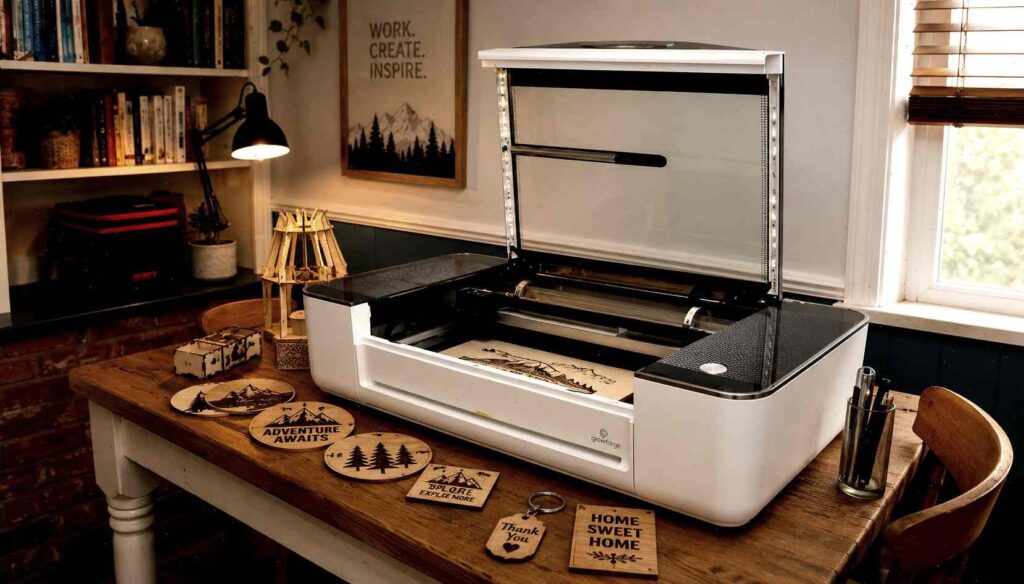
Glowforge Pro is one of the easiest CO2 laser cutters for beginners to understand. It has a polished ecosystem, a clean interface, and a workflow that feels less intimidating than many traditional laser machines. For someone who wants a laser cutter for Etsy beginners, that ease matters. Many Etsy sellers are designers, parents, crafters, teachers, or side hustlers first. They may not want to spend weeks learning technical machine setup before making their first product. Glowforge Pro lowers that emotional barrier.
Because it is a CO2 laser, Glowforge Pro can handle many popular Etsy materials, including wood, acrylic, leather, paper, cardboard, and laser-safe craft materials. It works well for ornaments, personalized gifts, signs, party decor, home products, and small acrylic items. The Pro model’s pass-through feature can also help with longer materials, which is useful if you want to make signs, rulers, or larger decorative pieces. For beginners, this combination of CO2 capability and simpler workflow can be very attractive.
The tradeoff is flexibility and ecosystem control. Glowforge uses a cloud-based workflow, which many sellers love because it feels simple, but some advanced users may find it limiting compared with more open systems. You should also consider ongoing software features, material choices, internet dependency, and long-term business needs before buying. If you want deep technical control and local software freedom, another machine may fit better. But if you want an easier start and a friendly user experience, Glowforge Pro remains a strong choice.
Glowforge Pro is best for sellers who value convenience and design-driven products. If you want to sell engraved gifts, wedding decor, ornaments, small signs, and home decor without getting overwhelmed by technical setup, this machine makes sense. It may not be the cheapest or most open option, but it can help you start producing sellable Etsy products faster. Sometimes the best machine is not the one with the most control. Sometimes it is the one that gets you confidently making and listing products sooner.
3. OMTech Polar 350 — Best Value Desktop CO2 Laser Cutter for Business
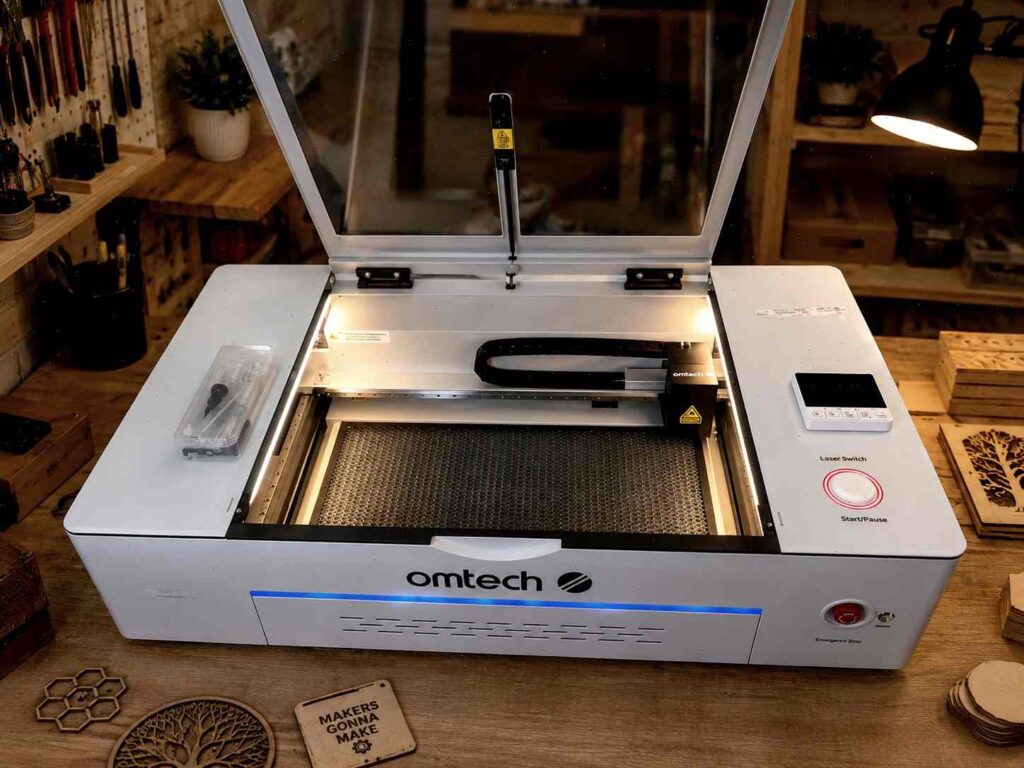
The OMTech Polar 350 is a strong option for Etsy sellers who want CO2 capability at a more approachable price than some premium desktop machines. It fits well into the desktop CO2 laser cutter for business category because it gives sellers access to acrylic cutting, wood cutting, engraving, and sign-making potential without requiring a huge industrial setup. For a home-based seller who wants to move beyond a diode laser, this kind of machine can be a practical upgrade.
The biggest advantage is value. CO2 laser machines can get expensive quickly, and many beginners do not want to spend top-tier money before they know which products will sell. The Polar 350 gives sellers a way to enter the CO2 world with a more business-oriented setup. It can be used for acrylic signs, wood crafts, personalized gifts, layered decor, wedding items, and custom signage. If your Etsy shop idea depends on acrylic or cleaner cutting performance, a CO2 machine like this makes more sense than forcing a diode laser to do work it was not built for.
You still need to be realistic. A value-focused CO2 machine requires learning. You will need to understand ventilation, cleaning, material settings, lens care, alignment, and safe operation. You should also research support, warranty, replacement parts, and software compatibility before making a purchase. The lower purchase price is helpful, but your time and product quality still matter. A machine that saves money upfront but creates constant workflow problems may not be a good business investment.
The OMTech Polar 350 works best for sellers who are serious but budget-aware. It is not the ultra-cheapest entry point, but it can be a smart middle ground. If you want a laser cutter for custom signs, best laser cutter for personalized gifts business, or laser cutting machine for entrepreneurs, the Polar 350 gives you a capable CO2 platform to test and grow. It is especially worth comparing against Monport desktop CO2 machines if price and value are top priorities.
4. Thunder Laser Bolt — Best Premium Small Business Laser Cutter
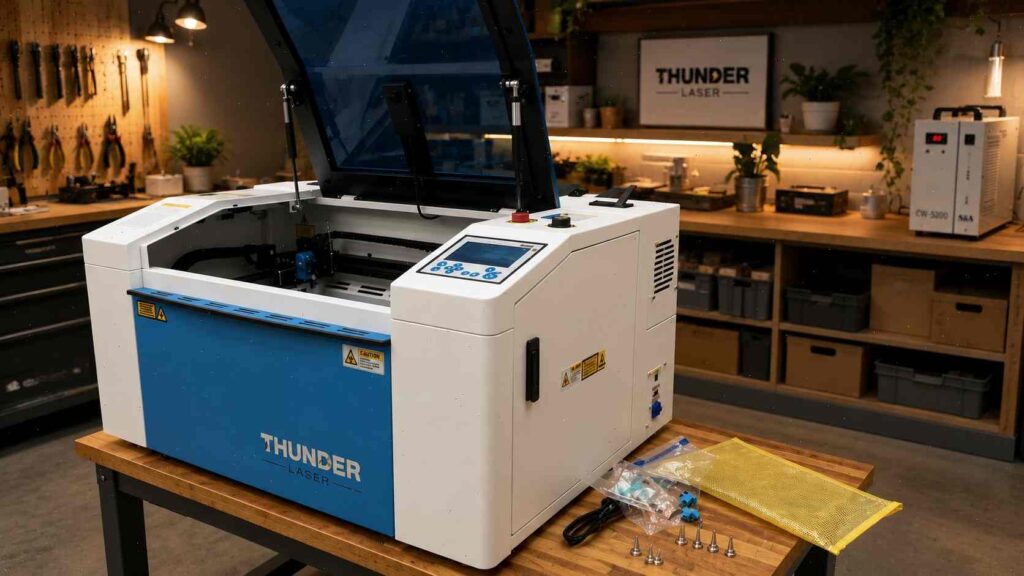
Thunder Laser Bolt is the premium option for sellers who want a more professional small-shop feel. It is not the machine most people buy for casual experimenting. It is the machine you consider when you are serious about product quality, reliability, and long-term workflow. For Etsy sellers who already have sales or a clear business plan, a premium small business laser cutter can make sense because downtime, inconsistency, and weak support can cost more than beginners realize.
A reliable laser is important because Etsy orders often come in waves. You might have a quiet week, then suddenly receive a batch of wedding orders, holiday ornaments, or custom gifts. If your machine is unreliable during a busy season, you can quickly fall behind. Late shipping, refunds, bad reviews, and stress can damage your shop. Premium machines often appeal to sellers who would rather pay more upfront for stability and confidence.
Thunder Laser Bolt is well-suited for high-quality wood crafts, acrylic signs, home decor, business signage, engraved gifts, and craft fair inventory. It is especially relevant for sellers who want to produce polished products with consistent results. If you plan to sell higher-ticket items instead of competing on cheap keychains or low-margin ornaments, a stronger machine can support that brand position. Your products can look more professional, and your workflow can feel more predictable.
The main downside is cost. If you are still testing whether Etsy is right for you, this may be more machine than you need. But if you know you want to build a serious handmade brand, Thunder Laser Bolt is worth considering. It is best for sellers who think like business owners, not just hobbyists. In other words, this is a machine for people who want their laser setup to feel like production equipment, not just a weekend toy.
5. xTool S1 — Best Diode Laser Engraver for Etsy Sellers
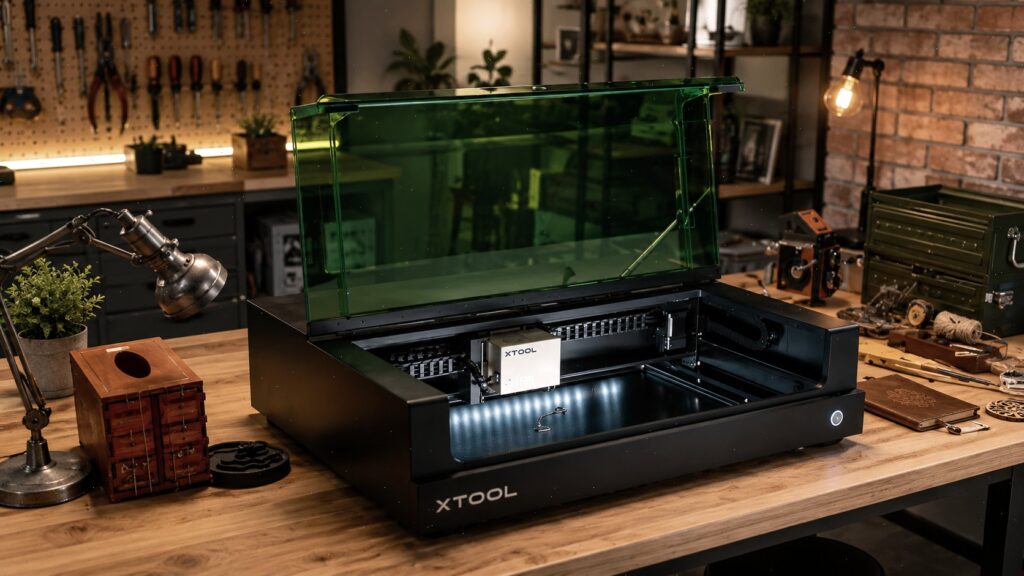
The xTool S1 is the best diode pick for Etsy sellers who want a safer, enclosed, more beginner-friendly engraving setup. It is especially useful for wood engraving, leather patches, coated blanks, ornaments, small signs, keychains, slate, and personalized gifts. If you are searching for a laser engraver for Etsy sellers or a laser cutter for Etsy side hustle, the S1 can be a practical starting point because it costs less than many CO2 machines and fits better into smaller home workspaces.
The biggest strength of the xTool S1 is that it gives beginners a serious entry into laser products without immediately requiring a larger CO2 setup. It can help you learn design files, engraving settings, material testing, Etsy personalization, packaging, and customer workflow. That learning process is valuable. Many sellers think the machine is the hard part, but the real business skill is building repeatable products that buyers actually want. A diode laser can help you test those products with lower risk.
The limitation is material range. A diode laser is not the best choice for clear acrylic signs or heavy cutting production. If you want to build a shop around acrylic wedding signs, choose CO2. But if your products are mainly engraved wood gifts, leather items, ornaments, slate coasters, coated tumblers, and small personalized pieces, the S1 can absolutely make sense. It is not the most universal laser machine, but it is strong for the right niche.
For home-based sellers, the enclosed design is a major plus. You still need ventilation and safe practices, but an enclosed machine feels more appropriate than an open-frame laser in many home environments. The xTool S1 is best for sellers who want to start lean, learn the market, and build a product line around engraving and smaller crafts. Later, if the shop grows, you can add a CO2 laser for acrylic and larger cutting while keeping the S1 for engraving tasks.
Bonus Pick: Monport CO2 Laser Cutters for Etsy Sellers on a Budget
Monport deserves a serious mention because many Etsy sellers are not only asking, “What is the best laser cutter?” They are also asking, “What can I afford without draining my entire startup budget?” The uploaded data positions Monport Reno45/Reno65 as the best main Monport offer for home sellers and beginner Etsy shop owners, while Monport 60W or 70W CO2 is better for sellers who want to grow into regular production. For scaling, the data points toward Monport 90W or Effi Series, but those are better suited to established shops rather than complete beginners.
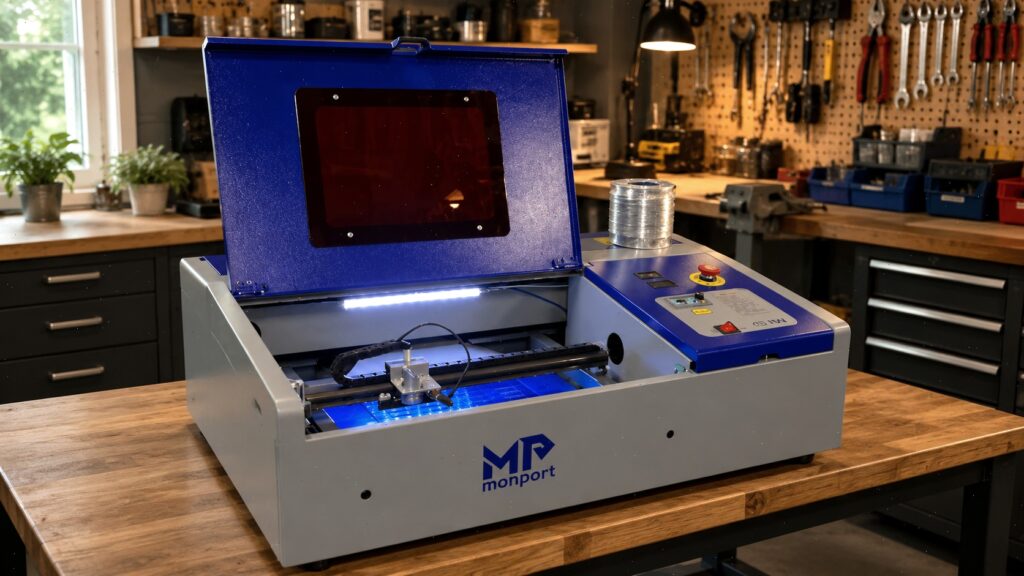
The Monport 40W Pro LightBurn CO2 is best treated as a budget entry machine. According to the uploaded data, it has a 40W CO2 laser, a 12″ × 8″ working area, LightBurn support, and is best for small projects like keychains, small ornaments, learning CO2 basics, and tiny acrylic or wooden items. That makes it useful for testing, but it should not be presented as the best choice for full Etsy production. If you plan to sell large signs, batch ornaments, or bigger home decor products, you will likely outgrow it quickly.
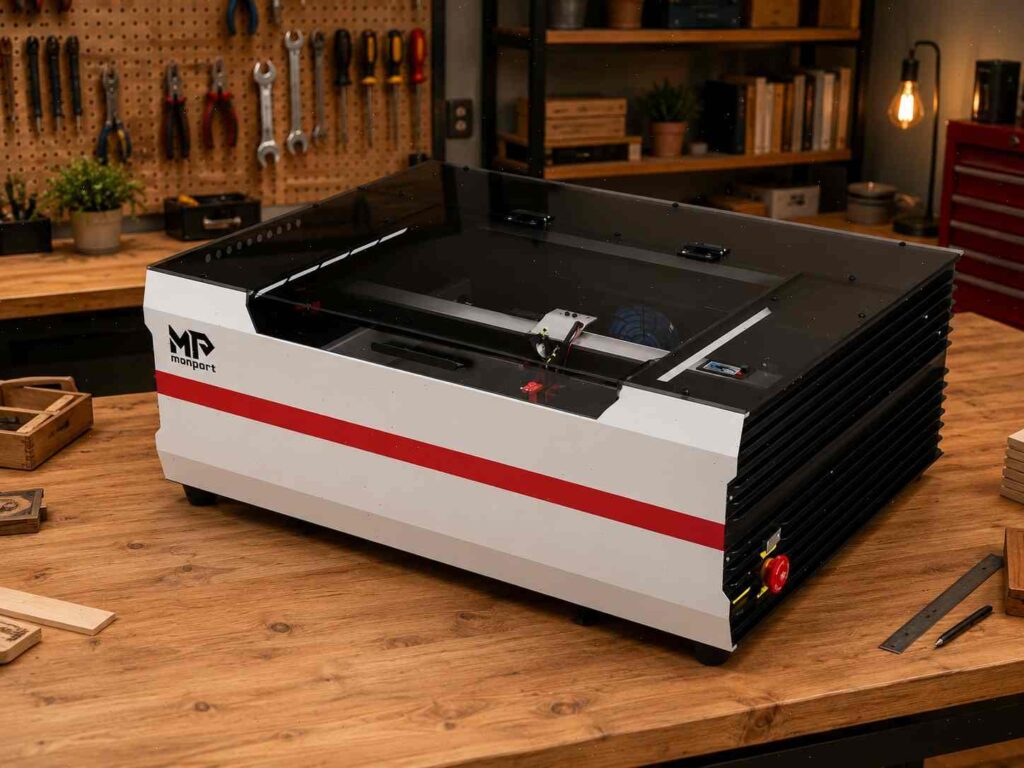
The Monport Reno45 is the more practical beginner CO2 choice for Etsy sellers. The uploaded data describes it as a 45W desktop CO2 machine with a 16″ × 12″ working area, suitable for beginners, Etsy sellers, small workshops, wood, acrylic, leather, paper, cardboard, gifts, decor, signs, keychains, and cake toppers. The Reno45 Pro Vision version adds camera-based positioning, which can help when placing designs on blanks. This makes the Reno45 line a strong fit for sellers who want a desktop CO2 laser for handmade products without jumping straight into a large machine.
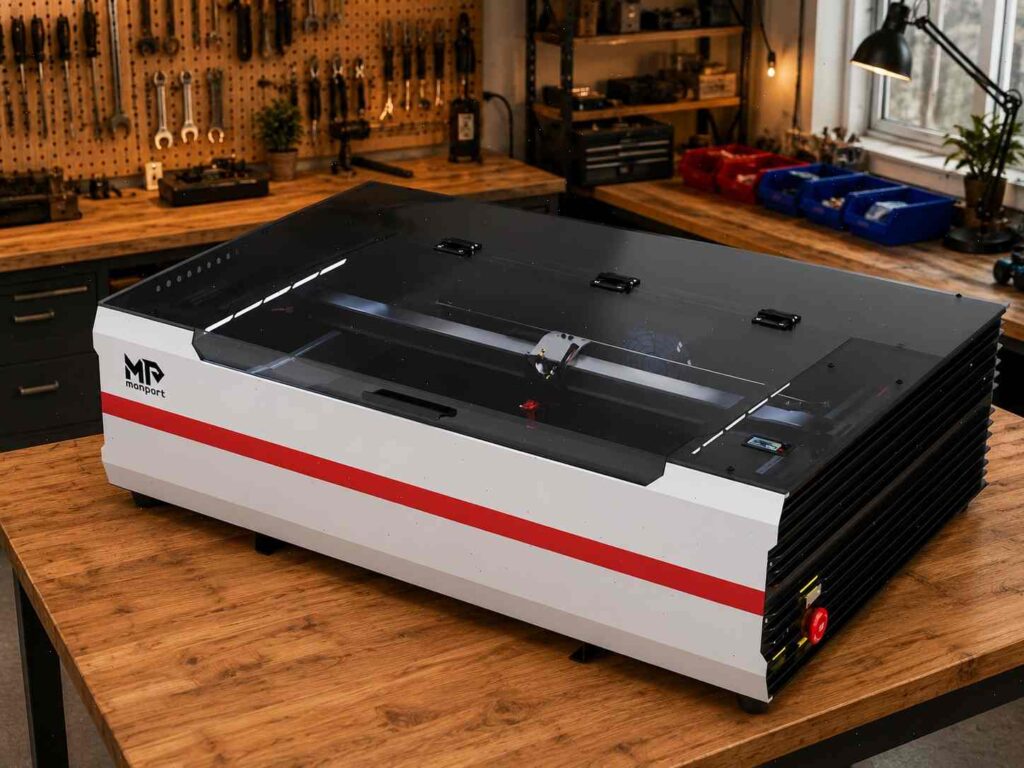
The Monport Reno65 is better for sellers who already know they want to cut more wood and acrylic. The uploaded data lists it as a 65W desktop CO2 machine with a 24″ × 16″ working area, making it more useful for wood signs, acrylic business signs, wedding decor, nursery name signs, home decor, and small-batch production. One important note from the uploaded data is that sellers should be careful with wording around “65W,” because there are discussions about rated power versus continuous output. So it is better to position Reno65 as a stronger desktop CO2 machine for a serious home business, not as an industrial powerhouse.
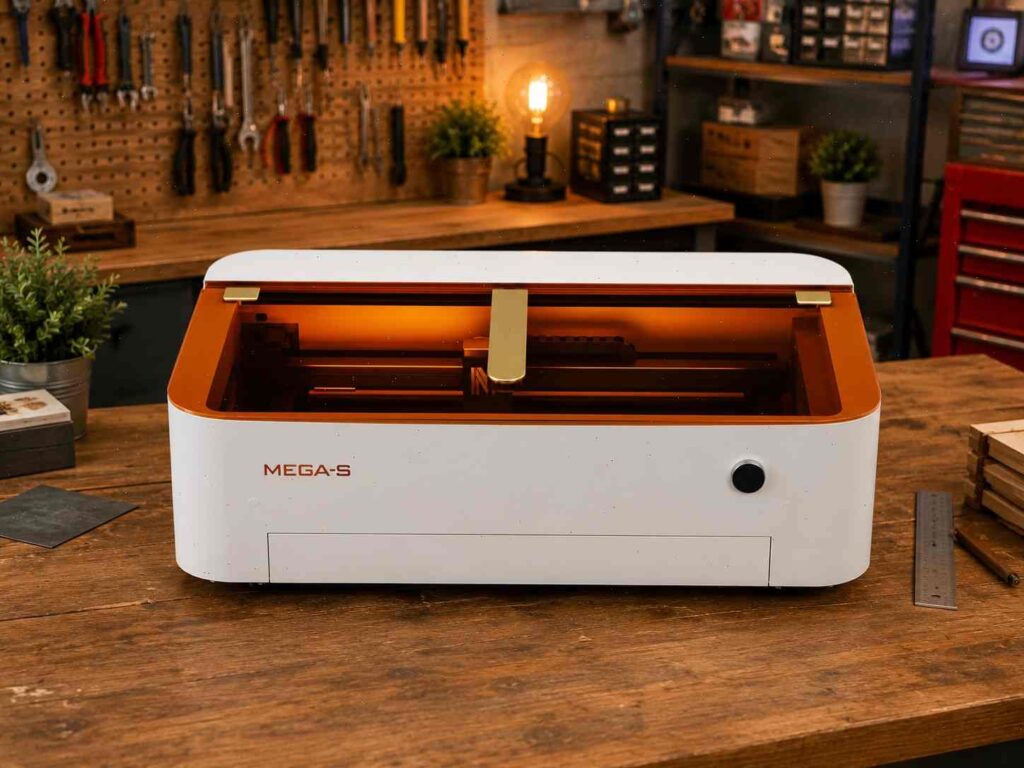
For Etsy sellers with regular orders, Monport 60W CO2 and Monport 70W CO2 become more interesting. The uploaded data describes the 60W CO2 as a balanced small business CO2 laser with a 24″ × 16″ working area, useful for wooden signs, acrylic plaques, layered wood art, wedding decor, personalized gifts, and small-batch production. The 70W CO2 is positioned as a stronger option for sellers who want more than a hobby machine but are not ready for industrial CO2 equipment. These machines are better affiliate offers for readers who already plan to sell regularly, not just experiment.
Once you understand why a laser cutter is such a smart tool for an Etsy business, you'll be eager to discover some fantastic creations you can make and sell, like these Easy Laser Cut Wood Projects To Sell On Etsy.
Best Laser Cutter by Etsy Product Category
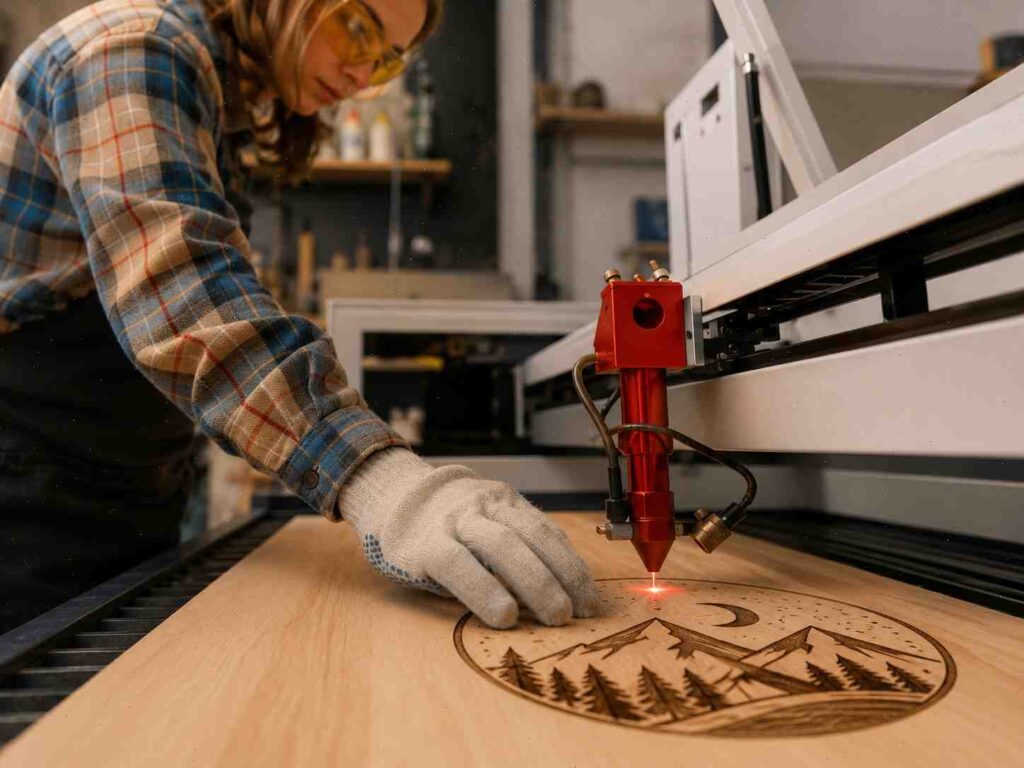
The best laser machine for Etsy depends heavily on the product category. A seller making acrylic wedding signs needs a different setup than someone engraving leather patches. A seller making nursery name signs needs different bed space than someone making tiny keychains. That is why keyword searches like best laser cutter for Etsy products, best laser cutter for wood crafts, best laser cutter for acrylic crafts, and best laser engraver for personalized products do not all lead to the same answer.
If you want a broad machine that can handle many categories, xTool P2 is the strongest all-around recommendation. If you want a beginner-friendly CO2 experience, Glowforge Pro makes sense. If you want value, compare OMTech Polar 350 and Monport Reno models. If you want premium reliability, Thunder Laser Bolt is the higher-end choice. If you want a lower-cost engraving-focused setup, xTool S1 is a smart diode option. The right machine should support your first profitable niche, not just your curiosity.
Think about your product category like a lane on a highway. If you keep switching lanes every five seconds, you slow yourself down. Etsy works better when your shop has a clear direction. You might focus on wedding acrylic signs, nursery wood decor, personalized ornaments, engraved gifts, or craft fair products. Once you know the lane, choosing the laser becomes easier. A machine is only “best” when it helps you produce the products your customers actually want.
You should also think about shipping and packaging. Small engraved gifts are easier to mail than large acrylic signs. Wood decor may need protection against scratches and bending. Acrylic products need careful handling because they can scratch or crack. The machine creates the product, but packaging protects your reviews. A strong Etsy business is not just about cutting. It is about delivering the product safely and beautifully.
Best Laser Cutter for Wood Crafts Business
For wood crafts, xTool P2, Thunder Laser Bolt, OMTech Polar 350, Monport Reno45, Monport Reno65, Monport 60W CO2, and xTool S1 can all be good options depending on your budget and product size. Wood is one of the friendliest materials for Etsy because it feels handmade, natural, and warm. A best laser cutter for wood crafts business should cut plywood cleanly, engrave details sharply, and handle repeated batches without constant frustration. Wood products can include ornaments, wall signs, nursery names, layered art, home decor, bookmarks, coasters, puzzles, and seasonal products.
If you want strong cutting performance and room to grow, CO2 is the better choice. xTool P2 gives you a polished all-around setup. Thunder Laser Bolt gives you a premium small-shop feel. OMTech Polar 350 and Monport Reno machines give you more value-focused CO2 options. The uploaded Monport data suggests Reno45 as the logical entry into CO2 for handmade products, while Reno65 is better for sellers who want a more serious desktop CO2 machine for wood signs, acrylic gifts, and small-batch products.
Material quality matters more than beginners expect. Cheap plywood can have voids, inconsistent glue, warping, and ugly burn results. Better plywood, basswood, maple, walnut veneer, and laser-safe MDF can produce cleaner products. You should test every material before selling finished items. Etsy buyers may not know the technical details, but they can see when a product looks cheap or poorly finished.
Wood crafts are also great for branding. You can create a rustic style, minimalist style, boho style, farmhouse style, luxury wedding style, or playful kids’ decor style. The laser gives you precision, but your style gives buyers a reason to choose your shop. Do not just make what everyone else is making. Use the machine to create a recognizable product line.
Best Laser Cutter for Acrylic Signs Business
For acrylic signs, choose a CO2 laser. This is one of the clearest rules in laser buying for Etsy sellers. If your business idea includes clear acrylic wedding signs, mirrored acrylic table numbers, acrylic cake toppers, business logo signs, seating charts, bar menus, or modern wall decor, you need a machine that cuts acrylic cleanly. A best laser cutter for acrylic signs business is usually a CO2 laser like xTool P2, Glowforge Pro, OMTech Polar 350, Thunder Laser Bolt, Monport Reno45, Monport Reno65, or Monport 60W/70W CO2.
Acrylic products can be profitable because they look premium. A clear acrylic welcome sign with white lettering feels more expensive than a simple printed poster. Gold mirrored acrylic table numbers can instantly upgrade wedding decor. Frosted acrylic place cards can double as keepsakes. These products work well on Etsy because buyers often search for event-ready items that look custom and beautiful. But acrylic also demands careful finishing, masking, cleaning, and packaging.
For beginners, Monport Reno45 can be a practical starting point for small acrylic gifts, cake toppers, tags, and compact signs. For larger acrylic signs, wedding decor, and business signage, Reno65 or a 60W/70W CO2 machine makes more sense. The uploaded data specifically positions Reno65 as better for Etsy wood signs, acrylic business signs, wedding decor, nursery name signs, home decor, and small batch production. That makes it more appropriate than a 40W Pro if your shop is built around acrylic products.
Shipping acrylic is part of the business model. Larger acrylic signs need protective film, padding, rigid packaging, and clear care instructions. Scratches and cracks can lead to refunds and bad reviews. Before launching a full acrylic shop, test not only cutting but also packing and shipping. A beautiful product is only successful if it arrives beautiful.
Best Laser Engraver for Personalized Products
Personalized products are one of the strongest Etsy categories because they solve a gift problem. Buyers often come to Etsy because they need something meaningful for a birthday, wedding, anniversary, holiday, baby shower, teacher gift, pet memorial, or corporate event. A laser engraver for personalized gifts helps you turn ordinary materials into emotional products. A board becomes a family recipe keepsake. An ornament becomes a memory. A leather patch becomes branded merchandise. A small tag becomes part of someone’s wedding day.
For personalized engraving, both diode and CO2 lasers can work. If you mostly engrave wood, leather, slate, coated blanks, and small gifts, xTool S1 can be a strong starting point. If you also want to cut acrylic, layered packaging, gift boxes, and more complex decor, a CO2 laser gives you more range. xTool P2, Glowforge Pro, OMTech Polar 350, Thunder Laser Bolt, and Monport CO2 machines can all support personalized product businesses.
If your personalized products involve metal, then fiber laser becomes more relevant. The uploaded Monport data recommends GM 30W/50W or GA/GT MOPA models for jewelry, tumblers, metal tags, tools, and premium personalized metal products. That does not mean fiber is better for every Etsy seller. It means fiber is better when your products are metal-based. For wood and acrylic gifts, CO2 still makes more sense.
The machine is only half the system. You also need clear personalization instructions. Instead of writing “Enter name,” say “Enter the name exactly as you want it engraved, including capitalization.” That small detail can prevent mistakes. Use mockups, examples, font previews, and clear order forms. Personalized products can have strong margins, but they can also create rework if your process is vague.
Creative Fabrica Offer for Etsy Laser Sellers
A laser cutter gives you production power, but designs are what actually become Etsy listings. That is where Creative Fabrica fits naturally into a laser-based Etsy business. If you sell ornaments, signs, cake toppers, nursery decor, wedding products, engraved gifts, bookmarks, layered wood art, or acrylic signs, you constantly need fonts, SVG files, graphics, mockups, patterns, and commercial-use design assets. Creating everything from scratch can be slow, especially when you are testing a new niche. Creative Fabrica can help you move from blank screen to product idea much faster.
The smartest way to use Creative Fabrica is not to copy every design exactly and throw it on Etsy. That leads to generic products. Instead, use assets as creative building blocks. A font bundle can become a custom name sign collection. A floral SVG can become a wedding table number set. A Christmas graphic can become an ornament line. A mockup can help you present your product more professionally before you have dozens of physical samples. When you combine Creative Fabrica assets with your own layout, materials, colors, and product photography, you can create a shop that feels original and polished.
This is especially useful for sellers using a laser engraver for personalized products. Personalization depends heavily on fonts, spacing, layout, and style. A great font can turn a basic wooden sign into something that looks boutique. A good SVG bundle can help you create seasonal products faster. A commercial-use graphic can become part of a craft fair product line. Design resources do not replace creativity. They speed it up, like having a pantry full of ingredients instead of going to the store every time you want to cook.
Recommended design resource for Etsy laser sellers:
Need SVGs, fonts, mockups, and commercial-use graphics for laser-ready products? Creative Fabrica is a useful resource for Etsy sellers making personalized gifts, wood signs, acrylic cake toppers, ornaments, wedding decor, craft fair items, and seasonal products.
👉 Get design assets for your laser business here: Creative Fabrica — Start creating Etsy-ready products faster
For the best results, use Creative Fabrica to build collections instead of one-off products. For example, create a full wedding line with table numbers, place cards, signs, favor tags, and cake toppers using a consistent font and design style. Or build a holiday shop section with ornaments, gift tags, stocking name tags, and family signs. Bundled product thinking helps Etsy buyers order more than one item, and it helps your shop look more professional.
How Much It Costs to Start a Laser Cutting Business From Home

The cost to start depends on your machine, but the machine is only one part of the budget. You also need ventilation, materials, packaging, design software, cleaning tools, safety accessories, test blanks, photography props, and shipping supplies. A beginner with a diode machine may start with a lower budget, while a CO2 setup will usually cost more but offer wider product options. A laser cutting machine for home business can be affordable compared with many businesses, but it is not free after the machine arrives.
A diode setup like the xTool S1 can be a practical starting point for sellers focused on engraving and small products. You may spend less upfront and still create sellable items like ornaments, tags, leather patches, bookmarks, slate gifts, and wood signs. The downside is that you may outgrow it if your shop moves toward acrylic signs or heavier cutting. A diode machine is a good first step when your products match its strengths.
A CO2 setup costs more but opens more product categories. Machines like xTool P2, Glowforge Pro, OMTech Polar 350, Thunder Laser Bolt, Monport Reno45, Monport Reno65, and Monport 60W/70W CO2 can support acrylic, wood, signs, decor, and more serious production. The uploaded data suggests a practical Monport growth ladder for Etsy sellers: Reno45 for entry-level CO2, Reno65 for more serious desktop production, 60W/70W CO2 for regular sales, and 90W/Effi for scaling.
Do not forget design costs. You may use software like Adobe Illustrator, Affinity Designer, Canva, LightBurn, or machine-specific software. You may also use Creative Fabrica for fonts, SVGs, and mockups. Those assets can save time, but you still need to customize them and create a unique product line. A good startup budget gives you room to test without panicking every time a cut fails.
Conclusion
The best laser cutting machine for Etsy business depends on your products, budget, workspace, and growth goals. For the best overall pick, xTool P2 is the strongest choice for many sellers because it offers CO2 versatility, acrylic cutting ability, and a modern workflow. Glowforge Pro is best for beginners who want simplicity. OMTech Polar 350 is a strong value-focused CO2 machine. Thunder Laser Bolt is the premium choice for serious small shops. xTool S1 is the best diode option for home-based sellers focused on engraving, small wood products, leather, ornaments, and personalized gifts.
Monport also deserves attention as a budget-friendly CO2 alternative. Monport machines for an Etsy wood/acrylic business are Monport Reno45, Reno65, 60W CO2, and 70W CO2. The 40W Pro is useful for testing and tiny products, but it is not the best long-term production machine. The 90W and Effi Series are better for scaling, while GM/GT/GA Fiber and MOPA machines are better for metal engraving niches such as jewelry, tumblers, tags, and tools.
A laser cutter alone does not build the business. You also need strong product ideas, clear personalization, good materials, safe ventilation, beautiful photos, reliable packaging, and smart Etsy SEO. Design resources like Creative Fabrica can help you create product lines faster by giving you access to fonts, SVGs, mockups, and commercial-use graphics. The winning formula is simple: choose a niche, buy a machine that fits that niche, create products with real buyer demand, and build a shop that looks trustworthy from the first click.
FAQs
u003cstrongu003e1. What is the best laser cutter for Etsy sellers overall?u003c/strongu003e
The xTool P2 is one of the best overall laser cutters for Etsy sellers because it is a versatile CO2 machine that can handle wood, acrylic, gifts, signs, decor, and personalized products. It is especially useful for sellers who want room to grow into different product categories. However, the best machine still depends on your niche. Glowforge Pro is easier for beginners, OMTech and Monport are good value options, Thunder Laser Bolt is more premium, and xTool S1 is a strong diode choice.
u003cstrongu003e2. Is Monport good for an Etsy laser business?u003c/strongu003e
Monport can be a good option for budget-conscious Etsy sellers who want CO2 laser capability. The most relevant models for Etsy wood and acrylic products are Reno45, Reno65, 60W CO2, and 70W CO2. The uploaded data positions Reno45/Reno65 as good offers for home sellers and beginners, while 60W/70W CO2 machines are better for sellers who plan to produce regularly.
u003cstrongu003e3. Do I need a CO2 laser for acrylic Etsy products?u003c/strongu003e
Yes, if acrylic signs are a major part of your Etsy business, a CO2 laser is strongly recommended. Diode lasers can work with some dark acrylic, but they are not ideal for clear acrylic or professional acrylic sign production. For wedding signs, table numbers, menus, cake toppers, and business signs, choose a CO2 machine like xTool P2, Glowforge Pro, OMTech Polar 350, Thunder Laser Bolt, Monport Reno45, Monport Reno65, or Monport 60W/70W CO2.
u003cstrongu003e4. Can I use Creative Fabrica designs for Etsy laser products?u003c/strongu003e
Creative Fabrica can be a useful source for fonts, SVGs, graphics, and mockups, but you should always check the license terms for the specific asset or subscription you use. The best approach is to customize assets into your own product style instead of copying designs exactly. Use fonts, illustrations, and SVGs as building blocks for unique laser products like ornaments, signs, cake toppers, wedding decor, and personalized gifts.
u003cstrongu003e5. What laser products are easiest to sell on Etsy?u003c/strongu003e
Some of the easiest laser products to start with are personalized ornaments, keychains, bookmarks, engraved tags, nursery signs, cake toppers, acrylic table numbers, leather patches, cutting boards, and small home decor signs. The best products are easy to personalize, simple to photograph, affordable to ship, and profitable after materials, Etsy fees, machine time, packaging, and labor. Start with one focused niche instead of trying to sell everything at once.
Follow Us