

Introduction
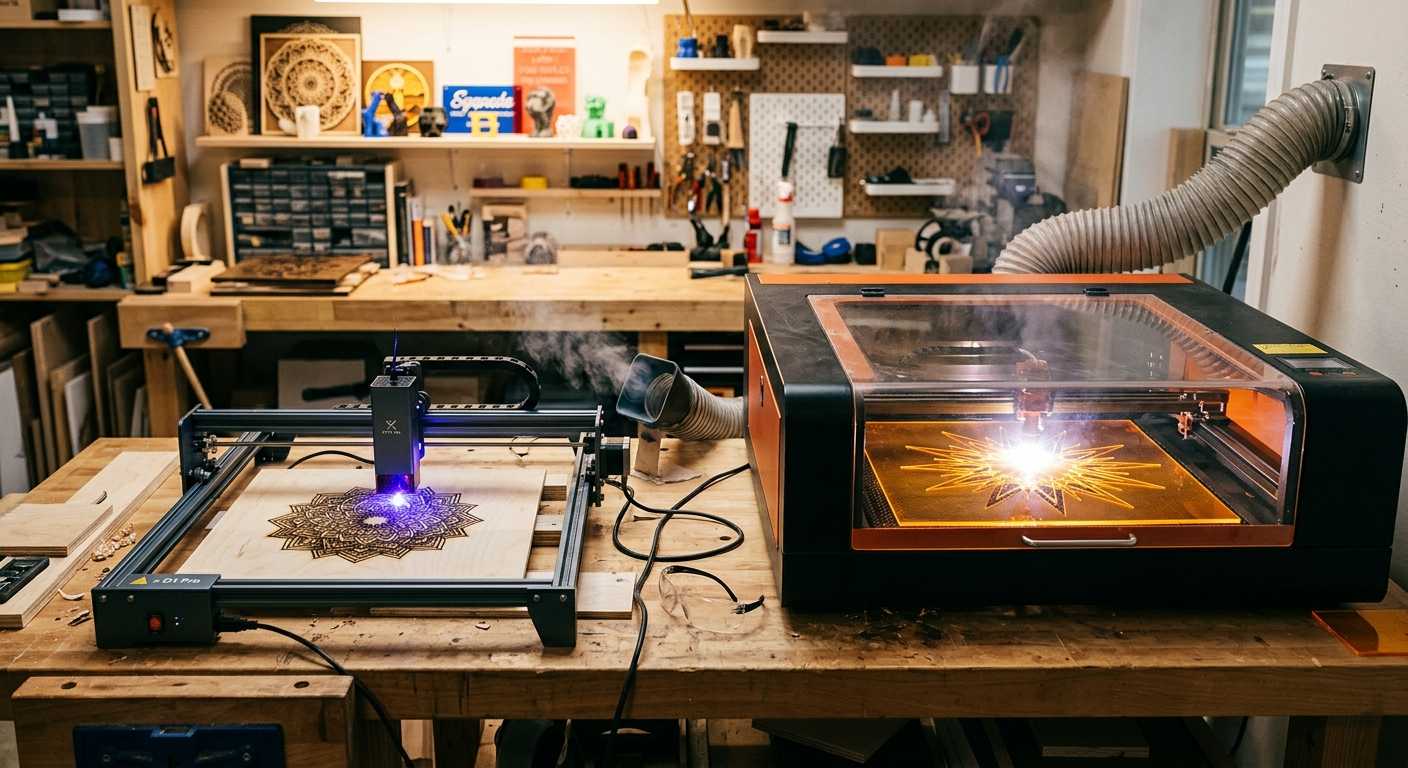
Diode vs CO2 laser is one of the most common comparisons new makers research before buying their first laser cutter.
Some links in this article may be affiliate links. If you purchase through them, we may earn a small commission at no extra cost to you. Thanks for supporting our work.
Choosing your first laser cutter is one of those decisions that looks simple at first and then gets complicated very quickly.
Most beginners eventually run into the same question:
Should I buy a diode laser or a CO₂ laser?
On the surface, the answer seems obvious. Diode lasers are usually cheaper. CO₂ lasers are usually faster and more capable. But once you start thinking about real projects — wood signs, layered SVG files, acrylic pieces, engraved gifts, home décor, and products you might want to sell — the choice becomes more personal.
I don’t think either machine is automatically “better.” A diode laser and a CO₂ laser simply fit different kinds of makers.
The right first laser depends on your budget, your workspace, the materials you want to cut, and how seriously you plan to use the machine over time.
Understanding the Difference Between Diode and CO₂ Lasers
Both diode and CO₂ lasers use a focused beam of light to engrave or cut material, but they create that beam in different ways.
A diode laser uses semiconductor technology. These machines are usually more compact, more affordable, and easier for beginners to place in a small workshop or home workspace.
A CO₂ laser uses a gas-filled tube to generate the beam. These machines are usually larger, more expensive, and more capable when it comes to cutting thicker materials and working with acrylic.
That difference matters more than many beginners expect.
A design can look simple on screen, but once the laser starts following every vector path, the machine’s speed, power, air assist, and material compatibility all become part of the final result.
Why Many Beginners Start With a Diode Laser

For a lot of new makers, a diode laser is the easiest way into laser cutting.
The price is lower, the machines are usually smaller, and the setup feels less intimidating. If you are still learning how SVG files work, how engraving layers behave, and how different materials react to heat, a diode laser can be a practical starting point.
Advantages of Diode Lasers
- Lower purchase price
- Compact size
- Lower operating costs
- Good for engraving
- Beginner-friendly setup
- Suitable for small workshops
- Easier entry into laser cutting
I often see beginners use diode lasers to learn the basics: importing SVG files, checking cut lines, adjusting engraving settings, and understanding how wood reacts at different speeds and power levels.
That learning stage is valuable.
A diode laser gives you room to experiment without immediately investing in a larger CO₂ setup.
The Limitations of Diode Lasers
Diode lasers have improved a lot, but they still have real limitations.
Common Diode Laser Drawbacks
- Slower cutting speeds
- More difficulty with thicker materials
- Limited acrylic compatibility
- Less efficient for production work
- Longer cut times on detailed SVG files
- More passes often needed for thicker plywood
One thing beginners sometimes underestimate is time.
A layered SVG project with lots of small details may technically cut on a diode laser, but it can take a long time. Highly detailed files often look impressive in previews, but every extra line, node, and decorative cut adds machine time.
That may not matter for a weekend project.
It matters much more when you are trying to make five, ten, or twenty products.
Acrylic is another common frustration. Most diode lasers struggle with clear acrylic because of the wavelength. Some dark acrylics can work, but if your goal is clear acrylic signs, display pieces, or polished acrylic products, a diode laser will likely feel limiting.
Why Many Makers Eventually Upgrade to CO₂
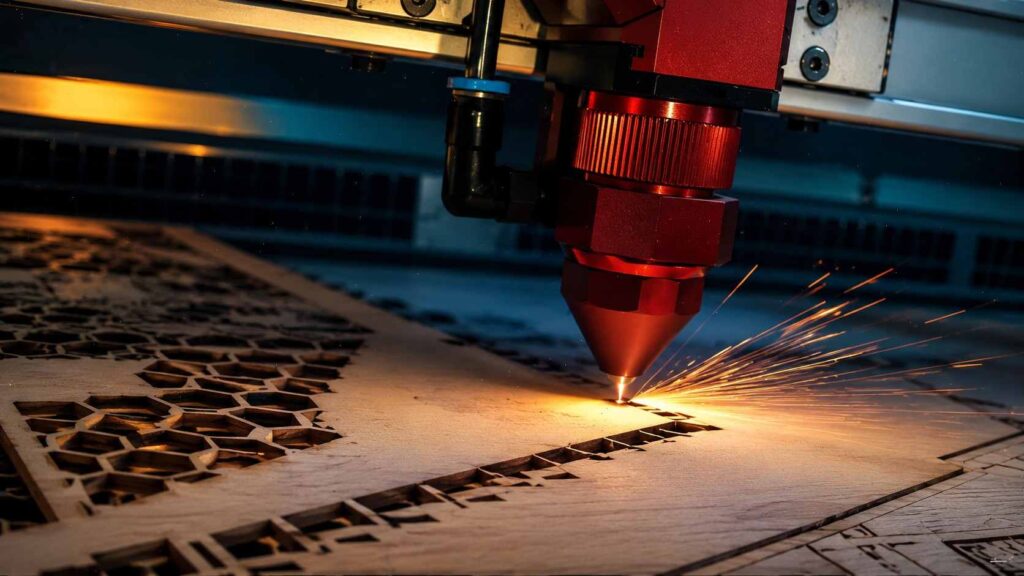
Many makers start with a diode laser and later move to a CO₂ machine.
That does not mean the diode laser was a bad purchase.
It usually means their projects grew.
A CO₂ laser gives you more cutting power, better acrylic compatibility, and faster production. For people making signs, ornaments, layered wall art, engraved gifts, or products for sale, that speed can change the whole workflow.
Advantages of CO₂ Lasers
- Faster cutting speeds
- Better performance on plywood
- Excellent acrylic cutting
- Greater material versatility
- Better suited for business use
- Higher productivity
- Cleaner workflow for repeated products
For production work, speed is not just convenience.
If one machine cuts a batch of ornaments or layered signs much faster than another, that affects pricing, profit, and how many orders you can realistically finish.
Diode vs CO₂ Laser for Woodworking
Wood is one of the most common materials for beginner laser cutting.
Both diode and CO₂ lasers can work with wood, but the experience is different.
Diode Laser for Wood
A diode laser can be a good option for:
- Small wood projects
- Thin plywood
- Engraving
- Hobby use
- Testing SVG files
- Learning cut settings
For engraving wood blanks, diode lasers can produce nice results. They are also useful for small signs, tags, ornaments, and simple cut projects.
The main limitation is speed and thickness.
Thin plywood is usually more realistic than thicker stock. You may also need slower speeds or multiple passes, which can increase burn marks if the settings are not dialed in carefully.
CO₂ Laser for Wood
A CO₂ laser is usually better for:
- Regular plywood cutting
- Larger signs
- Production batches
- Layered wood designs
- Frequent maker projects
- More consistent cutting workflows
If woodworking is your main focus and you plan to cut often, a CO₂ laser usually feels smoother in daily use.
It is not only about power. It is also about efficiency, cleaner cutting, and spending less time waiting for long jobs to finish.
Diode vs CO₂ Laser for Acrylic
Acrylic is where the difference becomes very obvious.
Diode Laser for Acrylic
A diode laser may work with:
- Some dark acrylics
- Certain coated materials
- Small test projects
- Engraving on selected surfaces
But most diode lasers struggle with clear acrylic.
That matters because clear acrylic is popular for signs, display stands, ornaments, cake toppers, business products, and decorative items.
CO₂ Laser for Acrylic
A CO₂ laser is much stronger for acrylic work.
It can:
- Cut clear acrylic
- Produce cleaner edges
- Handle acrylic signs
- Create display products
- Work better with decorative acrylic sheets
CO₂ lasers are widely used for acrylic because they interact with the material much more effectively.
If acrylic products are part of your business plan, I would usually look at CO₂ first.
How Laser Type Affects SVG Projects
This is something beginners do not always think about.
The machine you choose affects how your SVG files behave in real life.
A clean SVG file with organized cut lines, engraving layers, and simple vector paths will run more efficiently on any machine. But detailed files expose the differences between diode and CO₂ lasers quickly.
Layered wall art, mandalas, decorative signs, and intricate ornaments may have hundreds or even thousands of small paths. On a diode laser, that can mean long cut times. On a CO₂ laser, the same file may feel much more practical.
A well-organized SVG saves time, but machine capability still matters.
Thin bridges between design elements can also become fragile after cutting, especially in thin plywood. This is not only a file issue. It is a material, kerf, and machine-settings issue too.
That is why I always like to look at SVG files as physical objects, not just pretty previews.
Finding SVG Files for Diode and CO₂ Projects
One thing I regularly notice is that beginners often spend weeks comparing machines while paying very little attention to the quality of the files they plan to cut.
In practice, a well-organized SVG file can improve your workflow almost as much as a machine upgrade. Clean vector paths, properly separated engraving layers, and logical file organization usually result in fewer failed cuts and less time spent fixing designs before production.
If you're looking for project ideas, I often recommend browsing established laser-cutting marketplaces rather than downloading random files from unknown sources. Platforms like Creative Fabrica offer a large collection of laser-ready SVG files covering wall art, signs, ornaments, organizers, shadow boxes, cake toppers, keychains, home décor projects, and seasonal designs. Their library currently includes more than 127,000 laser cutting files across a wide range of categories.
For beginners, this can be a useful way to study how experienced designers structure cut files, organize layers, and prepare designs for production. Even when I create my own projects, I find it helpful to examine well-built files to see how different makers solve assembly and cutting challenges.
Cut Quality and Edge Finish
Beginners often ask, “Can this laser cut the material?”
That is only part of the question.
The better question is:
Will the finished piece look clean enough to use, gift, or sell?
With wood, both diode and CO₂ lasers can create good results when the file is prepared well and the settings are tested. But CO₂ lasers usually cut faster and can often leave a cleaner edge with less struggle.
With acrylic, CO₂ has a clear advantage. It can produce cleaner, more polished-looking edges, especially on clear acrylic.
Burn marks, smoke staining, and rough edges can happen with either laser if settings are wrong. Air assist, masking, material quality, and proper focus all matter.
The machine helps, but the workflow matters too.
Hidden Costs Beginners Often Overlook
The machine price is only one part of the investment.
When comparing diode vs CO₂ lasers, also think about:
- Ventilation
- Air assist
- Material testing
- Replacement parts
- Lenses and mirrors
- Cutting mats or honeycomb beds
- Design software
- Safety equipment
- Extra plywood and acrylic sheets for testing
This is where some beginners get surprised.
A cheaper diode laser may still need accessories to become comfortable and safe to use. A CO₂ laser costs more upfront, but it may save time if you are cutting regularly.
Neither option is only the price on the product page.
Which Laser Is Better for a Small Business?
If you only want to make occasional gifts or small projects, a diode laser may be enough.
But if your goal is to sell products, the answer changes.
A CO₂ laser usually gives you more long-term room for:
- Etsy products
- Personalized gifts
- Address signs
- Home décor
- Layered wall art
- Acrylic signs
- Engraved business products
- Repeated production runs
Speed matters when orders come in.
Material compatibility matters when customers ask for different products.
File efficiency matters when you are cutting the same design again and again.
For a small business, a CO₂ laser often becomes the more practical long-term machine, especially if wood and acrylic are both part of your product plans.
Should You Start With a Diode or CO₂ Laser?
The best choice depends on what you actually want to make.
Choose a Diode Laser If:
- You are completely new to laser cutting
- Your budget is limited
- You mainly want to learn
- You have limited workspace
- You focus more on engraving than cutting
- You plan to make small hobby projects
- You are not ready for a larger machine yet
A diode laser can be a sensible first machine if you want to understand the basics without spending too much upfront.
Choose a CO₂ Laser If:
- You want to cut wood regularly
- You plan to work with acrylic
- You want to sell products
- You need faster production speeds
- You want cleaner acrylic results
- You are interested in layered SVG projects
- You want more room to grow
A CO₂ laser makes more sense if you already know you want to produce finished items consistently.
Once you've considered the differences between diode and CO₂ lasers for beginners, finding the right manufacturer is the next big step, and we've compiled a list of the Best Laser Cutter Brands for Beginners and Makers in 2026 to help you choose.
Final Thoughts
The diode vs CO₂ laser debate does not have one universal winner.
If someone asked me which laser to buy in 2026, I would usually start with a different question:
What do you actually want to make?
For learning, engraving, small wood projects, and experimenting with SVG files, a diode laser can be a very practical first step.
For wood signs, acrylic products, layered laser cut files, home décor, and small business production, a CO₂ laser often becomes the better long-term investment.
The best first laser cutter is not always the most powerful one.
It is the machine that matches your current goals while giving you enough room to grow as your projects become more ambitious.
FAQ
Should beginners start with a diode laser?
Many beginners start with a diode laser because it is affordable, compact, and easier to learn. It is a practical choice for engraving, small wood projects, and learning how SVG files work with laser cutting software.
Is a CO₂ laser worth it for beginners?
A CO₂ laser can be worth it for beginners who already know they want to cut wood and acrylic regularly. It costs more upfront, but it offers better material compatibility and faster production.
Can a diode laser cut plywood?
Yes, a diode laser can cut plywood, especially thinner sheets. However, cutting speed, material thickness, glue quality, and machine power all affect the result. Thicker plywood usually takes longer and may require multiple passes.
Can a diode laser cut clear acrylic?
Most diode lasers struggle with clear acrylic because of wavelength limitations. Some dark acrylics may work better, but clear acrylic is usually better suited to a CO₂ laser.
Is a diode laser good for engraving?
Yes, diode lasers are often very useful for engraving wood, leather, coated materials, and some painted surfaces. They are a good way to learn laser settings and engraving workflows.
Which laser is better for acrylic signs?
A CO₂ laser is usually the better choice for acrylic signs, especially clear acrylic. It cuts acrylic more effectively and can produce cleaner edges than most diode lasers.
Do SVG files work with both diode and CO₂ lasers?
Yes, SVG files can work with both diode and CO₂ lasers as long as the laser software supports them. The bigger difference is how efficiently the machine handles the design, especially if the file has many detailed vector paths.


Follow Us