

ℹ️ Affiliate Disclosure: This article may contain affiliate links. We may earn a commission at no extra cost to you. Thanks for your support! ❤️
Selecting the Best Google Sheets Bundles and Templates for Your Needs
Google Sheets bundles can replace a scattered collection of budget notes, task lists, sales records, and household planners with a more consistent system. The strongest downloads are not necessarily the largest collections. I look for templates that address a defined workflow, provide useful formulas or dashboards, and remain manageable after the initial setup.
This roundup covers several distinct needs rather than forcing every spreadsheet into one narrow category. My selections include small-business systems, Etsy seller tools, personal finance packages, budgeting spreadsheets, inventory trackers, task managers, and event planners.
The best Google Sheets bundles combine related templates around one clear goal, such as managing a business, tracking household finances, planning a budget, or organizing recurring work. Choose a focused bundle when you need several connected spreadsheets, or a single-purpose template when one tracker can solve the problem without adding unnecessary maintenance.
| Template or bundle | Best for | Type |
|---|---|---|
| Small Business Bundle | 16 Templates | Complete small-business administration | Business bundle |
| Service Business Bundle | 16 Templates | Client-based businesses | Service workflow bundle |
| Premium Templates for Etsy Seller | Etsy shop finances | Seller toolkit |
| Ultimate Personal Finance Toolkit | Connected money management | Finance bundle |
| All-in-One Personal Finance Package | Budgeting and debt planning | Finance package |
| Home & Household Finance Organizers | Family expenses and savings | Household finance bundle |
| Premium Personal Finance Planners | Detailed financial planning | Planner collection |
| Budget Planner Template in Google Sheets | Simple monthly budgeting | Budget spreadsheet |
| Annual Budget by Paycheck Spreadsheet | Paycheck-based planning | Annual budget template |
| 50/30/15/5 Monthly Budget Planner | Percentage-based budgeting | Monthly budget template |
| Inventory Tracker Spreadsheet Template | Stock and supply control | Inventory tracker |
| To-Do List Tracker Template Excel | Daily and weekly tasks | Productivity tracker |
| Holiday and Special Event Planners Excel | Seasonal and event preparation | Planning bundle |
| Income and Expense Tracker Spreadsheet | Basic cash-flow records | Finance tracker |
| Small Business Bookkeeping Spreadsheet | Long-term business records | Bookkeeping template |
Best Google Sheets Bundles and Spreadsheet Templates
1. Small Business Bundle | 16 Templates
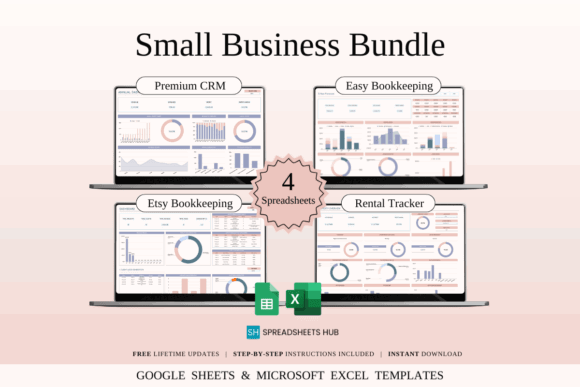
Small Business Bundle | 16 Templates is a broad administrative package for solo entrepreneurs and small teams that want several connected spreadsheet systems. The collection includes sample and blank versions for Google Sheets and Excel, making it suitable for users who prefer to study an example before entering their own information.
This is my pick for someone building a business workflow from the ground up. Its wide scope can reduce the need to purchase unrelated templates separately, but not every sheet will suit every business. I would introduce the most useful templates first and leave the rest untouched until a recurring need appears.
Best for: new businesses, solo entrepreneurs, multi-purpose administration
Key features: 16 spreadsheet templates, sample and blank files, Google Sheets and Excel formats
Download Small Business Bundle
2. Service Business Bundle | 16 Templates
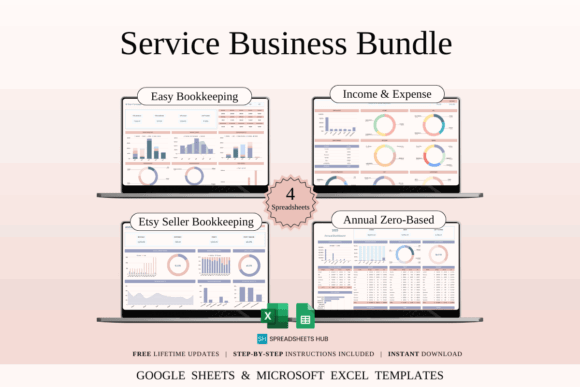
Service Business Bundle | 16 Templates is intended for businesses that earn money through appointments, projects, or client work rather than product inventory alone. It provides a more relevant starting point for consultants, virtual assistants, designers, coaches, cleaners, and other service providers.
I would select this over a generic business package when client administration is the main challenge. A service-focused system can make it easier to connect inquiries, work schedules, payments, and business records. Product sellers may find portions less applicable, particularly when stock levels and shipping are central to daily operations.
Best for: freelancers, consultants, appointment-based businesses
Key features: 16-template collection, service-business focus, editable spreadsheet structure
Download Service Business Bundle
3. Premium Templates for Etsy Seller
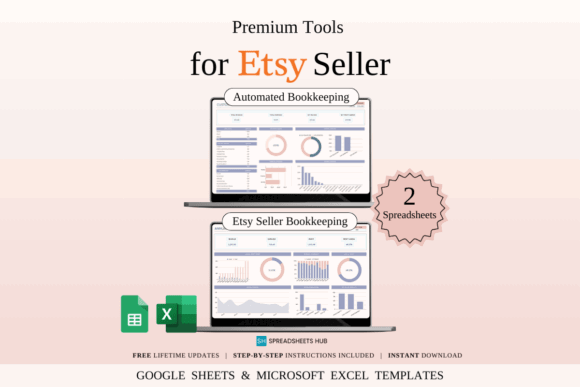
Premium Templates for Etsy Seller is a focused finance bundle for shop owners who need to record sales, marketplace fees, product costs, shipping expenses, and profit. It includes bookkeeping and income-and-expense tools designed around the cash flow of an Etsy business.
This is one of the more useful options for digital designers, crafters, and printable sellers because the categories are closer to marketplace activity than those in a household budget. Sellers operating on several platforms may need to add a marketplace field or separate tabs so Etsy transactions remain distinguishable from other sales.
Best for: Etsy sellers, digital product shops, handmade businesses
Key features: sales tracking, fee records, expense categories, automated calculations
Download Etsy Seller Templates
4. Ultimate Personal Finance Toolkit
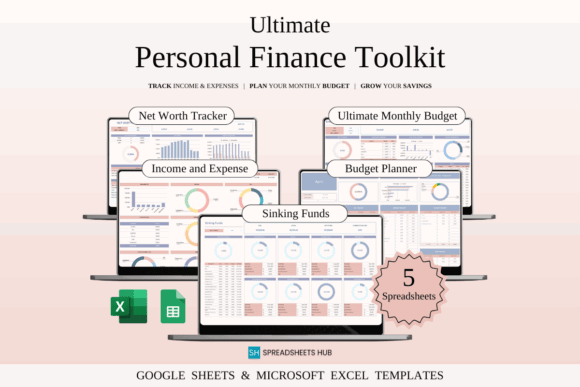
Ultimate Personal Finance Toolkit is a five-spreadsheet collection for managing monthly budgets, savings, expenses, and longer-term financial progress. The templates are supplied for Google Sheets and Excel, making the toolkit practical for individuals, couples, or families who use more than one device or platform.
I like this option for users who want connected financial tools without adopting a very large business-style system. Five focused spreadsheets should be easier to maintain than dozens of overlapping planners. The toolkit still requires regular transaction entry, so it suits users willing to establish a weekly money-review routine.
Best for: personal finance systems, couples, long-term savings planning
Key features: five spreadsheets, budgeting tools, savings tracking, Excel compatibility
5. All-in-One Personal Finance Package
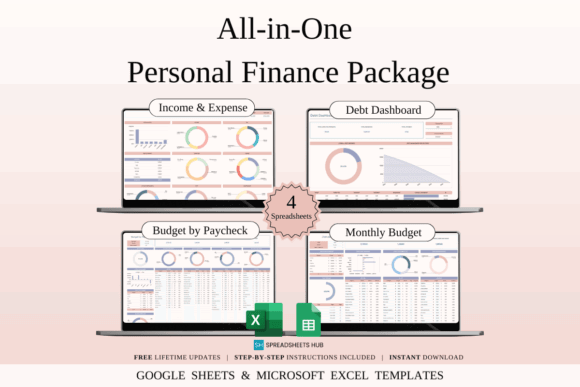
All-in-One Personal Finance Package combines budgeting, income tracking, spending records, and debt management in one coordinated collection. It is aimed at users who want a broader view of their money rather than a spreadsheet dedicated to only one budget period or savings target.
I would consider this for a household trying to connect day-to-day spending with debt reduction. The all-in-one approach can make financial relationships easier to see, although it may require more initial setup than a basic monthly tracker. Users with very simple finances could find a smaller template faster to maintain.
Best for: combined budgeting, debt planning, household cash flow
Key features: income tracking, spending organization, debt tools, coordinated finance sheets
6. Home & Household Finance Organizers
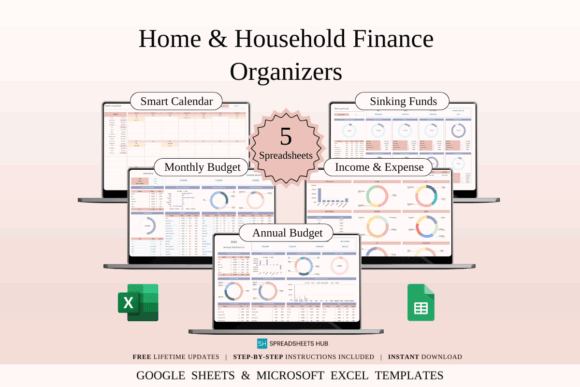
Home & Household Finance Organizers is a family-oriented toolkit for annual planning, monthly budgeting, sinking funds, and recurring household expenses. Its structure is better aligned with shared bills and savings goals than a business bookkeeping template.
This would be my choice for a household that wants separate views for short-term spending and predictable annual costs. Sinking-fund organization can be especially useful for expenses that do not arrive monthly. The main limitation is that multiple people need to follow the same entry rules if the spreadsheet is shared.
Best for: family finances, recurring bills, sinking funds
Key features: annual budget planning, monthly budget sheet, household expense tracking, savings organization
7. Premium Personal Finance Planners
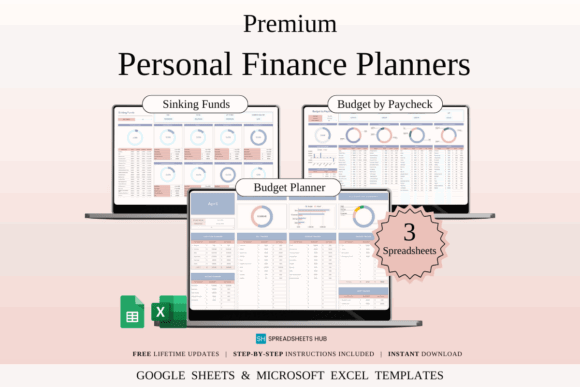
Premium Personal Finance Planners is a spreadsheet collection for users who prefer a structured set of financial views instead of one general budget worksheet. It belongs in a more detailed money-management workflow where income, expenses, goals, and progress need separate attention.
I would use a collection like this when a basic budget no longer answers the important questions. Separate planners can make long-term patterns clearer, but they also introduce more places to enter or review information. Before committing, decide which sheets will become part of your monthly routine and archive the rest.
Best for: detailed budgeting, financial goal planning, multi-sheet organization
Key features: coordinated finance planners, Google Sheets access, reusable layouts
8. Budget Planner Template in Google Sheets
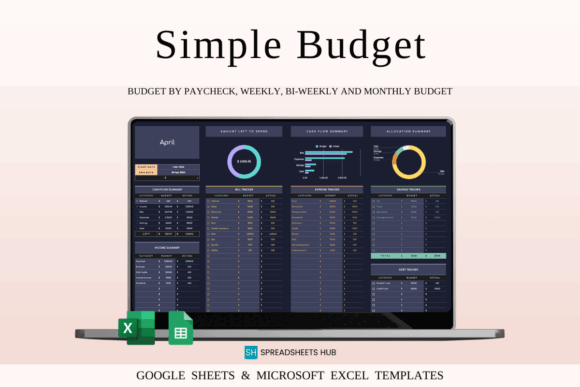
Budget Planner Template in Google Sheets is a focused budgeting spreadsheet for recording income, expenses, and monthly financial activity. It offers a simpler alternative to large personal finance packages when the main objective is gaining control over regular spending.
This is my pick for someone creating a first digital budget. A single-purpose sheet is less intimidating and easier to keep current than a large collection of dashboards. It may become limiting when you need detailed net-worth, investment, or business records, but that narrower scope is useful for building a consistent habit.
Best for: first-time budgeters, monthly spending, simple money reviews
Key features: Google Sheets format, income and expense organization, reusable budget layout
9. Annual Budget by Paycheck Spreadsheet
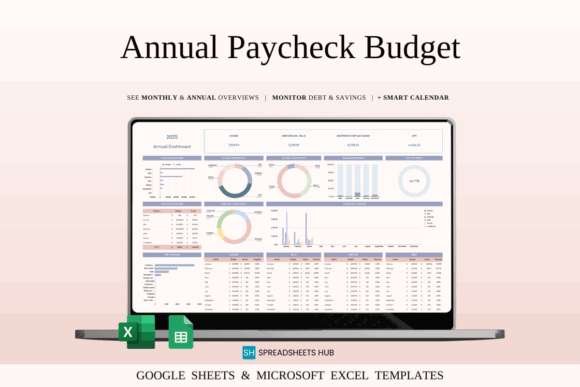
Annual Budget by Paycheck Spreadsheet is designed for people who plan spending around individual pay periods rather than one monthly income total. It brings paycheck budgeting into an annual view, helping users account for bills, expenses, savings, and changing cash flow throughout the year.
I would choose this for weekly, biweekly, or otherwise uneven payment schedules. Paycheck-level planning can show which income deposit must cover a particular bill, which a monthly total may hide. The system requires more frequent updates, so it is less suitable for someone who only wants a quick monthly summary.
Best for: paycheck budgeting, variable pay schedules, annual cash-flow planning
Key features: pay-period organization, annual view, bill planning, savings tracking
10. 50/30/15/5 Monthly Budget Planner
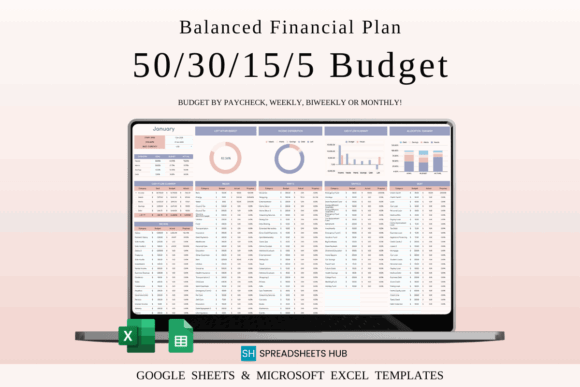
50/30/15/5 Monthly Budget Planner organizes monthly income with a predefined percentage-based structure. It is meant for users who prefer to divide money among major priorities rather than create a budget framework entirely from scratch.
The guided method is the main reason I would select this template. It gives each dollar a broad destination and may make the first setup faster. However, preset percentages do not reflect every income level, debt load, or cost of living, so I would treat them as editable planning targets rather than fixed financial rules.
Best for: guided budgeting, monthly allocation, visual spending limits
Key features: percentage-based structure, monthly planning, editable budget categories
Download Monthly Budget Planner
11. Inventory Tracker Spreadsheet Template
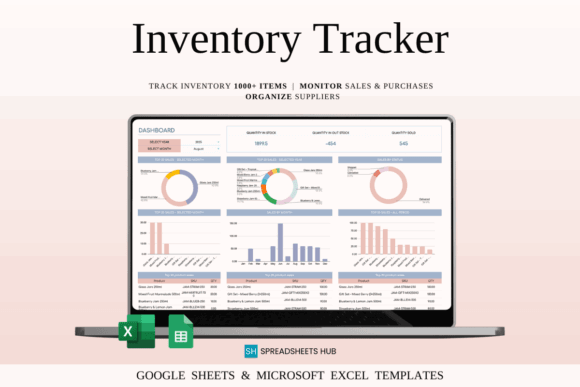
Inventory Tracker Spreadsheet Template is a stock-control tool for recording products, supplies, sales, reorder information, profit, and margins. It is relevant to online shops, craft businesses, makers, and service providers that keep consumable materials on hand.
I would use this before moving to dedicated inventory software when the catalog is still manageable in a spreadsheet. Editable fields make it possible to track finished products, packaging, blanks, or production supplies. It is less appropriate for businesses that need barcode scanning, automatic marketplace syncing, or complex warehouse management.
Best for: small product catalogs, craft supplies, reorder planning
Key features: stock records, sales tracking, reorder fields, profit and margin calculations
12. To-Do List Tracker Template Excel
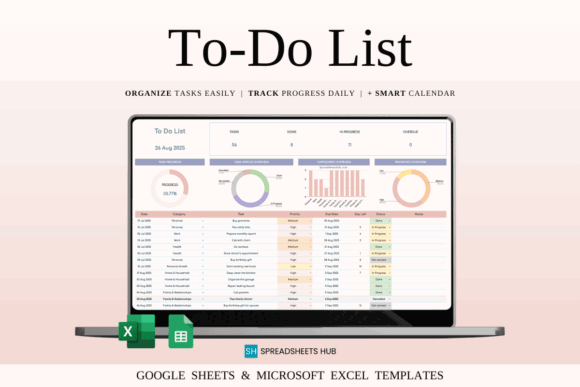
To-Do List Tracker Template Excel is a task-management spreadsheet with fields for priorities, categories, due dates, notes, and completion status. Despite the Excel wording in the title, it is positioned as a flexible spreadsheet tool for organizing recurring work and personal responsibilities.
This is the easiest option to adopt when a full project-management bundle feels excessive. I would use custom categories for business, household, financial, and personal tasks. A flat task list can become crowded when projects contain many dependencies, but it remains practical for straightforward daily and weekly planning.
Best for: weekly tasks, priority planning, simple workflows
Key features: task status, due dates, priority levels, customizable categories
13. Holiday and Special Event Planners Excel
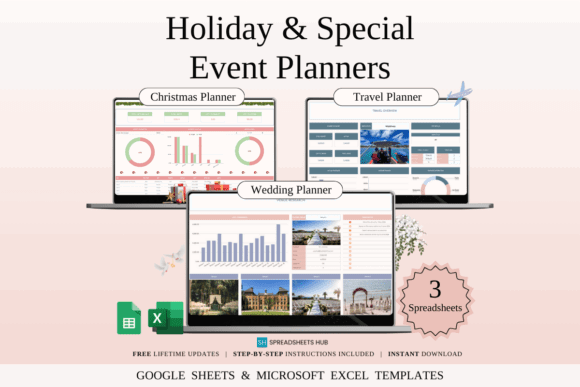
Holiday and Special Event Planners Excel is a planning collection for organizing seasonal celebrations and special occasions. It is intended to bring schedules, budgets, guest-related details, and preparation tasks into structured spreadsheet views rather than separate notes.
I would choose this for recurring holidays or larger events where purchases and deadlines accumulate over several weeks. A reusable spreadsheet can reduce the need to rebuild a checklist every year. It may be more detailed than necessary for a small gathering, but the extra structure is useful when several people share planning responsibilities.
Best for: holidays, family events, shared preparation
Key features: event-planning sheets, budgeting support, reusable schedules, Google Sheets compatibility
14. Income and Expense Tracker Spreadsheet
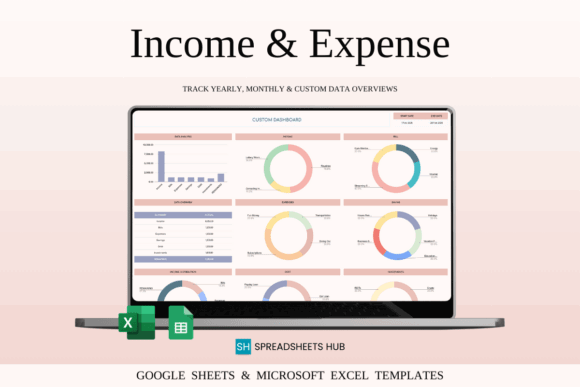
Income and Expense Tracker Spreadsheet is a general cash-flow organizer for recording incoming money, spending, bills, savings, debts, and related financial activity. It can be adapted for personal finances, a side business, or a freelancer who needs a clear record without a large bookkeeping system.
This is my practical middle-ground pick. It provides more context than a basic expense list but remains less demanding than a complete finance package. Some categories may need to be renamed before using it for business records, and users should avoid mixing personal and business transactions in the same tab unless that separation is clearly maintained.
Best for: simple cash flow, side businesses, freelance records
Key features: income entries, expense categories, bill tracking, savings and debt sections
Download Income Expense Tracker
15. Small Business Bookkeeping Spreadsheet
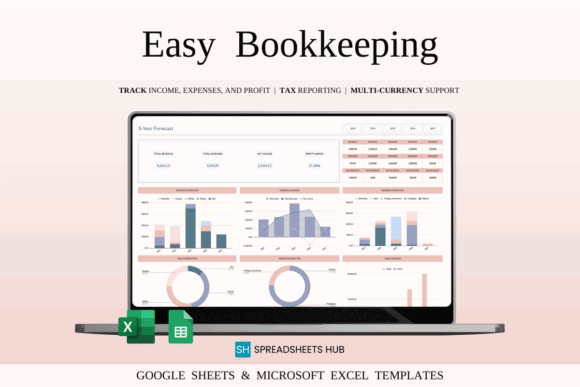
Small Business Bookkeeping Spreadsheet is a financial recordkeeping template for tracking business income, expenses, transactions, and profit over time. It suits entrepreneurs who need more structure than a personal budget but are not ready to move every record into dedicated accounting software.
I would use this for a small operation with straightforward transactions and a consistent monthly review process. Dashboard-style summaries can help reveal cost and income patterns, but the spreadsheet is still an organizational tool rather than professional accounting guidance. Businesses with payroll, sales tax, or complex reporting should confirm their process with a qualified professional.
Best for: small-business finances, monthly bookkeeping, profit tracking
Key features: transaction records, income and expense categories, financial summaries, multi-period tracking
Download Bookkeeping Spreadsheet
How to Choose the Right Google Sheets Bundle
Begin with the question you need the spreadsheet to answer. A seller may need to know which products are profitable, while a household may need to see which paycheck covers an upcoming bill. A bundle is valuable when its templates support the same decision-making process, not simply because it contains many files.
Choose a Bundle for Connected Workflows
A bundle makes sense when several records depend on one another. Business income, expenses, inventory, and sales are connected, as are household budgets, bills, debt payments, and savings. Coordinated sheets can keep those areas organized with similar categories and visual conventions.
Choose a Single Template for One Clear Problem
A focused template is often better when only one process needs attention. An inventory tracker, paycheck budget, or task list can be introduced without rebuilding the rest of your workflow. This reduces setup time and lowers the risk of abandoning an overly complicated system.
Check the Included Versions
Look for clear confirmation that the download includes Google Sheets access rather than only an Excel file or printable PDF. Dual-format products provide flexibility, but formulas and visual formatting may behave differently after conversion. Keep an untouched original before editing formulas, dropdowns, charts, or protected ranges.
Limit the Information You Track
More fields do not automatically produce better decisions. I prefer a spreadsheet that records the information I will review and act on. Remove optional categories that add work without changing how you budget, schedule, reorder, or plan.
Protect Financial and Business Data
Budget, customer, sales, and transaction spreadsheets may contain sensitive information. Review sharing permissions, use strong account security, and avoid publishing editable links. When collaborating, provide the lowest level of access required for the other person’s role.
Looking for a wider selection? Browse more Google Sheets bundles on Creative Fabrica, including additional business, budgeting, trading, household, and productivity templates.
My Final Picks
For a new company, I would start with Small Business Bundle | 16 Templates because it provides room to build several administrative systems gradually. Service Business Bundle is more relevant when most income comes from clients and appointments, while Premium Templates for Etsy Seller is the strongest specialized option for a marketplace shop.
For personal use, Ultimate Personal Finance Toolkit offers a balanced collection without becoming excessively broad. A first-time budgeter may be better served by Budget Planner Template in Google Sheets, while Annual Budget by Paycheck Spreadsheet provides a clearer framework for income that arrives weekly or biweekly.
Frequently Asked Questions
What is included in a Google Sheets bundle?
A Google Sheets bundle usually contains several related spreadsheets for one broader purpose, such as budgeting, bookkeeping, inventory control, event planning, or business management. The files may include blank templates, examples with sample data, instructions, dashboards, calculators, and Excel versions. Always review the individual contents before choosing a bundle. Two products with similar names may cover very different workflows, and a smaller collection may contain more of the tools you will actually use.
Can I edit a purchased Google Sheets template?
Most spreadsheet templates are designed to be customized, so you can usually rename categories, change labels, add rows, and remove unused sections. Keep an untouched backup before modifying formulas, charts, validation rules, conditional formatting, or protected cells. Begin with text and category changes before restructuring the workbook. This lets you adapt the template to your workflow without accidentally breaking calculations or dashboard references.
Is a Google Sheets budget template better than a printable planner?
A Google Sheets budget is better for automatic calculations, frequent updates, and access across devices, while a printable planner may feel simpler for handwritten review. The stronger choice depends on how consistently you prefer to record and check financial information. Spreadsheets are particularly useful when totals, percentages, and category comparisons change throughout the month. Printable pages can be useful for goal setting, reflection, and users who do not want to enter every transaction digitally.
Can Google Sheets replace bookkeeping software?
Google Sheets can organize income, expenses, invoices, and straightforward transaction records, but it may not replace accounting software for a complex business. Payroll, sales tax, automated bank feeds, inventory integrations, and formal reporting can require more specialized tools. A spreadsheet can still provide a useful starting system and cleaner records for professional review. Confirm your reporting, tax, and document-retention requirements with a qualified professional in your location.


Follow Us