

ℹ️ Affiliate Disclosure: This article may contain affiliate links. We may earn a commission at no extra cost to you. Thanks for your support! ❤️
Essential Google Sheets Bundles for Graphic Designers
Graphic design involves much more than creating attractive visuals. I also need a reliable way to organize client requests, deadlines, invoices, content schedules, product inventory, and business expenses. A useful Google Sheets bundle can bring those moving parts together without requiring another complicated project-management subscription.
I selected these spreadsheet assets for freelance designers, small studios, template creators, and digital-product sellers. My picks cover the administrative side of creative work, including project planning, client management, bookkeeping, shop tracking, and weekly scheduling.
Looking for more options? Browse more Google Sheets templates and bundles on Creative Fabrica for additional planners, trackers, dashboards, and business organization tools
The best Google Sheets assets for graphic designers are editable templates that reduce repetitive administrative work. Look for client trackers, project dashboards, content calendars, financial tools, and inventory sheets that match the way you already manage design jobs. A smaller, focused bundle is usually more useful than a huge collection filled with unrelated personal planners.
| Google Sheets asset | Best for | Format or type |
|---|---|---|
| Small Business Bundle | Building a complete studio system | Excel and Google Sheets bundle |
| Client Tracker & Management Spreadsheet | Freelance client projects | Client management spreadsheet |
| Kanban Board Spreadsheet Template | Visual production workflows | Project-management spreadsheet |
| Content Calendar, Google Sheets | Campaign and portfolio content | Content calendar |
| Financial Tools for Freelancers | Tracking variable income | Finance toolkit |
| Premium Templates for Etsy Seller | Digital asset shops | Seller spreadsheet bundle |
| Time-Saving Spreadsheet Bundle | Broad business administration | Multi-template bundle |
| CRM Spreadsheet Template | Leads and follow-ups | CRM spreadsheet |
| Task Tracker Template | Detailed deliverables | Task-management spreadsheet |
| Inventory Tracker Spreadsheet | Products and supplies | Inventory spreadsheet |
| Small Business Bookkeeping Spreadsheet | Studio bookkeeping | Financial spreadsheet |
| Income and Expense Tracker | Simple cash-flow tracking | Finance tracker |
| Social Media Schedule Template | Publishing consistency | Social planning template |
| Weekly Planner Template | Time-blocking design work | Weekly planning spreadsheet |
| To-Do List Tracker Template | Simple daily task control | Task-list spreadsheet |
Best Google Sheets Bundles and Templates for Graphic Designers
1. Small Business Bundle | 16 Templates
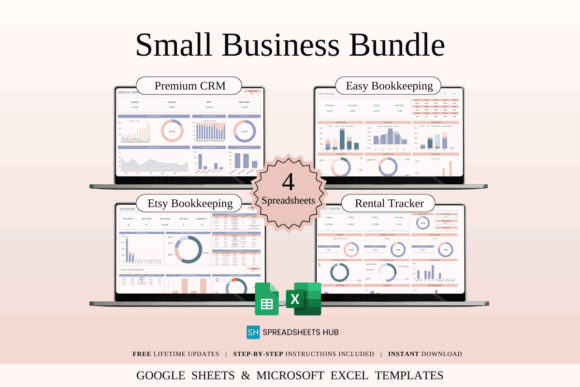
Small Business Bundle | 16 Templates is an all-purpose spreadsheet toolkit for independent designers who want several business systems in one download. It is intended for Excel and Google Sheets, giving users a collection of templates for organizing finances and day-to-day operations.
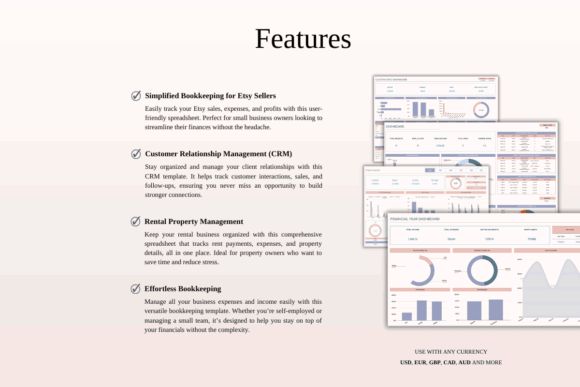
This would be my starting pick for a new freelance studio that has outgrown scattered notes but does not need specialized agency software. The broad scope is useful, although designers with an established workflow may find that only part of the collection applies to them. Review the included sheets before reorganizing your entire business around it.
Best for: new freelance studios, broad administrative needs, multi-template setup
Key features: 16-template collection, Google Sheets and Excel access, small-business focus
Download Small Business Bundle
2. Client Tracker & Management Spreadsheet
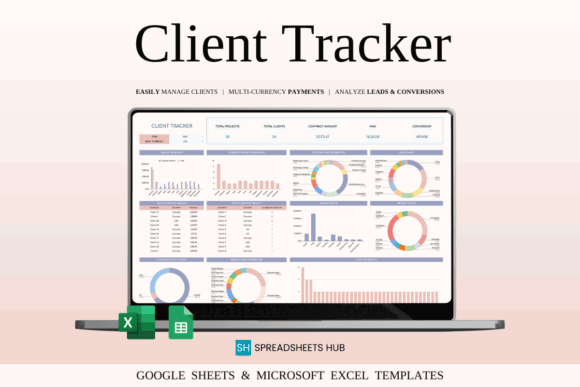
Client Tracker & Management Spreadsheet is designed for freelancers who need to connect contact details, projects, deadlines, invoices, and payments. It gives a graphic designer one central place to record the practical information attached to each commission.
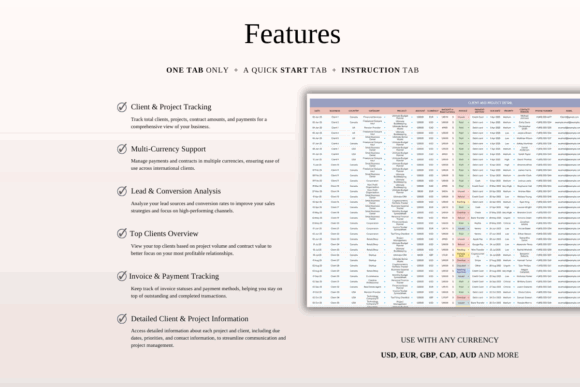
I like this type of sheet for branding, illustration, and social media projects where several approvals may happen before final delivery. Its multi-currency and payment-tracking functions may also help designers working with international clients. The limitation is that the spreadsheet still depends on consistent manual updates, so it needs to become part of your regular project routine.
Best for: freelance commissions, international clients, payment tracking
Key features: client records, project deadlines, invoice tracking, multi-currency support
3. Kanban Board Spreadsheet Template
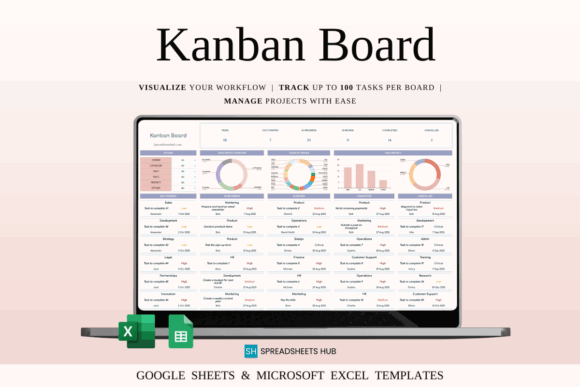
Kanban Board Spreadsheet Template turns Google Sheets into a visual project board for designers who prefer moving work through clear production stages. Tasks can be organized by status, owner, category, tags, priority, effort, and deadline.
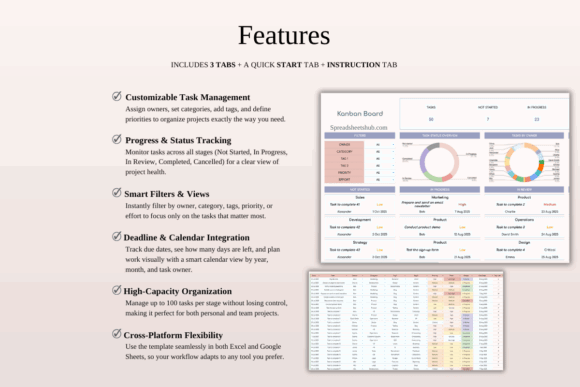
I would use this for a repeatable design pipeline such as brief received, research, first draft, client review, revisions, and delivery. Calendar views and smart filters make it more capable than a basic task list. It may feel overly structured for one-off personal projects, but it has stronger potential for studios handling several active jobs at once.
Best for: multi-stage design projects, small creative teams, deadline visibility
Key features: Kanban stages, smart filters, calendar views, customizable task fields
Download Kanban Board Template
4. Content Calendar, Google Sheets
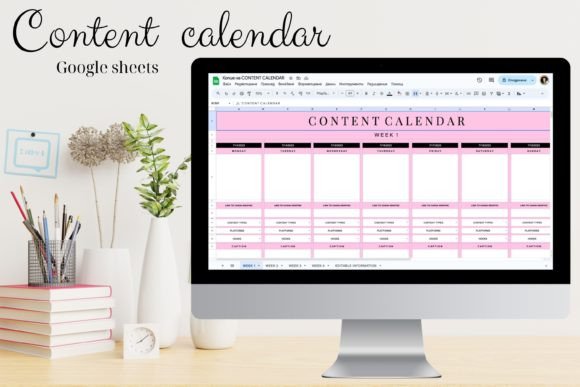
Content Calendar, Google Sheets is a publishing planner for designers who promote their work through social posts, newsletters, tutorials, or portfolio updates. It provides a structured place to map content ideas and coordinate them with a release schedule.
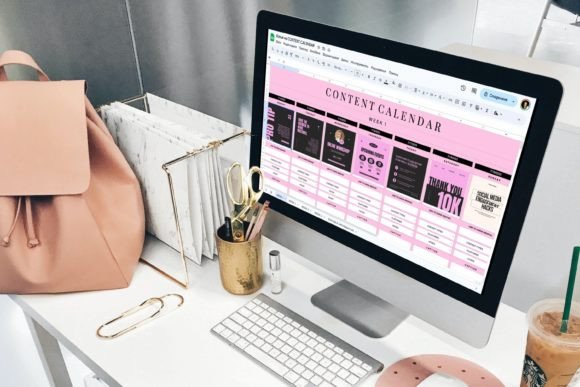
My favorite use would be planning the content around a product launch rather than treating every post as an isolated idea. A designer could coordinate teaser graphics, process videos, launch-day images, and follow-up posts in the same calendar. It is less useful for managing the actual design-production stages, so I would pair it with a project tracker.
Best for: launch campaigns, portfolio marketing, creator content
Key features: calendar-based planning, reusable Google Sheets format, campaign organization
5. Financial Tools for Freelancers | Excel
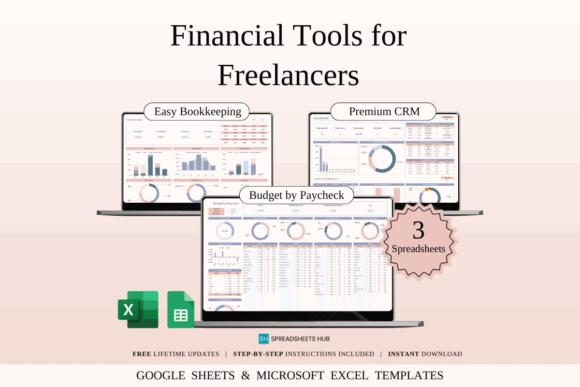
Financial Tools for Freelancers | Excel is a finance toolkit built around the irregular income and independent administration common in freelance work. Although Excel appears in the product name, the listing describes spreadsheet templates for both Excel and Google Sheets.
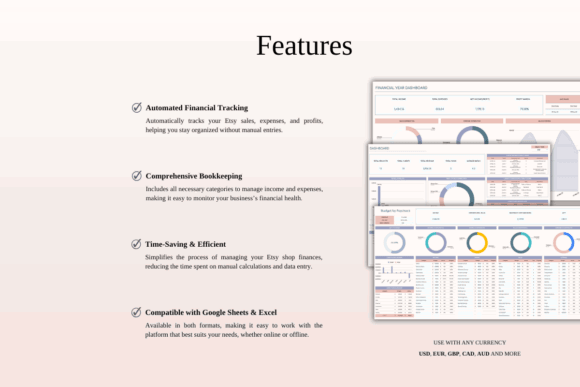
This is one of my more relevant picks for graphic designers because it addresses freelance finances rather than a conventional household budget. It may help organize income, expenses, and client-related records as a creative business grows. It is an organizational tool rather than accounting advice, so tax categories and reporting decisions should still be checked with a qualified professional.
Best for: variable income, freelance expenses, growing solo businesses
Key features: freelancer-focused toolkit, financial organization, Excel and Google Sheets formats
Download Freelancer Finance Tools
6. Premium Templates for Etsy Seller
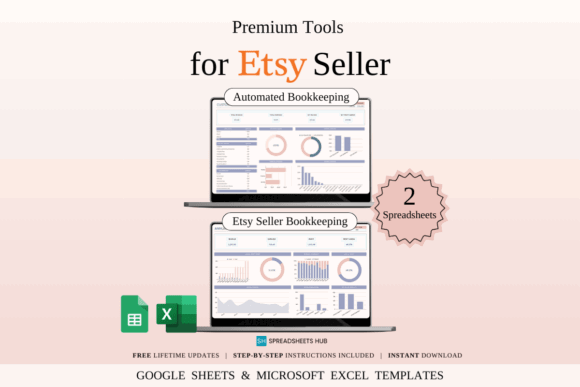
Premium Templates for Etsy Seller is a spreadsheet bundle for creators who sell fonts, graphics, printable files, templates, or other digital products through an Etsy shop. The bundle focuses on sales, fees, expenses, product costs, shipping, and profit tracking.
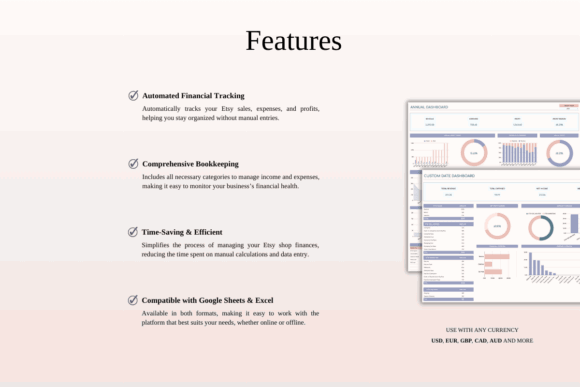
I would choose this over a generic budget sheet for a designer whose asset shop has become a meaningful income stream. Its seller-specific categories can reduce the amount of customization required at setup. Designers selling through several marketplaces may need to add columns or separate tabs to keep each platform’s transactions clear.
Best for: Etsy asset shops, digital-product income, seller bookkeeping
Key features: automated calculations, fee tracking, income and expense records, seller-focused layouts
Download Etsy Seller Templates
7. Time-Saving Spreadsheet Bundle
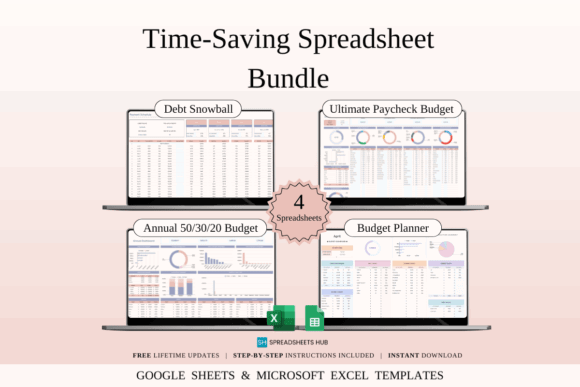
Time-Saving Spreadsheet Bundle is a collection of business-oriented templates for designers who would rather purchase a coordinated toolkit than assemble individual sheets. It supports both Excel and Google Sheets, making it easier to move between desktop and cloud workflows.
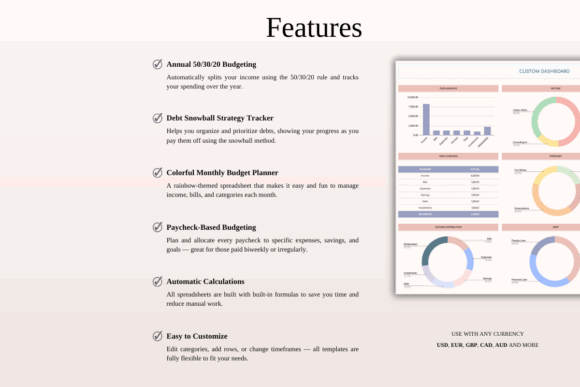
The appeal here is breadth. I would consider it for a small studio that needs several administrative sheets but has not yet decided which systems deserve dedicated software. A bundle can also include more material than one designer will realistically maintain, so I recommend adopting only the templates tied to recurring tasks.
Best for: studio administration, first-time spreadsheet systems, flexible business planning
Key features: multi-template collection, Excel compatibility, Google Sheets compatibility
8. CRM Spreadsheet Template Google Sheets
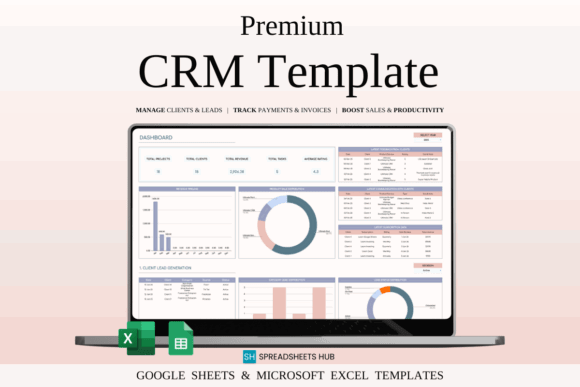
CRM Spreadsheet Template Google Sheets is a customer-relationship tracker for designers who need to manage leads, client details, communications, and follow-up activity. The download includes sample and blank versions for Google Sheets and Microsoft Excel.
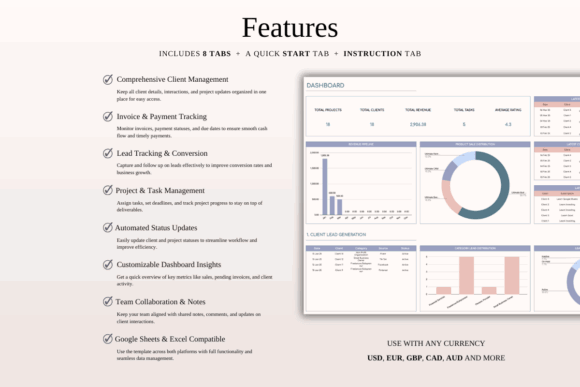
I see this as a sales tool rather than a full project workspace. It could help a brand designer track inquiries from initial contact through proposal follow-up without letting promising leads disappear in an inbox. Once a lead becomes a complex active project, a separate production tracker will probably provide better detail.
Best for: design inquiries, lead follow-up, client communication records
Key features: sample and blank sheets, CRM fields, cross-device access, Excel support
9. Task Tracker Template Spreadsheet Excel
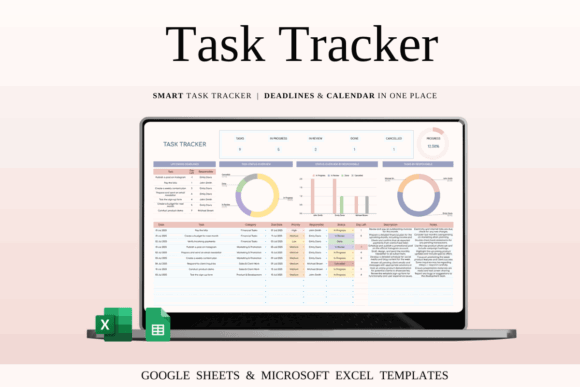
Task Tracker Template Spreadsheet Excel is a customizable workflow sheet for individuals and teams managing tasks, deadlines, and project progress. The package includes sample and blank templates for Google Sheets and Excel, along with setup instructions.
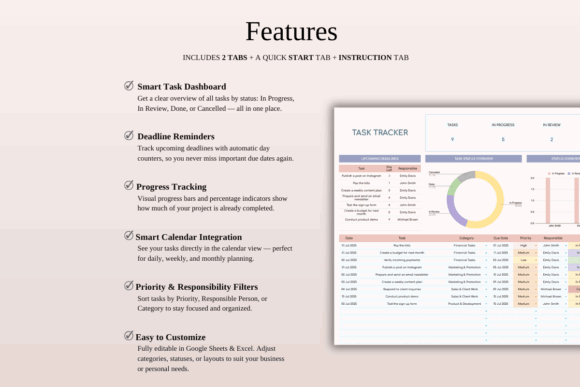
I would use this for deliverable-level planning, especially when one design job contains research, sketches, copy placement, revisions, exports, and file handoff. The mock-data version should make the structure easier to understand before customization. Compared with the Kanban pick, this is better suited to designers who prefer rows and detailed fields over a board-style view.
Best for: detailed deliverables, team assignments, deadline tracking
Key features: four spreadsheet versions, mock data, blank templates, editable task fields
10. Inventory Tracker Spreadsheet Template
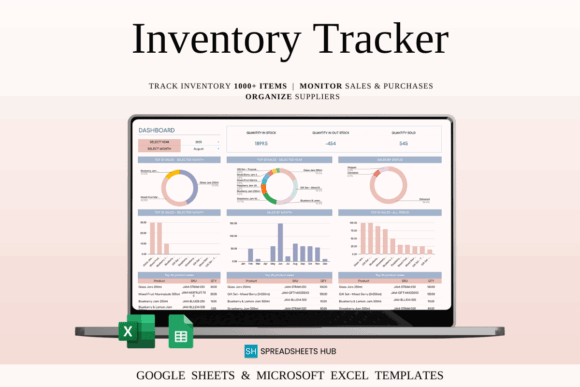
Inventory Tracker Spreadsheet Template organizes stock details, sales, reorder information, profit, and margins in Google Sheets or Excel. It suits designers who sell physical products or keep materials for printing, packaging, sublimation, vinyl work, or craft production.
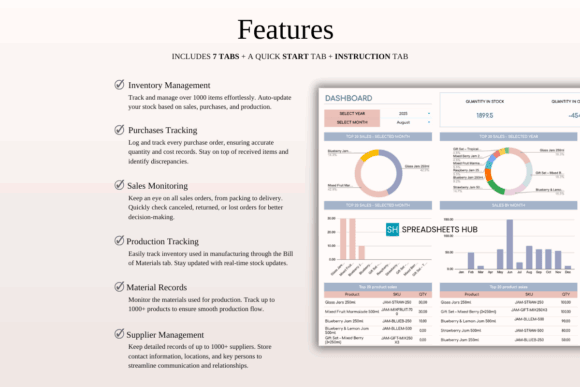
This is less relevant to a service-only designer, but it becomes valuable when creative work includes merchandise or finished goods. I would use it to monitor blanks, packaging, paper, ink, or ready-to-ship products. Because the sheet is customizable, designers can remove retail fields and repurpose categories around their actual production supplies.
Best for: merchandise designers, print supplies, physical product stock
Key features: stock records, sales tracking, reorder management, profit calculations
11. Small Business Bookkeeping Spreadsheet
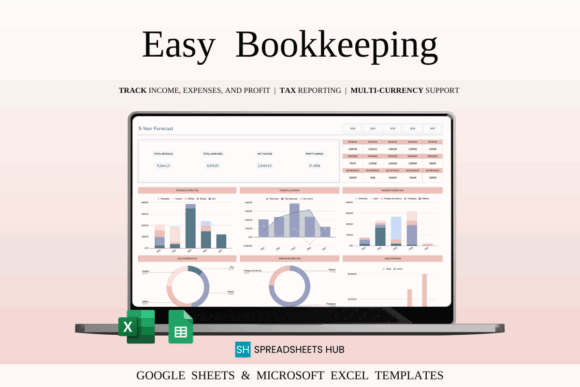
Small Business Bookkeeping Spreadsheet is a financial template for recording income, expenses, and profit across a multi-year business dashboard. It is designed for Excel and Google Sheets and performs calculations from entered transactions.
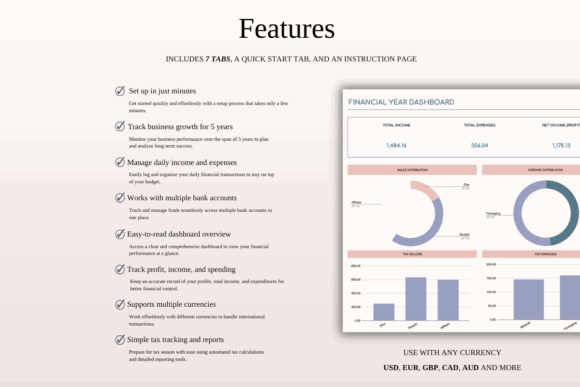
I would consider this for a graphic designer who wants a clearer business overview than a simple monthly budget provides. The dashboard can make patterns easier to notice, such as rising software costs or seasonal income changes. It should not be treated as a substitute for professional bookkeeping requirements, particularly when sales tax, payroll, or complex deductions are involved.
Best for: long-term studio finances, income analysis, expense categorization
Key features: transaction entry, profit tracking, multi-year dashboard, monthly and annual views
Download Bookkeeping Spreadsheet
12. Income and Expense Tracker Spreadsheet
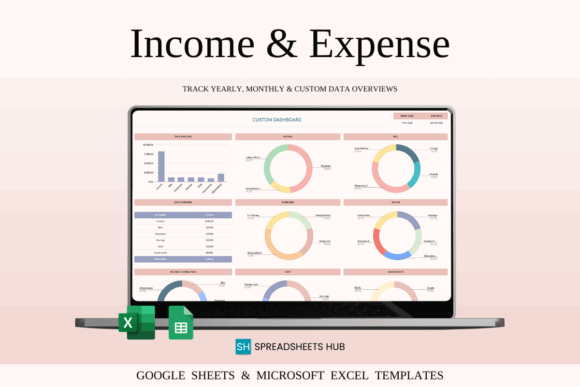
Income and Expense Tracker Spreadsheet is a straightforward financial organizer for recording incoming money, expenses, bills, savings, debts, and investments. It can be adapted for personal use or basic small-business cash-flow monitoring.
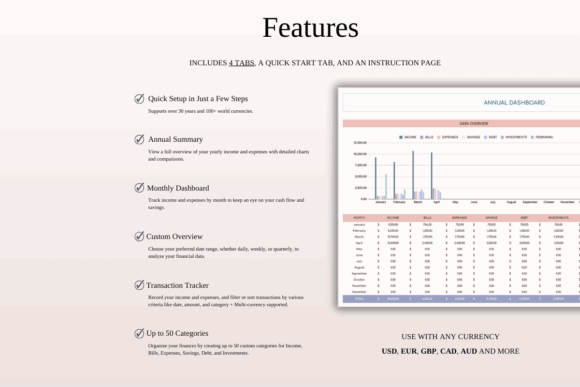
This is my pick for designers who find full bookkeeping dashboards intimidating and want a simpler first step. It can separate recurring design costs such as software, fonts, mockups, advertising, and equipment. Since it includes personal-finance categories too, some cleanup may be needed before it feels tailored to a studio.
Best for: simple cash-flow tracking, new freelancers, recurring design expenses
Key features: income records, expense categories, bill tracking, savings and debt sections
Download Income Expense Tracker
13. Social Media Schedule Template
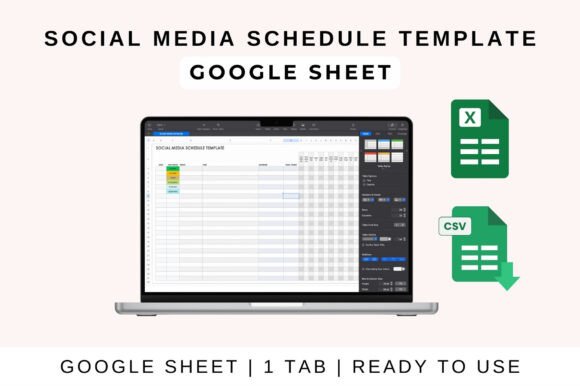
Social Media Schedule Template is a planning asset for organizing posts across multiple platforms. It is aimed at content creators, marketers, and business owners who need a consistent overview of what will be published and when.
I would use it for a manageable weekly or monthly posting rhythm rather than filling every available channel. Graphic designers can plan project reveals, before-and-after posts, educational carousels, testimonials, and product promotions. Confirm the editable format and included fields against your preferred workflow, since this listing is broader than the dedicated Google Sheets content-calendar pick.
Best for: social campaigns, portfolio promotion, multi-platform scheduling
Key features: post organization, platform planning, reusable schedule structure
Download Social Media Schedule
14. Weekly Planner Template Excel
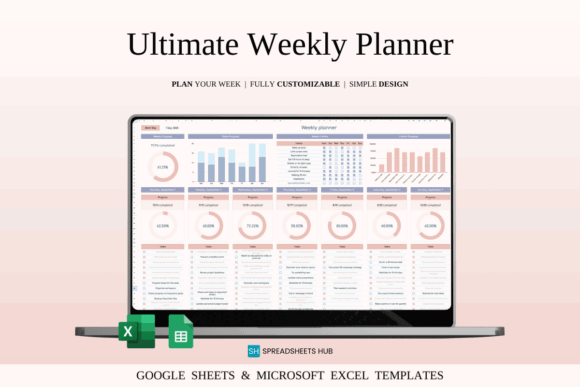
Weekly Planner Template Excel is a Google Sheets and Excel planner for scheduling tasks, goals, and recurring activities across a week. It provides a clearer time horizon for designers who find a long project list difficult to translate into daily action.
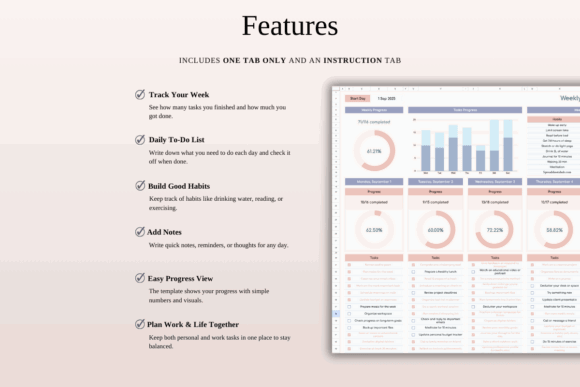
I would use this to reserve separate blocks for focused design, revisions, client communication, marketing, and administration. That separation can prevent email and small requests from consuming the hours intended for creative production. It is a personal planning tool rather than a client database, so it pairs better with one of the management spreadsheets above.
Best for: weekly time-blocking, balancing creative and admin work, solo designers
Key features: weekly structure, task planning, goal tracking, Google Sheets and Excel support
15. To-Do List Tracker Template Excel
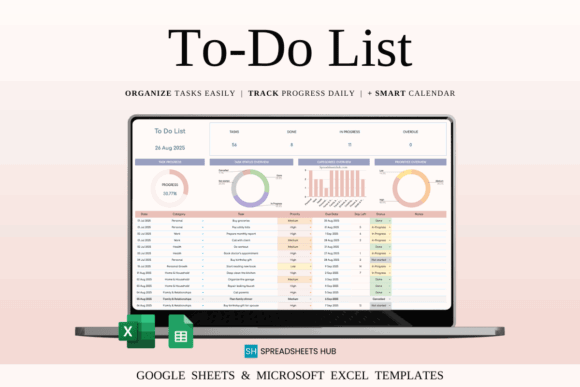
To-Do List Tracker Template Excel is a task-management spreadsheet for organizing priorities, categories, due dates, notes, and completion status. It also includes filtering, calendar views, customizable categories, and visual progress information.
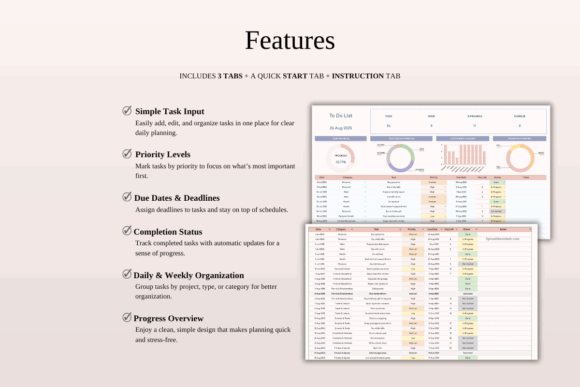
This is the easiest pick to recommend for a designer who wants more structure without adopting a full CRM or studio dashboard. Custom categories could separate client work, shop updates, portfolio tasks, learning, and administration. It may become crowded when a project contains dozens of dependencies, but it is practical for daily and weekly control.
Best for: everyday task management, priority planning, simple freelance workflows
Key features: status tracking, priority levels, calendar view, smart filters
What to Look for in a Graphic Design Spreadsheet Bundle
Start with the problem you need to solve most often. A client tracker is more valuable than an inventory system for a service-based designer, while a digital asset seller may get more use from marketplace bookkeeping and product records. Buying a large bundle without a defined purpose can simply replace digital clutter with spreadsheet clutter.
Editable Categories and Status Labels
Graphic design projects rarely follow generic business labels exactly. Look for templates that let you rename stages as inquiry, proposal, deposit, concept, feedback, revisions, approved, and delivered. Editable categories also make it easier to separate branding, illustration, web graphics, social media, and template-shop work.
Useful Views Without Excessive Maintenance
Dashboards, charts, and calendars can make a sheet easier to read, but they are only helpful when the underlying data is kept current. I prefer templates that request information I already need to record rather than dozens of optional fields. The best system is the one that remains accurate during a busy client week.
Clear Instructions and Sample Data
A sample sheet can show where information belongs and how formulas react before you enter real business data. This is particularly useful for dashboards, inventory calculations, and financial trackers. Make a clean backup before changing formulas, dropdown ranges, protected cells, or chart sources.
Google Sheets and Excel Compatibility
Dual compatibility gives designers more flexibility, but advanced formatting or formulas may not behave identically in both programs. Decide which platform will be your main version and check imported files carefully. Google Sheets is convenient for collaboration, while Excel may suit designers who prefer local desktop files.
Client and Financial Data Privacy
Spreadsheets may contain names, contact details, project fees, payment records, or other sensitive information. Limit sharing permissions, use strong account security, and avoid placing confidential client files in publicly accessible folders. A collaborative link should provide only the level of access the recipient actually needs.
My Final Pick
For a freelance graphic designer, I would begin with the Client Tracker & Management Spreadsheet and add either the Kanban Board or Task Tracker for production planning. Designers selling downloadable assets should also consider Premium Templates for Etsy Seller. A broader collection such as the Small Business Bundle makes more sense when several administrative systems need to be built at the same time.
Keep the final setup lean. One reliable client sheet, one project view, and one financial tracker can cover most solo design businesses more effectively than 15 disconnected dashboards. Choose the templates that answer questions you regularly ask, then customize their categories around your actual creative process.
Frequently Asked Questions
What is the best Google Sheets template for a freelance graphic designer?
The best starting template is usually a client and project tracker that records contact information, deadlines, deliverables, invoice status, and payments. It addresses the information a freelancer needs throughout each commission without creating separate files for every administrative task. Designers with many overlapping jobs may benefit from pairing that tracker with a Kanban board or detailed task sheet. Asset sellers may prioritize inventory, sales, and marketplace bookkeeping instead.
Can I customize a purchased Google Sheets bundle for my design business?
Most spreadsheet templates are intended to be edited, so you can usually rename categories, adjust status labels, add columns, and remove unused sections. Always keep an untouched backup before changing formulas, data-validation rules, dashboards, or protected ranges. Start with cosmetic and labeling changes before rebuilding calculations. That approach preserves the original functionality while making the sheet feel more relevant to branding, illustration, social media, or digital-product workflows.
Do graphic designers need both a CRM and a project tracker?
A CRM manages relationships and sales activity, while a project tracker manages the work after a job begins. A busy designer may benefit from both, but a new freelancer can often start with one combined client-management spreadsheet. Add a separate CRM when the number of inquiries, proposals, and follow-ups becomes difficult to monitor. Add a dedicated project tracker when active jobs contain many deliverables, collaborators, approvals, or deadlines.
Are Google Sheets templates enough for bookkeeping?
A Google Sheets template can organize transactions, expenses, invoices, and cash flow, but it does not replace professional accounting guidance. Tax reporting, sales tax, payroll, and complex deductions may require dedicated software or help from a qualified professional. Use a spreadsheet to keep clean, consistent records and make financial discussions easier. Confirm which records, categories, and supporting documents are required in your location and for your business structure.

Follow Us