

Introduction
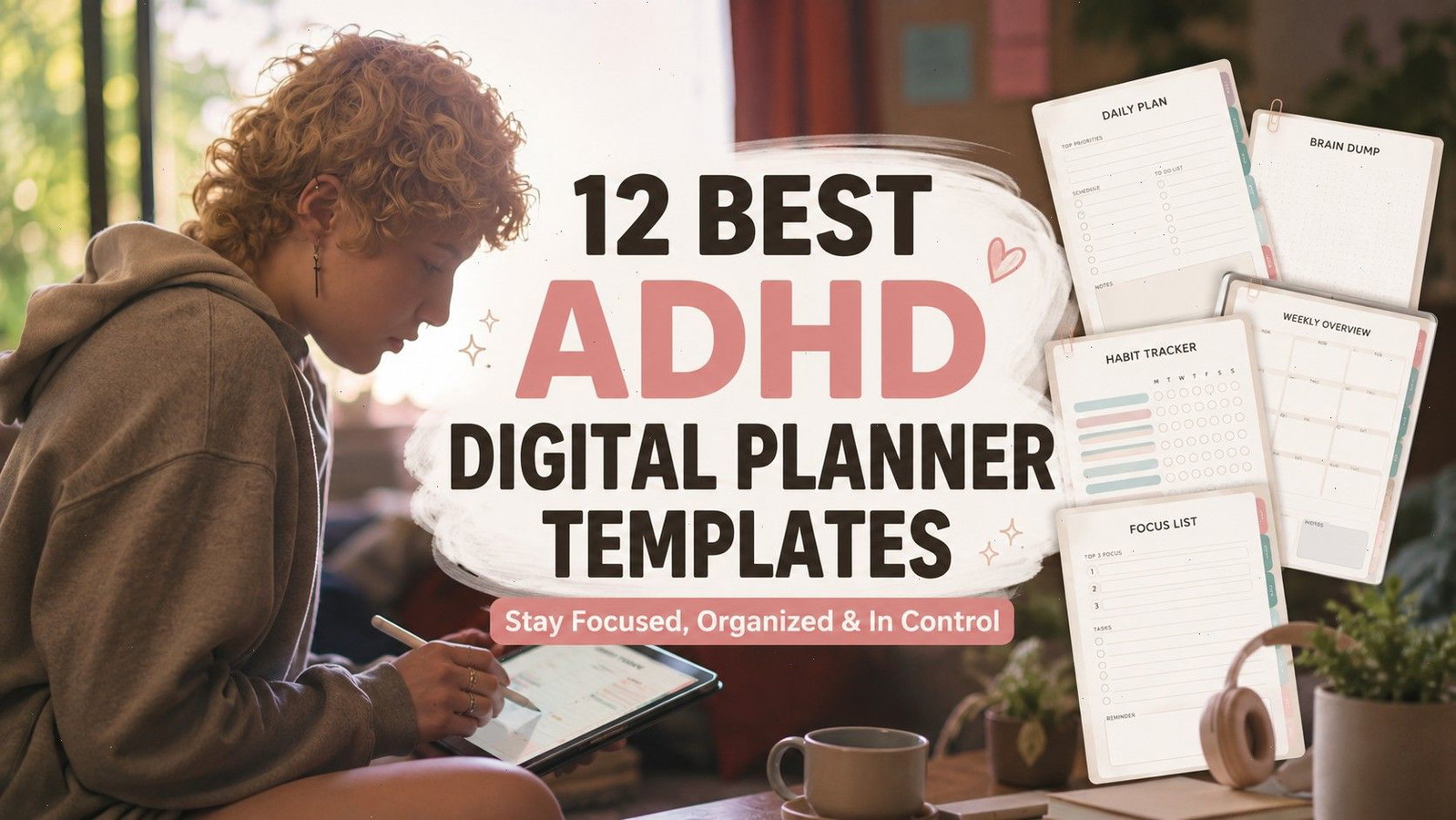
The best ADHD digital planner templates do more than provide another place to write a long to-do list. They reduce the number of decisions required to start planning, make priorities easier to see, and keep frequently used pages within quick reach.
That distinction matters. A planner can contain hundreds of attractive pages and still feel exhausting when you only need to decide what to do next.
For this roundup, we focused on reusable digital planners with features such as hyperlinks, daily routines, brain dumps, time-blocking sections, task pages, and editable layouts. The collection includes options for GoodNotes, Canva, OneNote, reMarkable, Notability, Noteshelf, and Xodo.
A planner is not a treatment for ADHD, and no layout will fit every person. The most useful option is usually the one that feels simple enough to reopen tomorrow.
Quick Picks
- Best customizable starting point: ADHD Digital Planner Canva Template
- Best GoodNotes workbook: ADHD Digital Planner for GoodNotes
- Best reusable calendar: ADHD Undated Digital Planner for GoodNotes
- Best focused capture tool: Digital ADHD Brain Dump Planner
- Best for household routines: Digital ADHD Cleaning Planner
How I Picked These
I compared these digital planners by navigation speed, page clarity, app compatibility, reusable structure, customization, writing space, specialization, and how easily the core pages can be used without requiring a large number of trackers or setup steps. These are organizational templates, not medical treatment.
What Makes a Digital Planner ADHD-Friendly?
An ADHD-friendly planner should reduce friction rather than create a new organization project.
Clear page hierarchy, visible priorities, short task sections, brain-dump space, and quick navigation are generally more useful than decorative extras. Planners can support working memory by keeping appointments, tasks, and reminders in one accessible location. Digital formats also have the practical advantage of being available across supported devices.
Real users often look for calendars, task organization, executive-function support, and ways to reduce overwhelm—not simply more tracking pages. Discussions among ADHD and GoodNotes users repeatedly mention flexible layouts, visible tabs, calendar integration, and systems that do not become another source of pressure.
The strongest planner for you may therefore be the least ambitious one. A focused daily page that you use regularly is more valuable than a complicated life-management dashboard you avoid opening.
Best ADHD Digital Planners for Focus and Organization
1. ADHD Digital Planner Canva Template
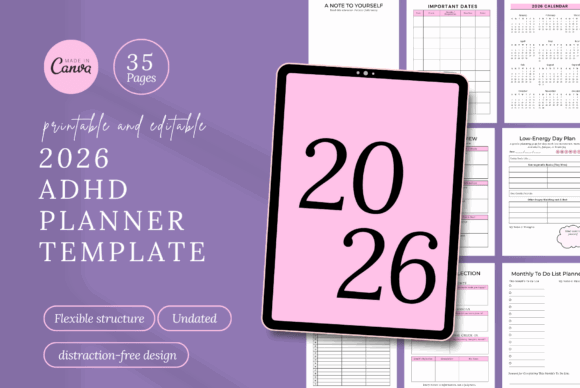
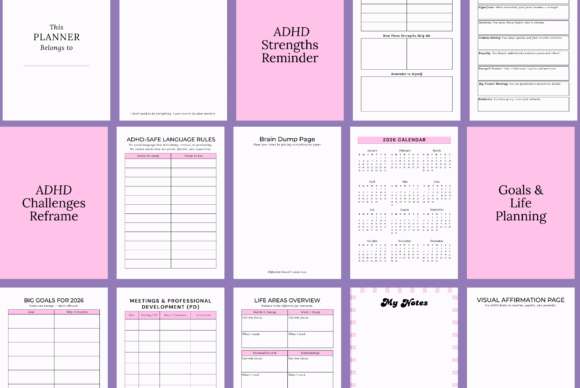
This minimal Canva planner is one of the cleaner choices in the collection. It includes daily, weekly, and monthly planning sections and is aimed at adults, students, creatives, and entrepreneurs who want gentle structure rather than a rigid productivity system.
The editable Canva layout is the main advantage. You can remove pages you will not use, simplify labels, change the visual hierarchy, or create a calmer color palette before importing the finished planner into your preferred annotation app.
That customization can also become a distraction. Make the essential changes once, export the planner, and begin using it rather than redesigning it every week.
Best for: Minimal planning, students, creative professionals
Key features: Editable layout, daily, weekly, monthly planning
2. ADHD Digital Planner for GoodNotes
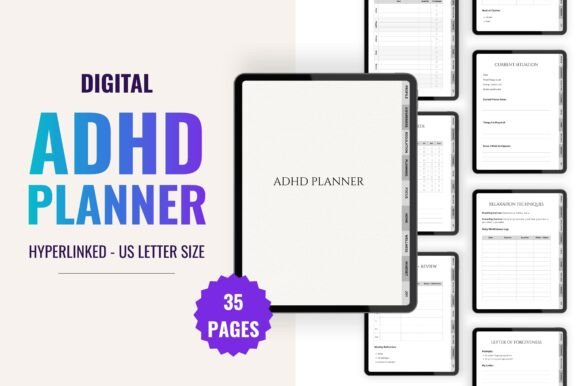
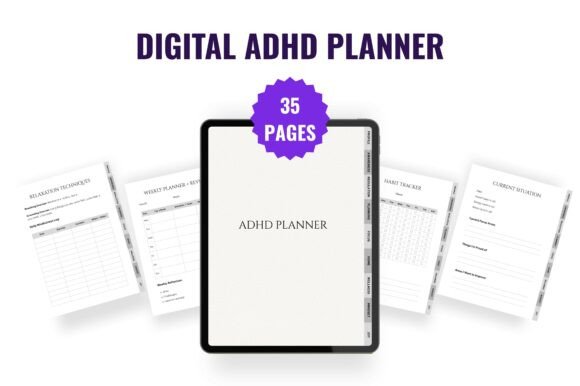
This 35-page planner combines practical organization with reflection and emotional-regulation pages. Its sections include a brain dump, thoughts tracker, coping strategies, relaxation techniques, energy tracking, planning pages, and personal check-ins.
It feels more like a guided ADHD workbook than a conventional calendar. That makes it useful for someone who wants to notice patterns behind unfinished tasks, low-energy periods, or recurring triggers.
People who mainly need a fast daily schedule may find some of the reflective content unnecessary. For a broader view of planning, awareness, and regulation, however, it is one of the more thoughtful options here.
Best for: Self-reflection, emotional regulation, personal planning
Key features: 35 pages, brain dump, energy tracking
3. ADHD Undated Digital Planner for GoodNotes
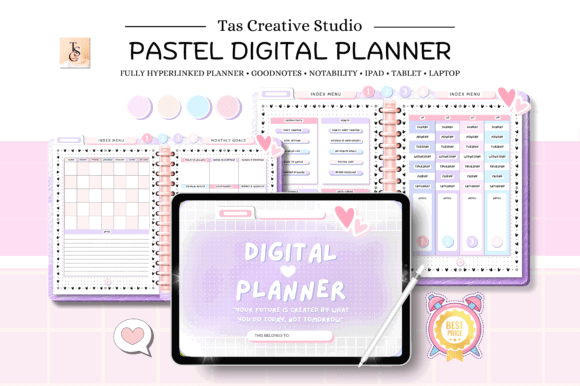
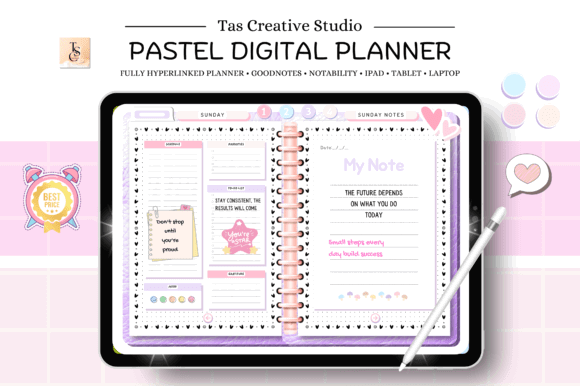
This 60-page horizontal planner includes hyperlinked daily, weekly, and monthly pages. Because it is undated, you can stop using it for a few days—or a few months—without returning to a stack of blank dated pages.
That flexibility is particularly useful for inconsistent planning habits. There is no need to wait until Monday, the first of the month, or January to restart.
The horizontal 11-by-8.3-inch layout should feel comfortable on a tablet in landscape orientation. It may be less convenient on a phone, so this is better suited to regular iPad or tablet use.
Best for: Reusable planning, irregular routines, tablet users
Key features: 60 pages, hyperlinks, landscape orientation, undated
4. Pink ADHD Digital Planner
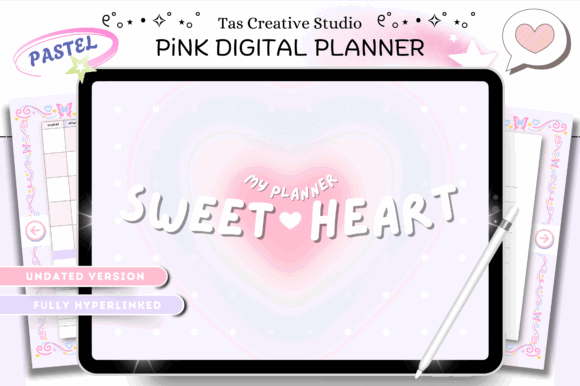
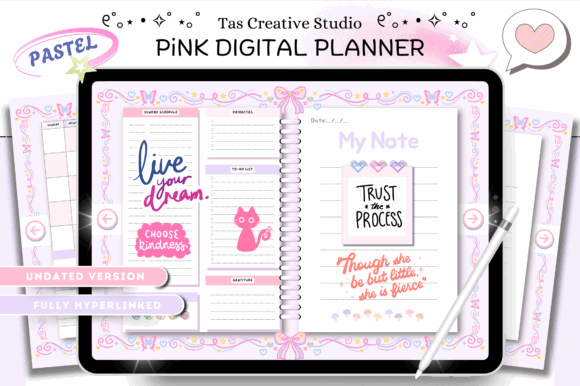
This 60-page pink planner supports several popular PDF annotation apps, including GoodNotes, Notability, Noteshelf, and Xodo. That broader compatibility makes it useful for households or creators who do not want to build their workflow around one platform.
Its visual style is more decorative than the minimal Canva planner. A stronger color identity can make a planner feel inviting, although busy decorative elements can also compete with handwritten notes.
Choose this one for the aesthetic as much as the page count. If pink pages encourage you to open the planner consistently, the visual personality is doing useful work.
Best for: Colorful planning, tablet annotation, visual motivation
Key features: 60 pages, pink theme, multi-app compatibility
5. Pastel ADHD Daily Planner
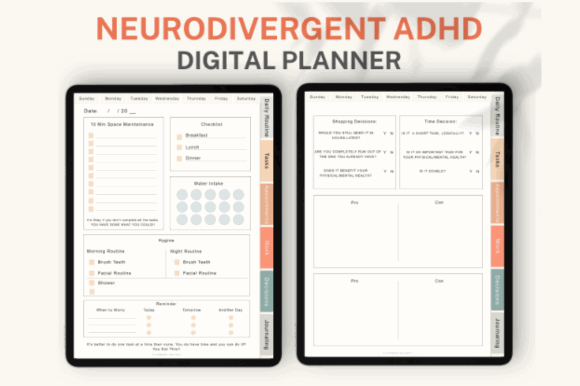
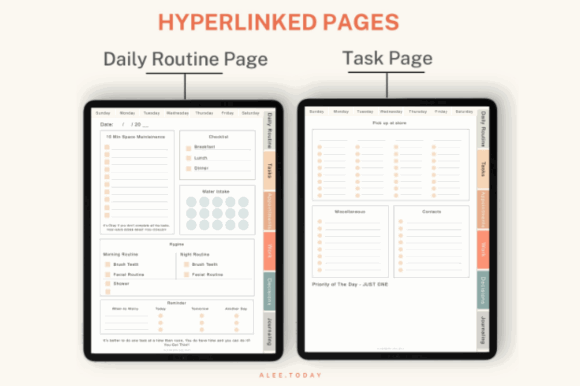
This pastel planner uses a more focused structure. Its 51 pages include separate layouts for routines, tasks, appointments, work, decisions, journaling, and doodling. Hyperlinked weekdays and task navigation help keep those sections connected.
Both Sunday-start and Monday-start versions are included, along with more than 200 pre-cropped digital planner stickers. The stickers are a nice extra, but the divided daily sections are the more practical feature.
Separating decisions from tasks is surprisingly useful. A vague thought such as “figure out insurance” can sit on the decision page until it becomes a clear next action instead of cluttering the immediate task list.
Best for: Daily routines, appointments, work-life separation
Key features: 51 pages, hyperlinked weekdays, digital stickers
6. Canva ADHD Digital Planner
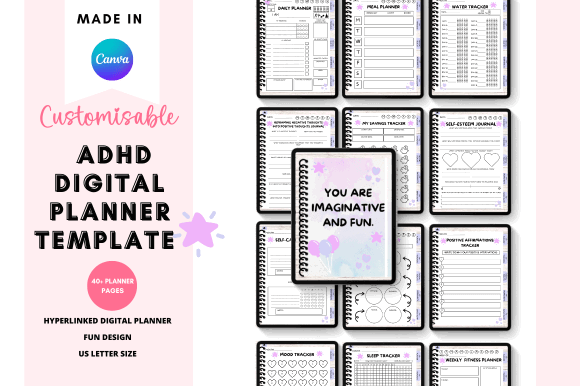
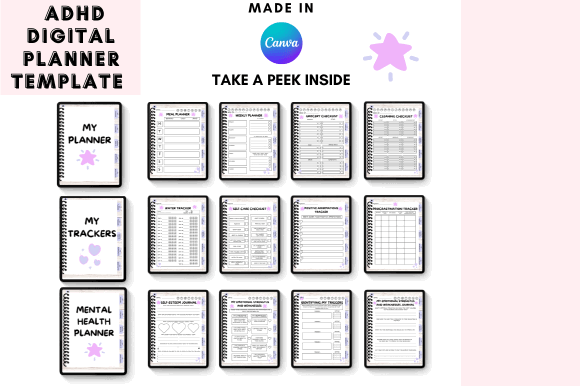
This editable Canva planner includes hyperlinked tabs, a planner file, access instructions, tutorials, licensing information, and a resource sheet.
It is a sensible option for users who want to change the design before using it or creators who need a flexible starting point for a personalized planning system. Hyperlinked tabs should make the finished file easier to navigate than a flat collection of printable worksheets.
The downside is setup. Anyone who wants an immediate download-and-write experience may prefer a finished GoodNotes planner. This option is better when customization is part of the appeal.
Best for: Canva customization, personalized layouts, tabbed navigation
Key features: Editable template, hyperlinked tabs, tutorial files
7. Digital ADHD Brain Dump Planner
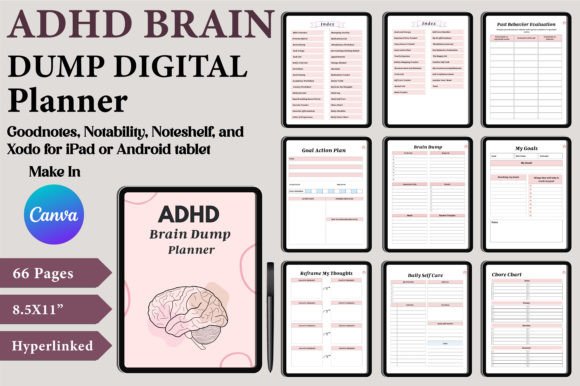
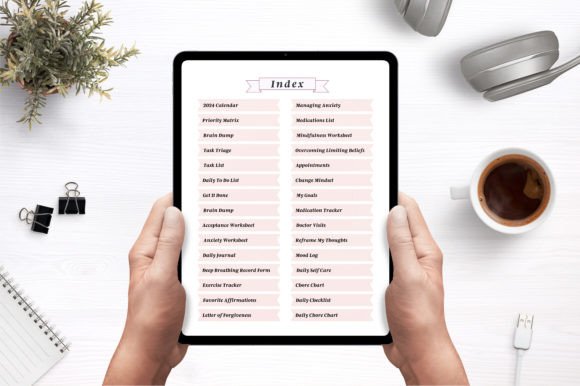
A brain dump is useful when tasks, reminders, ideas, worries, and unfinished thoughts are competing for attention. This Canva template gives those thoughts a dedicated place before they are sorted into a schedule or task list.
The package includes an editable Canva link plus print-ready PDF and JPEG files. That allows you to keep it digital, print selected pages, or modify the original design.
This is not the best option for someone seeking a complete yearly calendar. It is a more specialized tool for capturing mental clutter and turning it into manageable categories.
Best for: Brain dumps, idea capture, mental decluttering
Key features: Editable Canva pages, print-ready layouts
8. Digital ADHD Productivity Planner
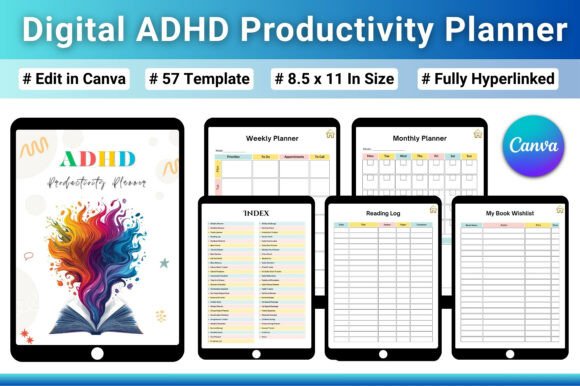
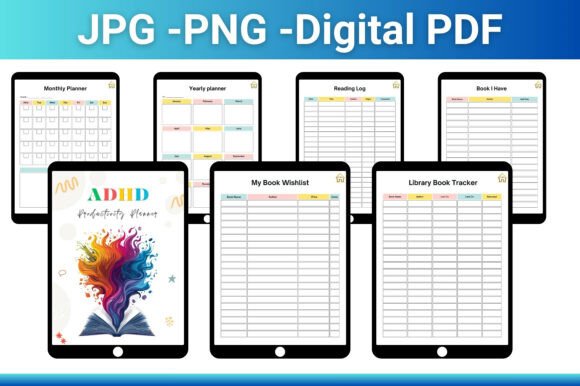
This 57-page planner covers school, personal life, finances, health, and personal growth. It also includes hyperlink navigation and an editable Canva version.
The breadth makes it suitable for someone who wants one planner rather than separate notebooks for projects, money, wellness, and routines. Keeping everything together can reduce the chance that an important note disappears into the wrong app or document.
Still, an all-in-one system can feel heavy. Start with two or three sections and ignore the rest until they have a clear purpose. Empty trackers should not become another measure of whether you had a “productive” week.
Best for: Life organization, school, finance, personal goals
Key features: 57 pages, hyperlinks, editable all-in-one system
9. OneNote ADHD Digital Planner
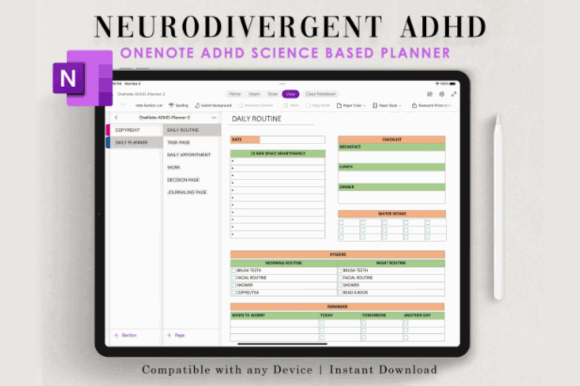
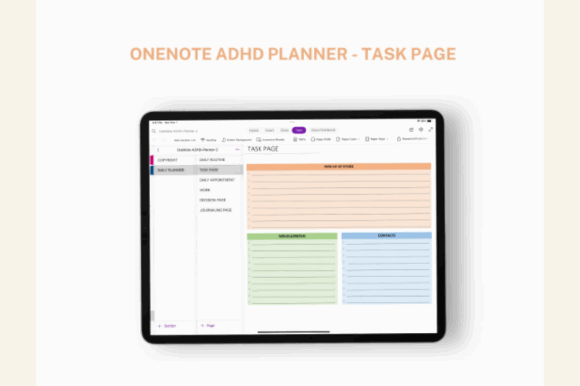
This planner is designed specifically for Microsoft OneNote and includes an installation guide for Mac and Windows.
It is a practical alternative for people already using OneNote for work notes, classes, meeting records, or project references. Keeping planning inside a familiar app can remove the friction of remembering to check a separate system.
It is also more platform-specific than a standard PDF. GoodNotes or Notability users should skip it unless they are deliberately moving their workflow into OneNote.
Best for: OneNote users, desktop planning, work organization
Key features: OneNote template, Mac and Windows installation
10. ADHD Digital and Printable Planner
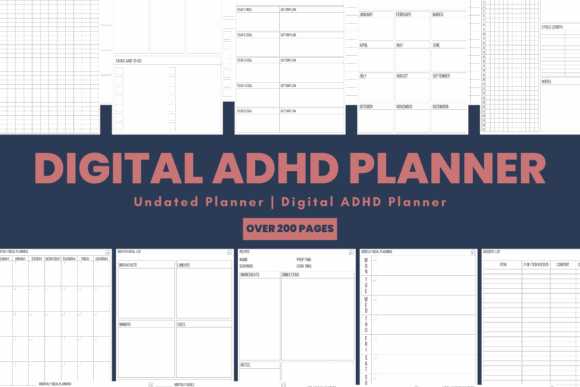
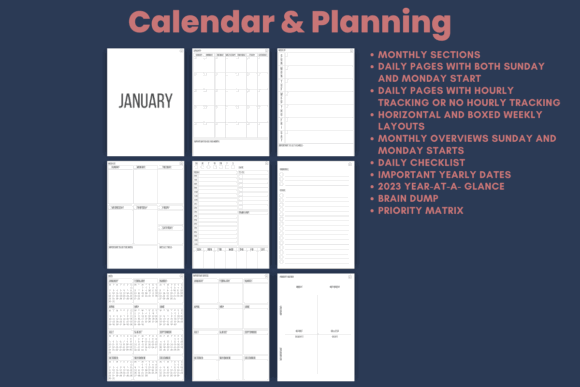
With more than 200 undated pages, this is one of the largest ADHD planner templates in the roundup. Sections cover goals, lists, reminders, health and wellness, and notebooks.
The hybrid digital-and-printable approach is useful for people who switch between tablet planning and paper. You might keep the full planner on an iPad while printing a single daily page for a desk or refrigerator.
The size is both its strength and its weakness. More than 200 pages provide flexibility, but they can also create navigation fatigue. Identify your core pages early and treat everything else as optional.
Best for: Hybrid planning, extensive life organization, flexibility
Key features: 200-plus pages, undated, multiple life sections
11. reMarkable 2 ADHD Daily Planner

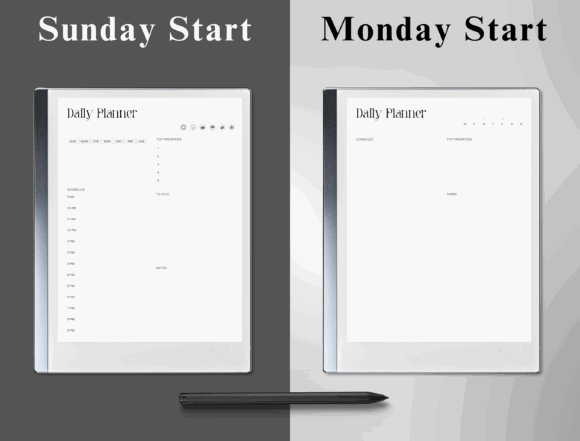
This minimalist planner is made for the reMarkable 2 and emphasizes task-focused and time-block layouts. It is also undated, so pages can be reused without being tied to a calendar year.
The simpler monochrome experience of an e-ink device can suit users who find colorful tablet interfaces distracting. Writing also feels closer to paper than typing into a conventional productivity app.
Compatibility is narrow, though. This planner makes the most sense for someone who already owns a reMarkable 2 and wants a daily system designed around that device.
Best for: reMarkable users, time blocking, distraction reduction
Key features: Minimalist layout, task focus, undated pages
12. Digital ADHD Cleaning Planner
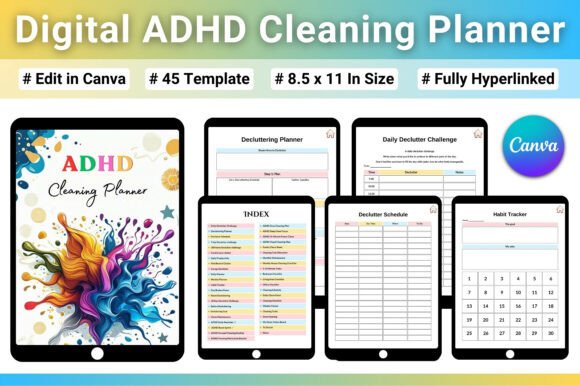
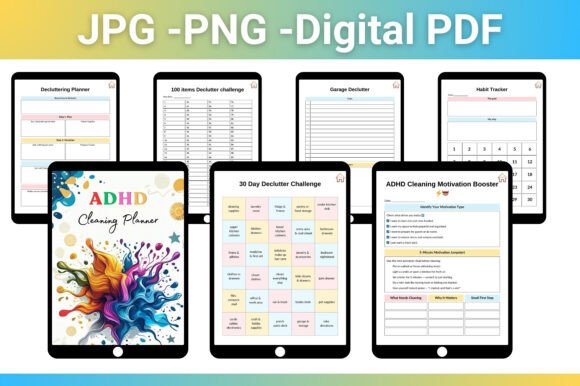
General planners sometimes fail because the task “clean the house” is still too broad. This specialized cleaning planner breaks home organization into a dedicated system with 45 page layouts and a fast hyperlinked index.
The design is available as an editable Canva template and as PDF, JPG, and PNG files in US Letter size. This gives you the option to use it digitally, adjust the pages, or print specific chore charts.
It will not replace a full calendar, but it may be more useful than a general planner for users whose main problem is starting, sequencing, and remembering household tasks.
Best for: Cleaning routines, chore planning, home organization
Key features: 45 layouts, hyperlinked index, editable pages
Read More: While digital planners offer fantastic flexibility, many find tangible benefits in physical organizers as well. You can also explore our curated list of 12 Printable ADHD Planner Templates for Better Focus to help manage your symptoms effectively.
How to Choose the Right ADHD Digital Planner
Choose the App Before the Design
Start with the device and app you already use.
A beautiful GoodNotes planner is not useful if you plan mainly on a Windows laptop. Likewise, a OneNote template adds unnecessary friction when your existing workflow is built around an iPad and Apple Pencil.
Check compatibility before considering colors, stickers, or page count:
- GoodNotes: Strong for handwriting and hyperlinked PDFs
- Notability: Useful for handwritten notes and PDF annotation
- OneNote: Better for mixed desktop, laptop, and tablet workflows
- Canva: Best for editing or redesigning the original template
- reMarkable: Suited to a low-distraction, paper-like workflow
- Xodo or Noteshelf: Useful alternatives for PDF-based planning
Look for Fast Navigation
Hyperlinks are not merely decorative. They reduce the effort required to move between a monthly overview, weekly schedule, and current day.
A planner with hundreds of pages but weak navigation can become frustrating quickly. Look for visible tabs, a linked index, daily shortcuts, or clearly divided sections.
Match the Planner to Your Main Difficulty
Do not choose a planner simply because it contains the most pages.
Choose one based on the friction you experience most often:
- Use a brain dump planner when thoughts and reminders feel scattered.
- Use a daily planner when choosing the next task is difficult.
- Use a time-block planner when hours pass without clear transitions.
- Use a routine planner when repeated tasks are easy to forget.
- Use a wellness planner when energy and emotional patterns affect planning.
- Use a cleaning planner when household tasks feel too broad to begin.
Avoid Overly Complicated Systems
A planner that asks you to complete ten trackers every day can become another unfinished obligation.
Look for pages with clear spacing, visible priorities, and enough writing room. Dense layouts often become harder to read once handwriting, stickers, and notes are added.
Reducing the number of options can also help limit distraction. Research into ADHD-oriented interface design has found that customization needs vary and that too many options can themselves become distracting.
How to Use an ADHD Planner Without Abandoning It
Begin with one daily page, one task list, and one weekly review. Ignore the remaining templates until you have a reason to use them.
Keep the planner in a predictable location on your device and link it from the home screen when possible. Open it at the same existing cue each day, such as after breakfast or when starting work, rather than relying on motivation.
Tasks should also be specific enough to start. Replace “work on website” with “write the introduction,” “resize the cover image,” or “check three product links.” A planner cannot clarify a task that is still too vague.
Finally, expect interruptions. Missing several days does not mean the system failed. Undated planners are particularly useful because they allow you to restart on the current day without catching up or filling abandoned pages.
Which ADHD Digital Planner Template Should You Choose?
The best ADHD digital planner is not necessarily the largest, most decorative, or most detailed template. It is the one that reduces the effort between remembering something and knowing what to do with it.
For a simple customizable system, the ADHD Digital Planner Canva Template is a strong starting point. The ADHD Digital Planner for GoodNotes adds more reflection and emotional-awareness pages, while the ADHD Undated Digital Planner offers a reusable calendar structure with fast navigation.
More specialized options also have a place. The brain dump template helps capture scattered thoughts, the cleaning planner breaks household tasks into clearer steps, and the reMarkable planner offers a quieter interface for users who prefer fewer visual distractions.
Pick one system, remove anything you do not need, and give the essential pages time to become familiar. Consistency usually comes from lowering friction—not from building a more elaborate planning routine.
Some links in this article may be affiliate links. If you purchase through them, we may earn a small commission at no extra cost to you. Thanks for supporting our work.
FAQ
What is the best digital planner for adults with ADHD?
The best option depends on the user’s main planning difficulty and preferred app. A hyperlinked GoodNotes planner suits handwritten daily planning, while an editable Canva planner is better for users who want to simplify or personalize the layout.
Do ADHD digital planners work with GoodNotes?
Many ADHD digital planners are supplied as hyperlinked PDFs that can be imported into GoodNotes. Compatibility should still be checked on the individual product page, since Canva, OneNote, and reMarkable templates may use different formats.
Should an ADHD planner be dated or undated?
Undated planners are generally more forgiving for inconsistent routines because users can restart without wasting pages. Dated planners may be more useful when calendar structure and upcoming appointments are the main priority.
What pages should an ADHD planner include?
Useful pages may include a daily priority list, brain dump, weekly overview, appointments, routines, time blocks, energy tracking, and space for breaking large projects into smaller actions. A planner does not need every feature to be effective

Follow Us