

Digital Planner Bundles: 13 Best Picks for Effortless Planning
The best digital planner bundles give you enough structure to organize a busy day without turning planning into another chore. A useful bundle should make it easy to move between daily tasks, weekly priorities, monthly dates, notes, and personal trackers without repeatedly importing separate files.
That balance is harder to find than it sounds. Some digital planners look impressive in preview images but become cluttered once you start writing in them. Others stay so minimal that you soon need another notebook for meal plans, finances, habits, or larger projects.
We reviewed the layouts, included sections, navigation features, formats, and practical use cases of digital planning resources available on Creative Fabrica. The following options cover everything from large Goodnotes collections to compact Canva templates and reusable undated planners.
Quick Picks
- Best for maximum variety: All-in-One Digital Planner, Goodnotes
- Best reusable option: Undated Digital Planner for iPad and Goodnotes
- Best minimalist option: Minimal Digital Planner Template
- Best simple daily/weekly system: Daily and Weekly Digital Planner
- Best editable ADHD option: Editable ADHD Planner for Canva
How I Picked These
I compared these planner bundles by navigation, page usefulness, dated and undated flexibility, orientation, customization, app compatibility, writing space, visual complexity, and how well each collection supports a practical daily and weekly routine without burying core planning pages inside unnecessary extras.
13 Best Digital Planner Bundles
1. 2026 Bundle Digital Planner, Goodnotes
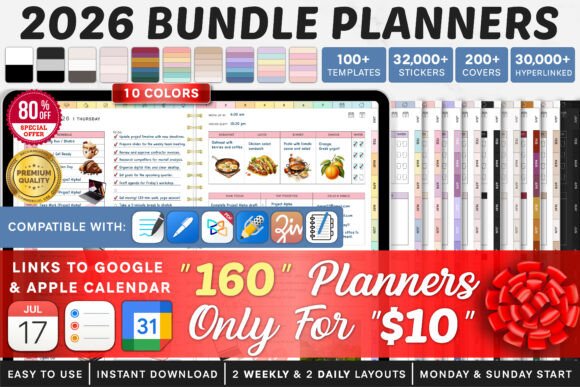
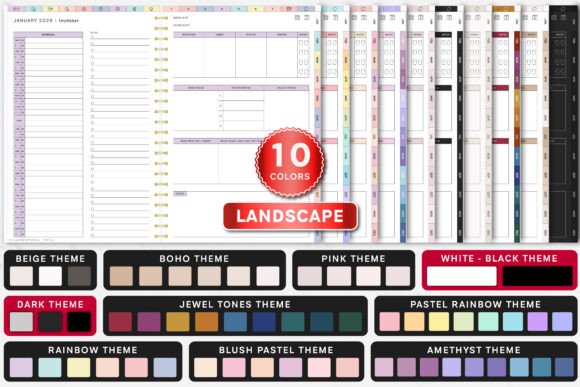
This large dated collection is built for people who want substantial control over how their planner looks and begins. It includes Monday- and Sunday-start options and is designed around applications commonly used for handwriting on tablets.
The generous selection makes sense for someone who changes themes throughout the year or prefers separate visual styles for work and personal planning. The downside is predictable: a bundle this broad may feel unnecessarily large if you tend to use the same three or four pages every day.
Its tags cover daily, weekly, calendar, notebook, sticker, and hyperlinked planning uses, alongside Goodnotes, Notability, Xodo, and Noteshelf.
Best for: Dated planning, Goodnotes users, theme variety
Key features: Monday and Sunday starts, hyperlinks, multiple styles
2. All-in-One Digital Planner, Goodnotes
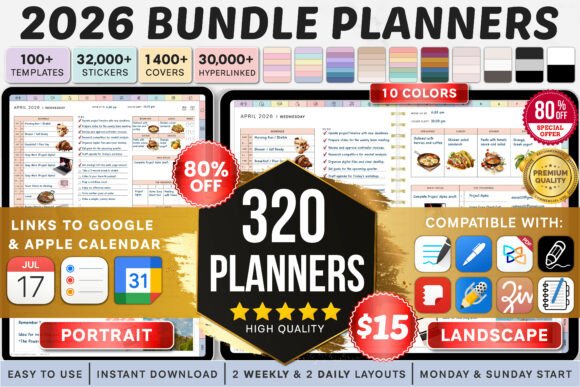
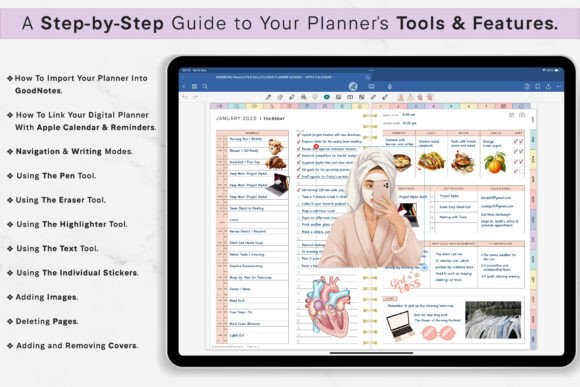
This is one of the broadest choices in the collection. It contains 160 landscape planners and 160 portrait planners, with ten visual themes that include pastel, black, beige, boho, pink, jewel-tone, and rainbow variations.
Having portrait and landscape versions is genuinely useful. Landscape pages often feel more natural when an iPad is resting on a desk, while portrait layouts are easier to view on a vertically held tablet.
The sheer number of variations could be excessive for a first-time digital planner user. It is better suited to someone who already knows the page orientation and visual contrast they prefer.
Best for: Maximum variety, portrait and landscape planning
Key features: 320 planners, ten themes, two orientations
3. 2026 All-in-One Digital Planner Bundle
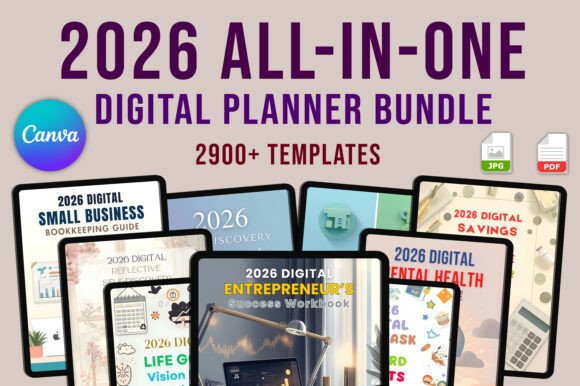
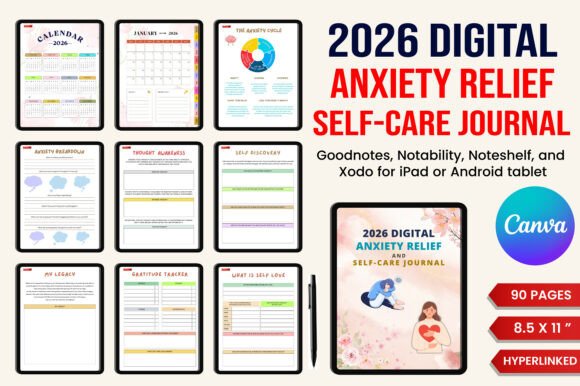
This bundle combines planners, journals, templates, and general productivity pages. Its scope makes it more suitable for someone who wants to keep several parts of life inside one planning system rather than maintaining separate files for goals, notes, routines, and scheduling.
An all-in-one structure can reduce file switching, particularly if you plan on the same tablet every day. Still, it helps to decide which sections you will actually use before importing everything. Oversized planner files can feel slow and disorganized when every optional tracker is kept active.
This is a sensible middle ground between a simple daily planner and a massive visual-theme collection.
Best for: Life planning, journaling, productivity tracking
Key features: Dated layouts, journals, templates, productivity sections
4. All-in-One Digital Planner
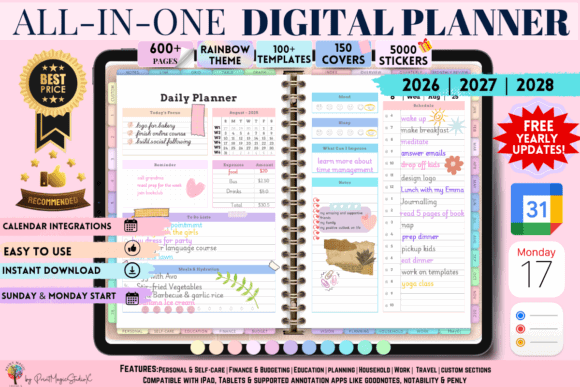
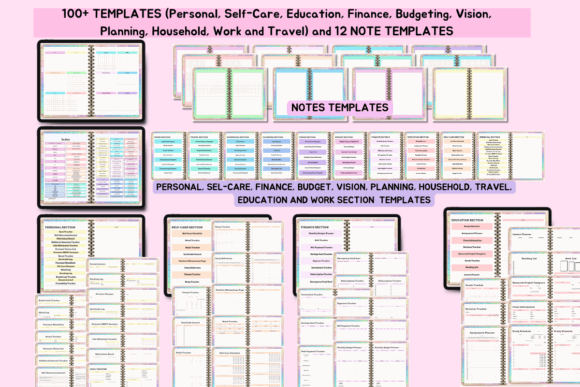
This colorful planner stands out for the range of sections inside it. It includes 86 templates, 5,000 stickers, and 150 cover options, covering areas such as personal development, education, budgeting, and travel. It is presented as compatible with Apple and Google devices.
The stickers and covers provide plenty of room for customization, but they also change the character of the planner. This is less of a restrained calendar and more of a digital planning workspace.
It suits people who enjoy decorating pages and visually separating categories. Minimalist planners may find the rainbow styling and large asset library distracting.
Best for: Decorative planning, life organization, digital stickers
Key features: 86 templates, 5,000 stickers, 150 covers
5. All in One Undated Digital Planner

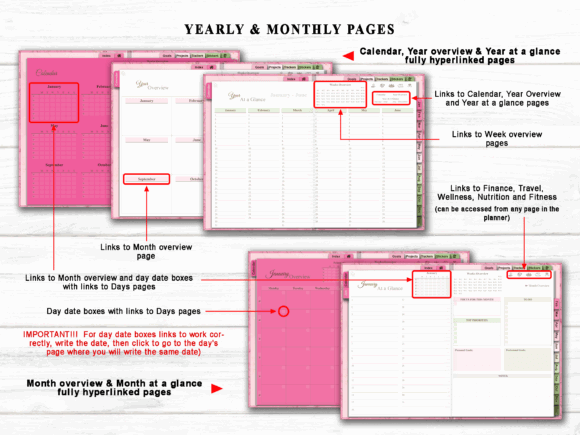
An undated planner removes the pressure to use every page in sequence. You can skip a week, restart after a long break, or duplicate a useful layout without leaving visible gaps in the calendar.
This CraftAddicted planner is particularly appealing for inconsistent schedules. Freelancers, shift workers, students, and project-based creators often benefit more from reusable pages than from rigid dated structures.
Its all-in-one format provides more depth than a basic daily template, while the undated construction prevents the file from becoming obsolete at the end of the year. The product is listed as a print-template graphic with a commercial license.
Best for: Flexible schedules, reusable planning, irregular routines
Key features: Undated structure, all-in-one organization, reusable pages
6. Undated Digital Planner for iPad and Goodnotes
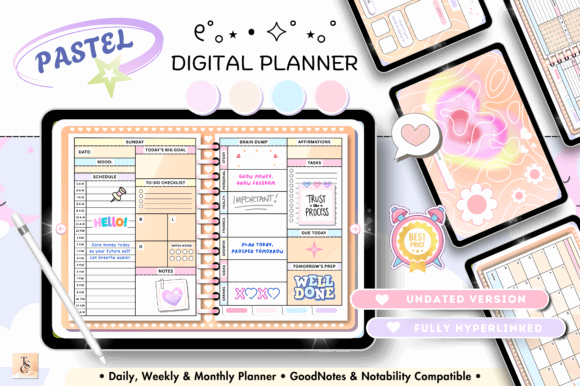
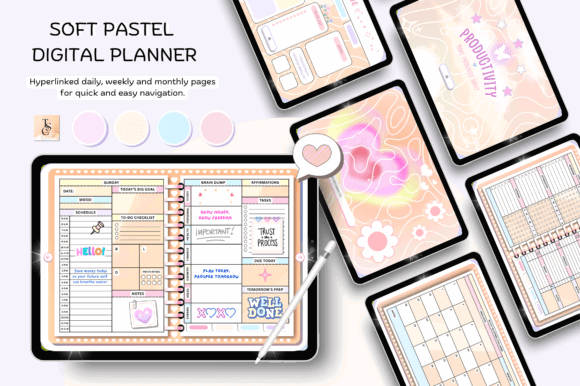
This planner takes a more focused approach. It includes a 68-page horizontal planner with hyperlinks connecting its daily, weekly, and monthly sections. An instruction guide is also included.
Sixty-eight pages may sound modest beside bundles containing hundreds of variations, but that can be an advantage. Smaller systems are usually easier to understand, and you are less likely to lose a note inside an obscure subsection.
The horizontal 11-by-8.3-inch layout is especially comfortable on tablets used in landscape orientation. It will be less appealing to anyone who almost always holds an iPad vertically.
Best for: Beginners, landscape planning, reusable schedules
Key features: 68 pages, hyperlinks, daily-to-monthly navigation
7. Minimal Digital Planner Template
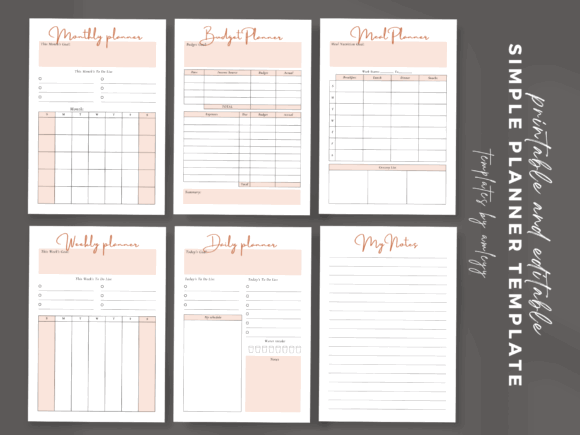
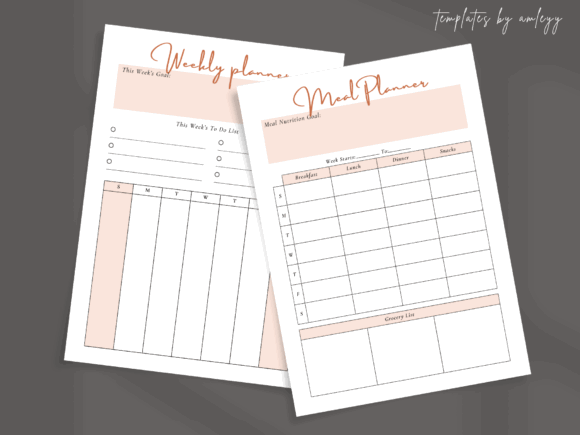
This six-template bundle covers the practical basics: monthly, weekly, and daily planning, plus budgeting, meal planning, and notes. The pages were designed in Canva and use a restrained minimalist style.
It is a good option for anyone who dislikes decorative dashboards and complicated category systems. There is enough variety to manage everyday responsibilities without turning the planner into a full personal database.
The meal and budget pages are useful additions because they support common weekly decisions rather than highly specialized tracking. Just keep in mind that this is a compact template set, not a heavily hyperlinked annual Goodnotes planner.
Best for: Simple routines, meal planning, personal budgeting
Key features: Six templates, clean layout, Canva-based design
8. Daily and Weekly Digital Planner
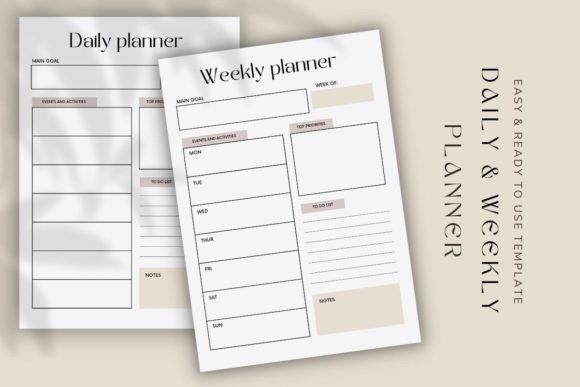
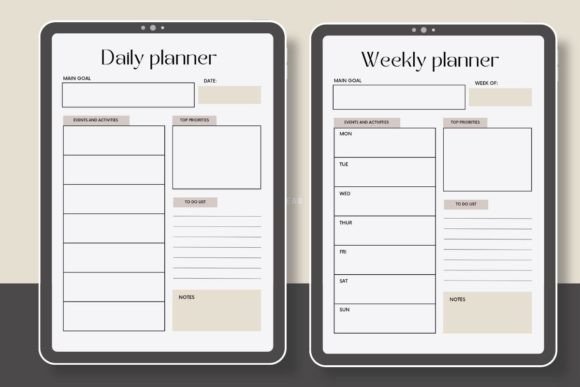
This small Canva bundle contains two planners focused on daily and weekly organization. The templates can be edited with a free Canva account, making them approachable for users who want to change typography, labels, or page colors before planning.
The limited page selection is the main strength here. You can establish a straightforward rhythm: review the week, choose priorities, and then break them into daily tasks.
It will not replace an elaborate life planner with financial, fitness, or journaling sections. For someone who mainly needs a visible schedule and manageable task list, however, the reduced complexity may be more useful.
Best for: Simple task planning, Canva editing, weekly priorities
Key features: Two planners, editable layouts, clean daily structure
9. Premium 2026 Digital Planner for Goodnotes
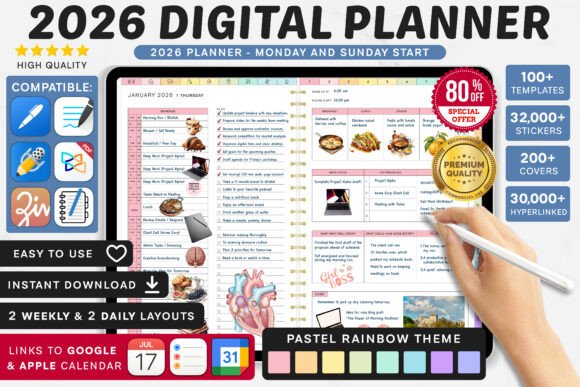
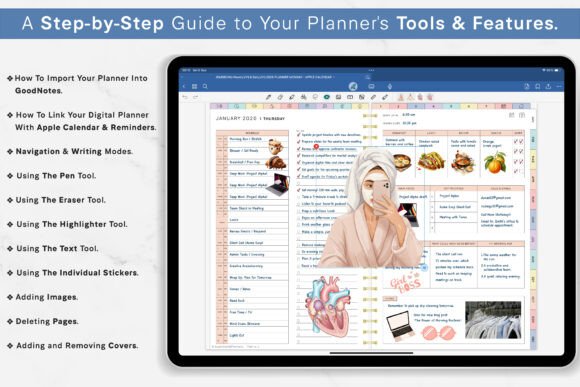
This dated Goodnotes planner is aimed at people who want a structured annual system rather than an open-ended template collection. Its associated tags include daily, weekly, calendar, notebook, sticker, and hyperlinked planning, with support references to Goodnotes, Notability, Xodo, and Noteshelf.
A dated layout is often quicker to begin using because the calendar structure is already in place. You do not have to duplicate pages or write dates manually.
The tradeoff is longevity. Unlike an undated PDF, it is tied to a specific calendar year, so it makes sense only when you expect to use it consistently.
Best for: Structured annual planning, Goodnotes, calendar scheduling
Key features: Dated pages, hyperlinked sections, multiple app tags
10. Editable ADHD Planner for Canva
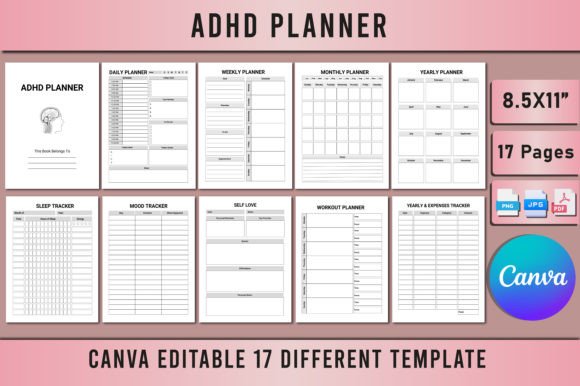
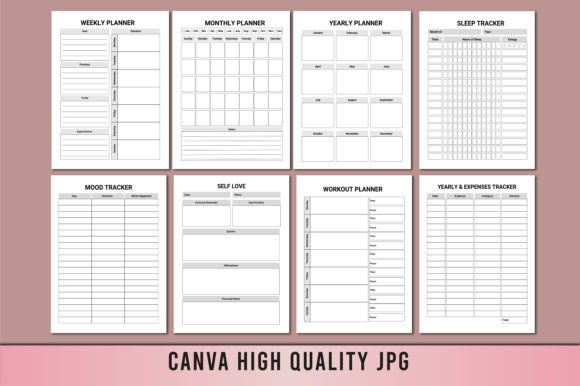
This editable Canva planner concentrates on ADHD-oriented organization and wellness. Its listing places it within planner-bundle, wellness-planner, kids-planner, and editable-template categories.
The biggest practical advantage is customization. You can simplify labels, remove sections, increase type size, or adapt the visual hierarchy before using the planner. That matters when crowded pages create more resistance than support.
This kind of layout may help people who prefer brain-dump pages, visible routines, and short task groupings. It should still be viewed as an organizational template rather than a medical or therapeutic tool.
Best for: Visual routines, editable planning, brain-dump organization
Key features: Canva editing, wellness pages, flexible task layouts
11. Canva Spring Self-Care Digital Planner
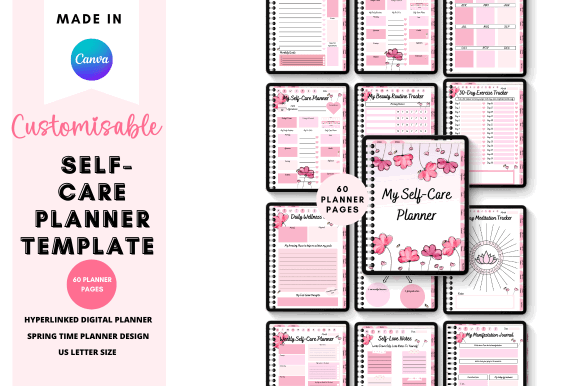
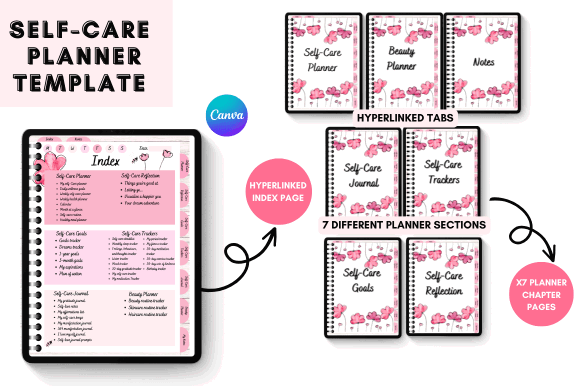
This planner combines daily organization with a softer self-care theme. It is best suited to people who want their planning pages to include reflection and wellness rather than focusing entirely on appointments and productivity.
The seasonal styling gives it more personality than a neutral business planner. That can make regular use more enjoyable, although it also makes the design less versatile if you prefer muted pages throughout the year.
Because it is a Canva planner, the visible text and design elements can be adjusted before use. It is a useful option for building a personalized routine tracker or gentle daily check-in system.
Best for: Self-care routines, reflection, aesthetic daily planning
Key features: Spring theme, editable design, wellness-focused pages
12. Digital Planner for Goodnotes
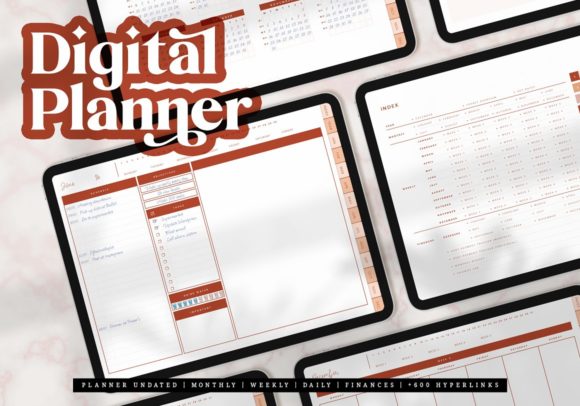
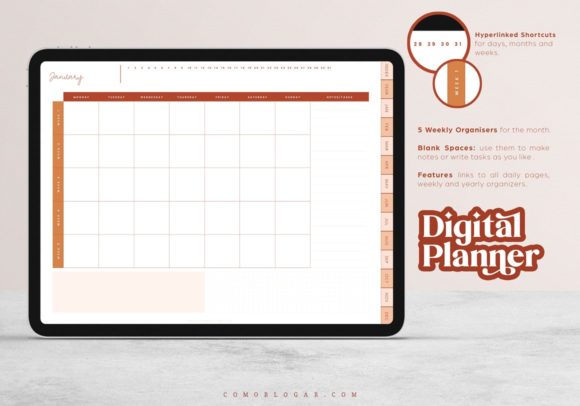
This Goodnotes-focused template is a reasonable choice for users who want a conventional digital planning experience without committing to one of the largest bundles.
A focused planner usually takes less time to set up. You can import the file, learn the page flow, and begin writing without comparing dozens of covers, orientations, or nearly identical versions.
It also suits people moving from a paper planner to an iPad. The adjustment is easier when the underlying system still feels like a familiar notebook rather than a complex dashboard. The product is listed as a print-template graphic.
Best for: Goodnotes beginners, everyday planning, paper-to-digital switching
Key features: Focused layout, tablet-friendly pages, simple setup
13. 2025 Bundle Digital Planner, Goodnotes
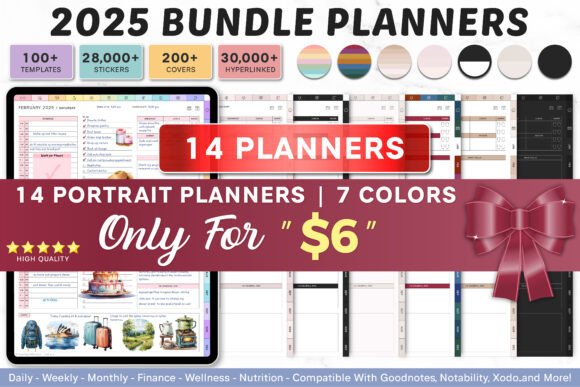
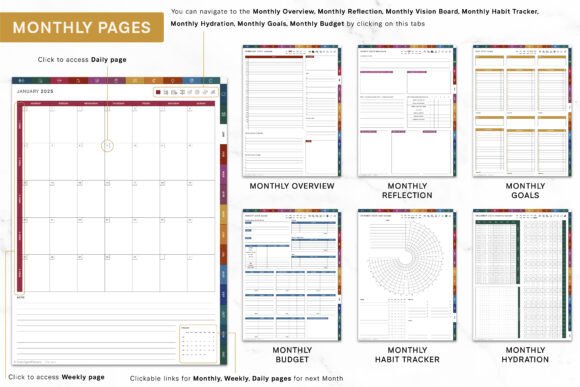
Although this collection is tied to an earlier year, it remains useful as a reference or reusable source when its package contains undated or adaptable pages that suit your workflow. It is a Goodnotes-oriented bundle produced by SuperDigitalPlanners and is listed with a commercial license.
Before choosing an older dated product, inspect the included layouts carefully. Daily pages without fixed dates may remain practical, but annual and monthly calendars will no longer align with the current year.
For most users, a current or undated planner is the safer purchase. This bundle makes more sense for design inspiration, archive use, or specific page layouts unavailable elsewhere.
Best for: Archived layouts, design reference, reusable page styles
Key features: Goodnotes bundle, multiple planner pages, established collection
A Simple Daily Digital Planning Routine
A planner becomes more useful when the routine stays small.
At the beginning of the day, write down no more than three major priorities. Add appointments and time-sensitive tasks next, then place minor tasks in a separate list. This keeps routine work from visually competing with the few things that genuinely need attention.
During the day, avoid redesigning or decorating the page every time you open it. Stickers and colors can strengthen hierarchy, but too many visual elements make unfinished tasks harder to spot.
At the end of the day, move incomplete work deliberately. Either schedule it for another day, return it to a general task list, or remove it. Repeatedly copying the same low-priority item forward creates clutter without making the task more likely to happen.
A weekly review can remain equally simple:
- Check unfinished daily pages.
- Review upcoming appointments.
- Choose the week’s main priorities.
- Add any necessary preparation tasks.
- Clear notes that no longer matter.
The planner should support this routine rather than demand a separate planning ritual of its own.
Read More: Once you've considered the best bundles for your daily planning, you might also want to explore options that add a touch of personal style with these Top 11 Aesthetic Digital Planner Templates: Beautiful Picks.
Which Digital Planner Bundle Should You Choose?
The best digital planner bundles are not necessarily the largest or most decorative. They are the ones that let you find today’s page quickly, understand your priorities at a glance, and capture information without interrupting your day.
For maximum variety, the All-in-One Digital Planner, Goodnotes offers hundreds of portrait and landscape options. The Undated Digital Planner for iPad and Goodnotes is easier to manage, with 68 hyperlinked pages and a reusable structure. For a lighter system, the Minimal Digital Planner Template covers daily, weekly, monthly, budget, meal, and note planning without much visual noise.
Start with the way you already plan. A simple daily-and-weekly bundle is usually a better foundation than an enormous planner filled with trackers you have never used.
Some links in this article may be affiliate links. If you purchase through them, we may earn a small commission at no extra cost to you. Thanks for supporting our work.
FAQ
1. What is the best digital planner bundle for Goodnotes?
The best option depends on how much structure you need. A large all-in-one Goodnotes bundle suits users who want dated calendars, daily pages, stickers, covers, and multiple themes. Beginners may find a smaller hyperlinked planner easier to navigate.
2. Can digital planner bundles be used without an iPad?
Many PDF planners can be opened on Windows, Android, or other tablet devices using compatible note-taking software. However, handwriting and hyperlink behavior can differ between apps, so check the included file type and software compatibility before downloading.
3. Is an undated digital planner better than a dated planner?
An undated planner is better for irregular use because pages can be reused and skipped without wasting part of the planner. A dated planner is more convenient for consistent daily planning because calendars and daily dates are already prepared.
4. Can I edit a digital planner in Canva?
You can edit a planner in Canva only when the bundle includes a Canva template link or editable Canva files. A finished hyperlinked PDF is generally intended for importing into a note-taking app rather than redesigning in Canva.

Follow Us