

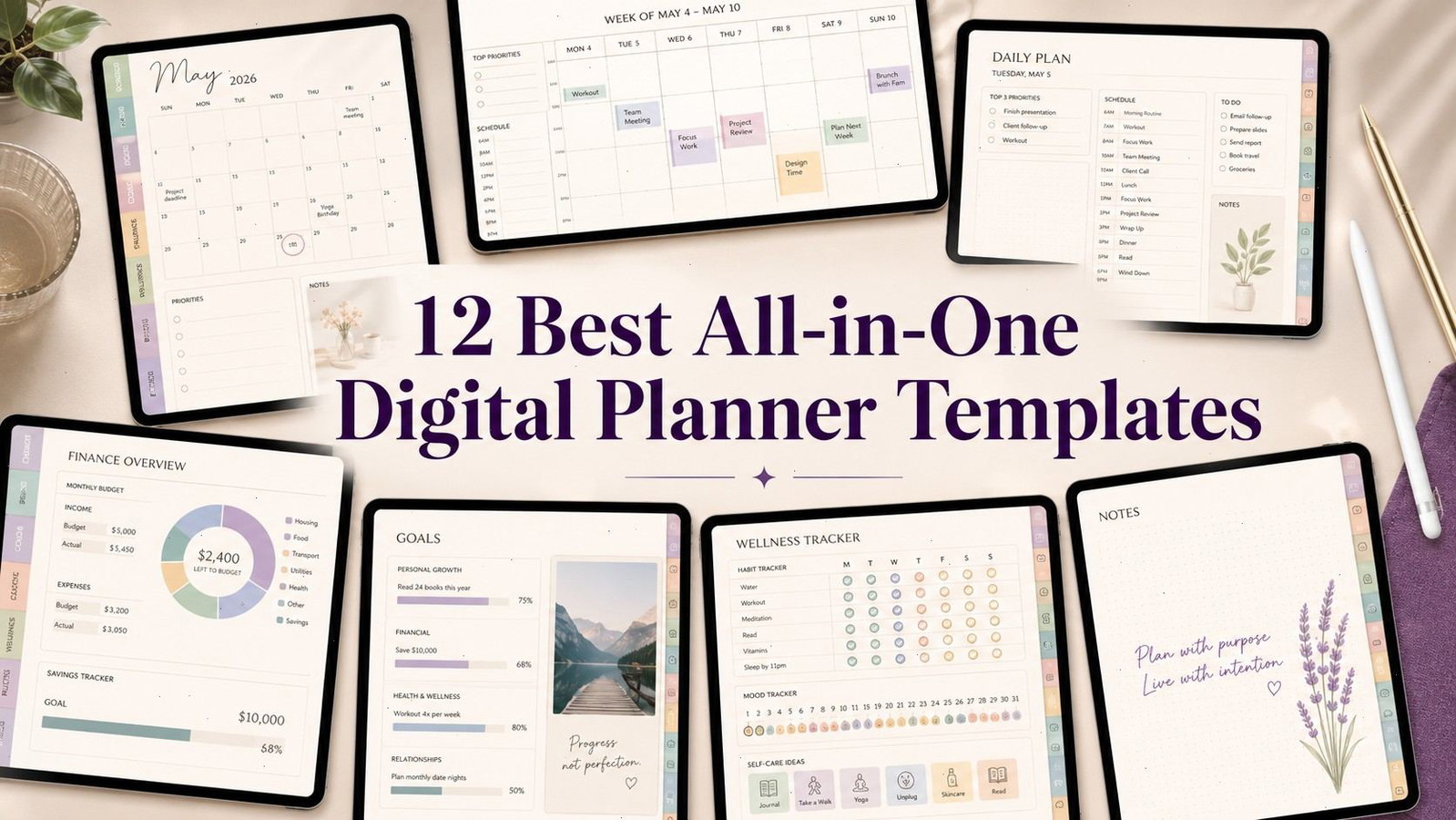
12 Best All-in-One Digital Planner Templates for Easy Planning
The best all-in-one digital planner templates combine the parts of several planners into one connected file. Instead of opening separate documents for your calendar, budget, habits, meals, projects, and goals, you can move between them using tabs and hyperlinks.
That convenience is the main appeal, but bigger is not always better. A planner with hundreds of pages may sound impressive and still feel awkward if the navigation is poorly organized. In practice, clear tabs, readable layouts, reliable hyperlinks, and useful daily pages matter more than the raw page count.
The following templates cover a range of planning styles, from restrained professional layouts to colorful life planners packed with stickers and specialized sections.
Creative Fabrica has a large collection of all-in-one digital planners, GoodNotes templates, hyperlinked organizers, stickers, and printable planning pages. It is a useful place to compare different layouts before choosing one system, especially if you want access to several planner designs instead of purchasing each file separately.
Quick Picks
- Best overall: All-in-One Digital Planner for GoodNotes
- Best long-term option: Ultimate Digital Planner 2025–2027 and Undated
- Best for customization: Rainbow All-in-One Digital Planner
- Best for calendar integration: All-in-One Digital Planner 2025–2027
- Best simpler reusable option: All in One Digital Planner by Tas Creative Studio
How I Picked These
I compared these all-in-one planners by navigation, useful planning depth, dated and undated flexibility, page orientation, calendar and app integration, cross-device compatibility, writing space, and how well the specialized sections support a real routine without turning the planner into a second organizational project.
1. All-in-One Digital Planner for GoodNotes
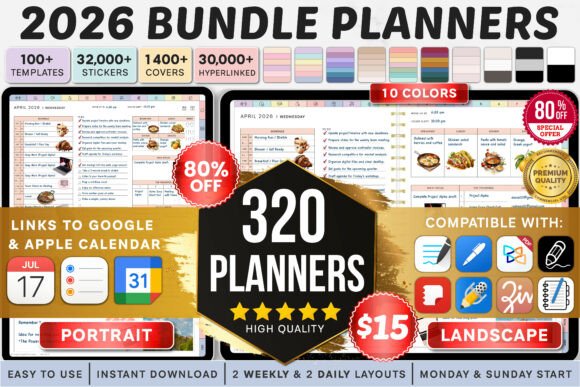
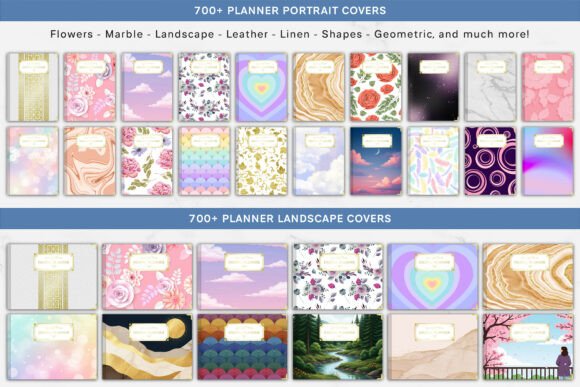
The [All-in-One Digital Planner for GoodNotes] is the strongest general-purpose option in this collection. It brings daily, weekly, monthly, yearly, goal, schedule, and life-planning pages into a single hyperlinked system. It is designed for GoodNotes but is also tagged for Notability, Android tablets, and other PDF-based workflows.
This is the kind of planner that makes sense when you do not yet know which specialized sections you will use regularly. You can begin with the calendar and task pages, then gradually add budgeting, wellness, or project tracking instead of rebuilding your setup.
The layouts are fairly neutral, which is useful for work as well as personal planning. People who prefer decorative journaling may find it less expressive than the sticker-heavy options farther down the list.
Best for: everyday planning, work schedules, personal organization
Key features: hyperlinked navigation, multiple layouts, broad planning sections
2. Ultimate Digital Planner 2025–2027 and Undated
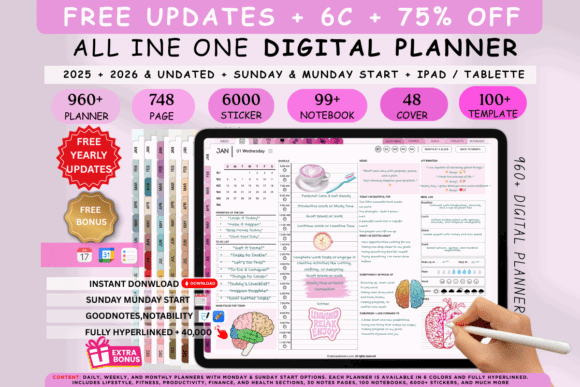
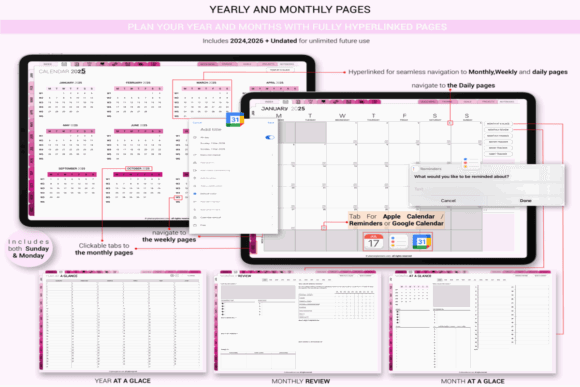
The [Ultimate Digital Planner 2025–2027 and Undated] includes dated versions for several years along with an undated option. It supports GoodNotes, iPad, and Notability and provides a selection of daily, weekly, and monthly layouts.
Its biggest advantage is flexibility. A dated planner provides faster day-to-day navigation, while the undated file remains useful after the included calendar years have passed. That makes the bundle more practical than a planner tied to one year.
The customization options are also helpful for people who are particular about page structure. Some users think more clearly with an hourly daily page; others only need a task list and a small notes area. Having several layouts lets you test both without buying another planner.
Best for: long-term use, changing routines, detailed scheduling
Key features: dated editions, undated edition, multiple page layouts
3. Rainbow All-in-One Digital Planner
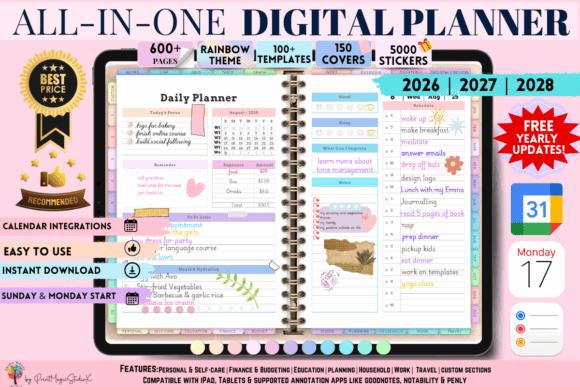
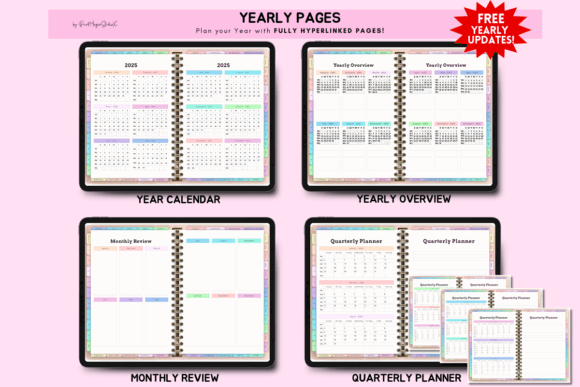
The [Rainbow All-in-One Digital Planner] is the most customization-heavy option on the list. It includes 86 planning templates across personal organization, self-care, education, finance, budgeting, household management, work, travel, and vision planning. The bundle also includes more than 5,000 stickers and 150 covers.
This amount of content can be genuinely useful for digital-journaling enthusiasts. It gives you enough visual elements to distinguish projects, appointments, habits, and personal notes without searching for a separate sticker collection.
There is a tradeoff. A large library takes time to explore, and people who only use a monthly calendar and weekly task list may find it excessive. Choose this planner for customization rather than simplicity.
Best for: digital journaling, customization, colorful organization
Key features: 86 templates, 5,000+ stickers, 150 covers
4. All-in-One Digital Planner 2025–2027
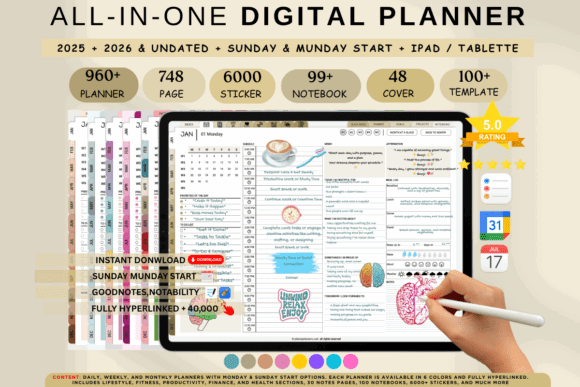
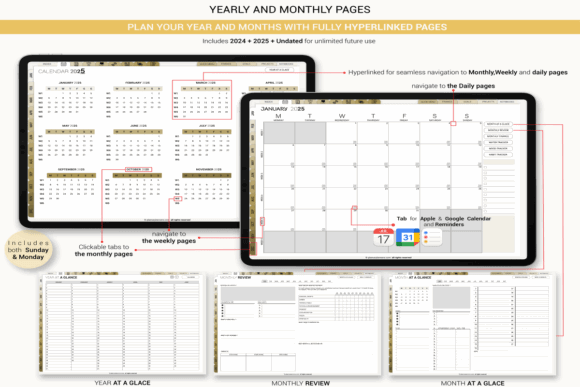
The [All-in-One Digital Planner 2025–2027] combines dated and undated planners with Apple Calendar, Apple Reminders, and Google Calendar links. It also includes six color themes, Monday and Sunday start options, four weekly layouts, and four daily layouts.
Calendar integration is the feature that separates it from a conventional hyperlinked PDF. A digital planner does not truly synchronize handwritten appointments with your calendar app, but embedded links can reduce the friction of moving from a planning page to an event or reminder screen.
The planner contains a very large hyperlink structure. That is convenient once you learn the navigation, although it may initially feel busy on a smaller tablet.
Best for: calendar users, multi-year planning, structured routines
Key features: calendar links, six themes, dated and undated files
5. 2026 Digital Planner Bundle
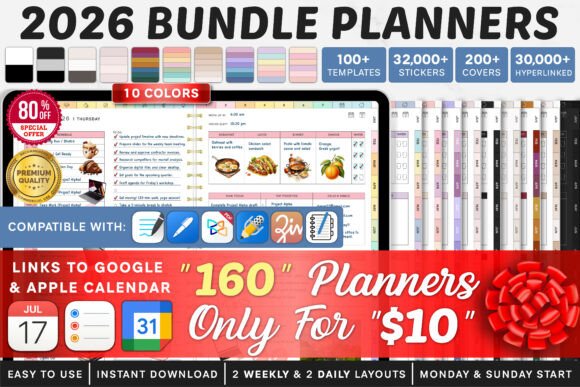
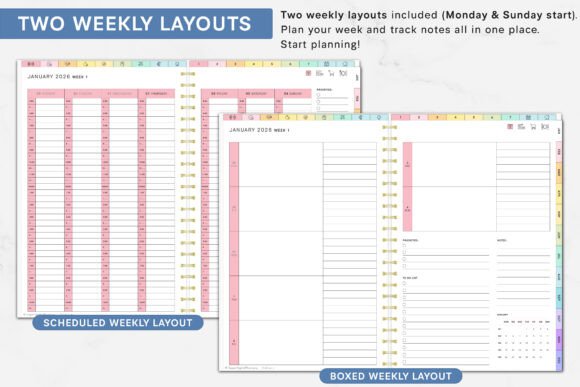
The [2026 Digital Planner Bundle] is built around variety. It contains numerous planner combinations with Monday and Sunday starts, multiple daily and weekly layouts, and integration links for Apple Calendar, Reminders, and Google Calendar.
This bundle is useful for someone who wants to compare different visual themes before settling into a system. It can also suit households in which two people prefer different week starts or page orientations.
The main limitation is the dated structure. A 2026 planner is immediately usable during the current year, but an undated template generally offers better long-term value. Check the included files before committing to this one as your permanent planner.
Best for: 2026 planning, layout comparison, calendar integration
Key features: multiple planners, two week starts, calendar links
6. That Girl Digital Planner
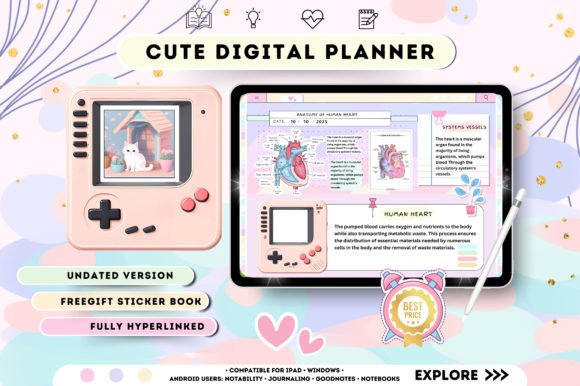
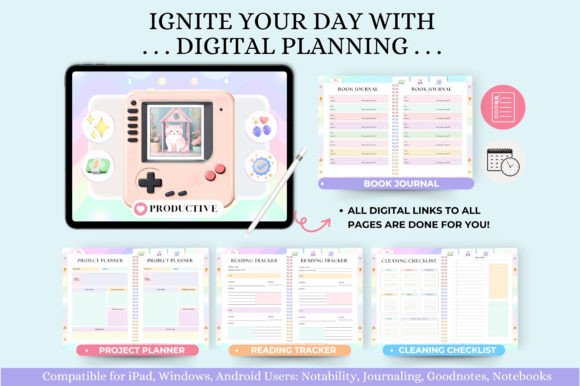
The [That Girl Digital Planner] blends conventional scheduling with wellness, finance, productivity, manifestation, self-reflection, and personal-growth pages. It contains more than 550 pages and over 15,000 hyperlinks, with both Monday and Sunday start options.
Its strongest sections are those outside the basic calendar. There are pages for projects, goals, challenges, reading, affirmations, travel, cleaning, budgeting, and quarterly reviews. The design has a recognizable soft, boho-inspired aesthetic rather than a generic office look.
Some of the self-development prompts will appeal more to lifestyle planners than strict productivity users. Skip this one if you want a plain work planner with as little decoration as possible.
Best for: wellness planning, reflection, lifestyle organization
Key features: 550+ pages, 15,000+ hyperlinks, lifestyle sections
7. All in One Digital Planner by Tas Creative Studio

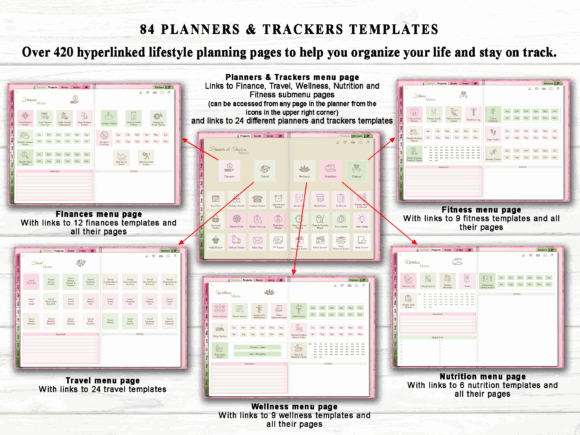
The [All in One Digital Planner by Tas Creative Studio] uses an undated horizontal layout with linked daily, weekly, and monthly pages. It is organized into individual month modules and includes a small sticker book plus setup instructions.
This is a calmer option than the huge planner bundles. The horizontal format provides more writing width, which can feel natural on an iPad placed in landscape orientation. It is especially comfortable for weekly spreads and project notes.
The smaller feature set can be a benefit. You spend less time choosing between dozens of nearly identical pages and more time actually planning.
Best for: simple planning, landscape tablets, reusable schedules
Key features: horizontal layout, monthly modules, small sticker set
8. Undated Digital Planner for GoodNotes
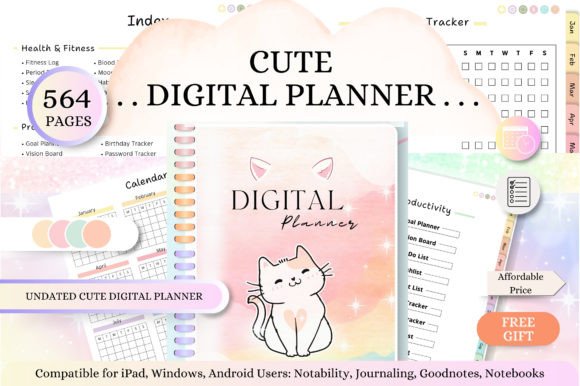
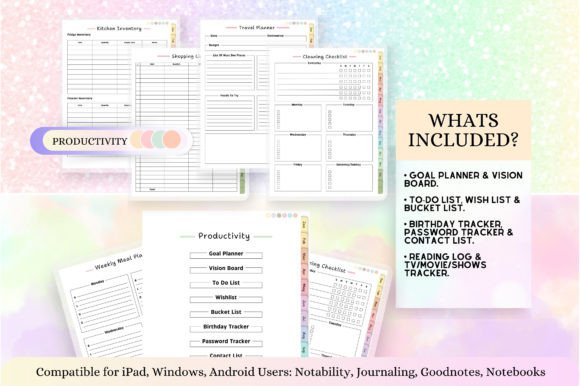
The [Undated Digital Planner for GoodNotes] provides hyperlinked daily, weekly, and monthly sections without tying them to a calendar year. It can therefore be reused whenever your planning routine changes or after a long break.
Undated planners are forgiving. Missing a week does not leave a block of blank dated pages staring back at you, and you can duplicate the page styles you use most often.
The downside is setup. Dates need to be added manually, so this format takes a little more preparation than a fully dated planner. For occasional planners, that small inconvenience is usually worth the longer lifespan.
Best for: beginners, occasional planning, year-round reuse
Key features: undated pages, linked navigation, flexible starting dates
9. Digital Planner for iPad and GoodNotes
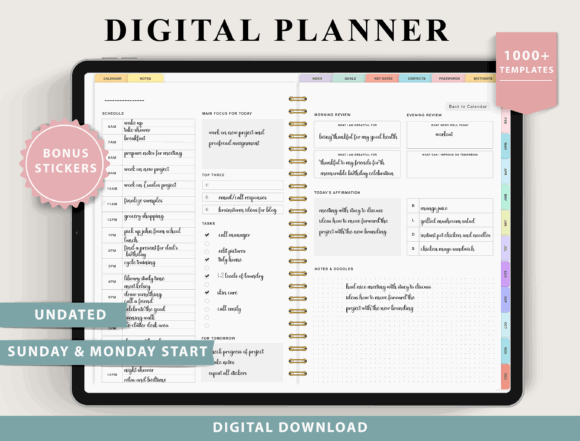
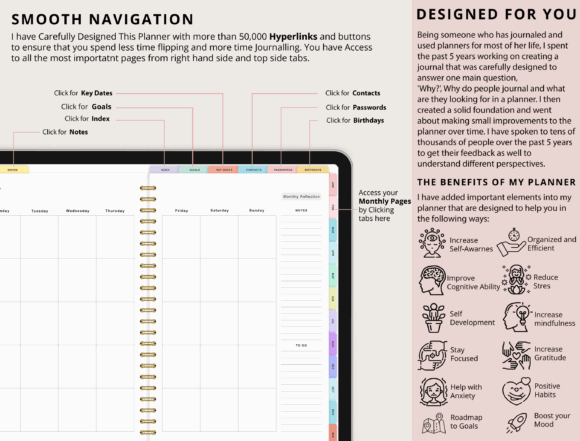
The [Digital Planner for iPad and GoodNotes] is designed for PDF annotation apps including GoodNotes, Notability, Samsung Notes, CollaNote, and Xodo. It supports Apple, Android, and Windows devices, although it is not intended for OneNote and may not suit certain e-ink tablets.
That broad compatibility makes it a sensible pick for anyone who changes devices or shares files between a tablet and computer. Compatibility claims still depend on the PDF application rather than the operating system alone, so testing your app with a simple PDF is worthwhile.
The planner is most attractive to practical users who care more about access across devices than decorative extras.
Best for: mixed devices, Android users, cross-platform planning
Key features: broad app support, tablet compatibility, PDF navigation
10. Deep Blue Undated Digital Planner
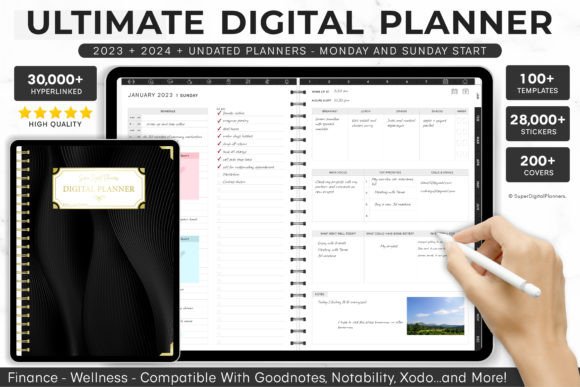
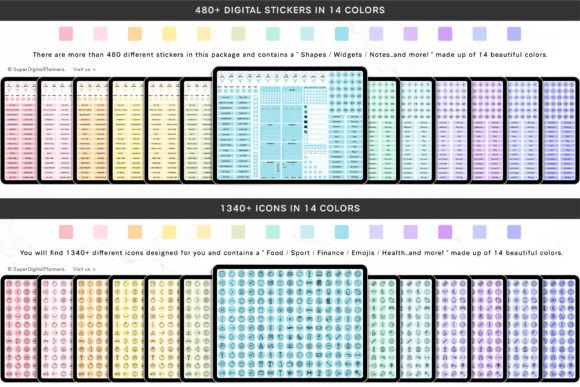
The [Deep Blue Undated Digital Planner] uses a dark blue visual theme and organizes its content into ten separate sections. It is hyperlinked and designed for PDF annotation apps such as GoodNotes and Noteshelf.
The deep blue interface has more visual weight than a typical white planner but remains quieter than pastel or rainbow layouts. That balance suits users who want a distinct style without filling every page with decoration.
Because the planner is undated, its structured sections can be reused for different years or projects. It is a good middle ground between a minimal calendar and a massive lifestyle bundle.
Best for: focused planning, dark themes, reusable organization
Key features: ten sections, deep-blue styling, hyperlinked navigation
11. Black All-in-One Digital Planner
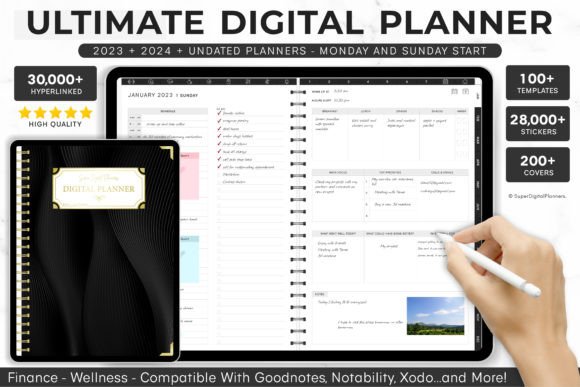
The [Black All-in-One Digital Planner] uses a fully dark aesthetic and includes planner stickers for additional customization. Its listing has attracted hundreds of saves and carries positive user reviews.
Dark planners look striking on a bright tablet screen and can reduce the visual glare of large white pages. Handwritten colors and digital stickers also stand out strongly against black backgrounds.
There is one practical issue: some pen colors become harder to read on dark paper, and printed pages will consume a lot of ink. This planner makes the most sense for a digital-only workflow.
Best for: dark-mode users, digital stickers, visual contrast
Key features: black pages, sticker support, high-contrast appearance
12. GoodNotes iPad Digital Planner Portrait
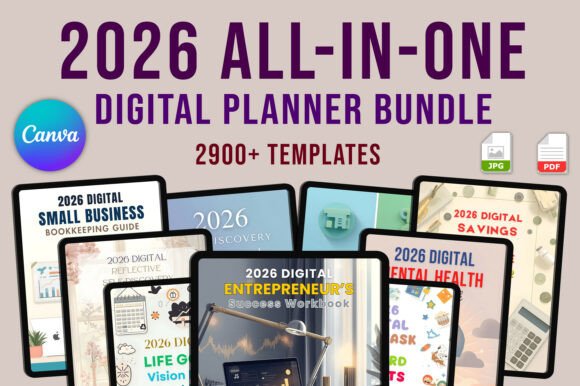
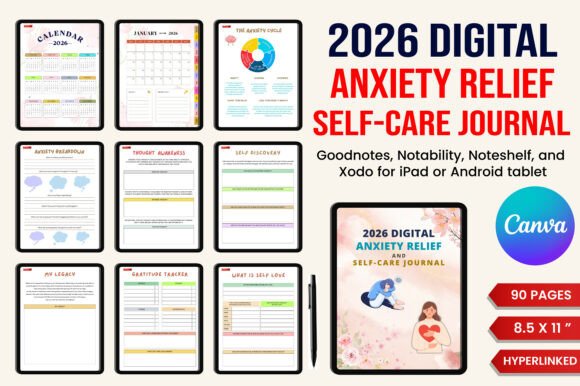
The [GoodNotes iPad Digital Planner Portrait] combines daily, weekly, and monthly planning with lifestyle organization pages in a portrait-oriented, fully hyperlinked file.
Portrait mode feels close to writing in a traditional notebook. It also works well when holding an iPad in one hand, although the usable writing area becomes narrower than it would be in landscape mode.
This layout is a good fit for lists, journaling, and vertically stacked schedules. Users who prefer wide weekly columns or detailed project diagrams will probably be more comfortable with a landscape planner.
Best for: handwritten notes, portrait tablets, daily lists
Key features: portrait orientation, lifestyle pages, hyperlinked sections
Read More: While templates are fantastic for customizing your planning experience, exploring different options is key, which is why we’ve also rounded up the 14 Best Digital Planners for 2026 to Stay Organized.
Quick Comparison of the Best Digital Planners
| Digital planner | Best suited to | Dated or undated | Notable feature |
|---|---|---|---|
| All-in-One Digital Planner for GoodNotes | Everyday life planning | Both | Broad device compatibility |
| Ultimate Digital Planner 2025–2027 | Long-term planning | Both | Multiple years and layouts |
| Rainbow All-in-One Digital Planner | Maximum customization | Both | 5,000+ stickers |
| All-in-One Planner 2025–2027 | Calendar-focused planning | Both | Apple and Google integration |
| 2026 Digital Planner Bundle | Layout variety | Dated | Large planner collection |
| That Girl Digital Planner | Wellness and self-development | Full-year | 550+ pages |
| Tas Creative Studio Planner | Simple reusable planning | Undated | Clean monthly modules |
| Undated GoodNotes Planner | Reusing year after year | Undated | Daily, weekly, monthly pages |
| iPad and GoodNotes Planner | Cross-platform users | Both | Broad PDF app support |
| Deep Blue Planner | Structured minimalist planning | Undated | Ten organized sections |
| Black All-in-One Planner | Dark visual style | Undated | Black interface and stickers |
| Portrait iPad Planner | Handwritten tablet planning | Varies | Portrait-oriented layout |
How to Choose an All-in-One Digital Planner
A large template bundle can look impressive in product previews, but page count should not be your first deciding factor. Start with the way you plan now, not the imaginary routine you hope to maintain six months from now.
Dated vs. Undated Planners
A dated planner is ready to use immediately. The calendar, weekdays, and monthly links are already organized, which saves setup time.
An undated digital planner lasts longer and is easier to restart after a break. It is usually the better choice for people who plan inconsistently or want to reuse the same design for several years.
Bundles containing both versions offer the safest balance.
Portrait vs. Landscape Layouts
Portrait planners resemble conventional notebooks and are comfortable for daily lists, journaling, and vertical schedules. They also display naturally when a tablet is held upright.
Landscape layouts provide wider writing areas. They tend to be easier for weekly spreads, budgeting tables, project planning, and split-screen use.
Consider how you normally position your tablet before choosing based on appearance alone.
Hyperlinks and Calendar Integration
A good hyperlinked planner should let you move between the yearly, monthly, weekly, and daily views without repeatedly returning to the index.
Calendar integration usually means clickable links that open Apple Calendar, Google Calendar, or a reminder app. It does not necessarily mean that handwritten planner entries automatically synchronize with those services.
For most users, reliable internal navigation is more important than having tens of thousands of links.
App and Device Compatibility
Most digital planners are interactive PDF files. To write on them and use their links, you need a PDF annotation app such as GoodNotes, Notability, Noteshelf, Xodo, or Samsung Notes.
Not every planner works properly in every application. OneNote, reMarkable devices, Kindle tablets, and certain desktop PDF readers may handle links or page duplication differently. Check the stated compatibility before downloading.
Choosing the Right Number of Templates
More templates provide flexibility, but they also add menu clutter. A planner containing 80 specialized sections is useful only when you can locate the pages you need without interrupting your workflow.
For straightforward scheduling, look for:
- Yearly and monthly calendars
- Weekly and daily layouts
- Tasks and priorities
- Goals or projects
- Notes pages
- A simple budget or expense tracker
Wellness, meal, travel, reading, cleaning, and fitness sections are valuable when they replace planners you already use. Otherwise, they may remain untouched.
Which All-in-One Digital Planner Should You Choose?
Choose the All-in-One Digital Planner for GoodNotes for the broadest everyday setup, the Ultimate Digital Planner 2025–2027 and Undated for long-term flexibility, and the Rainbow All-in-One Digital Planner when customization and stickers matter most. The All-in-One Digital Planner 2025–2027 is the stronger fit for calendar-link workflows, while the Tas Creative Studio option is easier to manage if you want a smaller reusable system.
An all-in-one digital planner is worth using when you currently divide your planning between several notebooks, PDFs, or loosely connected apps. A well-built template places your calendar, tasks, projects, habits, budget, and personal notes behind one navigation system.
It will not create a consistent routine on its own. In fact, the most elaborate planners can become another form of procrastination when you spend more time selecting covers and stickers than reviewing your schedule.
Choose the smallest planner that comfortably covers your real needs. For most people, that means strong daily, weekly, and monthly pages, quick hyperlinks, readable typography, and two or three specialized sections they will genuinely use.
Some links in this article may be affiliate links. If you purchase through them, we may earn a small commission at no extra cost to you. Thanks for supporting our work.
FAQ
What is an all-in-one digital planner?
An all-in-one digital planner is an interactive PDF that combines calendars, schedules, task lists, goals, notes, budgets, habits, wellness pages, and other planning tools in one file. Hyperlinks connect its major sections.
Which app is best for an all-in-one digital planner?
GoodNotes is one of the most common choices for iPad users. Notability, Noteshelf, Xodo, Samsung Notes, and other PDF annotation apps can also support digital planners, but compatibility varies by template.
Can I use a digital planner without an iPad?
Yes. Many PDF planners work on Android tablets, Windows computers, and Mac devices when opened in a compatible annotation app. A stylus makes handwriting easier, but it is not always required.
Is an undated digital planner better than a dated planner?
An undated planner is better for long-term reuse and inconsistent planning. A dated planner is faster to start and usually offers more convenient links between specific calendar days. Bundles containing both versions provide the most flexibility.

Follow Us