

ℹ️ Affiliate Disclosure: This article may contain affiliate links. We may earn a commission at no extra cost to you. Thanks for your support! ❤️
Top Google Sheets Templates for Etsy Sellers Reviewed
Running an Etsy shop involves far more than uploading attractive products. Sellers must track orders, calculate prices, monitor expenses, manage inventory, plan launches, and understand which items actually earn money. The right Google Sheets templates for Etsy sellers can bring those moving parts together without requiring an expensive software subscription.
I selected this mix with different shop models in mind, from digital-download stores with almost no physical inventory to handmade businesses that need detailed production and shipping records.
The best Google Sheets templates for Etsy sellers organize finances, orders, inventory, pricing, customers, and project deadlines in a format that is easy to update. My top picks include Etsy-specific bookkeeping bundles for complete financial oversight, inventory trackers for physical products, and pricing calculators for protecting profit margins.
| Template | Best for | Format or type |
|---|---|---|
| Premium Templates for Etsy Seller | Complete Etsy bookkeeping | Google Sheets and Excel bundle |
| Inventory Tracker Spreadsheet Template | Physical product stock | Inventory spreadsheet |
| Ultimate Pricing Calculator | Product pricing | Google Sheets calculator |
| Order Tracker Spreadsheet Template | Order fulfillment | Google Sheets and Excel tracker |
| CRM Spreadsheet Template | Customer management | CRM spreadsheet |
| Gantt Chart Project Management Template | Launch planning | Project timeline |
| Small Business Bundle | All-around shop administration | Spreadsheet bundle |
| Small Business Finance & Bookkeeping | Financial organization | Finance bundle |
| Google Sheets Expense Tracker | Expense monitoring | Expense spreadsheet |
| Small Business Profit and Loss Template | Profit reporting | P&L spreadsheet |
| 12-Month Sales Forecast Template | Revenue forecasting | Forecast spreadsheet |
| Business Growth Kit | Growing shops | Six-spreadsheet toolkit |
| Monthly Budget Google Sheets | Monthly cash planning | Budget dashboard |
| Google Sheets Budget Template | Annual budgeting | Finance tracker |
| Service Business Bundle | Custom and service orders | Business spreadsheet bundle |
Best Google Sheets Templates for Etsy Sellers
1. Premium Templates for Etsy Seller
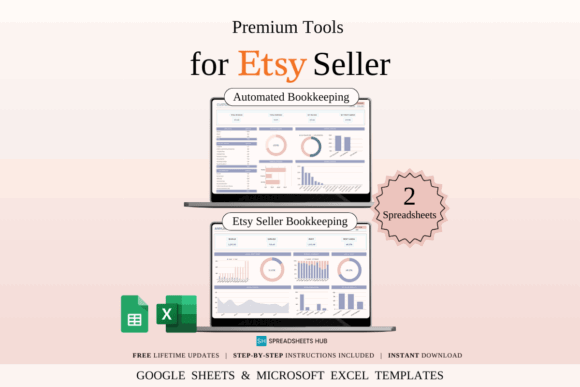
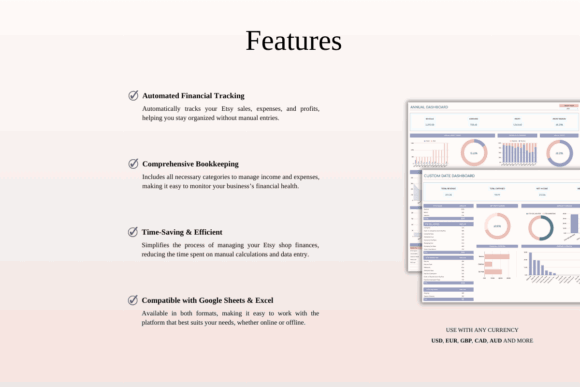
Premium Templates for Etsy Seller is an Etsy-focused financial bundle for shop owners who want bookkeeping, income, expenses, fees, and profit organized in one system. It includes versions for Google Sheets and Excel, along with blank files and examples containing sample data.
This is my strongest all-around pick for a seller whose financial records are scattered across order emails, bank statements, and separate notes. The Etsy-specific structure should require less adaptation than a general household budget, although sellers still need to enter transactions accurately and confirm their records with a qualified tax professional.
Best for: Etsy bookkeeping, income tracking, tax-season preparation
Key features: automatic formulas, sales and fee tracking, sample data, Google Sheets and Excel files
Download Etsy Seller Templates
2. Inventory Tracker Spreadsheet Template
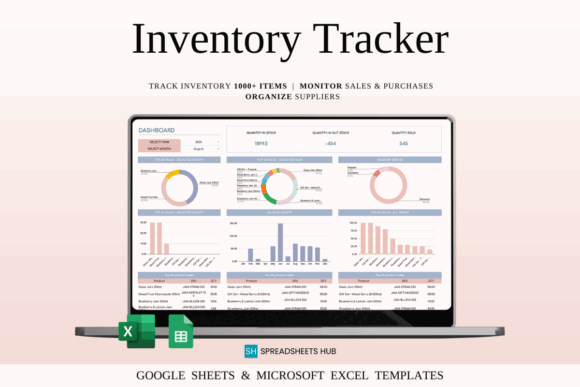
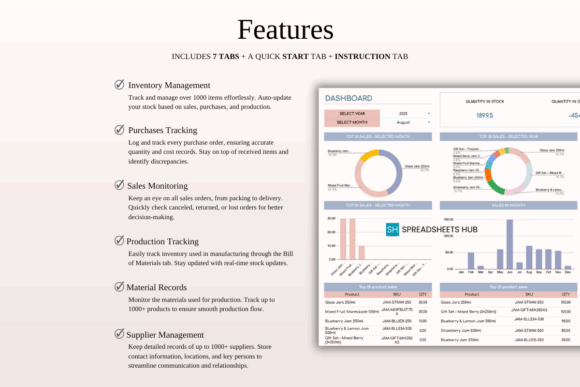
Inventory Tracker Spreadsheet Template is designed for product-based businesses that need to monitor quantities, SKUs, purchase prices, selling prices, sales, and restocking points. It is especially relevant to Etsy stores selling candles, jewelry, apparel, craft supplies, or other items with physical stock.
I would use this to separate finished-product inventory from raw materials and packaging supplies. Minimum-stock alerts can make replenishment easier, while built-in profit and margin fields provide useful context. Large shops with many product variations may eventually need dedicated inventory software, but a spreadsheet is a manageable starting point.
Best for: handmade goods, craft supplies, stock monitoring
Key features: SKU fields, stock alerts, purchase and sales logs, profit calculations
3. Ultimate Pricing Calculator

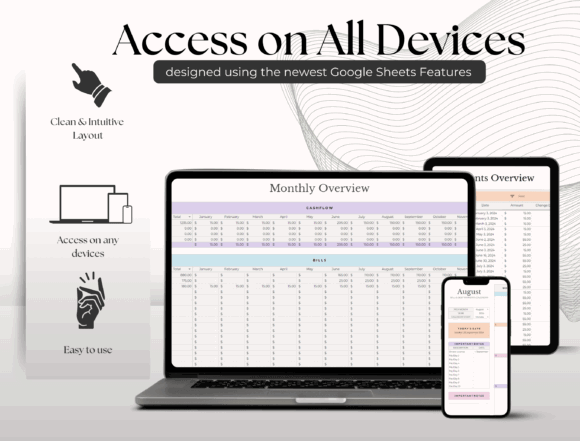
Ultimate Pricing Calculator is a Google Sheets tool for calculating product prices, costs, and potential profit for individual or multiple items. It also includes a materials list and can be used with different currencies, making it adaptable to a range of handmade-product businesses.
This would be one of my first downloads for a new Etsy seller because underpricing is difficult to fix after customers become accustomed to a low price. A calculator can make material and production costs more visible, but sellers should verify that their own formulas account for labor, packaging, marketplace fees, promotions, and expected waste.
Best for: handmade product pricing, profit planning, multi-product comparisons
Key features: single-product calculator, multi-product calculator, materials list, multi-currency support
4. Order Tracker Spreadsheet Template
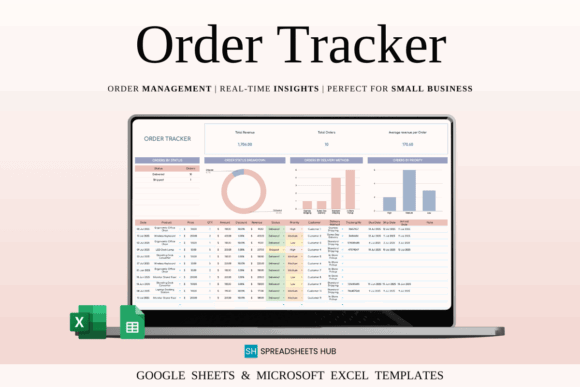
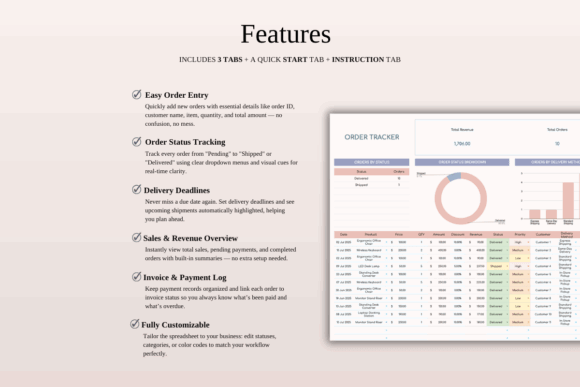
Order Tracker Spreadsheet Template is an order-management sheet for online sellers who need a central record of customer details, products, quantities, prices, delivery methods, priorities, shipping dates, and fulfillment status. It is provided for both Google Sheets and Excel.
My favorite use for this template would be managing personalized orders that pass through several stages before shipment. A status column can distinguish orders awaiting customer details from those in production or ready to dispatch. Sellers should avoid storing unnecessary sensitive customer information and should periodically archive completed records to keep the file responsive.
Best for: custom orders, handmade fulfillment, shipping oversight
Key features: customer fields, order statuses, priority tracking, shipping dates
5. CRM Spreadsheet Template Google Sheets
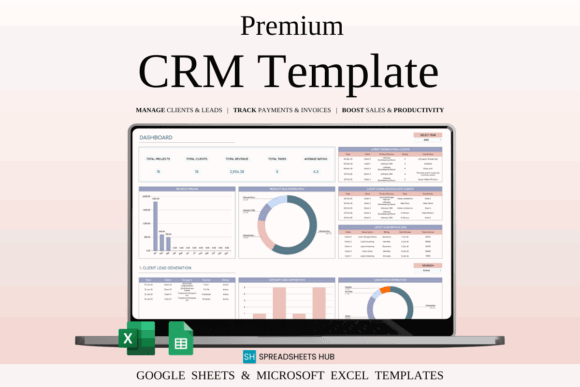
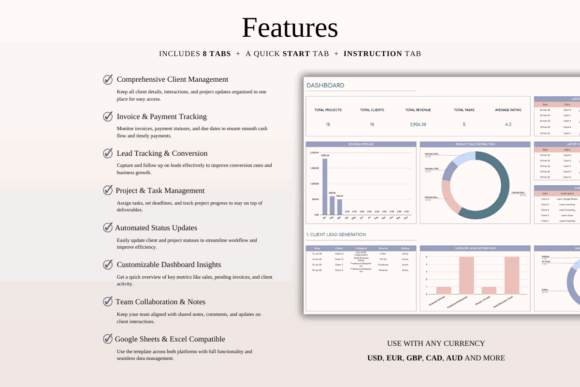
CRM Spreadsheet Template Google Sheets is a customer-management system for recording contact details, communication history, customer categories, follow-up tasks, and sales activity. It suits Etsy sellers who handle repeat buyers, wholesale inquiries, custom commissions, or business-to-business relationships.
I would not consider a CRM essential for a small digital-download shop with little direct communication. It becomes more valuable when customers request revisions, place recurring orders, or need follow-up outside the normal fulfillment flow. The segmentation tools could also help identify wholesale prospects separately from regular retail buyers.
Best for: custom commissions, wholesale leads, repeat customers
Key features: customer database, interaction log, segmentation, task reminders
6. Gantt Chart Project Management Template
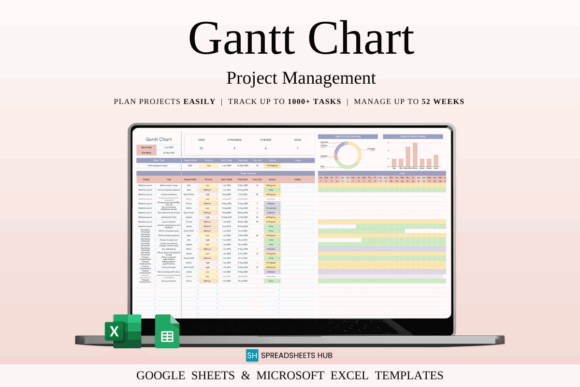
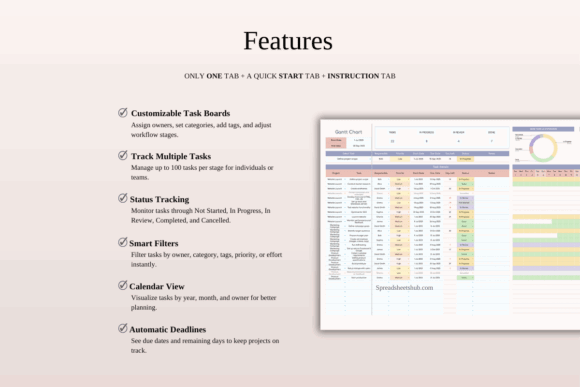
Gantt Chart Project Management Template is a timeline-based spreadsheet for planning tasks, deadlines, priorities, milestones, and team responsibilities. Etsy sellers can adapt it for seasonal product launches, large custom orders, photography updates, rebranding, or holiday inventory preparation.
This is my pick for projects that span several weeks and involve dependent tasks. For example, a holiday collection may require design, material ordering, sample production, photography, listing creation, and promotion in a specific sequence. A Gantt chart may feel excessive for daily shop tasks, so I would reserve it for launches and larger initiatives.
Best for: seasonal launches, shop redesigns, team projects
Key features: visual timelines, deadline alerts, task priorities, workload view
7. Small Business Bundle | 16 Templates
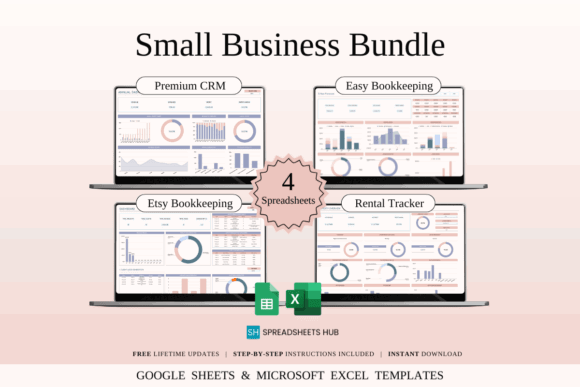
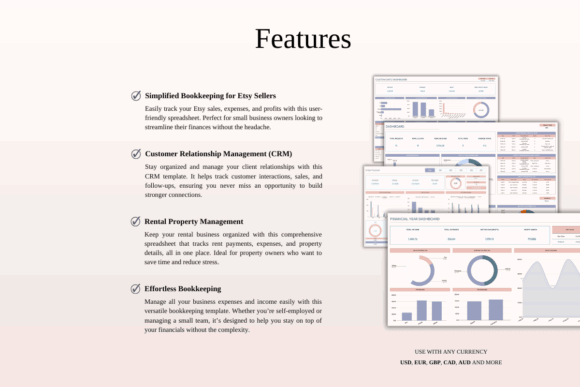
Small Business Bundle | 16 Templates is a broad toolkit for sellers who prefer one coordinated spreadsheet package instead of collecting individual files. Its Google Sheets and Excel compatibility makes it suitable for managing several administrative areas within a growing Etsy operation.
I would consider this bundle when a shop has outgrown informal notes but the owner has not yet identified which specialized tools matter most. The large selection can offer better coverage than a single tracker, though it may also introduce unused sheets. My advice is to adopt only the most relevant templates first and add others gradually.
Best for: new business systems, multi-area administration, growing shops
Key features: 16-template collection, editable spreadsheets, Google Sheets access, Excel compatibility
8. Small Business Finance & Bookkeeping
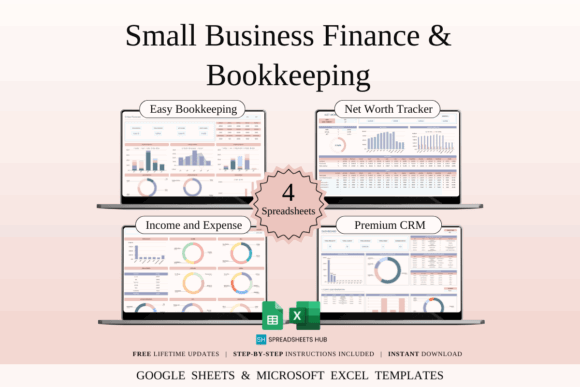

Small Business Finance & Bookkeeping is a spreadsheet collection for organizing the financial side of a creative business in Google Sheets or Excel. It is aimed at owners who need a clearer system for recording business activity without moving immediately to a full accounting platform.
I would choose this over a personal-budget sheet when the main goal is separating shop finances from household spending. That separation makes it easier to review costs and prepare records for professional accounting help. A spreadsheet can support bookkeeping, but it does not replace tax advice, formal accounting controls, or required government records.
Best for: financial organization, bookkeeping routines, expense separation
Key features: business-focused sheets, editable formulas, Google Sheets support, Excel files
9. Google Sheets Expense Tracker
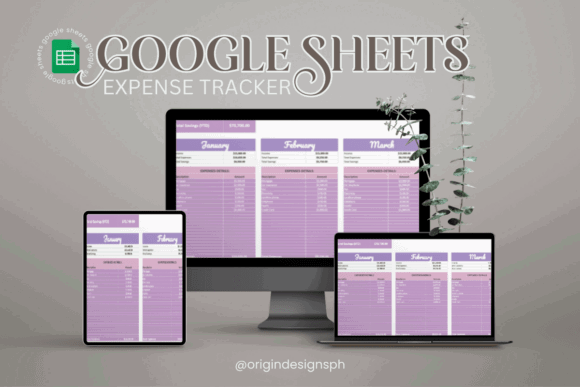
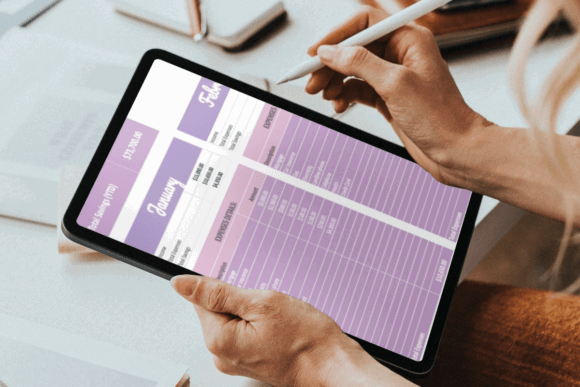
Google Sheets Expense Tracker is a focused template for categorizing business purchases and reviewing spending in one accessible file. It can help Etsy sellers record materials, packaging, software, advertising, equipment, listing-related costs, and other recurring shop expenses.
This is a sensible option for sellers who already track revenue elsewhere and mainly need better cost visibility. I would create Etsy-specific categories before entering data so spending patterns are meaningful at a glance. Expense trackers depend on consistent updates, so a simple weekly routine is more useful than creating an elaborate sheet that remains untouched.
Best for: cost categorization, weekly bookkeeping, spending reviews
Key features: customizable categories, visual summaries, cloud access, straightforward expense entry
10. Small Business Profit and Loss Template
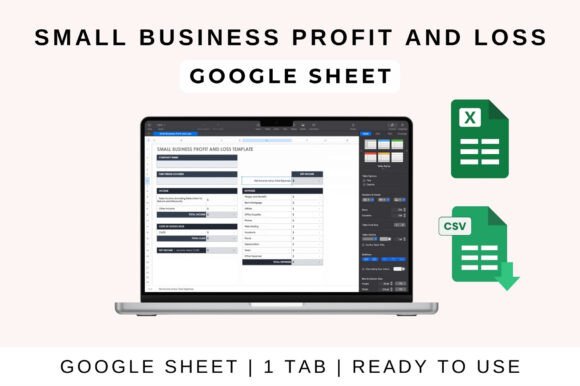
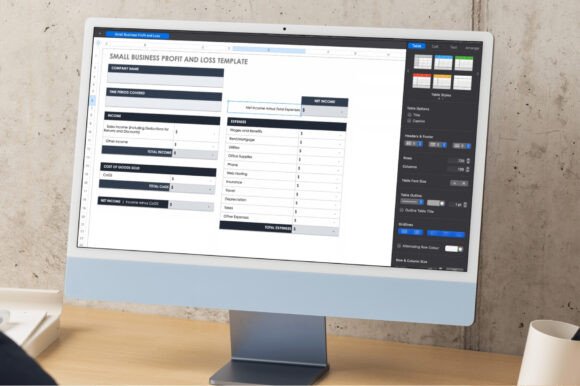
Small Business Profit and Loss Template is a financial summary sheet for comparing revenue with business expenses over a selected period. It is editable in Google Sheets, Excel, and Numbers, giving Etsy sellers flexibility in how they maintain and share their figures.
I would use this for a monthly management review rather than as the only place where transactions are stored. A profit-and-loss statement can reveal whether sales growth is being offset by advertising, shipping, material, or software costs. Its usefulness depends on accurate source data, so it should be paired with reliable sales and expense records.
Best for: monthly profit reviews, financial reporting, cost comparisons
Key features: revenue summary, expense summary, profit calculation, multi-platform editing
11. 12-Month Sales Forecast Template
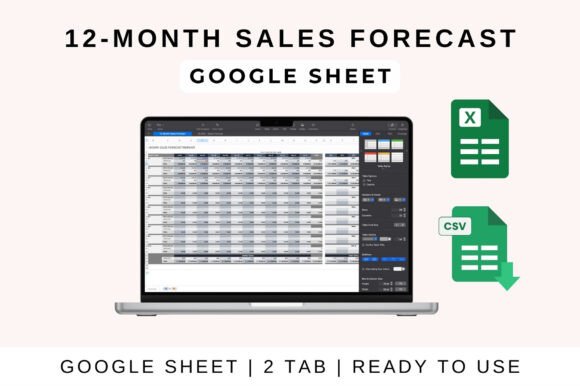
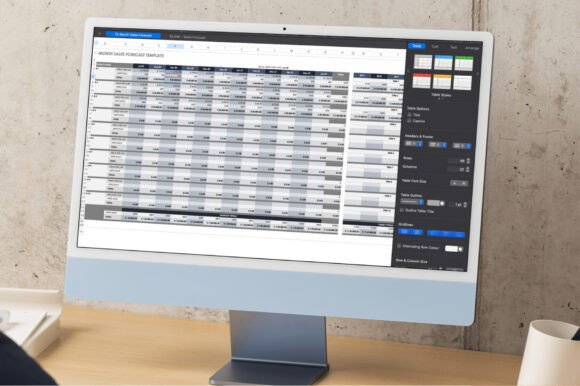
12-Month Sales Forecast Template is a Google Sheets-compatible tool for estimating revenue across the coming year. It can help Etsy shop owners plan inventory purchases, advertising budgets, product launches, contractor support, or equipment investments around expected sales patterns.
My preferred approach would be to create conservative, realistic, and stretch scenarios rather than relying on one optimistic forecast. Etsy sales can shift with seasonality, search visibility, consumer demand, and product trends. This sheet supports planning, but projections should be updated regularly as actual results become available.
Best for: annual planning, seasonal shops, revenue targets
Key features: 12-month view, sales projections, editable assumptions, Google Sheets compatibility
12. Business Growth Kit | 6 Spreadsheets
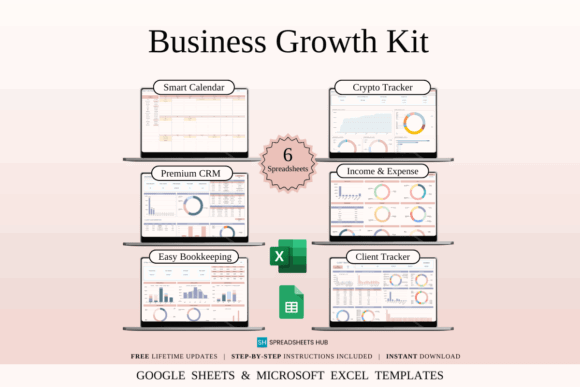
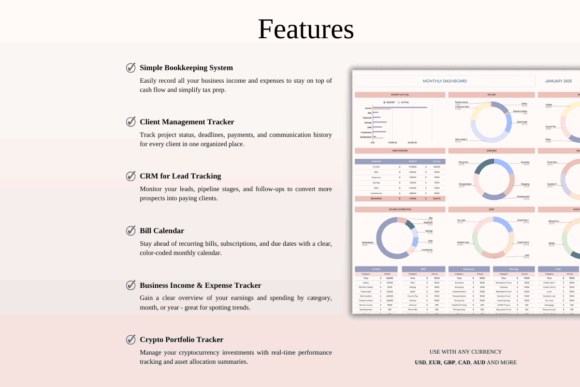
Business Growth Kit | 6 Spreadsheets is a compact management toolkit created for freelancers, solopreneurs, and small-business owners. Its six spreadsheets provide broader operational support without the volume of a much larger template bundle, and the files work with Google Sheets and Excel.
This is my middle-ground pick for sellers who want more than one tracker but do not need a sprawling system. A six-sheet structure is easier to maintain when each file has a clear role. Before adopting it, I would map every included sheet to a specific weekly or monthly task so the toolkit does not become another unused download.
Best for: solopreneurs, expanding Etsy shops, streamlined administration
Key features: six-spreadsheet set, business management focus, Google Sheets files, Excel compatibility
13. Monthly Budget Google Sheets
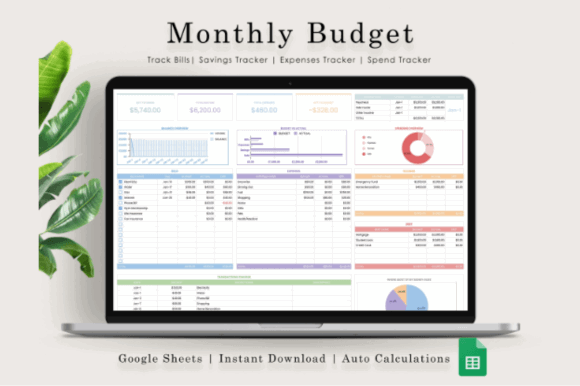
Monthly Budget Google Sheets is a budget and transaction-tracking template with a dashboard, charts, graphs, and customizable spending categories. Although it is not Etsy-specific, it can be adapted to create a monthly operating budget for a small creative business.
I would use this to set limits for supplies, packaging, advertising, subscriptions, education, and equipment before the month begins. The visual dashboard can make budget drift easier to spot. Sellers should replace household-oriented categories with shop expenses and avoid mixing personal transactions into the business version of the file.
Best for: monthly spending limits, cash planning, visual budget reviews
Key features: monthly dashboard, transaction tracker, charts and graphs, editable categories
14. Google Sheets Budget Template
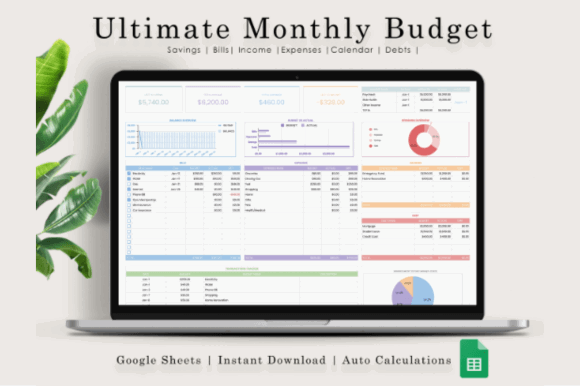
Google Sheets Budget Template combines monthly and annual budgeting with transaction tracking and visual dashboards. Etsy sellers can adapt it to compare actual shop income and expenses against a planned budget across a longer operating period.
I prefer this option for sellers who want both a close monthly view and a broader annual picture. The annual dashboard may help expose seasonal peaks that are easy to miss when each month is reviewed separately. Because the template includes demonstration data, users should carefully replace every sample entry before relying on its totals.
Best for: annual shop budgets, seasonal comparisons, financial dashboards
Key features: monthly and annual views, transaction tracking, charts, sample data
15. Service Business Bundle | 16 Templates
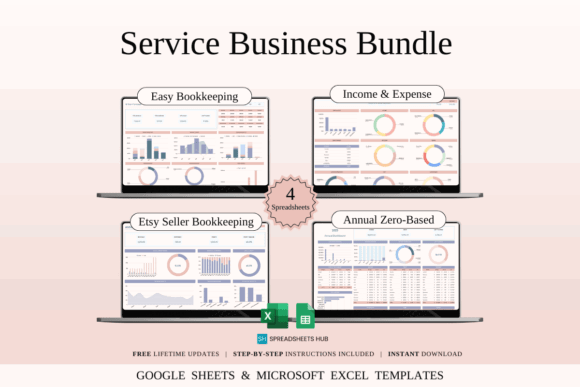
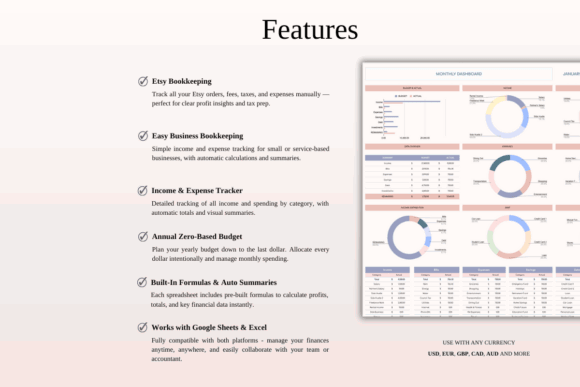
Service Business Bundle | 16 Templates is a Google Sheets and Excel collection for owners managing clients, projects, and service-based income. It can suit Etsy sellers whose shops include custom design, engraving, made-to-order artwork, consultation, personalization, or other labor-intensive services.
This is a more specialized recommendation because many Etsy stores sell standardized products rather than services. I would consider it for a shop where each order involves client communication, approvals, revisions, or staged payments. Product-only sellers may find the inventory or bookkeeping templates elsewhere in this list more directly useful.
Best for: custom design work, client projects, personalized services
Key features: 16-template bundle, client-oriented workflows, financial organization, Google Sheets and Excel access
Download Service Business Bundle
Build a Spreadsheet System You Will Maintain
The strongest Etsy spreadsheet setup is not necessarily the bundle with the most tabs. It is the one that answers your recurring business questions without creating an excessive amount of administrative work.
My recommendation is to begin with one financial template and one operational tracker, then review the system after a full sales cycle. Add another sheet only when it solves a clearly defined problem, and keep untouched backup copies before changing formulas or restructuring the files.
Frequently Asked Questions
What is the best Google Sheets template for a new Etsy seller?
The best starting template is one that tracks orders, expenses, fees, and profit without requiring duplicate data entry. An Etsy-specific bookkeeping bundle is usually the most useful first option, while physical-product sellers may also need an inventory tracker from the beginning. A new seller does not need every business spreadsheet immediately. Begin with the sheet that supports the most frequent task, establish a consistent update routine, and add pricing, forecasting, CRM, or project-management tools only when the shop’s workflow requires them.
Can Google Sheets track Etsy sales and expenses?
Yes, Google Sheets can track Etsy sales, refunds, fees, shipping income, advertising costs, supplies, subscriptions, and other business expenses. Formulas and pivot tables can also summarize profit by month, product, category, or sales channel when the source data is entered consistently. Spreadsheet tracking is still a manual system unless it is connected to another data source. Sellers should compare totals against Etsy reports, payment records, and bank statements, and they should consult an appropriate professional about bookkeeping and tax requirements in their jurisdiction.
Which spreadsheet should I use for handmade Etsy products?
Handmade-product sellers usually benefit most from a pricing calculator paired with an inventory tracker. The pricing sheet can account for materials and profit goals, while the inventory file monitors finished goods, raw supplies, packaging, purchase costs, and restocking needs. Shops offering personalization may also need an order tracker with production stages and customer-detail fields. For complex launches or large commissions, a project timeline can keep material ordering, making, photography, listing preparation, and shipping deadlines aligned.
Are Google Sheets templates enough for a growing Etsy business?
Google Sheets templates can support a growing Etsy business when order volume and data complexity remain manageable. They are flexible, inexpensive, and easy to customize, but larger shops may eventually need dedicated accounting, inventory, shipping, or customer-management software. Warning signs include slow files, conflicting copies, frequent formula errors, repeated manual entry, and difficulty controlling access for team members. A well-maintained spreadsheet can still serve as a planning dashboard or backup reporting tool after specialized systems are introduced.

Follow Us