

Choosing the Best Google Sheets Product Inventory Templates
Product inventory gets complicated as soon as a shop carries multiple variations, buys materials from several suppliers, or sells through more than one channel. A basic list may be enough at first, but growing sellers usually need clearer records for SKUs, quantities, purchase costs, sales, reorder points, and profit margins.
I selected these Google Sheets templates for product inventory with different workflows in mind. My picks include dedicated stock-control systems, order trackers, supplier lists, product-pricing calculators, and broader business spreadsheets.
The best Google Sheets inventory templates track current quantities, purchases, sales, costs, and reorder levels in one shared file. For most product-based businesses, I would start with a dedicated inventory tracker and add an order, supplier, or pricing spreadsheet only when that extra detail improves the workflow.
| Template | Best for | Format or type |
|---|---|---|
| Inventory Tracker Spreadsheet Template | Complete small-business stock control | Google Sheets and Excel |
| Inventory Tracker I Google Sheets | Materials and finished products | Google Sheets |
| Stock Vendor List Template | Supplier and purchasing records | Sheets, Excel, and Numbers |
| Food Inventory Template | Food products and ingredients | Sheets, Excel, and Numbers |
| Home Inventory Template | Home-based business assets | Spreadsheet |
| Software Inventory Tracking Template | Digital tools and licenses | Spreadsheet |
| Order Tracker Spreadsheet Template | Sales and fulfillment tracking | Google Sheets and Excel |
| Order Tracker Tool I Google Sheets | Simple order-stage monitoring | Google Sheets |
| Ultimate Pricing Calculator | Material costs and product pricing | Google Sheets |
| Premium Templates for Etsy Seller | Etsy shop administration | Google Sheets and Excel bundle |
| Small Business Bundle | 16 Templates | Multi-sheet business management | Google Sheets and Excel bundle |
| Small Business Bookkeeping Spreadsheet | Inventory-related financial records | Google Sheets and Excel |
Best Google Sheets Product Inventory Templates
1. Inventory Tracker Spreadsheet Template
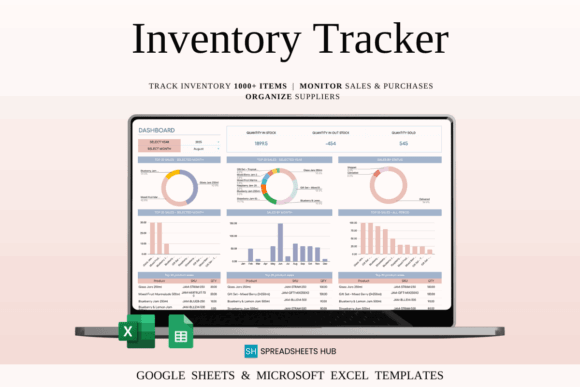
This is an all-purpose inventory spreadsheet for sellers who want to track products, SKUs, quantities, purchase prices, selling prices, purchases, and sales. It also includes minimum-stock monitoring, making it the most complete starting point in this roundup for a conventional retail or online-shop inventory.
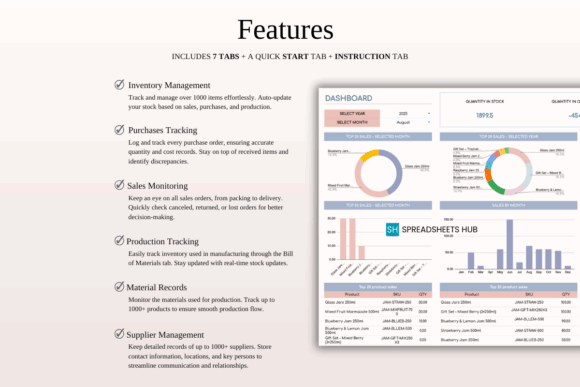
My pick for most small businesses, it combines daily stock records with basic profitability information instead of separating them into unrelated files. The tradeoff is that a feature-rich workbook requires consistent transaction entry; inaccurate purchase or sales logs will quickly make its stock totals unreliable.
Best for: online stores, retail stock, Etsy or eBay inventory
Key features: SKU fields, reorder monitoring, purchase and sales logs, profit calculations
2. Inventory Tracker I Google Sheets
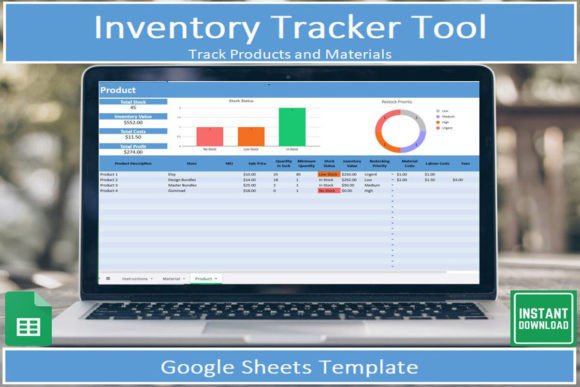
This Google Sheets inventory tracker is designed for makers who need separate visibility into materials and completed products. It records material costs, suppliers, inventory value, finished-product costs, margins, and expected profit through dedicated tracking areas and visual dashboards.
I would choose this over a basic stock list for candles, jewelry, apparel, or other handmade goods assembled from multiple supplies. Its material-and-product structure may be unnecessary for resellers who purchase finished merchandise and only need quantities, locations, and reorder dates.
Best for: handmade products, craft businesses, material inventory
Key features: materials tracking, finished-product records, visual dashboards, dropdown categories
3. Stock Vendor List Template
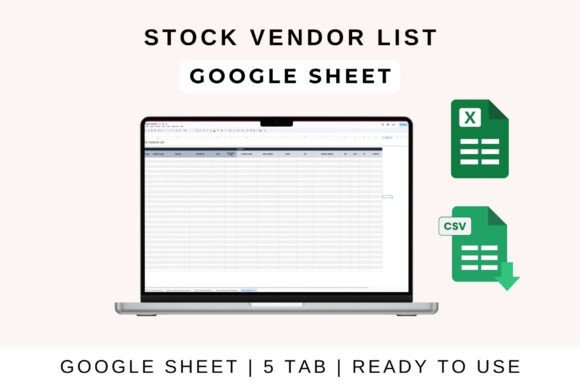
This supplier-management spreadsheet is for businesses that need an organized reference for vendor names, contact details, supplied products, pricing, payment terms, and stock availability. It complements an inventory tracker by documenting where replacement stock comes from and under what purchasing conditions.
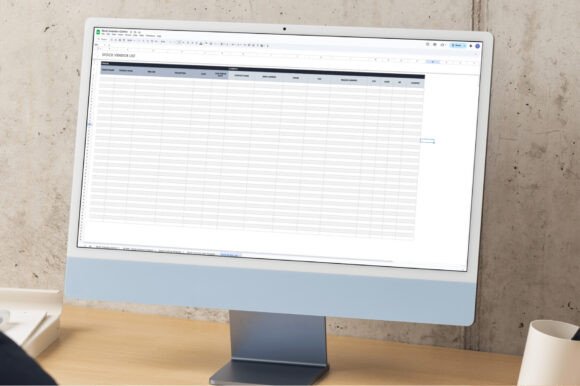
I would use it when several suppliers carry similar products or when purchasing responsibilities are shared across a team. It is not a full inventory-control system because it focuses on vendor information rather than calculating every stock movement, sale, or remaining quantity.
Best for: procurement, wholesale sourcing, multi-vendor shops
Key features: supplier contacts, product categories, payment terms, sortable vendor records
4. Food Inventory Template
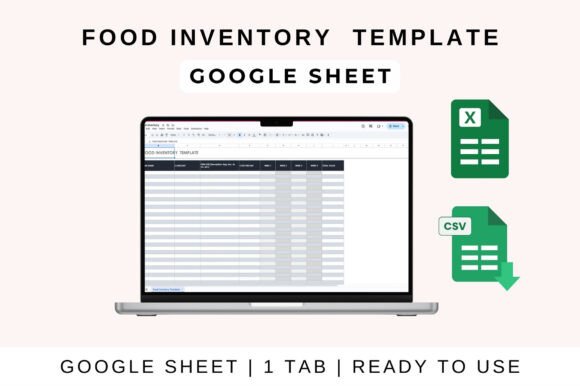
This food inventory spreadsheet is aimed at businesses that track ingredients, packaged foods, pantry supplies, or other consumable stock. It can be opened in Google Sheets and is better suited to food-related records than a generic product table with no room for ingredient-specific categories.
My preference would be to adapt its columns for unit size, storage location, opening quantity, and restock needs. Food sellers should check whether the provided fields cover their required batch and expiration records, since a general template should not replace any mandatory food-safety documentation.
Best for: bakeries, cafés, food makers, pantry stock
Key features: consumable inventory, editable categories, filtering, multi-platform compatibility
5. Home Inventory Template
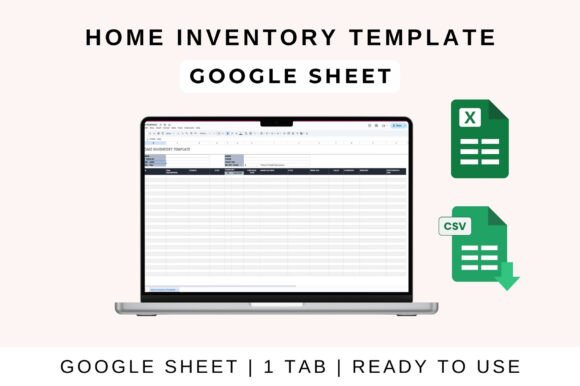
This home inventory spreadsheet provides a structured way to catalog equipment, supplies, furnishings, electronics, and other property. For a home-based product business, it can separate operational assets from merchandise intended for sale.
I see this as a supporting asset register rather than a primary sales-inventory tracker. It is useful for recording equipment and storage contents, but shops that need automatic sales deductions, SKU-level reorder alerts, or purchase-to-profit calculations should pair it with a dedicated product tracker.
Best for: home studios, business equipment, storage-room records
Key features: item catalog, property records, organized categories, spreadsheet format
6. Software Inventory Tracking Template
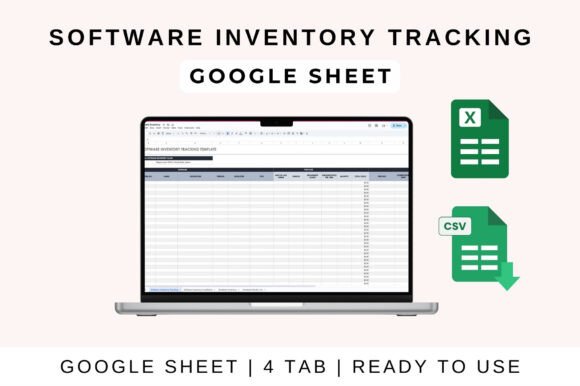
This inventory template catalogs software tools and other digital resources rather than physical merchandise. A product business can use it to document the applications, subscriptions, license details, and technology assigned to its operations.
I included it because digital assets are easy to overlook when building an inventory system, especially when several people use paid design, accounting, or fulfillment tools. It will not monitor physical product quantities, so it belongs beside—not instead of—a merchandise inventory sheet.
Best for: software licenses, digital tools, team technology records
Key features: software cataloging, editable fields, Google Sheets access, shared records
7. Order Tracker Spreadsheet Template
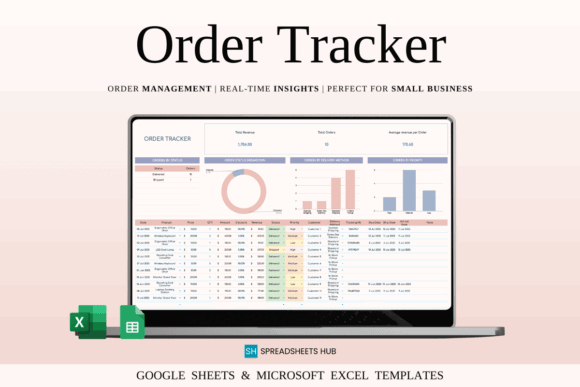
This order-management spreadsheet tracks product details, quantities, prices, customer information, delivery methods, order statuses, priorities, shipping dates, and revenue. It is intended for sellers who need to see what happens after an item leaves available inventory and enters fulfillment.
I would pair this with a stock tracker when delayed, customized, or partially fulfilled orders make the inventory count hard to interpret. It provides stronger fulfillment detail than a basic quantity sheet, although maintaining two workbooks can create duplicate entry unless the seller establishes a consistent process.
Best for: online orders, shipping workflows, custom-product sellers
Key features: customer details, order status, shipping dates, automatic calculations
8. Order Tracker Tool I Google Sheets
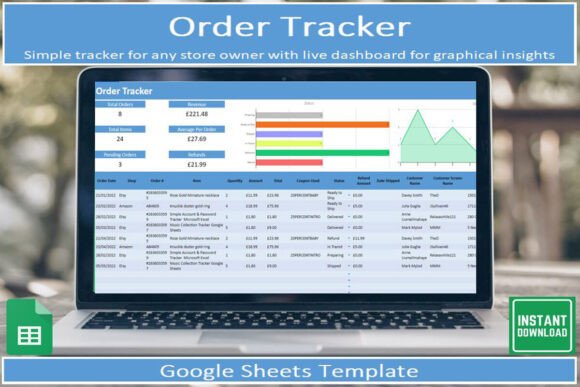
This Google Sheets order tracker gives small shops a focused system for following orders from the initial sale through delivery. It includes instructions, automatic visual insights, a searchable order table, and status-based tracking for each stage of fulfillment.
I would consider this version for a seller who prefers a direct Google Sheets workflow rather than a combined Sheets-and-Excel package. Its emphasis is order progress, not raw-material consumption or warehouse counts, so production-heavy businesses will still need a separate inventory sheet.
Best for: simple fulfillment pipelines, mobile updates, small online shops
Key features: Google Sheets format, order stages, visual insights, sorting and filtering
9. Ultimate Pricing Calculator

This Google Sheets pricing calculator connects product inventory decisions with material costs and expected profit. It includes calculators for individual and multiple products, plus a materials list that can help makers document the supplies consumed by each item.
My reason for adding it is simple: knowing that ten units remain does not reveal whether those units are priced sustainably. This template is strongest for costing and pricing rather than live stock control, so sellers should not expect it to replace quantity adjustments, purchase logs, or reorder alerts.
Best for: handmade pricing, product costing, profit planning
Key features: single-product calculator, multi-product calculator, materials list, multi-currency use
10. Premium Templates for Etsy Seller
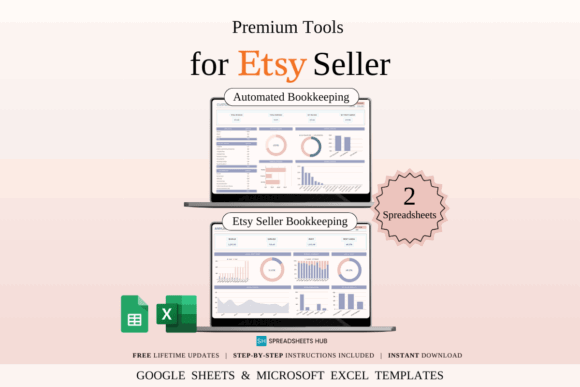
This spreadsheet bundle is built for Etsy sellers who want to organize product costs, sales, fees, shipping expenses, income, and profit. It includes sample and blank files for both Google Sheets and Excel, making it suitable for shops that want examples before entering their own data.
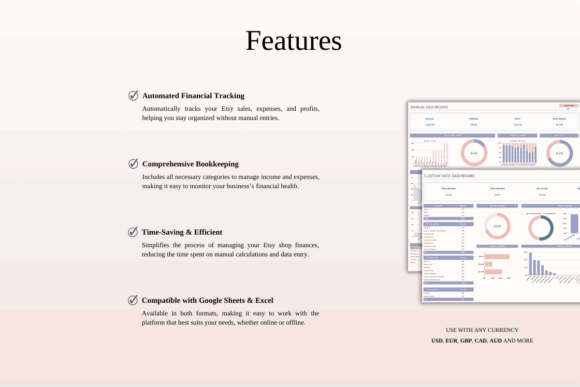
I would select this for an Etsy-focused workflow where inventory decisions are closely tied to platform fees and shop finances. The bundle is broader than a dedicated stock ledger, so confirm that its included inventory fields provide enough SKU and reorder detail for the size of your catalog.
Best for: Etsy shops, handmade sellers, product-cost tracking
Key features: product-cost records, fee tracking, sales and expense sheets, sample files
11. Small Business Bundle | 16 Templates
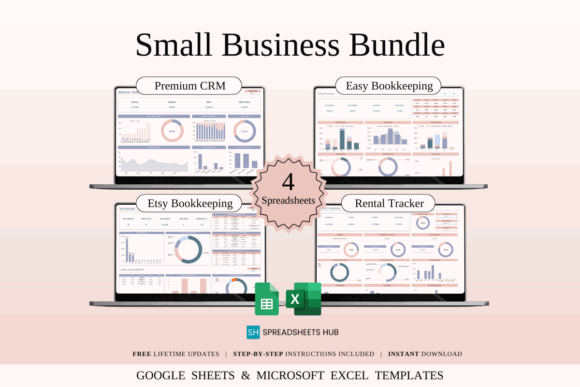
This small-business bundle combines several spreadsheet tools for sellers who want inventory-related administration inside a wider operational system. It is intended to support areas such as sales, expenses, customers, orders, planning, and other recurring business records in Google Sheets and Excel.
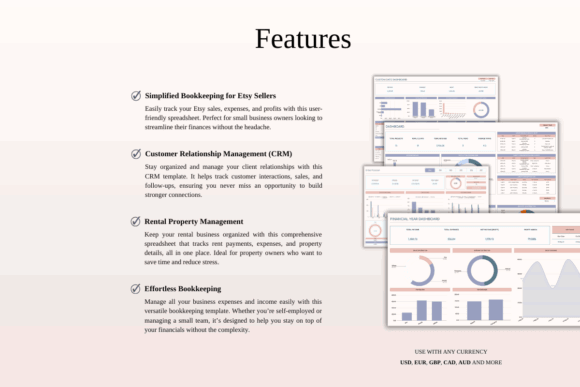
I would consider a bundle like this when the shop has outgrown isolated files and needs consistent layouts across departments. The limitation is complexity: more templates do not automatically create a better system, and a solo seller may only use a small portion of the package.
Best for: growing shops, multi-sheet workflows, business administration
Key features: 16-template bundle, operational records, Google Sheets compatibility, reusable layouts
12. Small Business Bookkeeping Spreadsheet
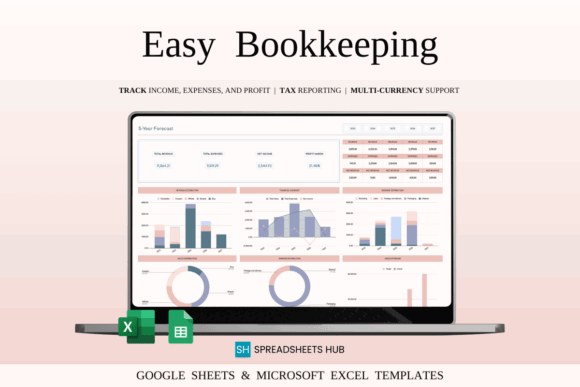
This bookkeeping spreadsheet helps product businesses record income, expenses, and profit while reviewing performance through monthly, yearly, and longer-term summaries. It does not count units on a shelf, but it can capture the financial activity created by inventory purchases and product sales.
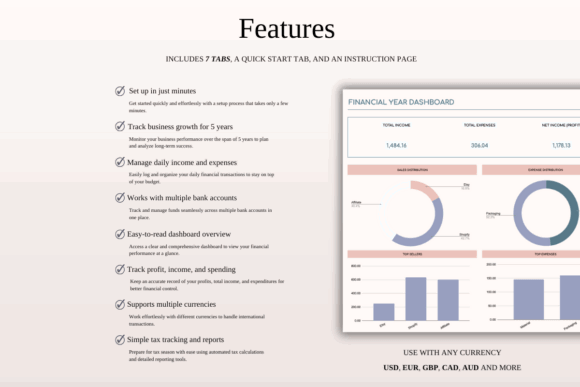
I would add it after establishing a dependable stock tracker, not before. It is useful for connecting purchasing decisions to cash flow and profitability, yet it should remain separate from detailed SKU quantities unless the workbook explicitly supports the inventory method the business requires.
Best for: purchase expenses, sales income, financial reporting
Key features: income and expense tracking, profit calculations, multi-year dashboard, Google Sheets compatibility
What to Look for in a Product Inventory Template
Start with the decisions the spreadsheet must help you make. A reseller may need current quantity, SKU, storage location, supplier, purchase cost, sale price, and reorder level. A maker may also need material quantities, unit consumption, production cost, and the number of finished products that can be created from available supplies.
Automatic formulas are useful, but they should remain understandable. Check how purchases increase stock, how sales reduce it, and whether returns, damaged goods, samples, and manual adjustments have a clear place. A visually impressive dashboard is less valuable than a transaction process your team will follow consistently.
Google Sheets collaboration is another advantage, particularly when purchasing, production, and fulfillment are handled by different people. Protect formula cells, limit editing permissions where necessary, and establish one naming system for products and SKUs. Duplicate names or inconsistent units can undermine even a carefully designed template.
Choosing the Right Inventory Spreadsheet
For a straightforward retail catalog, I would begin with the Inventory Tracker Spreadsheet Template because it combines quantities, transactions, reorder information, and margins. Makers who convert supplies into finished goods may get more value from Inventory Tracker I Google Sheets, while Etsy sellers may prefer a platform-focused bundle.
Choose the smallest system that captures every stock movement you genuinely need. A template becomes useful when it is updated consistently, understood by everyone who edits it, and simple enough to support purchasing decisions without creating another layer of administrative work.
Some links in this article may be affiliate links. If you purchase through them, we may earn a small commission at no extra cost to you. Thanks for supporting our work.
Frequently Asked Questions
Can Google Sheets be used for product inventory?
Yes, Google Sheets can manage product inventory for many small shops and growing creative businesses. It can track SKUs, quantities, purchases, sales, suppliers, costs, and reorder points while allowing several team members to view or update the same file. Sheets is most practical when transaction volume is manageable and the team can maintain a consistent entry process. Businesses with multiple warehouses, complex manufacturing, barcode automation, or very high sales volume may eventually need dedicated inventory software.
What columns should a product inventory spreadsheet include?
A useful product inventory spreadsheet should include the product name, SKU, category, current quantity, unit cost, sale price, supplier, reorder point, and storage location. Purchase dates, sales quantities, inventory value, and adjustment notes can provide a clearer audit trail. Handmade businesses may also need material names, units of measure, consumption per product, and production status. Keep the main table focused enough that staff can update it quickly rather than skipping fields because the sheet feels overwhelming.
How do I make inventory quantities update automatically in Google Sheets?
Create separate purchase and sales logs, then calculate current stock as opening inventory plus purchases minus sales and adjustments. Functions such as SUMIF or SUMIFS can total transactions for each SKU and feed the result into a master product list. Use unique SKUs instead of relying only on product names, especially when items have size, color, or material variations. Test formulas with sample purchases, sales, returns, and damaged stock before depending on the totals for purchasing decisions.
When should I replace a Google Sheets inventory template with inventory software?
Consider dedicated inventory software when manual spreadsheet updates cause frequent errors, delayed stock counts, or overselling. Other signs include managing several locations, needing barcode scanning, processing large order volumes, or requiring automatic synchronization with multiple sales channels. A spreadsheet can still remain useful for planning, custom reports, supplier comparisons, or product costing after the main inventory system changes. The right time to upgrade is when maintaining the sheet costs more time or creates more risk than the new system would save.
Follow Us