

How Digital Planner Templates Simplify Small Business Work
The best digital planner templates for small business owners need to do more than present a neat calendar in an attractive color palette. A genuinely useful planner should make recurring business tasks easier to see, organize, and complete.
That may involve tracking customer orders, planning a product launch, organizing social media content, recording expenses, or turning a broad quarterly goal into realistic weekly actions. A general daily planner can handle meetings and appointments, but it rarely includes the operational pages that small business owners rely on.
I compared five Creative Fabrica options that approach business planning in different ways. Some are editable Canva templates, one is built as a Notion workspace, and others use structured PDF-style pages that can be annotated digitally or printed.
One thing I often notice when browsing digital planner collections is how easily presentation can overshadow practicality. A planner may look beautifully coordinated in preview images yet feel awkward once real orders, expenses, notes, and deadlines begin filling the pages.
No single option will suit every business. A product seller managing stock needs a different structure from a freelance designer coordinating client projects. The strongest template is usually the one that reflects the work you already repeat each week rather than introducing an entirely new and complicated system.
Quick Picks
- Best overall: Business Planner Templates Canva
- Best strategy workbook: Ultimate Business Planner
- Best connected workflow: Notion Small Business Planner Template
- Best compact finance and sales system: Business Planner by Igraphic Studio
- Best for inventory and records: Small Business Planner & Tracker
How I Picked These
I compared these business planners by workflow fit, editability, operational usefulness, page clarity, record-keeping depth, collaboration potential, dated-content limitations, and how easily each system can become part of a repeatable weekly routine instead of creating more administrative work.
1. Business Planner Templates Canva
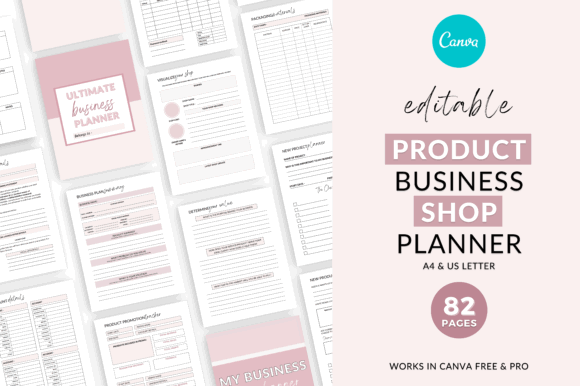
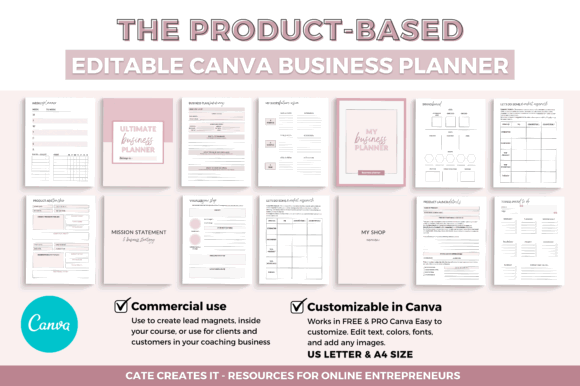
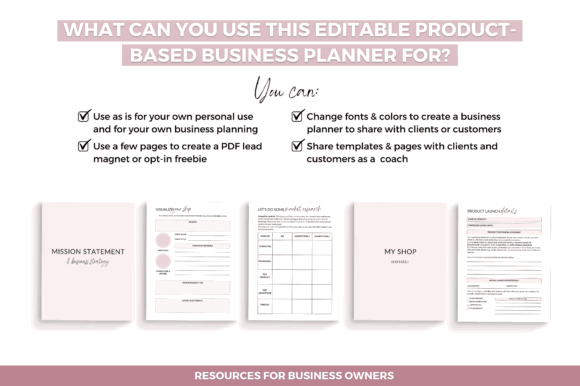
Business Planner Templates Canva is the most visually polished option in this selection for product-based businesses. It appears to have been created with Etsy and Shopify sellers in mind, although the adaptable page structure could also suit coaches, service providers, or creators preparing planning materials for clients.
The package includes 82 templates, with 11 of those used as covers and section dividers. The large page count sounds impressive, but the more important strength is the level of editability.
Because the layouts can be changed in Canva, users can remove unnecessary pages, rename sections, adjust typography, refine the visual hierarchy, and apply their own brand colors. The completed planner can then be exported as a PDF, shared digitally, or printed when a physical worksheet feels more convenient.
From a visual perspective, this flexibility is valuable. Business planner bundles often contain several attractive pages that serve almost the same purpose. Being able to reduce the collection to a smaller, more cohesive system can make it far easier to use consistently.
I would consider this first for a shop owner who wants a branded planning system rather than a fixed set of worksheets. It is less suitable for anyone expecting automated calculations, connected databases, or live task management.
A licensing restriction also deserves attention: the original planner template cannot be resold as a standalone template. Anyone planning to incorporate the pages into a commercial product should read the current licensing terms carefully.
Best for: Etsy shops, Shopify sellers, product planning
Key features: 82 Canva pages, editable layouts, PDF export
2. Ultimate Business Planner
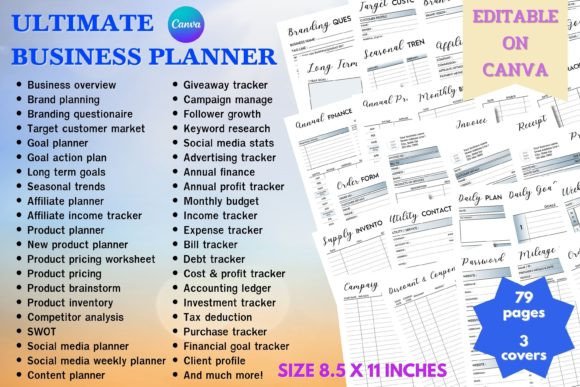

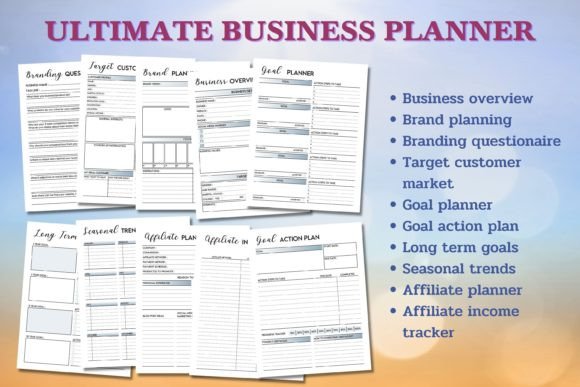
The Ultimate Business Planner is a broad Canva collection containing more than 70 business templates. Its pages cover brand planning, target customers, goals, seasonal trends, affiliate income, product development, pricing, inventory, competitors, social media, and content planning.
Visually, the collection feels more like a complete business workbook than a simple digital planner. That can be useful for a new business owner who wants prompts and structure around areas that are easy to overlook. Audience research, pricing, inventory, marketing, and product planning can all remain within one coordinated visual system instead of being scattered across unrelated documents.
The potential limitation is density.
After exploring many large planner bundles, I have found that extensive collections often create a second organizational problem: deciding which pages deserve attention. More than 70 worksheets can quickly begin to feel like another unfinished project.
I would not approach this planner from beginning to end. A more practical method is to select five or six pages linked to current decisions, such as a pricing worksheet, monthly content plan, customer profile, product development page, and inventory tracker.
The template uses US Letter dimensions and can be edited in Canva. It can therefore be completed digitally, exported for tablet annotation, or printed selectively.
Its worksheet-based structure will probably appeal most to business owners who think through ideas by writing, categorizing, and comparing information. People who prefer live databases or collaborative project boards may find it too static.
Best for: New businesses, strategic planning, product development
Key features: 70-plus worksheets, Canva editing, US Letter size
3. Notion Small Business Planner Template

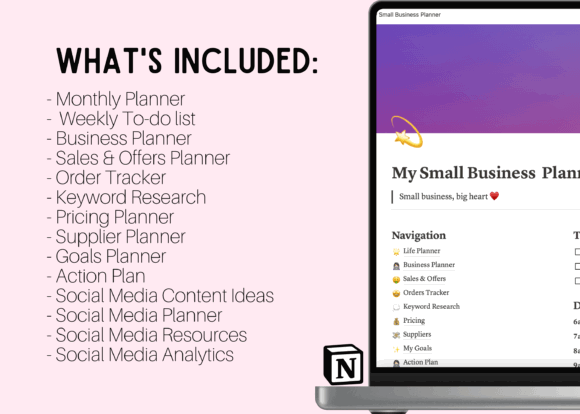
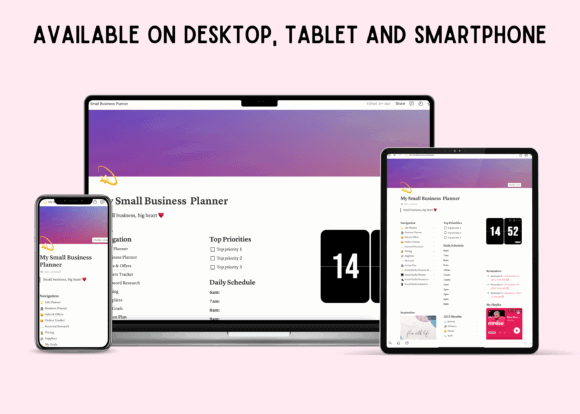
The Notion Small Business Planner Template takes a noticeably different approach. Instead of presenting a collection of printable graphics, it organizes business information inside a customizable Notion dashboard.
Its sections include monthly and weekly planning, sales and offers, orders, keyword research, pricing, suppliers, goals, action plans, social media ideas, content planning, and social analytics.
This connected structure can be more practical than a PDF for a business that changes frequently. An order can be updated, a content idea can move into a publishing schedule, and supplier information can remain linked to the wider business workspace.
There is no need to keep exporting revised planner pages or creating multiple versions of the same document.
The minimal visual style is another strength. Dashboards containing many categories can quickly become visually noisy, so a restrained interface makes the information easier to scan. In this case, clarity matters more than decorative artwork.
Notion still requires initial setup and a basic understanding of pages, properties, and databases. It may feel natural to existing Notion users but less intuitive to someone who prefers handwriting with an Apple Pencil.
The listing also refers to organizing work in 2023. That does not make the entire template unusable, but any dated calendar elements should be inspected and updated before the workspace becomes part of a regular routine.
Best for: Notion users, content planning, connected workflows
Key features: Order tracking, pricing pages, social analytics
4. Business Planner by Igraphic Studio
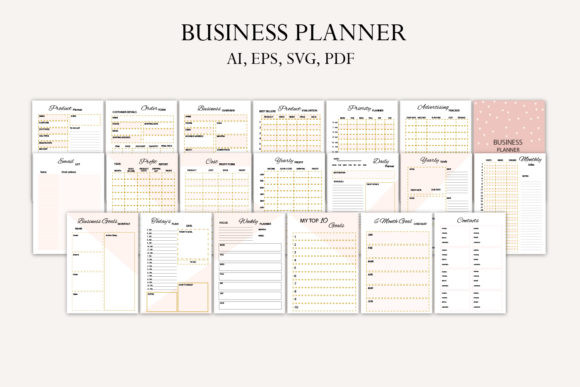
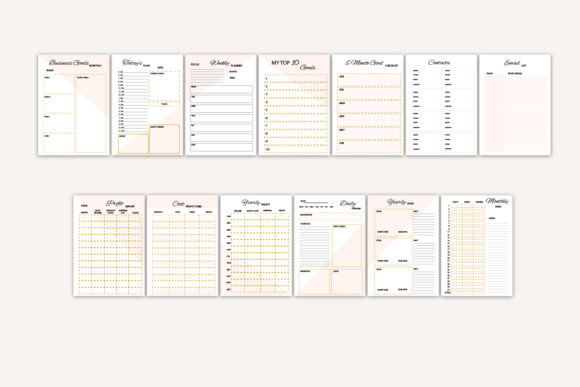
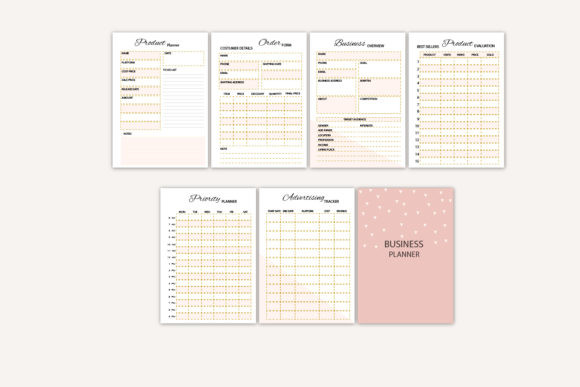
The Business Planner by Igraphic Studio focuses more directly on the operational side of running a business. Its pages cover income, expenses, promotions, campaigns, contacts, email lists, yearly goals, profit reports, costs, monthly sales, products, orders, and daily or weekly priorities.
Compared with the larger Canva bundles, this collection feels more contained. It includes 20 pages rather than dozens of overlapping worksheets, making it easier to understand how each section might fit into a regular planning routine.
A smaller collection with a clear purpose often feels more useful than an oversized bundle with repetitive page types. Here, the focus remains on sales, financial visibility, products, and ongoing business activity.
The financial pages are particularly practical for creating a simple visual overview. They are not a replacement for accounting software, tax records, or professional bookkeeping, but they may help a business owner notice spending patterns, upcoming costs, or products that deserve closer review.
The download includes A4 and A5 PDFs alongside AI, EPS, and SVG files. These editable design files offer considerable control over the appearance of the pages, though they will be less approachable than Canva for users without design software experience.
Most people will probably find the PDF versions more convenient for everyday annotation.
Choose this one when you want a compact business organizer without an extensive branding or strategy workbook. It is less appropriate for collaborative project management or automated financial calculations.
Best for: Sales reviews, expense planning, compact organization
Key features: 20 pages, A4 and A5, editable files
5. Small Business Planner & Tracker
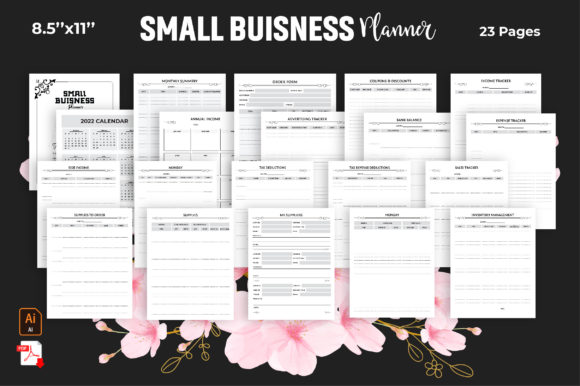
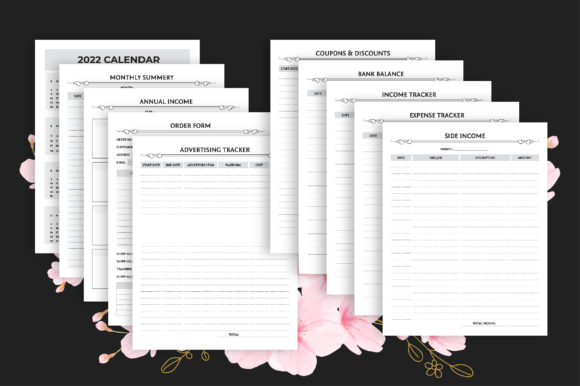
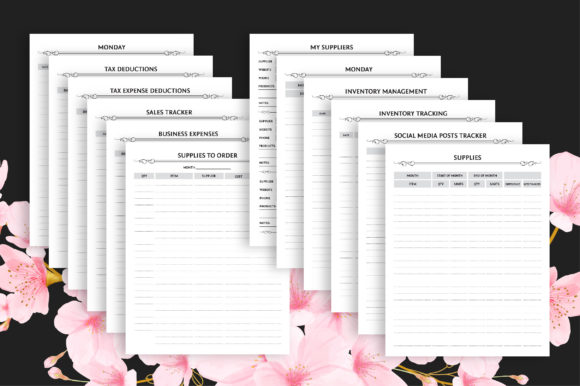
The Small Business Planner & Tracker is the most record-focused option in this roundup. Its sections cover annual income, orders, advertising, discounts, bank balances, side income, tax deductions, expenses, supplies, suppliers, inventory, sales, and social media posts.
That combination makes sense for a small product business where stock levels, material costs, and incoming orders influence everyday decisions.
A handmade seller, for example, could use the supply and inventory pages alongside sales and order records rather than maintaining a separate notebook or file for every category. The collection appears most useful when treated as a group of operational worksheets rather than a traditional daily planner.
The downloadable files include PDF, JPEG, and editable Adobe Illustrator formats in an 8.5-by-11-inch layout.
There is an inconsistency in the listed page count. One part of the product information mentions 14 pages, while another states 23. Preview descriptions sometimes create clearer expectations than the actual file specifications, so buyers should inspect the current contents before depending on an exact number of pages.
Another limitation is the inclusion of an older 2022 calendar. The undated tracking pages still have practical value, but the calendar section will need to be replaced, edited, or ignored.
This is not the strongest option for visual weekly scheduling. It makes more sense as a structured record-keeping collection for inventory, supplies, expenses, and sales.
Best for: Inventory, supplies, income and expense records
Key features: Business trackers, PDF pages, Illustrator files
Read More: While finding the right template is key for small business owners, you might also be interested in exploring more comprehensive options, like the 13 Best Digital Planner Bundles for Effortless Daily Planning, to streamline all aspects of your daily organization.
Quick Comparison
| Planner | Best suited to | Main format |
|---|---|---|
| Business Planner Templates Canva | Product-based businesses | Editable Canva template |
| Ultimate Business Planner | All-in-one business planning | Canva and US Letter |
| Notion Small Business Planner | Connected digital workflows | Notion dashboard |
| Business Planner by Igraphic Studio | Finance and sales tracking | PDF and editable design files |
| Small Business Planner & Tracker | Inventory and expense records | PDF, JPEG, Illustrator |
Which Small Business Planner Should You Choose?
For the broadest combination of visual customization and business-specific pages, Business Planner Templates Canva is the strongest all-around option in this group. Its flexible structure is particularly useful for product sellers who want to adapt a planner to their own brand and workflow.
Choose the Ultimate Business Planner when you need a wider collection of worksheets covering strategy, branding, products, pricing, and marketing. Its range is useful, though it will benefit from careful editing so the final system does not become overwhelming.
The Notion Small Business Planner Template is the better fit for business owners who want connected, frequently updated information rather than static planner pages.
The Business Planner by Igraphic Studio provides a more compact system centered on sales, expenses, products, and weekly organization.
The Small Business Planner & Tracker is most relevant when supplies, inventory, orders, and financial records are the main priorities.
Whichever format you select, begin with a small group of pages. Build a reliable routine around those sections before adding more.
A business planner earns its place through repeated use, not through the number of templates sitting untouched in a download folder.
Some links in this article may be affiliate links. If you purchase through them, we may earn a small commission at no extra cost to you. Thanks for supporting our work.
Frequently Asked Questions
What Is the Best Digital Planner for a Small Business?
The best option depends on the business model and preferred workflow. Canva planners are useful for visual customization, Notion is better for connected and frequently changing information, and PDF planners work well for handwriting and structured weekly reviews.
Can I Use a PDF Planner in Goodnotes?
Many PDFs can be imported into Goodnotes, but compatibility does not guarantee internal hyperlinks. Check whether the product is specifically described as a hyperlinked digital planner when clickable navigation is important.
Is Notion Better Than a PDF Business Planner?
Notion is better for searchable databases, changing task statuses, shared information, and connected records. A PDF planner is better for handwriting, visual reflection, and a traditional page-based planning experience.
Can Canva Planner Templates Be Customized?
Most Canva planner templates can be customized within the limits established by the seller. Users can generally change text, colors, fonts, page order, and branding. Always review the current product instructions and license.
Should a Business Planner Replace Accounting Software?
No. A planner can help monitor expenses, sales, and financial goals, but it should not replace formal accounting records, invoices, bank reconciliation, tax documentation, or professional bookkeeping tools.
Are Digital Planner Templates Reusable?
Undated templates are usually reusable because their pages can be duplicated for new weeks, months, projects, or planning cycles. Dated templates may require editing or replacement when the calendar year ends.


Follow Us