

Introduction
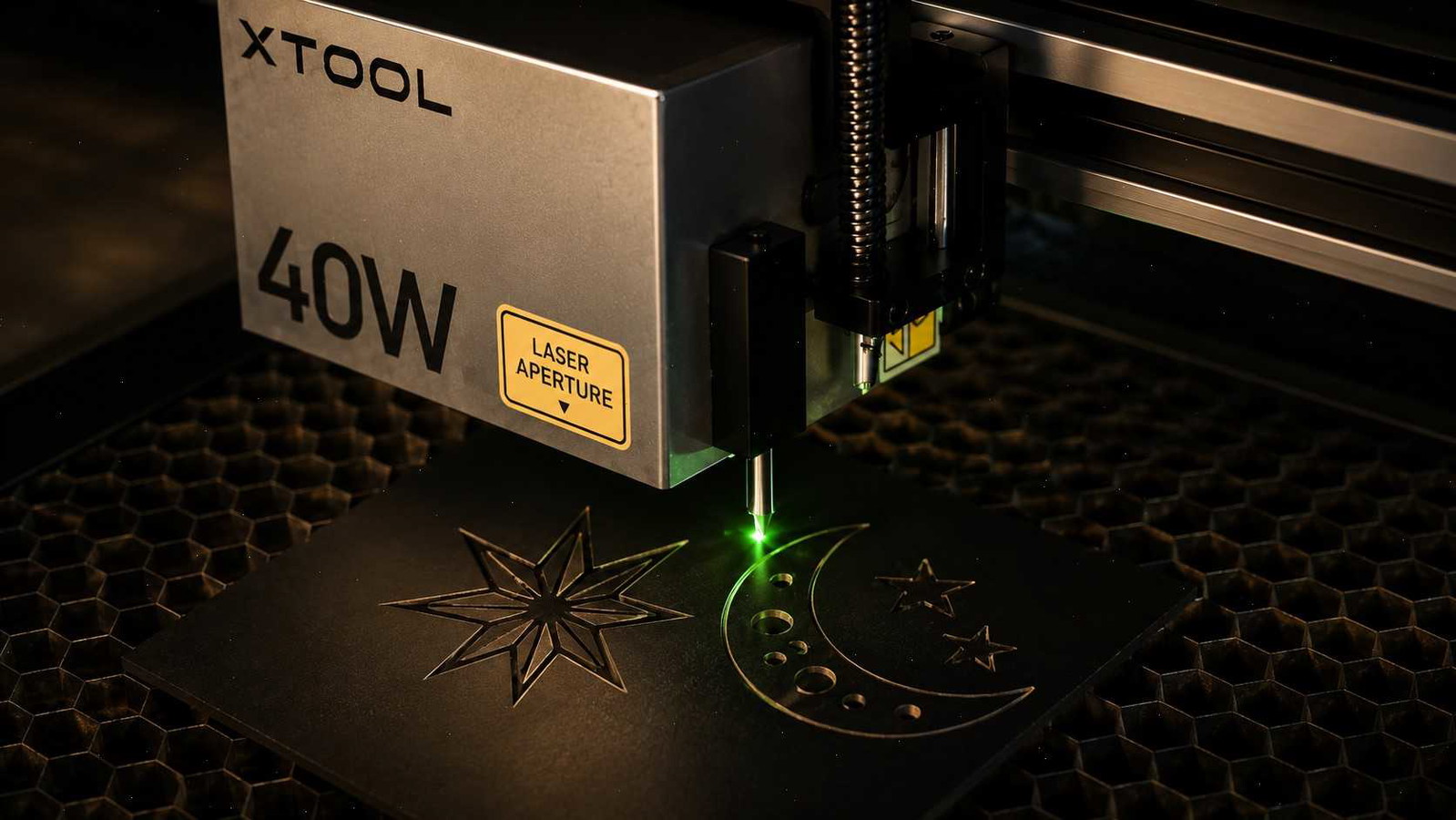
One of the questions I see regularly in laser cutting communities is whether a 40W diode laser gives up engraving quality in exchange for cutting power.
Some links in this article may be affiliate links. If you purchase through them, we may earn a small commission at no extra cost to you. Thanks for supporting our work.
It's an understandable concern.
When people compare a 20W and 40W machine, they often assume the more powerful laser must have a larger beam, produce rougher engravings, and struggle with fine details such as photographs, logos, or small text.
After spending time around both lower-power and higher-power diode systems, I've found that the answer is much more nuanced than many beginners expect.

Modern 40W diode lasers are very different from the early generations of diode machines. Today's models use improved optics, beam-compression technology, and more refined motion systems that allow them to deliver surprisingly detailed engraving while also providing a major boost in cutting performance.
Before deciding between a 20W and 40W laser, it's worth understanding what actually affects engraving quality in the real world.
What Determines Engraving Quality?
One of the biggest misconceptions in laser engraving is that wattage alone determines how detailed your results will be.
In practice, engraving quality depends on a combination of factors:
- Laser spot size
- Motion system accuracy
- Lens quality
- Material consistency
- Image preparation
- Software settings
- Machine calibration
Power is only one part of the equation.
I've seen lower-powered machines produce disappointing engravings because of poor settings, and I've also seen powerful 40W systems create remarkably sharp artwork when properly tuned.
A laser can have impressive wattage numbers on paper, but if the beam quality or mechanics aren't well designed, engraving performance will suffer regardless of power output.
Understanding Laser Spot Size
When experienced laser users discuss engraving quality, the conversation often turns to spot size rather than wattage.
The laser spot is the area where the beam actually contacts the material.
A smaller and more concentrated spot generally allows for:
- Sharper details
- Cleaner text
- Better photo engraving
- More accurate line reproduction
- Improved contrast in artwork
This is one reason why comparing machines purely by wattage can be misleading.
A well-engineered 40W diode laser with a compact spot size can often produce engraving quality that looks very similar to a lower-powered machine.
In many projects, the quality of the beam matters more than the amount of power available.
Why Many Beginners Worry About 40W Lasers
The concern usually comes from a reasonable assumption.
More power sounds like it should mean a larger beam and lower precision.
Years ago that was sometimes true, but modern diode lasers use beam-combining and compression technologies that allow manufacturers to increase power without dramatically increasing spot size.
Because of this, many current 40W machines are capable of producing fine details that would have surprised laser users just a few years ago.
One thing I often notice when comparing engravings is that settings usually make a bigger difference than wattage. A poorly optimized engraving at 20W can look worse than a properly tuned engraving from a 40W machine.
20W vs 40W Diode Laser
Both power levels have their place, and the better choice depends largely on how you plan to use the machine.
Benefits of a 20W Diode Laser
A 20W system remains a practical option for many makers because it offers:
- Lower purchase cost
- Lower power consumption
- Strong engraving capability
- Adequate cutting performance for many hobby projects
- Simpler entry into laser crafting
If your primary focus is engraving gifts, signs, coasters, ornaments, or other small projects, a 20W machine may be all you need.
Benefits of a 40W Diode Laser
A 40W machine offers advantages that become increasingly noticeable as project volume grows.
Typical benefits include:
- Faster cutting speeds
- Greater material capability
- Reduced production time
- Better efficiency for larger orders
- Improved scalability for business use
From a workflow perspective, faster cutting is often the biggest advantage.
Many SVG projects look simple on screen but involve hundreds of vector paths. Cutting time can add up quickly, and that's where the additional power of a 40W system becomes valuable.
Is a 40W Diode Laser Good for Photo Engraving?
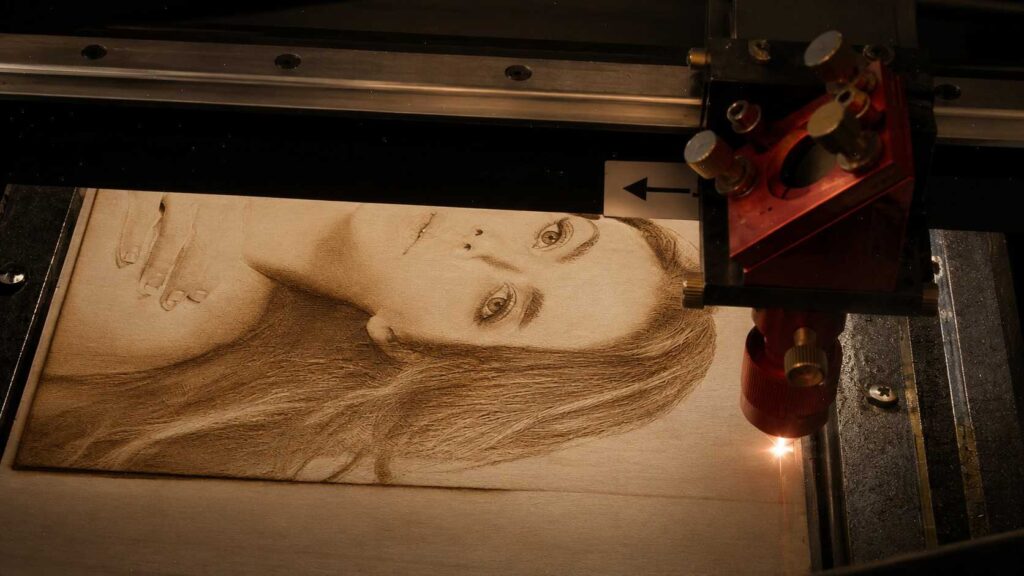
Photo engraving is one of the most demanding tasks a laser can perform.
Fine gradients, subtle shadows, and smooth transitions reveal weaknesses in both machine setup and image preparation.
Fortunately, modern 40W diode lasers are fully capable of producing impressive photo engravings when paired with:
- Proper image processing
- Correct DPI settings
- Appropriate speed settings
- Well-controlled power levels
- Consistent material quality
In my experience, the source image often has a larger impact on the final result than the difference between 20W and 40W.
A poorly prepared image can produce disappointing results on any machine.
Detailed Engraving on Wood
Wood is still one of the most popular materials in laser workshops.
A quality 40W diode laser can produce:
- Fine text
- Detailed logos
- Layered artwork
- Personalized gifts
- Photo engravings
- Decorative signs
One thing many new users discover is that maximum power is rarely necessary for engraving.
In fact, detailed engraving often benefits from lower power settings combined with optimized speed and resolution.
The machine may be capable of 40W output, but that doesn't mean you need to use all of it.
Detailed Engraving on Leather
Leather presents a different challenge because surface reactions vary significantly between materials.
When engraving leather products such as:
- Wallets
- Belts
- Journal covers
- Keychains
- Patches
consistency becomes extremely important.
Modern 40W diode lasers can produce crisp details while also offering stronger cutting performance for suitable leather materials.
I've noticed that clean artwork preparation is especially important with leather. Small design flaws that are barely visible on a monitor can become obvious once engraved into a finished product.
Is a 40W Diode Laser Better for a Small Business?
For hobby use, the difference between 20W and 40W may not always feel dramatic.
For a small business, however, time savings accumulate quickly.
When you're producing:
- Personalized gifts
- Home décor
- Laser engraved signs
- Leather accessories
- Etsy products
- Custom orders
faster production can become a meaningful advantage.
Many makers focus heavily on machine price while overlooking productivity. Saving several minutes on every project may not seem significant at first, but over months of regular production it can have a noticeable impact on output.
When a 20W Laser May Be the Better Choice
Despite the advantages of a 40W system, a 20W laser remains a smart option for many users.
A 20W machine may be the better fit if:
- Budget is your primary concern.
- Most projects involve engraving rather than cutting.
- You work mainly on smaller items.
- Production volume is relatively low.
- You are still learning laser workflows.
Many hobbyists create excellent work without ever feeling limited by a 20W machine.
Should You Buy a 40W Diode Laser?
The answer depends on the projects you plan to create both now and in the future.
If your goal is learning laser engraving, making occasional gifts, and exploring the hobby, a 20W machine can be a very capable starting point.
If you expect to cut wood regularly, create layered products, work with thicker materials, or build a small business around laser-made products, a 40W machine often offers more flexibility and room to grow.
I generally recommend looking beyond the wattage number itself.
Pay attention to:
- Spot size specifications
- Motion system quality
- Software ecosystem
- Community support
- Material compatibility
- Upgrade potential
These factors often have a greater impact on day-to-day use than raw power alone.
Finding Projects That Make the Most of a 40W Laser
One thing I often see after someone upgrades to a more powerful laser is that they immediately start looking for projects that take advantage of the extra cutting capacity.
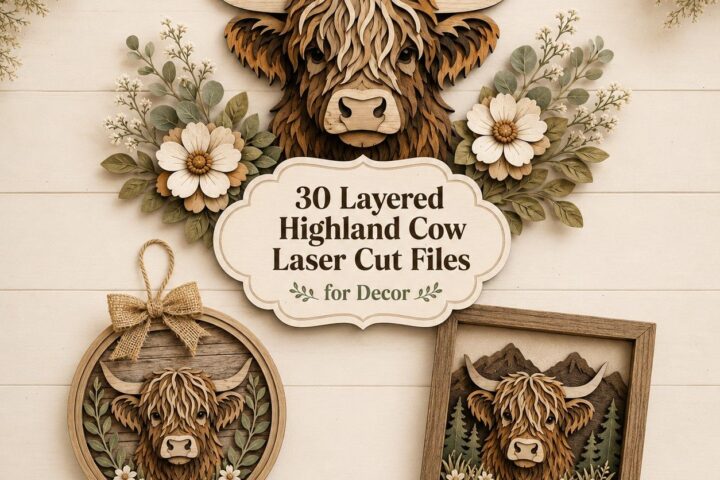
A 40W diode laser opens the door to larger layered signs, intricate wall art, personalized gifts, decorative home décor, and many of the products commonly sold through Etsy shops and local craft businesses. The challenge isn't usually finding ideas—it's finding laser-ready files that are clean, well-organized, and efficient to cut.
Not all SVG files are created equally. Some designs look impressive in preview images but contain unnecessary nodes, overlapping paths, or poorly organized layers that increase cutting time and create extra cleanup work.
For makers looking to expand their project library, I often recommend browsing professionally prepared laser-cutting designs from Creative Fabrica. Their collection includes laser-ready SVG files for signs, ornaments, wall art, layered projects, seasonal decorations, and personalized products that work well with Glowforge, xTool, diode lasers, and CO₂ machines.
What I appreciate most is that many of the files are organized with production in mind. Clean vector paths, logical layer structures, and straightforward assembly can make a noticeable difference when you're cutting multiple projects or experimenting with new materials.
If you're investing in a 40W machine for its versatility, having access to a library of well-prepared laser files can help you spend less time fixing designs and more time actually creating products.
When considering different projects to maximize your laser's potential, exploring creative designs like those in 15 Laser Cut Wall Art Files for Wood and Acrylic can provide excellent inspiration.
Final Thoughts
A 40W diode laser is not too powerful for detailed engraving.
From what I've seen across modern diode systems, engraving quality is usually influenced more by beam quality, spot size, machine accuracy, material selection, and settings than by wattage alone.
For makers who want stronger cutting performance without sacrificing engraving capability, today's 40W diode lasers offer a balance that wasn't always possible in earlier generations of machines.
Instead of focusing exclusively on power ratings, evaluate the complete machine and how it fits your workflow. That's usually what determines long-term satisfaction far more than the difference between 20W and 40W.
Frequently Asked Questions
Is a 40W diode laser too powerful for engraving?
No. Modern 40W diode lasers are capable of producing detailed engravings while also providing significantly stronger cutting performance.
Does higher wattage reduce engraving quality?
Not necessarily. Spot size, optics, machine accuracy, and software settings often have a greater influence on engraving quality than wattage alone.
Is a 40W diode laser good for photo engraving?
Yes. With proper image preparation and optimized settings, many 40W diode lasers can create highly detailed photo engravings on wood, leather, and similar materials.
What is more important than laser power for engraving?
Laser spot size, beam quality, motion system precision, image preparation, and material consistency are often more important than raw wattage.
Should I buy a 20W or 40W diode laser?
A 20W machine is often sufficient for hobby engraving, while a 40W laser is generally the better option for users who need faster cutting speeds, higher productivity, and greater long-term versatility.

Follow Us