

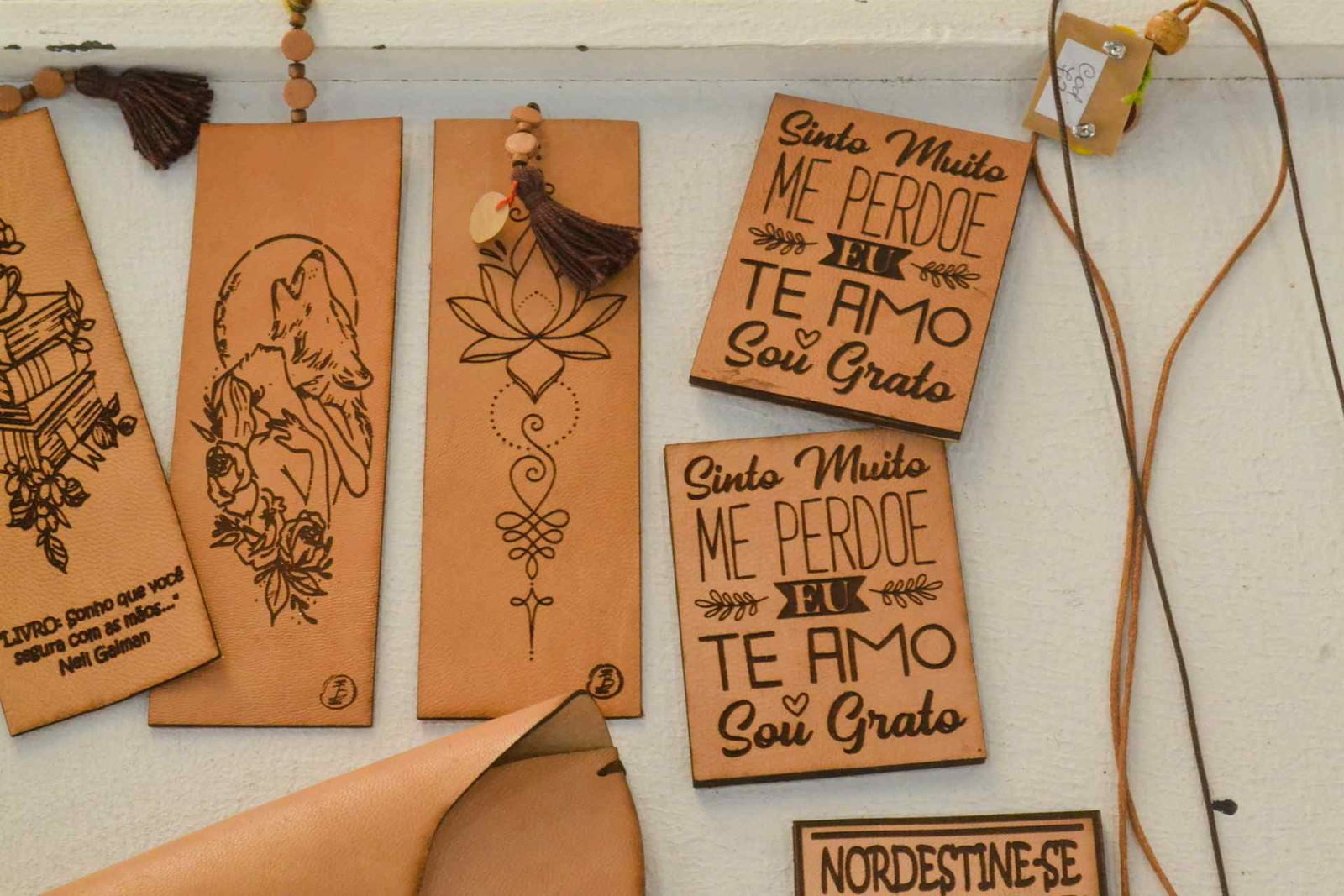
Understanding Laser Wood Cutters
Over the past few years, I've noticed laser cutting become one of the most talked-about tools in the maker and woodworking space. What was once equipment reserved for large workshops and manufacturing companies is now accessible to hobbyists, Etsy sellers, and small businesses working from garages, spare rooms, or home studios.
Some links in this article may be affiliate links. If you purchase through them, we may earn a small commission at no extra cost to you. Thanks for supporting our work.
If you're considering buying a laser wood cutter, it's easy to get overwhelmed. There are hundreds of machines on the market, endless YouTube reviews, and plenty of marketing claims that make every model sound like the perfect choice.
The reality is a bit different.
Choosing the right laser cutter isn't simply about buying the machine with the highest wattage or the lowest price. The best machine is the one that fits the type of work you actually plan to do. A hobbyist making wooden ornaments has very different needs than someone producing custom signs every day or running a small laser cutting business.
Before spending money on a machine, it's worth understanding how laser cutters work, what features actually matter, and where beginners often make expensive mistakes.
A laser cutter can become one of the most useful tools in a workshop. It can also become an expensive frustration if you buy the wrong one.
Table of Contents
1. What Is a Laser Wood Cutter?
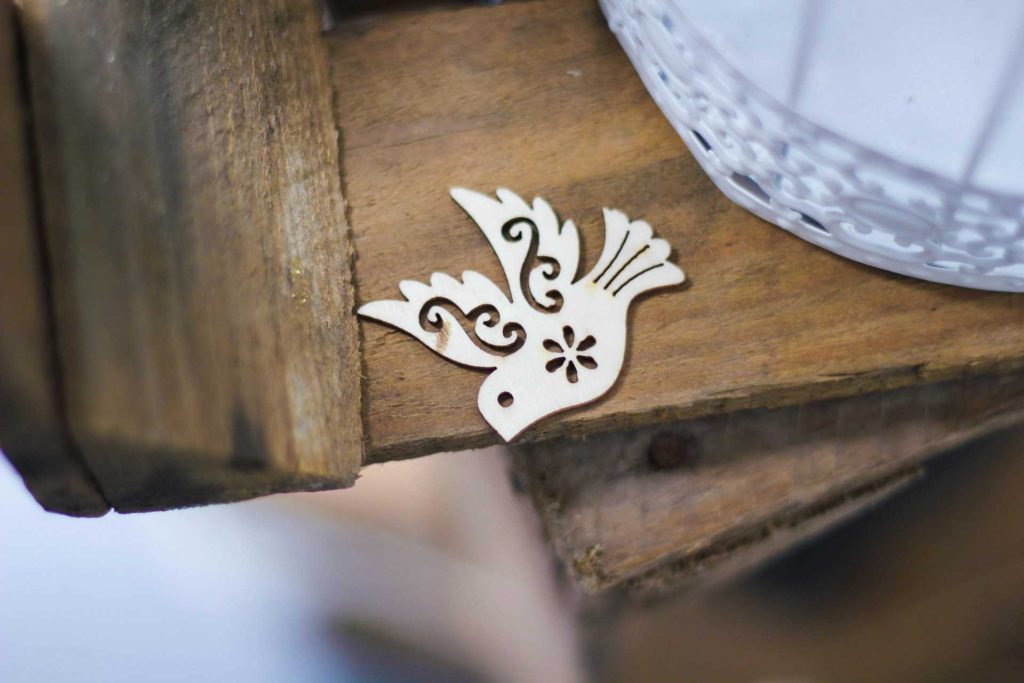
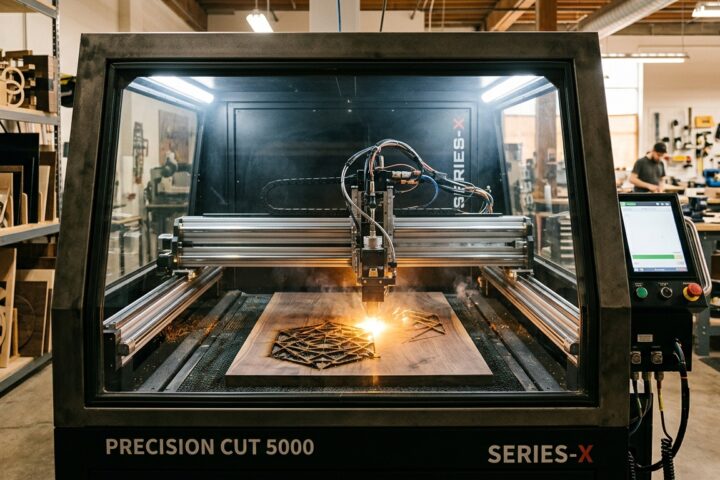
A laser wood cutter uses a focused beam of light to cut, engrave, or mark wood materials with a level of precision that's difficult to achieve using traditional woodworking tools.
Instead of physically removing material with a blade or router bit, the laser burns through the material along a digitally controlled path. Because there is no direct contact with the wood, the machine can create extremely detailed shapes, fine lettering, and intricate decorative patterns with impressive consistency.
One of the reasons laser cutters have become so popular is their versatility.
Most machines can work with:
- Plywood
- MDF
- Basswood
- Hardwood panels
- Veneers
- Bamboo
Many models can also engrave acrylic, leather, cardboard, paper, and other materials, making them useful beyond woodworking projects.
What surprised me when I first started exploring laser cutting wasn't just the cutting ability itself—it was how quickly ideas could move from screen to finished product. Once a design is prepared, the machine can reproduce it again and again with very little variation between pieces.
For anyone selling customized products, that consistency becomes a major advantage.
2. How Laser Cutting Technology Works
The basic concept is fairly simple.
A laser beam is focused into a very small point. The concentrated energy generates enough heat to burn, vaporize, or melt material along the cutting path. The machine follows instructions created in design software and moves the laser head with extremely high accuracy.
In practice, the workflow usually looks like this:
- Create a design in vector software.
- Import the file into laser software.
- Adjust power and speed settings.
- Position the material.
- Run the job.
Programs such as Adobe Illustrator, CorelDRAW, AutoCAD, and especially LightBurn are commonly used throughout the laser cutting industry.
One thing many new buyers don't realize is that cutting quality depends on far more than laser power.
Several factors work together:
- Material thickness
- Wood type
- Focus distance
- Cutting speed
- Air assist performance
- Machine calibration
I've seen lower-powered machines produce cleaner results than more powerful models simply because they were better tuned and used with the right settings.
That's why it's important not to focus exclusively on wattage when comparing machines.
3. Why Laser Wood Cutters Have Become So Popular
Part of the growth comes from changing consumer expectations.
People increasingly want personalized products rather than mass-produced items. Whether it's custom signs, engraved gifts, wedding decorations, business branding, or home décor, laser cutters make small-batch customization practical and profitable.
Another reason is that the technology has become dramatically more accessible.
A decade ago, laser cutters were often viewed as industrial equipment. Today, compact desktop machines are available at prices that many hobbyists can realistically justify.
Online marketplaces have also played a major role.
Spend a few minutes browsing Etsy and you'll find thousands of laser-cut products:
- Personalized ornaments
- Layered wall art
- Name signs
- Wedding décor
- Business branding pieces
- Educational puzzles
Many of these products are being produced by small creators using equipment that fits on a workbench.
That accessibility has introduced an entirely new audience to laser cutting.
4. Benefits for Hobbyists and Small Businesses
For hobbyists, laser cutters remove many of the limitations that come with traditional woodworking tools.
Projects that would normally require careful hand-cutting can often be completed much faster while maintaining excellent accuracy.
Small details are where laser cutters really shine.
Tiny lettering, decorative cutouts, geometric patterns, and repeatable designs become much easier to produce.
For small business owners, the benefits go even further.
A single machine can support multiple product categories without requiring separate equipment for each one. That flexibility allows businesses to experiment with new products without making major investments every time they want to test an idea.
One advantage that often gets overlooked is product development speed.
When a customer requests a design change, you can update the file and test a new version almost immediately. There are no expensive molds, custom tooling, or lengthy setup procedures involved.
For creators selling online, that flexibility can be incredibly valuable.
And perhaps most importantly, laser cutters are consistent.
The first item and the hundredth item can look nearly identical when the machine is properly calibrated. That's something customers tend to notice, especially when ordering personalized products.
5. Applications Across Different Industries
One thing that surprised me when I started paying attention to the laser cutting industry is just how many different types of businesses rely on these machines.
At first glance, most people associate laser cutters with hobby crafts or Etsy products. While that's certainly a big part of the market, the technology goes far beyond that.
Woodworkers use laser cutters to create decorative inlays, furniture accents, cabinet details, and custom panels. Sign makers rely on them for dimensional signs, engraved plaques, and branded displays. Artists use laser cutting to create layered artwork, sculptures, and mixed-media pieces.
I've even seen architects use laser cutters for scale models and educational institutions use them to teach digital fabrication and product design.
The same machine that creates a personalized Christmas ornament can also produce prototype components for a commercial product.
That's one reason laser cutters are often easier to justify financially than specialized workshop equipment. They open the door to a wide variety of projects instead of locking you into a single niche.
6. Types of Laser Wood Cutters
One of the biggest mistakes I see beginners make is assuming all laser cutters are essentially the same.
They're not.
The type of laser technology you choose will have a huge impact on cutting performance, material compatibility, maintenance requirements, and long-term costs.
For woodworking applications, three categories appear most often:
- CO₂ lasers
- Diode lasers
- Fiber lasers
While all three use laser technology, they serve very different purposes.
Understanding those differences before buying can save a lot of money.
CO₂ Laser Cutters
If your primary goal is cutting and engraving wood, CO₂ lasers are usually the benchmark that everything else gets compared against.
There's a reason most professional woodworking shops and production businesses choose CO₂ systems.
Wood naturally absorbs the wavelength produced by CO₂ lasers very efficiently, which results in cleaner cuts, faster processing, and better engraving quality.
When comparing finished projects, the difference is often noticeable.
Edges tend to be cleaner, thicker materials cut more easily, and engraving quality is generally more consistent.
CO₂ machines are available in a huge range of power levels. Entry-level systems may start around 40W, while commercial models can exceed 150W or more.
A few common examples:
| Power | Typical Use |
|---|---|
| 40W–60W | Hobby projects, light production |
| 60W–100W | Small business use |
| 100W–150W+ | Commercial production |
Another reason many businesses eventually move to CO₂ systems is versatility.
Besides wood, they typically work well with:
- Acrylic
- Leather
- Cardboard
- Paper
- Fabric
- Rubber
That flexibility can create new product opportunities later.
The downside?
CO₂ machines generally cost more and require more maintenance.
Laser tubes wear out eventually. Mirrors need cleaning. Cooling systems require attention. None of these tasks are particularly difficult, but they do add responsibility that many first-time buyers don't consider.
Still, for serious woodworking applications, CO₂ remains the gold standard.
Diode Laser Cutters
Diode lasers have improved dramatically over the last few years.
Not long ago, many hobbyists viewed them mainly as engraving machines. Today's higher-powered diode systems are capable of cutting wood surprisingly well, especially thinner materials.
For many beginners, a diode laser is where the journey starts.
The reasons are obvious:
- Lower purchase price
- Compact footprint
- Easier setup
- Lower maintenance
- Beginner-friendly operation
If you're creating ornaments, coasters, layered wall art, personalized gifts, or testing product ideas for Etsy, a good diode laser can accomplish quite a lot.
What I like about modern diode machines is how accessible they've become.
Many include user-friendly software, detailed tutorials, active Facebook groups, and large online communities. When something goes wrong, there's usually someone who has already encountered the same issue.
That support network is surprisingly valuable when you're learning.
Of course, diode lasers have limitations.
Compared with CO₂ systems:
- Cutting is generally slower.
- Thick materials require multiple passes.
- Production capacity is lower.
- Some materials are more difficult to process.
These limitations aren't necessarily deal-breakers.
For many hobbyists and side businesses, they may never become a problem.
The key is being realistic about your workload. If you expect to process hundreds of products every month, you'll probably outgrow a diode system faster than you expect.
Fiber Laser Systems
Fiber lasers often appear in buying guides, but they can confuse new buyers because they serve a completely different purpose.
When researching laser cutters, many people assume that a more expensive fiber laser must automatically be better.
For woodworking, that's usually not the case.
Fiber lasers excel at:
- Metal marking
- Stainless steel engraving
- Industrial part identification
- Aluminum marking
- Tool engraving
They're incredibly efficient and durable, but their wavelength interacts differently with wood than a CO₂ laser.
As a result, they are generally not the first choice for cutting wood.
If your business revolves around metal products, a fiber laser may be the perfect solution.
If your goal is woodworking, custom signs, home décor, ornaments, furniture accents, or laser-cut gifts, you'll almost always be better served by a CO₂ or diode machine.
Knowing this distinction alone can prevent an expensive purchasing mistake.
7. Key Features to Consider Before Buying
After looking at dozens of machines over the years, I've noticed that many buyers become obsessed with a single specification.
Usually it's wattage.
Sometimes it's speed.
Occasionally it's price.
The problem is that no single specification tells the whole story.
The best laser cutter isn't necessarily the most powerful one.
It's the machine that fits the way you actually work.
Before buying, I recommend thinking about questions like:
- How often will you use it?
- What materials will you cut?
- How large are your projects?
- Do you plan to sell products?
- Will your workload grow in the future?
The answers to those questions usually matter more than marketing claims.
Features such as autofocus, air assist, rotary attachments, camera positioning systems, and pass-through doors can have a much bigger impact on daily productivity than a small increase in wattage.
Another lesson I've learned is that most people underestimate future growth.
Many hobbyists eventually start selling products.
Many side businesses become full-time businesses.
A machine that feels oversized today may feel perfectly sized a year from now.
That's why I always recommend thinking beyond your immediate needs before making a purchase.
8. Laser Power and Performance
Laser power is usually the first specification people look at, and it's easy to see why. Manufacturers often use wattage as the headline feature in their marketing.
More power sounds better.
But after spending time around laser cutting communities, I've learned that power only tells part of the story.
The right amount of power depends entirely on what you're trying to make.
If you're primarily engraving wood, creating ornaments, personalized gifts, or layered wall art, you may never need an extremely powerful machine. Many hobbyists produce excellent work with machines in the 10W–40W range.
On the other hand, if you're regularly cutting thicker plywood or handling customer orders every day, higher wattage starts to make a noticeable difference.
More power generally means:
- Faster cutting
- Fewer passes
- Better productivity
- Greater material flexibility
For example, a higher-powered machine can often cut material in a single pass that might require several passes on a lower-powered system.
That saves more time than many buyers realize.
A useful rule of thumb:
| Laser Power | Best For |
|---|---|
| 5W–20W | Engraving, light cutting, beginners |
| 20W–40W | Hobby businesses, Etsy products |
| 40W–80W | Advanced woodworking projects |
| 80W–150W+ | Professional production |
The mistake I see most often is buying based on future fantasies rather than actual projects.
Buying far more power than you need increases costs immediately. Buying too little power may force an upgrade later.
The sweet spot is usually somewhere in the middle.
9. Working Area and Bed Size
Bed size is one of those specifications that doesn't seem important until it suddenly becomes very important.
Many first-time buyers focus heavily on wattage while barely paying attention to workspace dimensions.
Then they discover that their next project doesn't fit.
A small desktop laser may be perfect for:
- Coasters
- Ornaments
- Earrings
- Keychains
- Small signs
But larger products quickly expose the limitations.
If you plan to create wall art, decorative panels, larger signs, furniture components, or batch production layouts, workspace size becomes a major factor.
A larger bed allows you to:
- Process bigger projects
- Cut multiple items simultaneously
- Improve production efficiency
- Reduce setup time
For small businesses, this often translates directly into higher profitability.
One feature I always recommend paying attention to is a pass-through slot or pass-through door.
This allows longer materials to move through the machine, effectively extending the usable work area.
Many buyers overlook this feature, but it can dramatically increase flexibility without requiring a much larger machine.
When choosing a bed size, don't think only about what you're making today.
Think about what you might want to make next year.
10. Software Compatibility
Good software can make a laser cutter feel effortless.
Bad software can make even an expensive machine frustrating.
In my opinion, software is one of the most underrated parts of the buying decision.
The machine may do the cutting, but you'll spend most of your time interacting with the software.
That's why compatibility matters.
The programs most commonly used in laser cutting include:
- LightBurn
- Adobe Illustrator
- CorelDRAW
- AutoCAD
- Inkscape
Among these, LightBurn has become the favorite for many laser users, and it's easy to understand why.
It combines design preparation, layout management, machine control, and optimization tools into a single workflow.
For beginners, this can simplify the learning process considerably.
For businesses, it can save hours every week.
Before buying any machine, I always recommend checking:
- Which software is supported
- Whether software updates are frequent
- What the user community looks like
- Whether tutorials are readily available
A large user community often becomes as valuable as official support.
The ability to find answers quickly can dramatically reduce frustration.
11. Cutting Speed and Precision
Speed and precision tend to be discussed separately, but in reality they work together.
A fast machine isn't useful if the cuts are inaccurate.
Likewise, perfect precision becomes less impressive when production takes twice as long as it should.
What matters most is balance.
If you're creating products for customers, consistency becomes extremely important.
Small details matter:
- Sharp corners
- Clean lettering
- Smooth curves
- Consistent engraving depth
- Repeatable results
Customers may not understand laser technology, but they immediately notice quality differences.
Precision depends on several factors:
- Mechanical construction
- Motion system quality
- Controller performance
- Calibration
- Software optimization
Meanwhile, cutting speed affects productivity.
For hobbyists, an extra few minutes per project may not matter.
For a business processing dozens of orders each week, it matters a lot.
One thing I've learned from watching machine reviews is that marketing specifications don't always tell the whole story.
Real-world examples, user groups, and independent reviews often reveal much more than manufacturer brochures.
Whenever possible, look at actual sample projects rather than relying solely on specification sheets.
12. Safety Considerations
Safety isn't the most exciting part of buying a laser cutter, but it's one of the most important.
A laser cutter combines concentrated heat, electrical systems, moving components, smoke, and potentially flammable materials.
Ignoring safety usually becomes expensive sooner or later.
Modern machines are much safer than older systems, especially those equipped with:
- Emergency stop buttons
- Flame sensors
- Enclosed workspaces
- Safety interlocks
- Automatic shutdown systems
These features may not directly improve cutting performance, but they can prevent serious problems.
I've seen many beginners spend hours comparing wattage while barely looking at safety features.
Personally, I'd rather sacrifice a little speed than compromise on safety.
A machine should be enjoyable to use, not something that constantly makes you nervous.
13. Ventilation and Fume Extraction
Ventilation is one of the most overlooked expenses when budgeting for a laser cutter.
Many buyers focus entirely on the machine itself and forget about what happens during cutting.
Wood produces smoke.
Sometimes a lot of it.
Without proper extraction, that smoke quickly fills the workspace and creates unpleasant working conditions.
More importantly, it can affect both health and machine performance.
Good ventilation helps:
- Remove smoke
- Reduce odors
- Protect optics
- Improve visibility
- Keep the machine cleaner
Smoke residue eventually settles on mirrors, lenses, and internal components. Over time, that buildup can reduce performance and increase maintenance requirements.
For anyone planning to use a laser cutter regularly, a proper extraction system shouldn't be considered optional.
It's part of the setup.
And in many cases, it's money well spent.
And as you plan your laser cutting projects, don't forget that selecting the right fonts can make all the difference in achieving clean, precise cuts; explore our list of 52 Best Stencil Fonts & Cuttable Fonts – Free & Premium Picks.
14. Eye Protection and Enclosures
One reason enclosed laser cutters have become so popular is that they simplify safety.
An enclosure provides several benefits at once.
It helps:
- Shield users from laser exposure
- Contain smoke
- Reduce noise
- Improve cleanliness
- Create a more controlled workspace
Many enclosed machines also include safety interlocks that automatically stop operation when doors are opened.
For beginners especially, these systems provide additional peace of mind.
Open-frame machines may cost less, but the difference often feels smaller once you factor in safety accessories and ventilation improvements.
Whenever possible, I generally lean toward enclosed systems, particularly for home workshops and small business environments.
The added protection is usually worth the investment.
15. Budget and Cost Analysis
One thing I've noticed in laser cutting communities is that many first-time buyers focus almost entirely on the purchase price.
That's understandable. Laser cutters aren't cheap, and nobody wants to overspend.
But after looking at dozens of machines and hearing countless owner experiences, I've come to the conclusion that the sticker price is only part of the story.
A laser cutter is more like a workshop investment than a typical purchase.
The real question isn't “How much does it cost today?”
It's “How much value will it provide over the next few years?”
The answer depends on reliability, productivity, maintenance requirements, and how well the machine supports your workflow.
A machine that costs a little more upfront may end up being significantly cheaper over time if it saves hours of work and avoids constant troubleshooting.
16. Entry-Level vs Professional Machines
The gap between entry-level and professional laser cutters is larger than many buyers expect.
Entry-level machines are usually designed to make laser cutting accessible. They're ideal for learning, experimenting, and producing smaller volumes of work.
Professional systems are built around productivity and reliability.
Here's a simplified comparison:
| Feature | Entry-Level Machines | Professional Machines |
|---|---|---|
| Price | $300–$2,000 | $5,000–$50,000+ |
| Workspace | Smaller | Larger |
| Production Volume | Low to Moderate | High |
| Automation | Basic | Advanced |
| Speed | Moderate | Faster |
| Support | Often Limited | Usually Extensive |
| Duty Cycle | Occasional Use | Daily Operation |
For hobbyists and creators testing product ideas, an entry-level machine often makes perfect sense.
For businesses handling customer orders every day, downtime becomes expensive very quickly.
In those situations, reliability often matters more than saving a few hundred dollars during the initial purchase.
I've seen plenty of makers start with smaller machines and eventually upgrade once their order volume grows.
That's a completely normal path.
The key is understanding where you are today and where you realistically expect to be in the next few years.
17. Maintenance and Operating Costs
This is another area where beginners often underestimate expenses.
Buying the machine is only the beginning.
Depending on the system you choose, ongoing costs may include:
- Replacement laser tubes
- Mirrors and lenses
- Air filters
- Ventilation maintenance
- Software licenses
- Spare parts
- Electricity
None of these expenses are necessarily huge on their own, but they add up over time.
CO₂ machines generally require more maintenance than diode lasers.
For example, laser tubes eventually wear out and need replacement. Optics need cleaning. Cooling systems require occasional attention.
Fortunately, most maintenance tasks are fairly straightforward once you become familiar with the machine.
What I've consistently seen among experienced users is that preventative maintenance pays for itself.
A few minutes spent cleaning optics and checking machine settings can prevent hours of troubleshooting later.
It's not the most exciting part of laser ownership, but it's part of keeping the machine performing at its best.
While you're preparing to buy a laser wood cutter, it's also wise to educate yourself on potential challenges beginners face, such as the Beginner Laser Cutting Mistakes: 9 Costly Lessons I Learned.
18. Common Mistakes to Avoid
One pattern I've noticed repeatedly is that most laser cutter regrets are predictable.
The same mistakes appear again and again.
Fortunately, they're usually avoidable.
Doing a little extra research before buying can prevent a lot of frustration later.
Let's look at the two mistakes I see most often.
Buying Based Only on Price
Everyone wants a good deal.
The problem is that the cheapest machine isn't always the best value.
A low price can sometimes mean compromises in:
- Build quality
- Software experience
- Customer support
- Safety features
- Reliability
Those compromises don't always appear immediately.
Sometimes they show up months later when parts fail or support becomes difficult to reach.
I've read countless stories from owners who eventually replaced a cheap machine with a better one and wished they had done so from the beginning.
That doesn't mean you need the most expensive machine.
It simply means that value is usually a better metric than price alone.
Look at the complete ownership experience, not just the purchase cost.
Ignoring Future Expansion Needs
This mistake catches a lot of people by surprise.
Many laser businesses start as hobbies.
Then they grow.
A few products become dozens.
A few orders become hundreds.
Suddenly the machine that felt more than adequate starts feeling restrictive.
While nobody can predict the future perfectly, it's worth considering reasonable growth when evaluating machines.
Ask yourself:
- Will I want a larger work area later?
- Will I need more power?
- Can this machine be upgraded?
- Does it support useful accessories?
A little planning today can delay or eliminate the need for an expensive replacement later.
Growth is a good problem to have, but it's easier to manage when your equipment can grow with you.
As your skills grow, you'll quickly realize that having a collection of quality laser cut files saves a tremendous amount of time. Many laser cutter owners build libraries of SVG, DXF, and AI designs that can be reused and customized for future projects. Creative Fabrica is one of the larger marketplaces for laser cut files, offering designs for home décor, signs, layered art, holiday decorations, and products commonly sold on Etsy.
Conclusion
Buying a laser wood cutter is about much more than comparing specifications.
The right machine depends on your goals, your workflow, your budget, and the type of projects you want to create.
For some people, a compact diode laser will provide everything they need for years. For others, investing in a professional CO₂ system makes sense from the very beginning.
What matters most is understanding how you'll actually use the machine.
Laser power, bed size, software compatibility, safety features, maintenance requirements, and future growth potential all deserve consideration before making a purchase.
If there's one lesson I've learned from watching the laser cutting industry evolve, it's that successful buyers rarely focus on a single specification.
Instead, they look at the complete picture.
A well-chosen laser cutter can become one of the most productive and versatile tools in a workshop, helping you create everything from personalized gifts and decorative projects to commercial products and large-scale custom work.
Take the time to research carefully, think beyond immediate needs, and choose a machine that supports both your current projects and future ambitions.
Done right, it's an investment that can continue paying off for years.
FAQs
What laser power is best for cutting wood?
For many woodworking projects, a 40W–80W CO₂ laser offers a strong balance between cutting performance, engraving quality, and affordability. Beginners often start with lower-powered diode lasers, while professional workshops may use 80W–150W systems for higher production capacity.
Can a diode laser cutter cut wood?
Yes. Modern diode lasers can cut thin wood materials and produce detailed engravings. They're particularly popular among hobbyists, makers, and small businesses. Thicker materials may require slower speeds or multiple passes.
Are laser wood cutters safe for home use?
They can be, provided proper safety precautions are followed. Adequate ventilation, fire awareness, enclosed machine designs, and manufacturer-recommended operating procedures are all important for safe home use.
How much should I budget for a laser wood cutter?
Entry-level machines often start around $300–$2,000, while professional CO₂ systems can range from $5,000 to $50,000 or more depending on power, features, and production capabilities.
What type of laser is best for woodworking?
For most woodworking applications, CO₂ lasers remain the preferred option. They offer excellent cutting performance, detailed engraving capabilities, broad material compatibility, and proven reliability across both hobby and professional environments.
Follow Us