

Aesthetic Digital Planner Templates: 11 GoodNotes & Canva Picks
Aesthetic digital planner templates make staying organized feel less like admin and more like part of a comfortable daily routine. A thoughtful color palette, clear page hierarchy, and uncluttered writing space can make a real difference when you open the same planner several times a day.
The visual style still needs to support the planning system, though. A beautiful planner becomes frustrating quickly when the tabs are difficult to find, the pages feel cramped, or half the sections do not match the way you organize your life.
We looked for templates that balance appearance with practical features such as daily and weekly layouts, clickable navigation, reusable undated pages, goal tracking, and customization options. The list includes planners for GoodNotes, Canva, Notability, iPad, and Android tablets.
Quick Picks
- Best long-term aesthetic system: Aesthetic Digital Planner 2026–2030
- Best for Canva customization: Aesthetic Digital Planner for Canva
- Best minimalist option: Minimalist Digital Planner
- Best whole-life option: All-in-One Digital Planner
- Best colorful middle ground: Starlight Digital Planner
How I Picked These
I compared these aesthetic planners by visual clarity, writing space, navigation, dated and undated flexibility, customization, app compatibility, page depth, color contrast, and how well each design keeps its personality without making the actual planning content harder to scan.
11 Best Aesthetic Digital Planner Templates
1. Aesthetic Digital Planner 2026–2030
This all-in-one option is designed around a clean, modern visual system rather than an overly decorative theme. It combines scheduling with goals, habits, finances, and personal development sections, making it suitable for someone who wants one central planning space.
The multi-year range is useful when you do not want to rebuild your planning system every January. Its broad structure should suit students and creators especially well, although people who only need a basic weekly calendar may find it more extensive than necessary.
Best for: Long-term planning, students, creators
Key features: Multi-year structure, habits, goals, finance pages
Formats: Digital planner
License: Commercial license included
2. Aesthetic Digital Planner for Canva

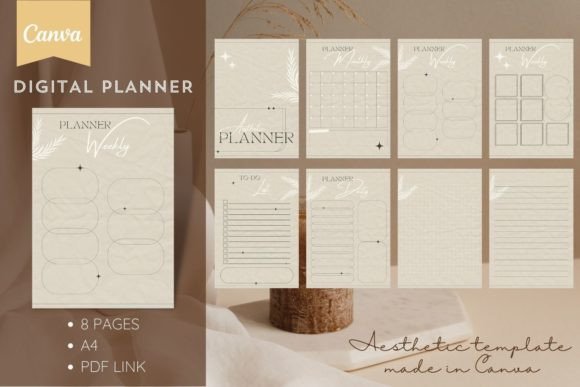
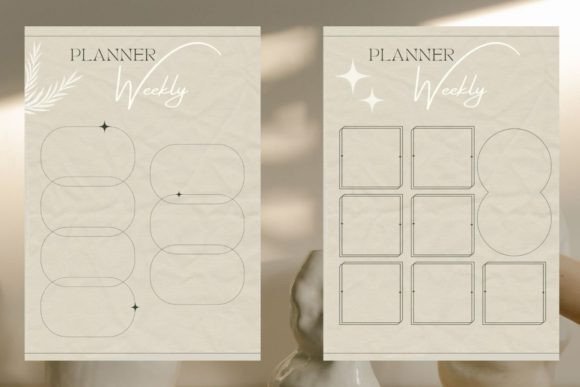
This is one of the more approachable choices for anyone who wants control over fonts, colors, and page details. It includes eight A4 pages covering monthly, weekly, and daily planning, plus a to-do list and open writing pages.
Because the design is editable in either a free or Pro Canva account, you can adapt the visual identity before printing it or importing the finished pages into a digital workflow. The compact page count keeps customization manageable, but it is not intended to replace a large hyperlinked life planner.
Best for: Canva editing, simple schedules, printable planning
Key features: Eight A4 pages, restrained layout, editable design
Formats: PDF with Canva access link
License: Commercial license included
3. Minimalist Digital Planner
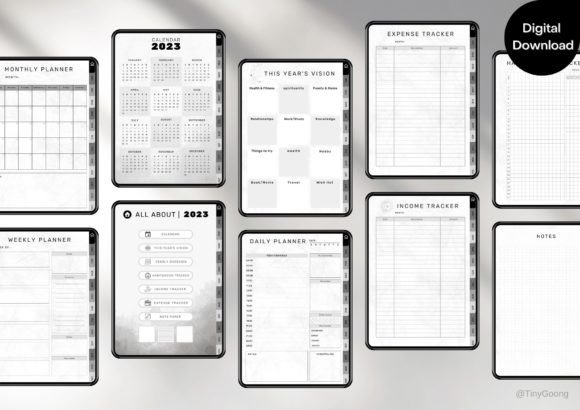
TinyGoong Studio’s undated planner is a strong fit for users who care more about smooth navigation and legibility than decorative illustrations. It supports GoodNotes, Notability, Noteshelf, and Xodo on both iPad and Android tablets.
The hyperlinked structure includes clickable tabs and buttons, which makes moving between appointments, tasks, meetings, and household planning much faster. Its undated setup is also forgiving when you skip a week. You can return without leaving an obvious block of unused dated pages behind.
Best for: GoodNotes users, Android tablets, minimal planning
Key features: Undated pages, clickable tabs, hyperlinked navigation
Formats: PDF digital planner
License: Commercial license included
4. All-in-One Digital Planner
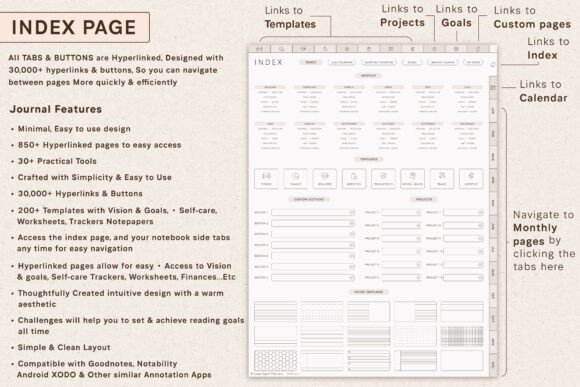
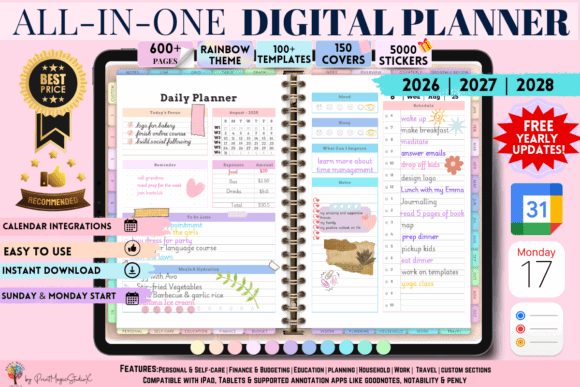
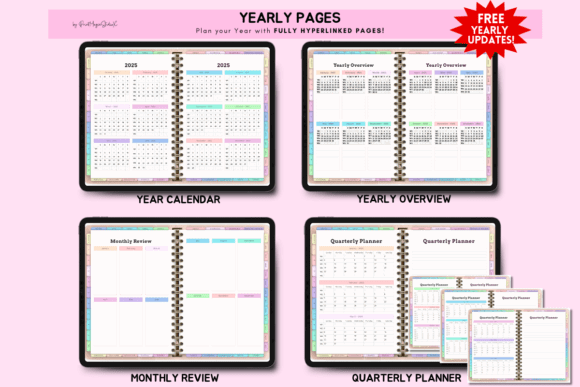
This planner is built for people who prefer one detailed dashboard instead of several separate notebooks. Its listed uses include daily, weekly, and monthly planning, budgeting, personal growth, self-care, goal setting, and professional organization.
It supports a wide range of tablet workflows, including GoodNotes, Notability, ZoomNotes, Penly, iPad, and Android-based planning. That flexibility is useful if you move between devices, although a planner this broad can feel busy until you decide which sections actually belong in your routine.
Best for: Whole-life planning, professionals, multiple devices
Key features: Clickable tabs, broad sections, dated and undated use
Formats: Hyperlinked planner PDF
License: Commercial license included
5. All-in-One Digital Planner for GoodNotes
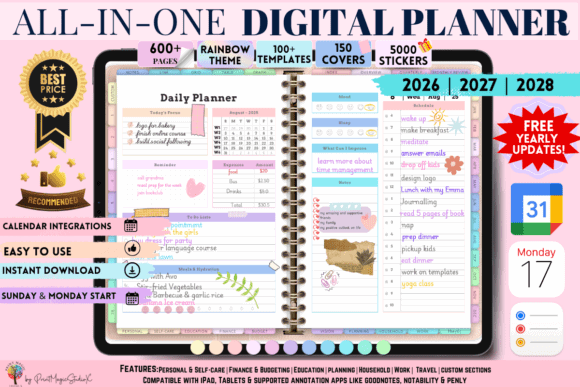
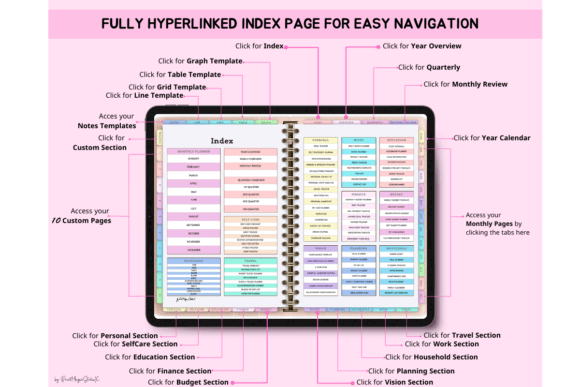
This GoodNotes-oriented planner combines a polished minimalist appearance with enough depth for work, study, budgeting, and personal goals. It includes weekly, monthly, and yearly planning options alongside daily scheduling and productivity sections.
The layout is better suited to someone who enjoys maintaining a complete digital planning system. Minimalist here describes the visual treatment, not the amount of content. New digital planner users may want to begin with only the calendar and task sections before introducing the other trackers.
Best for: GoodNotes, life organization, goal tracking
Key features: Yearly views, clickable tabs, productivity sections
Formats: Hyperlinked PDF planner
License: Commercial license included
6. PLR Resell Undated Digital Planner
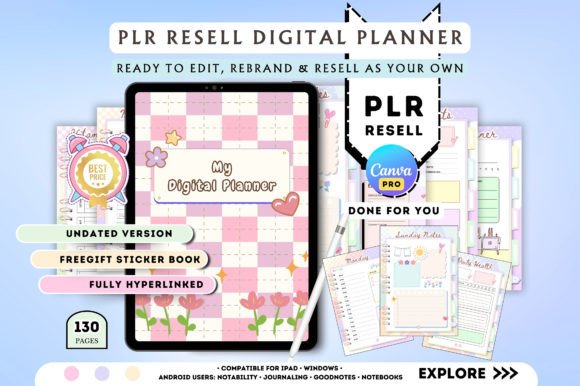
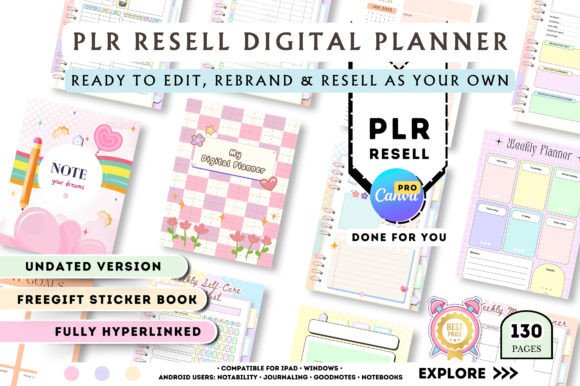
The soft blue and pink palette gives this planner a light, creative look without making the interior pages too difficult to write on. It is fully hyperlinked and undated, so it can be reused or started at any point in the year.
A five-page digital sticker book and setup instructions are included. The Canva access link also makes this one more flexible for designers or digital-product sellers who want to adjust the visual details rather than use the planner exactly as delivered.
Best for: Pastel aesthetics, Canva editing, digital product creators
Key features: Undated system, hyperlinks, five sticker pages
Formats: Canva template access link
License: Commercial license included
7. Boho Daily Planner Template for Canva
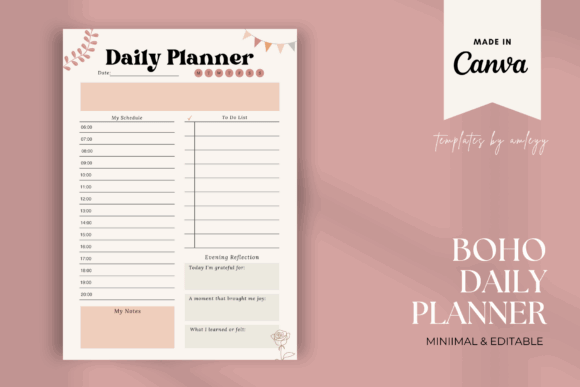
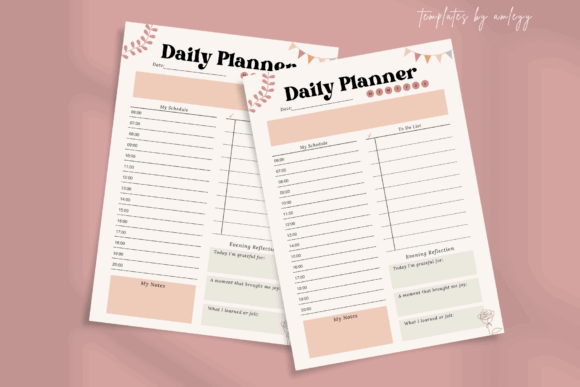
This template brings a warmer, more relaxed look to daily planning. Its modern boho direction suits neutral interiors, lifestyle brands, wellness projects, and users who prefer earthy styling over bright pastel colors.
The template covers daily organization, goals, habits, gratitude, self-care, and to-do planning. Canva editing means the typography and colors can be adapted, which is helpful because muted boho palettes occasionally need more contrast when used on smaller tablet screens.
Best for: Boho style, wellness routines, Canva customization
Key features: Daily organization, habit tracking, neutral visual style
Formats: Canva editable template
License: Commercial license included
8. Starlight Digital Planner
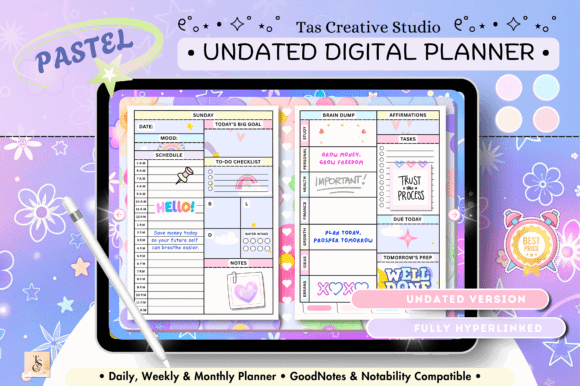
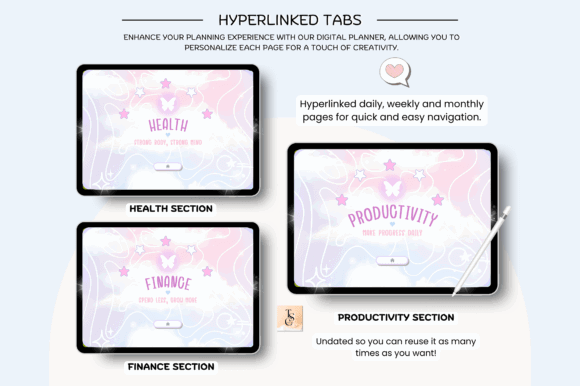
Starlight adds more personality than a traditional black-and-white planner while keeping the underlying structure professional. It includes daily scheduling, weekly and monthly pages, budgeting, personal growth, and self-care planning.
Its compatibility range includes GoodNotes, Notability, ZoomNotes, Penly, Android tablets, iPad, and Surface Pro workflows. This is a sensible middle ground for someone who finds purely minimalist planners a little cold but does not want a heavily illustrated kawaii design.
Best for: Colorful planning, personal growth, mixed-device workflows
Key features: Daily schedule, budgeting, self-care, clickable navigation
Formats: Digital planner PDF
License: Commercial license included
9. PLR Resell Editable Cute Digital Planner
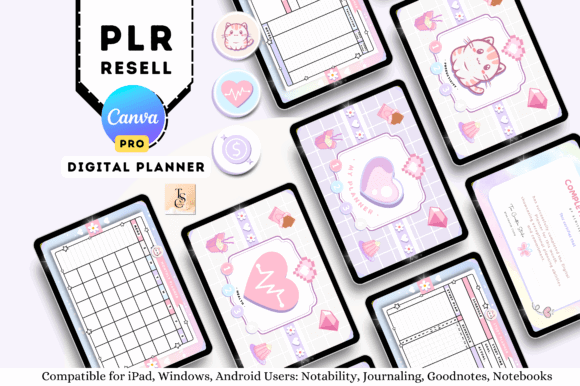
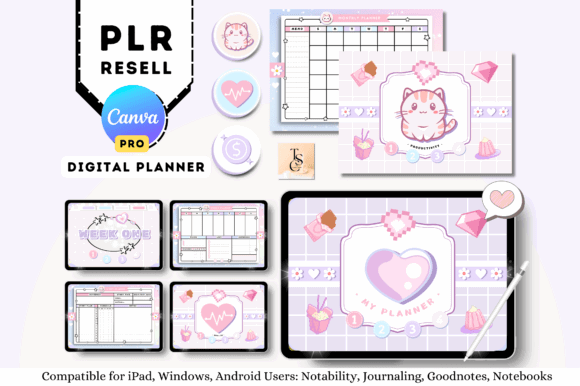
This template leans into a softer, cuter aesthetic and is better suited to users who enjoy decorative pages, cheerful colors, and a more playful planning environment. It can also appeal to creators producing planner-related products for younger audiences or lifestyle niches.
The design is presented as an editable PLR planner rather than a rigid finished calendar. That opens more room for rebranding, but it also means you should expect to spend time reviewing the page order, typography, and colors before using or publishing it.
Best for: Cute aesthetics, rebranding, creative planner products
Key features: Editable design, playful styling, PLR structure
Formats: Editable digital template
License: Commercial license included
10. Undated Digital Planner 365 Daily Planner
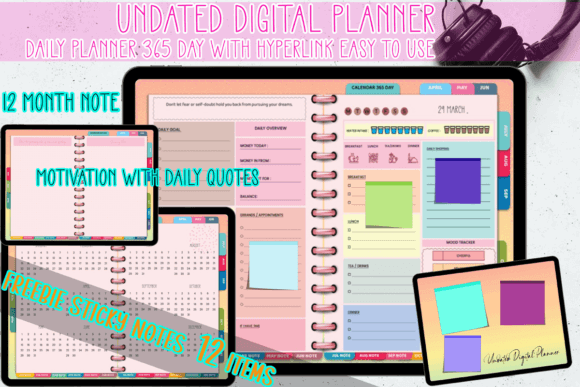
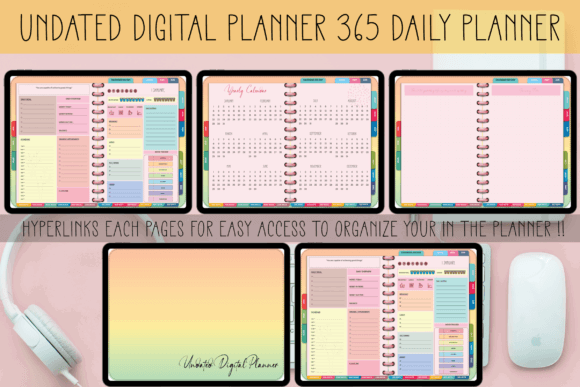
This planner focuses on consistent daily use. It provides a page for every day of the year and combines practical organization with motivational quotes intended to add a small reflective element to the routine.
A daily-page system is especially useful when you regularly schedule appointments, detailed tasks, notes, or time blocks. It is less suitable for someone who only plans once per week, since hundreds of daily pages can add visual and navigational weight without providing much additional value.
Best for: Daily planning, journaling, detailed task management
Key features: 365 daily pages, undated layout, motivational prompts
Formats: Digital planner
License: Commercial license included
11. Minimal Digital Planner Template
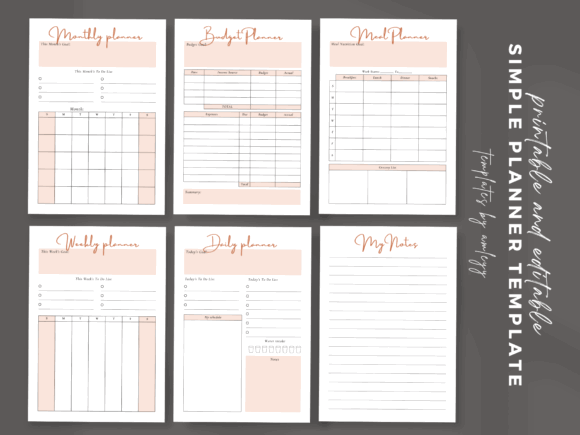
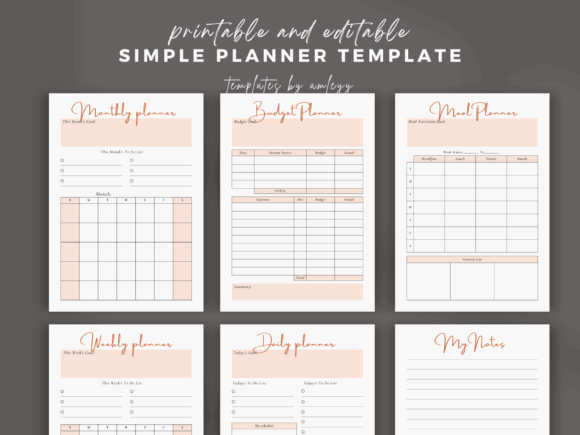
This compact bundle covers the practical core of everyday organization: monthly, weekly, and daily planning, budgeting, meal planning, notes, and task management. The clean design leaves more visual room for handwriting and color-coded annotations.
It is a good choice when an enormous life planner feels excessive. The Canva-based editing options also make it easier to remove unused sections or change the visual hierarchy before committing to a finished planner.
Best for: Simple routines, meal planning, compact organization
Key features: Six planner types, clean pages, editable structure
Formats: Canva template, PDF planner
License: Commercial license included
Read More: While exploring various aesthetic options, you might also appreciate the sleek design and streamlined functionality found in 10 Minimalist Digital Planner Templates: Stunning Picks.
How to Choose the Right Digital Planner
Choose Your Planning App First
Confirm where you intend to use the planner before focusing on its appearance. GoodNotes and Notability are popular iPad options, while Noteshelf, Xodo, and Penly can support other tablet workflows.
A PDF planner is not automatically compatible with every feature in every app. Hyperlinks generally require the document to be used in navigation or reading mode rather than pen-editing mode.
Decide Between Dated and Undated Pages
A dated planner provides more immediate structure. You can download it and begin without adding dates manually.
An undated digital planner is more forgiving. It is usually the better option for irregular planners, students with changing terms, or anyone who tends to abandon a system for a few weeks and then return.
Consider How Much Structure You Actually Need
Large all-in-one planners look valuable because they contain hundreds of pages. In practice, more pages can create more friction if you only use a weekly schedule and a task list.
Choose the smallest system that covers your real routine. Budget pages, meal trackers, wellness journals, and project dashboards are useful only when you expect to revisit them.
Check the Visual Contrast
Pale beige, blush, sage, and lavender palettes photograph beautifully. Some become difficult to read when a tablet is dimmed or used near a window.
Look for dark enough text, clear tab labels, and sufficient contrast between the page background and writing areas. A decorative cover can be expressive, but the working pages should remain calm.
Decide Whether You Need Canva Editing
A Canva digital planner template is the better route when you want to change fonts, brand colors, headings, or page order. A finished hyperlinked PDF is faster when you simply want to import the file and begin planning.
Editing hyperlinks inside a complex Canva planner can take patience. For personal use, a finished PDF often provides the smoother setup.
Where to Find More Digital Planner Templates
Creative Fabrica has a large collection of digital planners, Canva templates, printable inserts, digital stickers, and GoodNotes-compatible designs. The subscription model can make sense when you plan to download several related resources rather than purchase one planner in isolation.
It is also helpful for comparing visual directions before settling on a system. You can explore minimalist, pastel, boho, cute, professional, wellness, student, and all-in-one planner styles in the same library. Always review the individual product description, included files, app requirements, and licensing terms before downloading.
Which Aesthetic Digital Planner Should You Choose?
The strongest aesthetic digital planner templates make organization feel inviting without sacrificing clarity. A muted palette or attractive cover may get your attention, but navigation, spacing, and page structure determine whether you will still enjoy using the planner several months later.
For a straightforward GoodNotes setup, the Minimalist Digital Planner offers a clean undated system with broad app compatibility. The Aesthetic Digital Planner for Canva is easier to personalize, while the larger all-in-one planners make more sense for users who want scheduling, budgeting, goals, and personal tracking in a single file.
Pick the design that matches how you already plan—not the imaginary routine you hope to maintain. A smaller planner used consistently is far more useful than an elaborate one that becomes another unfinished project.
Some links in this article may be affiliate links. If you purchase through them, we may earn a small commission at no extra cost to you. Thanks for supporting our work.
FAQ
1. What is the best app for aesthetic digital planners?
GoodNotes is a common choice for iPad users because it supports handwriting, PDF imports, tabs, and hyperlinks. Notability, Noteshelf, Xodo, and Penly are also useful, depending on your device and preferred workflow.
2. Can I use a Canva digital planner in GoodNotes?
Yes. Customize the planner in Canva, export it as a PDF, and import the PDF into GoodNotes. Confirm that hyperlinks remain active after export when the planner depends on clickable navigation.
3. Are undated digital planners better than dated planners?
Undated planners are better for flexible or inconsistent routines because unused weeks are not wasted. Dated planners are faster to begin using and provide a clearer calendar structure.
4. What should an aesthetic digital planner include?
A useful planner should include clear navigation, monthly and weekly views, daily or task pages, enough writing space, and a readable color palette. Extra trackers should match your actual routine rather than simply increasing the page count.

Follow Us