

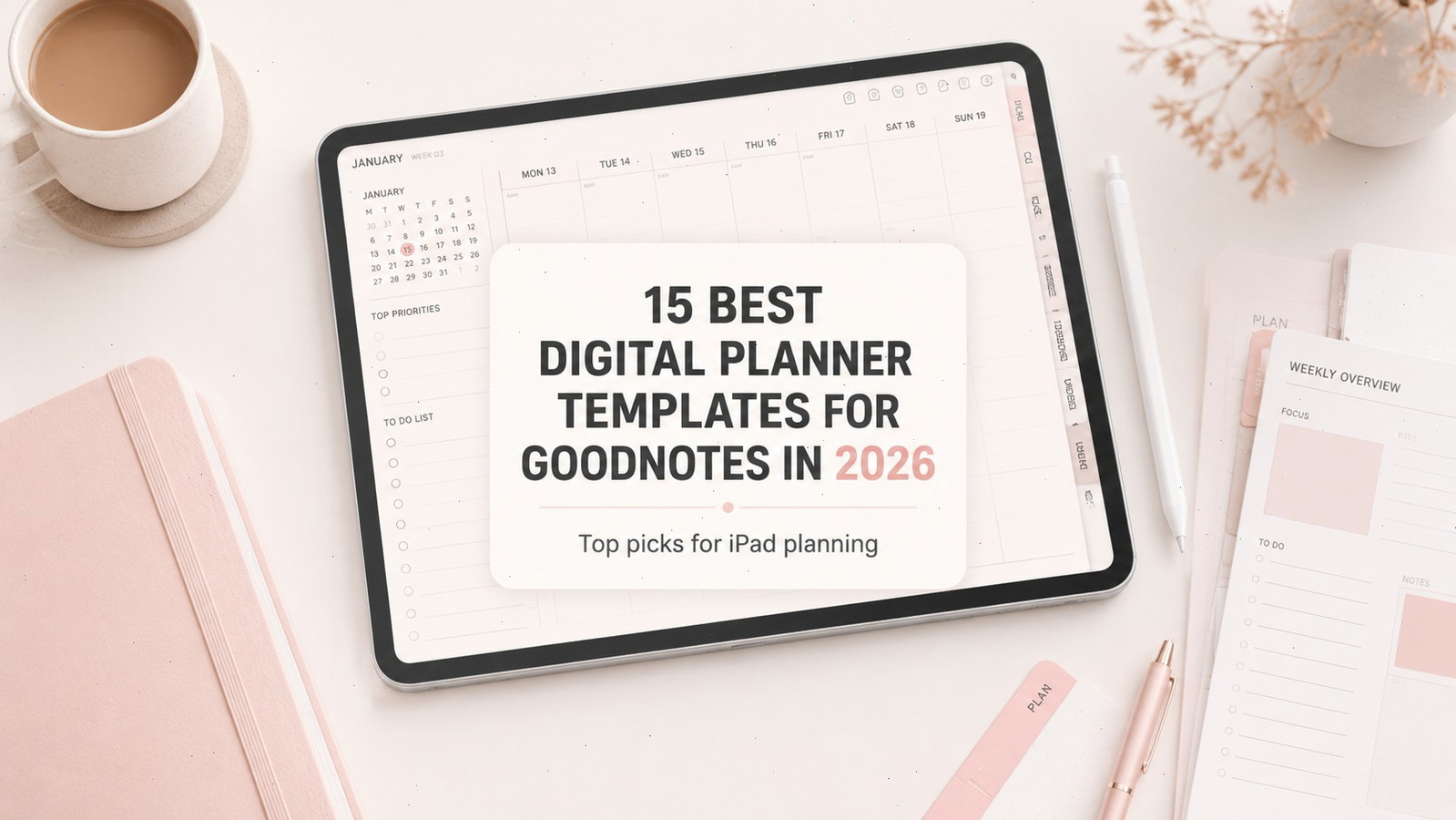
How the Best Digital Planner Templates for Goodnotes Improve Planning
The best digital planner templates for Goodnotes in 2026 are not always the collections with the largest number of pages, stickers, or decorative covers. When I compare digital planners, I pay more attention to page hierarchy, writing space, hyperlink placement, and how quickly I can understand the structure from the previews.
A planner can contain hundreds of attractive layouts and still feel awkward once it is imported into Goodnotes. Small labels, crowded dashboards, repetitive inserts, and overly elaborate navigation often become more noticeable when the planner is viewed on an actual tablet rather than in a polished marketplace mockup.
Some people genuinely need a complete life-management system with daily schedules, financial trackers, meal plans, wellness pages, and project sections. Others will use little more than a monthly calendar, a weekly spread, and a task list. In practice, the most useful planner is usually the one that supports your existing routine without asking you to maintain dozens of sections you rarely open.
Goodnotes supports third-party planners, including hyperlinked PDF files purchased outside the Goodnotes Marketplace. Links remain available after import, although the way they are activated depends on whether you are writing or using read-only mode.
Creative Fabrica contains thousands of Goodnotes-related products, so quantity alone is not a useful way to narrow the options. For this selection, I focused on current 2026 editions, established listings with visible engagement, and templates built around clearly different planning needs.
Quick Picks
- Best flexible starting point: 2026 Bundle Digital Planner, Goodnotes
- Best for maximum customization: All-in-One Digital Planner by Print Magic StudioX
- Best editable Canva library: Best Selling Digital Planner Bundle
- Best for students: All in One Digital Planner for Students
- Best reusable structured option: ADHD Undated Digital Planner for Goodnotes
How I Picked These
I compared these Goodnotes planners by hyperlink navigation, writing space, page hierarchy, dated and undated flexibility, customization, orientation, app compatibility, specialization, and how easily each system can become part of a sustainable tablet-planning routine without adding unnecessary complexity.
15 Best Goodnotes Planner Templates for 2026
1. 2026 Bundle Digital Planner, Goodnotes
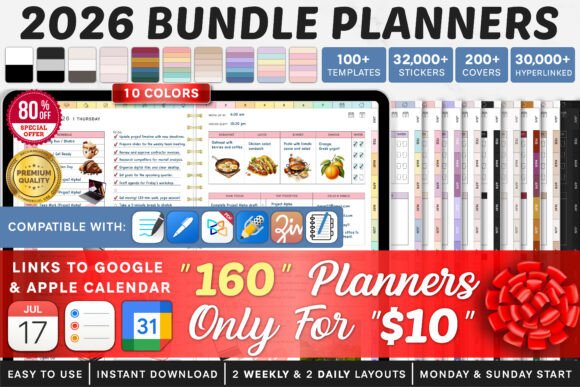
The 2026 Bundle Digital Planner, Goodnotes is one of the more flexible options for someone who has not yet settled on a single planning style.
One thing I often notice when browsing planner bundles is that variety can be genuinely useful during the first few weeks. A collection containing several formats allows you to compare daily pages, weekly layouts, and broader monthly views without committing immediately to one system.
This is particularly helpful when moving from paper planning to an iPad. A layout that appears intuitive in a product preview may feel very different once you begin writing with an Apple Pencil. Some people naturally prefer detailed daily pages, while others find that a simple weekly overview is easier to maintain.
The limitation is file organization. Large bundles often include several similar versions, and importing all of them into Goodnotes can create unnecessary clutter. I would treat this collection as a selection of possible systems rather than a package that needs to be imported in full.
Best for: First-time users, flexible planning, comparing multiple routines
Key features: Dated 2026 layouts, bundled formats, Goodnotes-focused PDF pages
2. Premium 2026 Digital Planner for Goodnotes
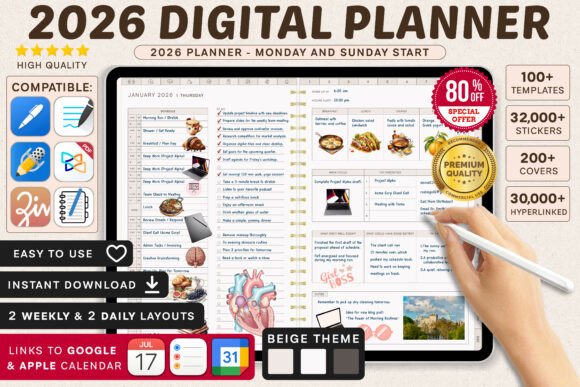
The Premium 2026 Digital Planner is more appropriate for someone who wants a ready-made annual planner rather than a broad library of individual inserts.
A dated planner removes much of the initial setup. Calendar dates, months, and weekly sequences are already arranged, so appointments and deadlines can be added immediately. This tends to suit people with predictable schedules, school terms, client meetings, or recurring weekly commitments.
Visually, dated planners often feel more cohesive because the pages follow a consistent annual structure. That continuity can make navigation easier and reduce the number of decisions required when opening the planner each day.
The tradeoff is flexibility. If your planning habit is inconsistent, unused weeks remain visible in the file. That does not make the planner unusable, but it can create a sense of interruption that some people find discouraging. An undated template may be more practical when planning happens in shorter, irregular periods.
Best for: Annual scheduling, appointments, consistent weekly planning
Key features: Dated 2026 pages, structured navigation, Goodnotes compatibility
3. All in One Digital Planner in Portrait Format
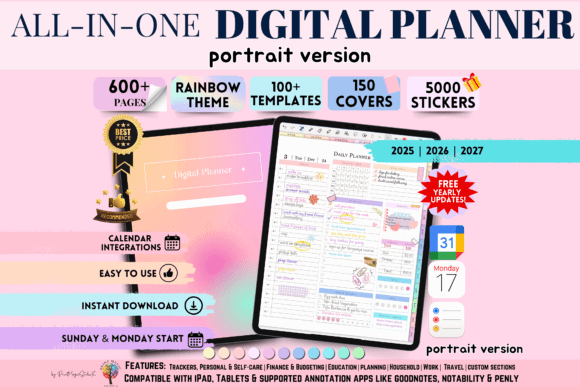
The All in One Digital Planner in Portrait Format combines daily, weekly, and broader life-planning sections in a vertical layout. The listing includes planner versions for 2025, 2026, and 2027 and is intended for PDF annotation apps such as Goodnotes and Notability.
Portrait planners feel familiar because their proportions resemble traditional notebooks. They also create natural vertical space for hourly schedules, handwritten lists, journaling prompts, and stacked task sections.
From a visual perspective, portrait pages can feel calmer than wide dashboard-style layouts. Information follows a clear top-to-bottom direction, which is particularly useful when a daily page contains several categories.
The main limitation appears in split-screen mode. When Goodnotes shares the display with a browser, textbook, email app, or reference document, a portrait page can become narrow. Small writing boxes and labels may then require frequent zooming.
Before choosing a portrait planner, I would look closely at the preview scale. A page can appear spacious in a marketplace image but feel much denser once the Goodnotes toolbar and navigation panels are visible.
Best for: Vertical iPad use, journaling, detailed daily schedules
Key features: Portrait format, multi-year versions, daily and weekly layouts
4. All-in-One Digital Planner by Print Magic StudioX
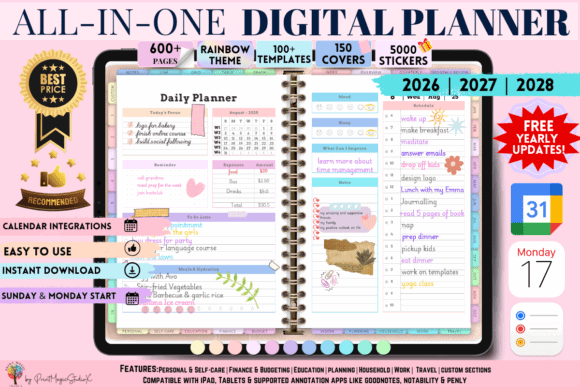
The All-in-One Digital Planner is the most expansive collection in this roundup. Its listing describes 86 template types, 5,000 digital stickers, and 150 covers, with sections covering areas such as personal development, education, budgeting, and travel.
The strongest aspect of a collection like this is not simply its size. It gives visually creative planners a large library of decorative material that can be reorganized around different themes, seasons, and routines.
The covers and stickers may appeal to people who enjoy digital planning as a form of visual journaling rather than purely functional scheduling. Decorative assets can add personality, especially when the underlying planner pages are relatively neutral.
At the same time, large numbers can create unrealistic expectations. Five thousand stickers do not necessarily mean five thousand distinctly useful graphics. Large collections sometimes include color variations, repeated motifs, or assets that differ only slightly.
I would approach this bundle as a resource library. Select the covers, inserts, and decorative elements that suit your visual style rather than trying to use every included file.
Best for: Customization, decorative planning, multiple life categories
Key features: 86 templates, 5,000 stickers, 150 planner covers
5. All-in-One Digital Planner, Goodnotes
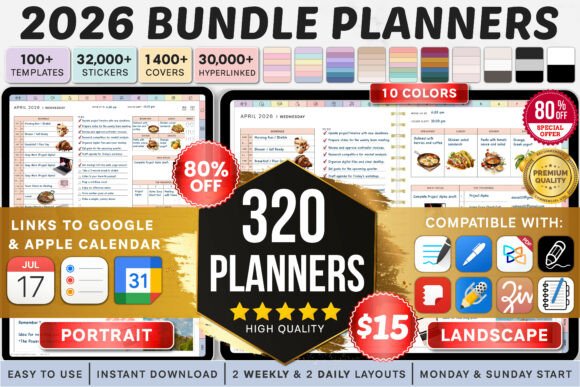
The All-in-One Digital Planner, Goodnotes is one of the options in this selection with a visible review history. At the time referenced in the original listing research, it held a 4.5 rating based on 18 reviews.
Its broad structure is intended for people who prefer to keep personal tasks, work plans, goals, notes, and routines inside one Goodnotes file.
There is a practical advantage to this approach. Tasks rarely remain inside one category. A personal appointment can affect a work schedule, and a financial goal may influence household planning. Keeping those areas together can reduce the friction of switching between separate notebooks.
The visual structure matters considerably in an all-in-one planner. Sections need to feel related without becoming difficult to distinguish. Clear tab labels, restrained color coding, and consistent page layouts make a large planner easier to scan.
A potential limitation is the amount of maintenance involved. When every category includes its own worksheet, dashboard, and tracker, it becomes easy to spend more time updating the planner than acting on the information inside it.
Best for: Centralized planning, goals, personal organization
Key features: Visible review history, integrated sections, Goodnotes-ready structure
6. “That Girl” Digital Planner for Goodnotes
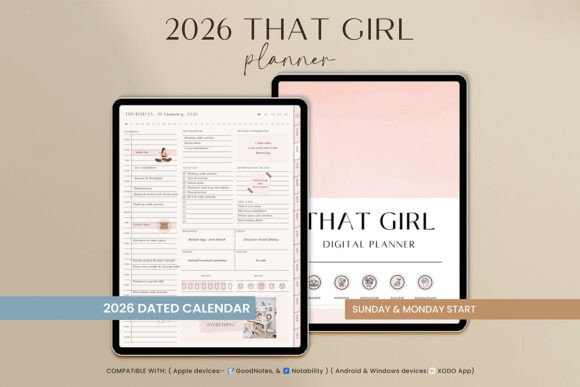
The “That Girl” Digital Planner combines scheduling with wellness, finances, reflection, and personal-development pages.
The listing describes more than 550 pages, daily, weekly, and monthly layouts, Monday- and Sunday-start options, quarterly overviews, notes sections, and extensive hyperlink navigation.
Visually, this planner follows a recognizable lifestyle aesthetic rather than a neutral office-planning style. That direction gives the collection more personality, which may make the planning routine feel enjoyable for someone who already responds to wellness-oriented imagery and soft decorative details.
The benefit of a clearly defined visual style is cohesion. When colors, typography, icons, and page decorations follow the same design language, a large planner can feel more intentional.
The disadvantage is that trend-driven aesthetics do not appeal equally to everyone. Someone who prefers plain grids, high contrast, and minimal decoration may find the theme distracting. Decorative pages can also compete with handwriting when the background elements are too prominent.
Best for: Wellness routines, personal goals, aesthetic planning
Key features: More than 550 pages, hyperlinked tabs, reflection and finance sections
7. Best Selling Digital Planner Bundle
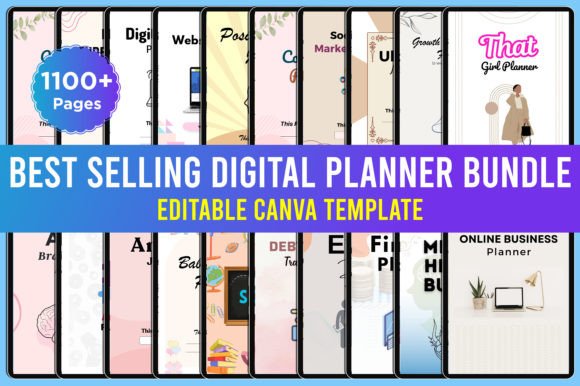
The Best Selling Digital Planner Bundle is a large editable collection rather than a straightforward annual planner that is ready to use immediately.
The package has accumulated more than 2,000 saves or favorites on its Creative Fabrica listing. It includes more than 1,100 pages and offers PDF, JPEG, PNG, and editable Canva material.
The Canva files are the main distinction. They allow colors, text, page combinations, and some visual details to be adjusted before the planner is imported into Goodnotes. This may suit template creators, small digital product sellers, or users who have a very specific visual identity in mind.
From a design-resource perspective, editable source material offers more flexibility than a fixed PDF. It also requires more preparation. Page dimensions, hyperlink structure, export quality, and visual consistency need to be checked after customization.
Large editable bundles can also contain repetitive layouts. A high page count is useful only when the individual templates serve meaningfully different purposes.
Users who simply want to download a planner and begin writing may find a finished hyperlinked PDF more convenient.
Best for: Canva customization, template creators, large page libraries
Key features: More than 1,100 pages, editable Canva files, multiple file types
8. All in One Digital Planner for Students
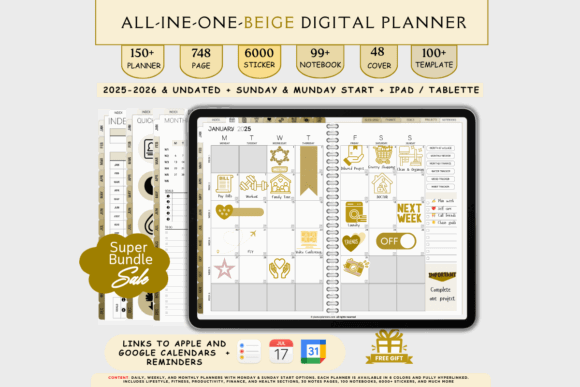
The All in One Digital Planner for Students separates itself from general lifestyle planners by focusing on academic organization.
A student planner needs a different information hierarchy. Assignment deadlines, course schedules, examination dates, project stages, and study sessions should be visible without being buried beneath unrelated wellness or household sections.
When I compare student planner previews, I look closely at how much writing space is allocated to course names and task descriptions. Narrow columns may appear tidy, but they become frustrating when assignment titles are long or handwritten notes require more room.
A strong academic planner should also make workload patterns visible. Weekly overviews are especially useful when several deadlines fall close together.
Keeping the planner and lecture notes inside Goodnotes can reduce the number of separate notebooks a student needs to maintain. However, the academic structure may feel too specialized for users whose schedules revolve around household tasks, client projects, or personal appointments.
Best for: College students, assignments, study scheduling
Key features: Academic organization, structured pages, tablet-friendly layout
9. All in One Digital Planner for Everyday Use
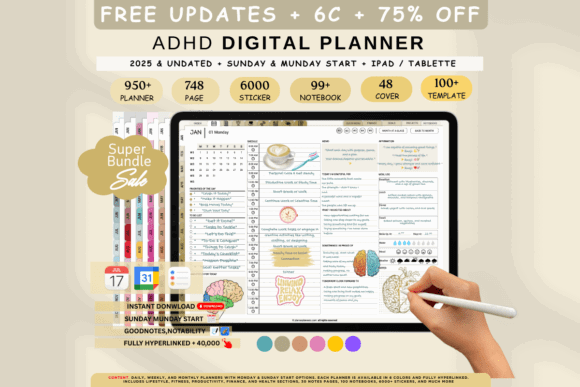
The All in One Digital Planner for Everyday offers a more general alternative to student, business, and productivity-specific planners.
Its main strength is adaptability. An everyday planner can hold appointments, shopping lists, household tasks, routines, personal notes, and occasional projects without requiring every entry to fit an academic or professional system.
General-purpose planners often remain useful through changing routines because they are not built around one narrow stage of life. A weekly page can move easily between work scheduling, family organization, travel preparation, and personal planning.
The strongest collections in this category usually rely on neutral layouts and flexible writing areas. Pages that are too heavily labeled can make a general planner less versatile.
The tradeoff is depth. A broad planner may include budgeting or project pages, but those sections are unlikely to be as detailed as the tools found in a dedicated financial or business planner.
Best for: Household planning, appointments, mixed personal tasks
Key features: General-purpose sections, flexible layouts, everyday organization
10. Ultimate All-in-One Digital Planner
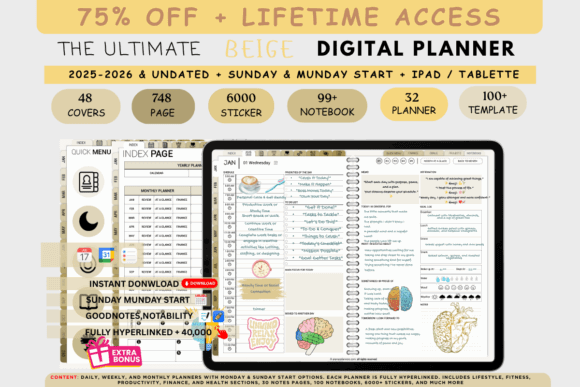
The Ultimate All-in-One Digital Planner is designed for users who move between different devices or note-taking applications.
It is listed as compatible with Goodnotes, Notability, Samsung Notes, and Xodo across iPad, Android, Windows, and Mac.
Cross-platform compatibility can be useful when a planner is created on a tablet but reviewed from a laptop or another device. A standard PDF format makes that kind of access possible without relying on one application.
Compatibility does not necessarily mean an identical experience everywhere. Hyperlinks, handwriting tools, page rendering, and navigation controls can behave differently across apps. A planner that feels smooth in Goodnotes may require a slightly different workflow in another annotation program.
The visual design should also be tested at several screen sizes. Small tab labels that are comfortable on a large tablet may be difficult to use on a smaller device.
Best for: Cross-platform users, broad life planning, tablet workflows
Key features: Multi-device compatibility, hyperlinked PDF, all-in-one sections
11. All in One iPad Digital Planner
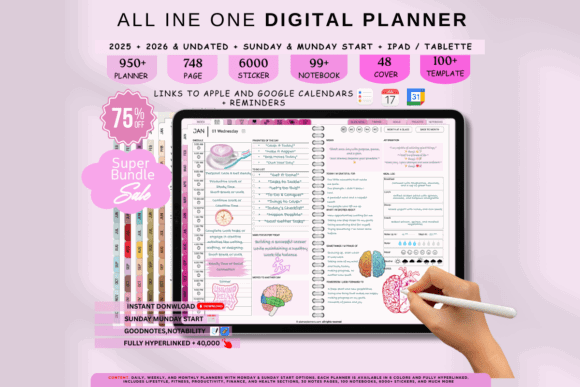
The All in One iPad Digital Planner focuses specifically on the tablet planning experience.
It combines daily, weekly, budget, student, and general planning concepts in one product. This makes it suitable for someone who uses an iPad as the central place for handwritten notes, scheduling, and personal organization.
When evaluating an iPad planner, page orientation is one of the first things I consider. Promotional images often show the planner without the full Goodnotes interface, which can make the writing areas appear larger than they are.
Once the toolbar, page controls, and side panels are visible, narrow boxes may feel cramped. This is especially noticeable for users with larger handwriting or those who prefer to write without zooming.
A tablet-oriented planner should balance visual detail with clear writing space. Decorative headers can add character, but the handwritten content still needs to remain the strongest visual element on the page.
Best for: iPad users, handwritten notes, combined life planning
Key features: Tablet-oriented pages, multiple planning sections, PDF workflow
12. All in One Digital Planner to Organize
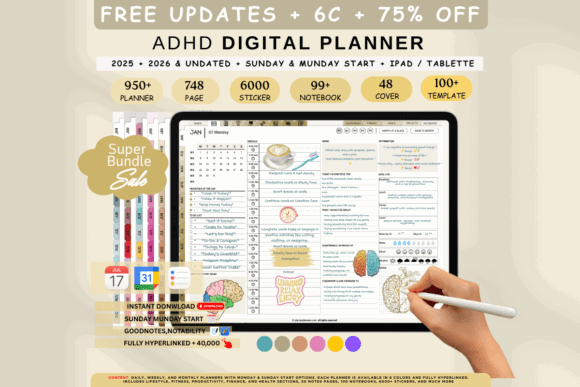
The All in One Digital Planner to Organize is built around hyperlinked navigation and broad personal organization.
This type of planner suits users who frequently move between monthly calendars, weekly pages, lists, and notes. Navigation is particularly important in digital planners because there are no physical page edges, bookmarks, or visible paper sections to guide you.
The strongest hyperlink systems feel almost invisible. Tabs remain in predictable positions, labels are easy to read, and moving from a monthly view to a weekly page requires very little thought.
A large number of links is not automatically a benefit. Small tabs, unclear icons, or inconsistent navigation can make an extensive planner feel slower than a simple notebook.
The depth of this collection may also be unnecessary for someone who mainly needs a calendar and a few task pages. A smaller dated planner will often load more quickly and demand less organization.
Best for: Hyperlinked navigation, personal organization, recurring routines
Key features: Linked sections, multiple planning views, Goodnotes support
13. ADHD Digital Planner — Vertical Structured Edition
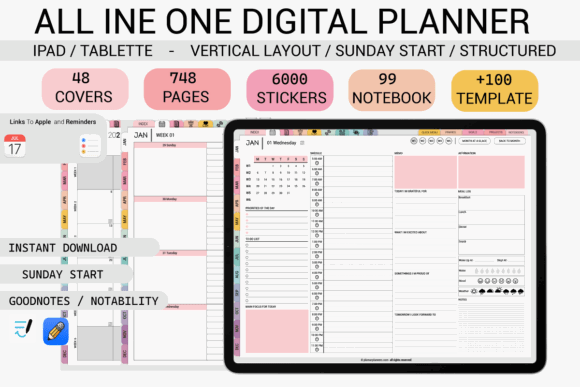
The ADHD Digital Planner — Vertical Structured Edition takes a more guided approach than a conventional blank weekly planner.
Its listing highlights Apple Calendar integration alongside compatibility with applications such as Goodnotes and Notability.
The vertical layout creates a natural sequence for priorities, reminders, time blocks, and task breakdowns. Information can move from the most important item at the top toward smaller actions below.
The useful part of an ADHD-oriented planner is not simply the label. It is the attempt to reduce decision load. Clear next actions, limited priority spaces, and visible time blocks can make it easier to restart after attention shifts.
A page with too many prompts can have the opposite effect, so visual restraint still matters. The strongest structured planners guide the eye without filling every available space.
No digital planner can remove distraction by itself. Its value depends on whether the page hierarchy matches the way the user processes tasks.
Best for: Time blocking, visible priorities, vertical planning
Key features: Structured layout, calendar integration, distraction-conscious organization
14. ADHD Digital Planner — Horizontal Optima Edition
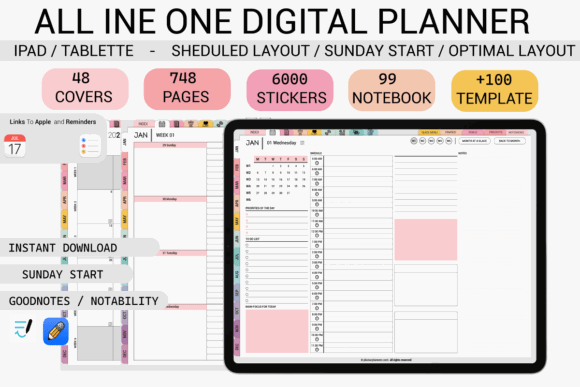
The ADHD Digital Planner — Horizontal Optima Edition presents similar organizational ideas in a landscape format.
Horizontal pages are useful when a complete week needs to remain visible at once. They provide more lateral space for project stages, categorized task lists, and schedules that move from morning to evening.
This orientation can feel especially natural when an iPad is positioned on a desk or used with a keyboard. The wider composition resembles a desktop dashboard more than a traditional notebook page.
From a visual standpoint, landscape layouts need careful balance. When every day receives its own column, text can become small. A well-designed weekly page should preserve enough blank space to keep the schedule readable.
The format is less convenient when the tablet is held vertically or used while standing. Orientation should therefore be chosen according to the physical way the device is normally used, not simply according to which preview appears more attractive.
Best for: Weekly overviews, desktop planning, project visibility
Key features: Horizontal pages, calendar integration, structured planning system
15. ADHD Undated Digital Planner for Goodnotes
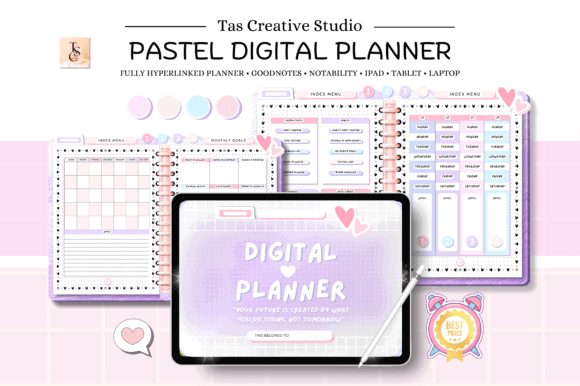
The ADHD Undated Digital Planner for Goodnotes removes the expectation of maintaining an uninterrupted daily planning streak.
An undated planner can be more forgiving for inconsistent routines. You can stop for several days or weeks, return later, and continue without moving through a block of unused dated pages.
That flexibility also allows the same file to remain useful beyond 2026. For users who do not want to purchase a new planner every year, this can offer more practical long-term value.
The compromise is preparation. Dates need to be entered manually, and appointments far in the future require more effort to organize.
Undated pages also need a clear structure. Without printed calendar sequences, navigation and section labeling become even more important. A flexible planner should still make it obvious where weekly planning, daily tasks, and long-term notes belong.
Best for: Flexible routines, restarting easily, reusable planning
Key features: Undated pages, Goodnotes compatibility, ADHD-focused layouts
Read More: If you appreciate a clean and uncluttered design, you might also enjoy these 10 Minimalist Digital Planner Templates: Stunning Picks for a streamlined planning experience.
Which Digital Planner Should You Choose for Goodnotes?
The 2026 Bundle Digital Planner is the most flexible starting point for users who want to compare several planning formats in one download.
The All-in-One Digital Planner by Print Magic StudioX contains the broadest decorative and customization library, although its size may feel excessive for someone who prefers a simple planning routine.
The Best Selling Digital Planner Bundle is more suitable for users who want editable Canva source material and greater control over colors, page combinations, and branding.
Students are likely to find the All in One Digital Planner for Students more relevant than a general lifestyle planner. Users who benefit from visible priorities and reduced decision load may prefer one of the vertical, horizontal, or undated ADHD-oriented planners.
After exploring many digital planner collections, I have found that the most useful designs rarely depend on the longest feature list. Clear page hierarchy, generous writing space, readable tabs, and dependable navigation usually matter more.
A digital planner should make the next task easier to see. When opening the file begins to feel like another organizational project, the planner is probably more complicated than it needs to be.
Some links in this article may be affiliate links. If you purchase through them, we may earn a small commission at no extra cost to you. Thanks for supporting our work.
FAQ
What is the best digital planner for Goodnotes in 2026?
The best general option is a dated, hyperlinked planner with monthly, weekly, and daily pages. Users who want more flexibility may prefer a bundle containing several layouts or an undated all-in-one planner.
Do Creative Fabrica digital planners work with Goodnotes?
Many Creative Fabrica planners are delivered as hyperlinked PDFs designed for Goodnotes and similar annotation apps. Compatibility should still be checked on each product page because some planner templates are intended primarily for Canva editing or printing.
Do hyperlinks work after importing a planner into Goodnotes?
Yes. Goodnotes retains hyperlinks in imported PDF planners. Use read-only mode to tap them directly, or long-press a link while working in pen mode.

Follow Us